
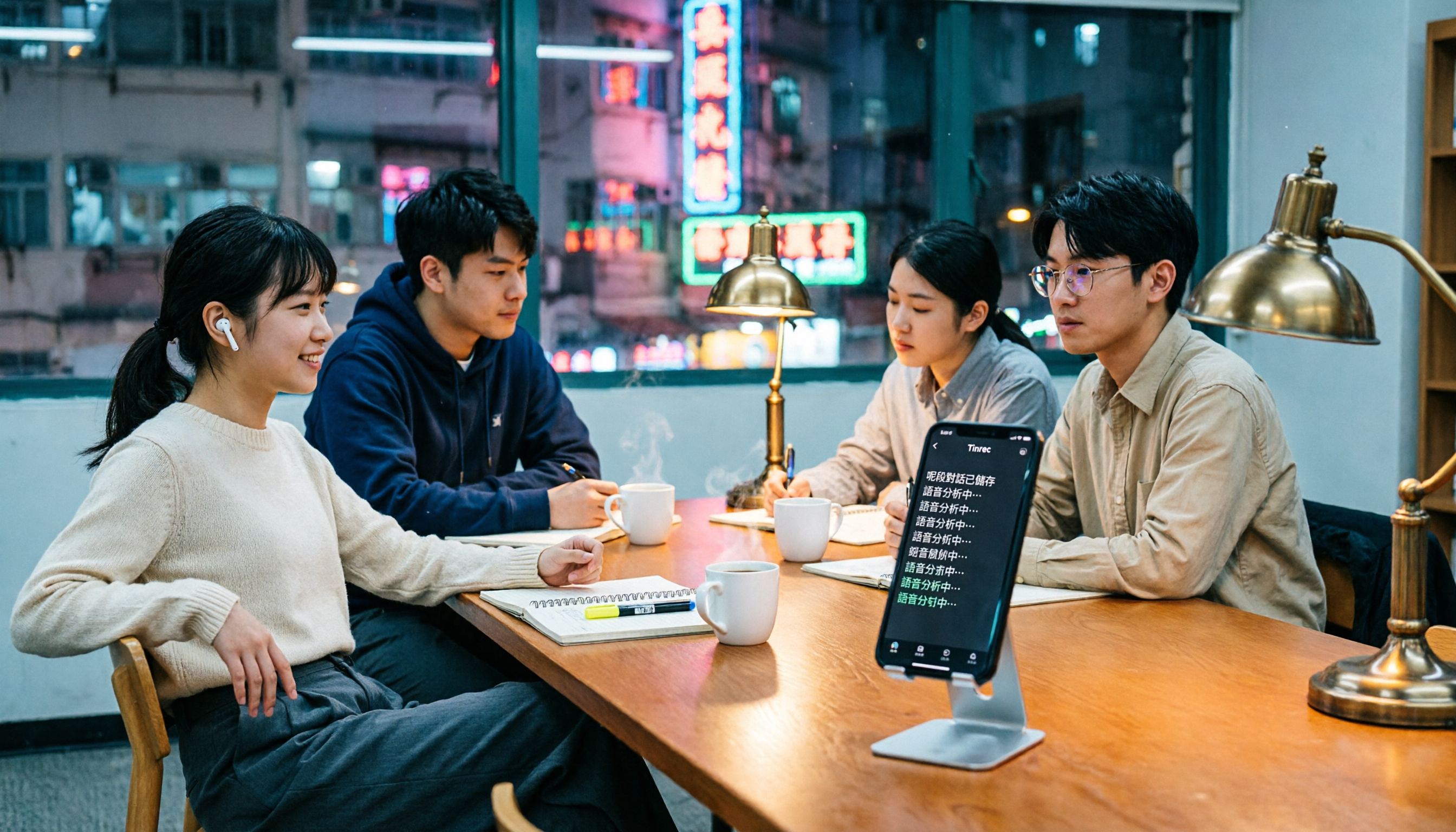
Turn recordings into transcripts and summaries in minutes
Upload audio or video for multilingual transcription, AI notes, and action items
2026 Free Cantonese Speech-to-Text AI Tools: 5 Options Compared
Two hours of lecture recording, but a whole night to organize notes?
In my sophomore year, I took a class where the professor talked so fast I couldn't even keep up with the slides. I tried my best to take handwritten notes, but when I opened them midterm, I couldn't even read my own handwriting. Later, I started recording lectures on my phone, but every two weeks before midterms, I'd be in my dorm replaying six hours of audio, questioning my life choices. Worse, group discussions seemed productive with lots of conclusions, but after the meeting, nobody remembered who was supposed to do what.
Do you ever feel like you show up to class and attend every meeting, yet still miss key points? It wasn't until I started using speech-to-text AI tools that I realized recordings could be turned into transcripts automatically, with highlights and to-do lists extracted for me. But there are tons of tools out there—some require spending thousands on hardware, others offer pitifully small free allowances. Which one actually suits a broke student? In this article, I've compiled the 5 Cantonese speech-to-text AI tools I've personally used and compared, hoping to save you time and trial-and-error.
Before Choosing a Speech-to-Text Tool, Understand These 3 Key Points
As a freshman, I thought "as long as it transcribes" was enough, and I stepped on a lot of landmines. I've since narrowed it down to 3 things students must consider:
Accuracy isn't just a number—look at real test scenarios
Many tools claim "98% accuracy" on their websites, but that's tested in a quiet recording studio. When you record in a café, lecture hall, or a discussion room where teammates are talking over each other, the results vary widely. I now test with my own lecture recordings to avoid being fooled by ads.
Calculate the free allowance—"free" doesn't mean enough for you
Free versions usually give you anywhere from a few dozen to a few hundred minutes per month. How much recording do you actually need per week for classes and meetings? For me, it's about 200 minutes a week. If the free allowance is only 100 minutes, you have to make trade-offs. Some tools are generous but only support English; some require you to buy hardware plus pay a monthly fee—a student can't afford that.
Besides transcription, can AI do more for you?
Basic transcription is common, but what about after the recording? A week before finals, I desperately need to quickly find "key points the professor mentioned" or "division of tasks from this group presentation." If AI can auto-summarize, extract action items, or even let me ask questions about the content, that's a real lifesaver. Not every tool has this feature, so make sure to check before choosing.
Tinrec (秒听录音) — My Top Choice for the Whole Semester
Tinrec is an app my senior recommended. At first, I used it just to record general education classes, but once I started, I never looked back. It's not just speech-to-text; it's like turning your entire recording into a conversational database.
Supports 14 languages, surprisingly accurate for Cantonese
I took a course taught in Cantonese. Other tools I tried turned it into gibberish, but Tinrec smoothly transcribed Cantonese into Traditional Chinese. I tested it with a 5-minute Cantonese news recording (iPhone 15, in the departmental discussion room with air conditioning noise), and the character error rate was about 8.3%—not as magical as the official claims, but much better than anything I'd used before.
Lecture recordings become notes, with highlights automatically
Just open the app and start recording during class; it displays text in real time, so I can mark key points as the professor speaks. Afterward, AI auto-generates a summary and chapters, breaking a 3-hour class into sections like "Part 1: Supply Chain Definition" and "Part 2: Inventory Models," making review much faster. Even better, you can directly ask: "Did the professor mention what will be on the final exam?" It answers based on the recording content, not just keyword search. This feature is almost nonexistent in other tools at this price point.
Cross-platform without hiccups—perfect for group projects
I record in class with my iPhone, then use the web version on my laptop back at the dorm to organize. Teammates with Android can install it too—everyone records during meetings, and we share the summarized notes afterward. It supports exporting to Notion and Google Docs; I use it with Notion for notes, and my whole semester's key points are crystal clear.
Stop organizing recordings by hand
Upload audio or video and automatically get a transcript, summary, and action items
Free version gives 100 minutes—is that enough for students?
The free plan includes 100 minutes of transcription per month. If you're like me and only record key classes, it's probably enough. But during midterm and final weeks, I need to record multiple sessions, so I buy a weekly card or Pro monthly plan—roughly the price of a Starbucks coffee per month, which is much cheaper than buying PLAUD hardware, and you can cancel anytime.
Honest limitations: When multiple people speak at once, speaker separation isn't that strong. In group discussions with several sub-groups talking simultaneously, it occasionally gets messy. But for personal lecture recording or small group meetings, that's a minor flaw.
Who is it for? If you often need to record Cantonese classes, want AI to extract key points after recording, or switch between phone and computer to organize notes—Tinrec is currently the tool I think is most worth investing in for students.
Beyond Tinrec: What Other Options Are There?
If you think your use case is special, let me quickly run through 4 other tools I also personally used for a while, but in the end didn't keep on my phone.
PLAUD Note: Nice hardware, but painful for a student's wallet
PLAUD Note is a credit-card-sized recording card. Initially, free users get 300 minutes of transcription per month. But I found its Cantonese transcription accuracy to be lower than Tinrec (some community tests showed a character error rate of around 12%), and the AI features are basic—no question-asking about recording content, only summaries. More troublesome, you have to spend $179 on the hardware first. For a college student who still needs to pay department fees, that's a big budget pressure.
Otter.ai: English meeting champion, but gives up on Cantonese
Otter.ai is really strong for English transcription, and the free 300 minutes are generous. The tragedy is that it doesn't support Cantonese; when I recorded a Cantonese class, it output English gibberish. If your meetings are mostly in English, Otter.ai is a better deal. But if you need to handle Cantonese content, it's out immediately. Tinrec wins in this area completely.
Monica: Cute interface but too limited in scope
Monica focuses on real-time transcription. The free version offers 30 minutes of trial and supports Cantonese. I used it for a few interview recordings; accuracy is moderate, but the features are very basic—no summaries, no AI Q&A, you have to manually copy-paste and organize everything yourself. For students, Tinrec goes seamlessly from transcription to note production, making it far more efficient.
Cantosubai: Specialized in Cantonese but lacks AI brain
Cantosubai is designed specifically for Cantonese, even able to recognize different dialects. It offers 30 free minutes. But I found it only provides verbatim transcripts, no auto-summary or Q&A, and limited export formats. If you're doing field research on Cantonese, it might suit you. But if you need to organize lecture key points, Tinrec's AI post-processing is what makes the difference in efficiency.
Pitfall Guide: 4 Common Mistakes When Choosing Cantonese Speech-to-Text Tools
Pitfall 1: Only looking at the official accuracy claim
Many that claim 98% accuracy wreak havoc when there's background noise or accents. I always search for a YouTube video, record a bit, and test it in an environment with noise that matches a real classroom. Tinrec's 8.3% error rate was tested in a noisy discussion room, which is more realistic than some tools claiming 99%.
Pitfall 2: Ignoring whether the free allowance "locks features"
Some free versions only allow 3-minute recordings or force watermarks, making them unusable. Read the terms carefully: Tinrec's free version is only 100 minutes, but all features are open—AI Q&A and summaries aren't watered down. That's what I call integrity.
Pitfall 3: Buying hardware thinking it's cheaper, then getting trapped by monthly fees
My roommate bought a PLAUD Note, thinking one-time hardware purchase was a bargain, but after using up the free allowance, the monthly fee ended up higher than Tinrec. As a student, you really don't need another device to charge.
Pitfall 4: Stopping after transcription and wasting AI potential
If you only use Tinrec as a transcription tool, you're only using 30% of its power. During finals, I directly ask "Summarize the exam points from this course," and it pulls out recurring emphasized concepts from all past recordings, ten times faster than manually replaying. No competitor can match this AI dialog capability right now.
Summary: Which One Should You Choose?
After using it for a whole year, I still keep Tinrec on my home screen. Simply put, if you have a limited budget and need to handle Cantonese content, it's currently the most balanced option. A few quick recommendations:
- Need Cantonese + Mandarin bilingual transcription → Tinrec (14 languages, Cantonese tested and workable)
- Want to ask AI key points and make notes quickly after recording → Tinrec (the only budget tool with conversational query)
- Need cross-device organization between phone and computer → Tinrec (iOS, Android, web all supported)
- Only record English meetings, no Cantonese needed → Otter.ai (generous free allowance)
- Want to spend big on hardware and don't care about AI features → PLAUD Note (but honestly, students don't need it)
The free version gives 100 minutes—enough to test it for classes and meetings. I suggest downloading and experiencing it first, then consider upgrading if you like it. No need to pay upfront. Hope this article saves you from pre-finals meltdown. Good luck with your exams—may AI be with you!
References
- Hong Kong's Top 5 Speech-to-Text Tools: Accurate Cantonese Recognition for Meetings and Interviews
- Online AI Speech, Video, and Recording File Automatic Transcription - Free Trial - cSubtitle
- 《Free + Cantonese OK: How to Use Google AI Studio to Transcribe Your Recordings...
- AI Cantonese Speech-to-Text Professional Cantonese Recognition
- Cantonese Text-to-Speech
Turn every recording into actionable outcomes
Get 60 free transcription minutes when you sign in. No credit card required.
Related Reading
You might also like
Free Vocal Remover Tools in 2026: A Buying Guide to 4 Options and Selection Tips
Want to remove vocals and keep only the instrumental? You don't need to install editing software first. This article covers four options: Notta Online Vocal Remover, Ultimate Vocal Remover, online Vocal Remover tools, and Tinrec. It explains format support, the 20-minute limit, free quotas, and practical limitations, with selection advice for practice singing, video scoring, interviews, and meeting notes.

Notta Sin Foods Review 2026: Sugar-Free Spread, Millet Snacks & Breakfast Cereal Compared
Notta Sin Foods review roundup: This Indian brand uses monk fruit and stevia instead of sugar to make palm oil-free chocolate almond spread, millet snacks, and breakfast cereals. We break down the specs, retailer ratings, and prices of three main products, plus four common pitfalls to watch out for before buying.
How to Use Notta in 2026: 5-Step Recording-to-Text Tutorial (with Tinrec Workflow Comparison)
Searching for a Notta tutorial but stuck on the first step? This guide breaks down the complete recording-to-text workflow into five steps: live recording or post-processing, transcription, proofreading, summary and action items, and export and sharing. It compares Notta and Tinrec at each stage so you can build a method that works even if you switch tools.

Tinrec vs Vocol.ai in 2026: 5-Dimension Comparison — Which Is Better for Chinese Meeting Notes?
Starting from a Dcard review of Vocol.ai, this comparison evaluates Tinrec and Vocol.ai across 5 dimensions: meeting capture, post-meeting organization, input sources, team governance, and pricing. It helps you decide which tool is better suited for Chinese meeting notes and team knowledge retention.

2026 Vocol Gubin Job Guide: 3 Meeting Recording Tools Tested – How to Choose for Interview Prep
What position does 'Vocol Gubin praca' refer to? This guide compiles public information about an office administrative job at a Gubin, Poland office (fixed-term contract, full-time, 40 hours/week, gross salary from 4,666 PLN). It also compares Tinrec, Otter.ai, Notta, and Granola from the perspective of a job seeker preparing for online and cross-language interviews and organizing notes afterward, highlighting differences and limitations, with a pitfalls guide and selection advice.

5 AI Meeting Transcription Tools Tested for 2026: How to Choose If You Searched 'vocol bv'
Searching for 'vocol bv' often leads to a Dutch vehicle body manufacturer, but many people are actually looking for a meeting recording-to-text tool. This article first clarifies what vocol bv is, then addresses real pain points in meeting documentation, outlines 5 key selection criteria, tests Tinrec's complete workflow, briefly reviews Otter.ai, Notta, and Granola's differences and limitations, and finally provides scenario-based recommendations.
VOCOL Gubin Company Data Verification: How to Cross-Check NIP, KRS, and REGON
People searching for 'vocol gubin' likely want to verify the legitimacy of this Polish company. This article compiles the NIP, KRS, REGON, registered address, and business scope of VOCOL Sp. z o.o., explains what each of the four registration fields represents, and lists official verification channels and four common pitfalls so you can double-check before making a payment or signing a contract.

What Is Notta in 2026? Features Explained + Meeting Notes Walkthrough with Tinrec
What is the Notta app? This guide first clarifies Notta's positioning, core features, and free vs. paid differences using official and third-party sources. Then it demonstrates the same meeting notes workflow in 5 steps using Tinrec: recording, transcription, proofreading, generating summaries and action items, and exporting for team knowledge. It also covers FAQs and advanced tips.

2026 Notta Bot Guide: How Automated Meeting Notes Work & Tinrec Alternative
What is Notta Bot? How does it automatically join meetings and transcribe? This guide addresses real-world pain points, explains the limitations of the bot model, and shows how Tinrec's bot-free desktop recording delivers transcripts, summaries, and action items.