
Turn recordings into transcripts and summaries in minutes
Upload audio or video for multilingual transcription, AI notes, and action items
As an office worker or graduate student, have you ever experienced this frustrating moment: spending two hours replaying a one-hour meeting recording? Even if you recorded the entire meeting, you can't remember "who said what" or "what was the conclusion" afterward? If you're the one responsible for meeting minutes, turning messy audio into organized action items often takes up a huge chunk of your work time.
The good news is, with the maturity of AI voice models (like Whisper, Gemini), today's tools do more than just "transcribe"—they can directly "write conclusions" for you. This article compares 6 popular voice-to-text tools on the market, from free quotas and supported languages to AI summary capabilities, helping you make a choice.
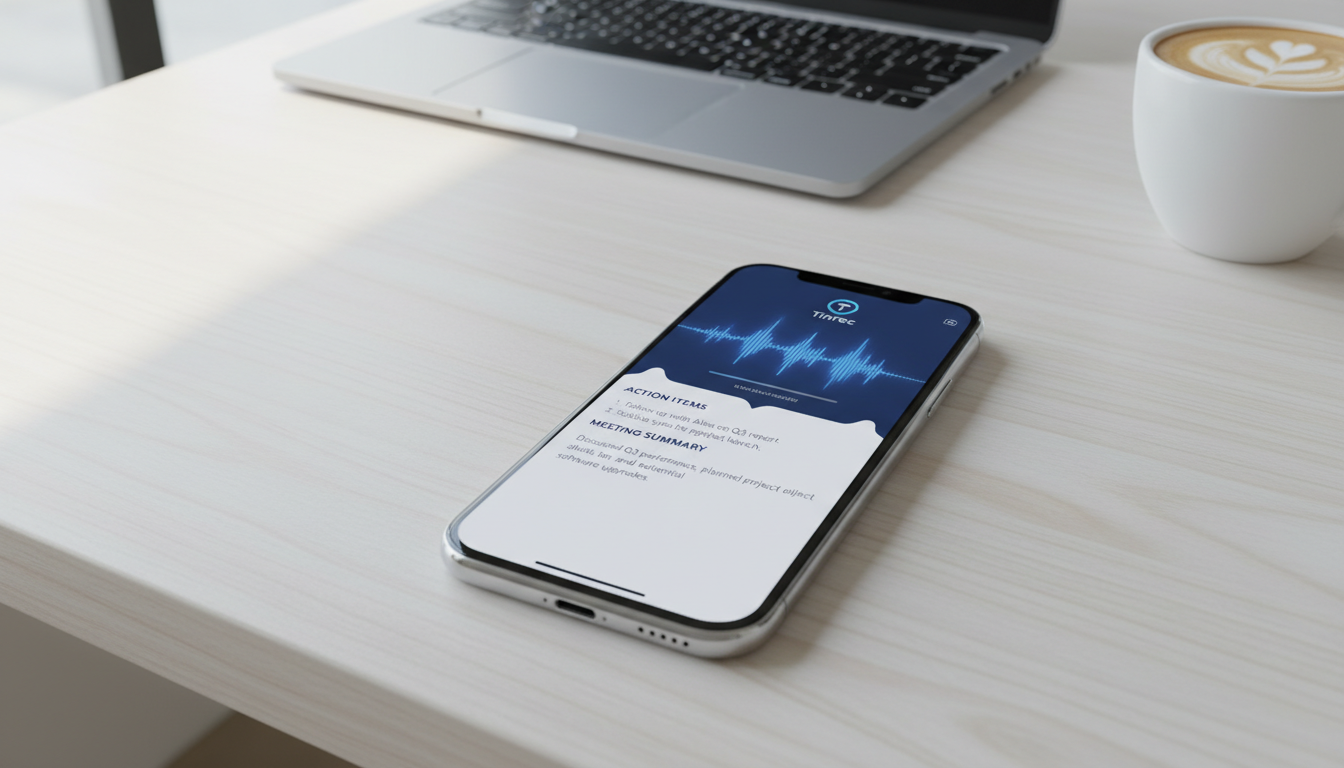
Quick Navigation Conclusions:
- Prioritize high free quota: Go for CLOVA Note (600 minutes/month), but you'll need to export text and summarize manually.
- Prioritize Taiwanese/localization: Pick Yating for excellent Taiwanese accent recognition.
- Prioritize post-meeting execution and search: Recommend Tinrec or Vocol.ai, which offer auto-summarization and action item extraction—ideal for project management.
How to Choose? 4 Key Evaluation Dimensions for AI Meeting Note Tools
Before picking a tool, clarify your core needs to avoid choosing the wrong one and causing more work later:
- AI Summary & Action Item Capability: Traditional tools only provide "transcripts" (a wall of text). Modern tools (like Vocol, Tinrec) automatically generate "meeting minutes" and "to-do lists"—that's the key to saving time.
- Language Recognition Breadth: Do cross-border meetings include English/Japanese/Korean? Do local meetings mix Taiwanese? (e.g., Yating supports Taiwanese; Tinrec supports 10 languages.)
- Platform Support: Do you mainly record on your phone or upload files on your computer? iPhone users need to pay attention to how stable the app's background recording is.
- Free Quota & Pricing: For long-term use, calculate if the monthly free minutes cover your meeting volume.
In-depth Comparison of Popular AI Voice-to-Text Tools
Based on market popularity and source data, here are representative tools:
1. CLOVA Note: Developed by LINE's parent company, generous free quota
CLOVA Note, developed by LINE, is a top choice for budget-conscious users. Its biggest advantage is 600 free minutes per month, which is quite sufficient for most office workers. It supports Chinese, English, Japanese, and Korean, and can distinguish between different speakers.
- Pros: Simple interface, generous free hours, decent recognition rate.
- Cons: Currently lacks built-in auto-generated AI summaries (you need to export text and paste into ChatGPT to organize), and can't handle mixed Chinese-English contexts well.
2. Yating: Developed by a Taiwanese team, strong Taiwanese recognition
If your meetings or interviews involve a lot of Taiwanese or local accents, Yating is an excellent choice. It accurately handles "mixed code" (Chinese-English mixing) and Taiwanese conversations, and offers speaker diarization.
- Pros: Strong mixed Taiwanese/Mandarin recognition, accurate localization of terms.
- Cons: Free quota is about 300 minutes per month; features focus on "transcription" rather than "decision management."
3. Vocol.ai: Works both online and offline, integrates collaboration
Vocol.ai supports both in-person recording and online meetings (Google Meet/Teams). It not only transcribes but also analyzes meeting highlights and to-do items via AI, making it suitable for team collaboration.
- Pros: Auto-generates summaries and to-do lists; supports multilingual translation.
- Cons: Free plan provides 600 minutes per month (may vary per latest plan; check official site—some sources mention 60 min/month), suitable for light users.
Stop organizing recordings by hand
Upload audio or video and automatically get a transcript, summary, and action items
4. Tinrec: A complete workflow from "recording" to "action"
Tinrec positions itself not just as a voice recorder, but as an "AI meeting secretary." Beyond basic transcription and speaker diarization, it emphasizes **"information extraction after recording."** With its AI chat feature, you can directly ask questions (e.g., "When did the GM decide to launch?") to search through an hour-long recording without having to re-listen from the start.
- Pros: "AI chat query" feature; auto-generates structured meeting minutes and action items; supports multi-device sync (iOS/Android/Web).
- Cons: Free plan offers 100 minutes per month, suitable for important meetings; heavy users may need to upgrade.

Comprehensive Spec Comparison Table
To help you choose more intuitively, here are key specs of the tools summarized:
| Dimension | CLOVA Note | Yating | Tinrec | Vocol.ai |
|---|---|---|---|---|
| Free Quota/Month | ~600 minutes | ~300 minutes | 100 minutes | ~60 minutes (varies by plan) |
| Auto AI Summary | ❌ (manual export needed) | ⭕ (requires paid tier) | ✅ (summary/actions/AI chat) | ✅ (summary/to-dos) |
| Language Support | Chinese/Japanese/English/Korean | Chinese/English/Taiwanese | 10 languages including Chinese/Japanese/English/Korean/German/Cantonese | Chinese/English/Japanese, etc. |
| Speaker Diarization | ✅ | ✅ | ✅ | ✅ |
| Special Highlights | LINE integration, high free quota | Accurate Taiwanese recognition | AI chat query, video link transcription | Team collaboration, online meeting integration |
| Recommended Use Case | Budget-friendly daily notes | Interviews, localized meetings | Decision-making meetings, class review | Hybrid work teams |
Practical Tutorial: How to Handle 1-Hour Meeting Notes in 10 Minutes with AI Tools
Traditional method: "listen and type." Now we can use tools like Tinrec that have "understanding" capabilities to change the workflow. Here's how to quickly turn a long project meeting into an action list:
Step 1: Start Recording or Import a File
At the start of the meeting, open the app and tap record. If you already have a recording file (or a podcast/YouTube video link), you can upload it directly.
- Tip: In a noisy environment, place your phone near the speaker(s).

Step 2: Real-time Transcription & Speaker Labeling
After recording ends, the system automatically transcribes in the cloud. Tinrec distinguishes speakers by voiceprint labeling them "Speaker 1," "Speaker 2." You can manually rename them to "PM," "Engineer" for easier reading.


Step 3: One-Click Generate "Meeting Minutes" & "Action Items"
This is the biggest difference from traditional voice recorders. No need to read the entire transcript; tap "AI Summary" and the system automatically produces:
- Key Topics: What was discussed?
- Decisions: What was decided?
- To-dos: Who needs to do what by when?

Step 4: Use AI Chat to Query Details
If the summary misses a detail (e.g., "What exactly is the budget?"), you don't need to re-listen. Just type your question in the "AI Chat" box, and the AI answers based on the recording content, even highlighting the corresponding time stamps.

Frequently Asked Questions (FAQ)
Q1: Are there any limitations to iPhone recording?
Apple has strict privacy policies, and as of now, iOS 18's native Apple Intelligence summarization feature mainly supports English (Chinese support expected after 2025). Therefore, using third-party apps (like Tinrec, Yating, Good Tape) on iPhone is currently the best solution for handling Chinese meeting notes.
Q2: How accurate is speech-to-text?
Current mainstream tools (based on Whisper or proprietary models) achieve over 90% accuracy in quiet environments. However, accuracy drops with background noise, overlapping speech, or distant recording. Using a directional microphone or placing the phone closer to the speaker is recommended.
Q3: What export formats do these tools support?
Most tools (including Tinrec, CLOVA, Vocol) support exporting to TXT, Word, or PDF. Some also support SRT subtitle files, useful for creators editing videos.
Q4: What if my free quota runs out?
If you have a high meeting volume, consider subscribing to a Pro version (usually around a few hundred NTD per month) for unlimited or higher recording hours. Alternatively, triage meetings by importance: use powerful tools like Tinrec/Vocol for summaries of important meetings, and use high-quota free tools like CLOVA Note for everyday recordings.
Q5: Can I record video conferences (Google Meet/Teams) directly?
For computer versions, you can use Vocol or Tinrec's web version to record (some may require virtual audio cables or system audio capture). Using a phone app to record computer speaker output is usually less effective than direct digital recording—use headphones or high-quality external speakers if possible.
Q6: Can I transcribe foreign language meetings I don't understand?
Yes. Tools like Tinrec support multilingual recognition and translation, so even a fully English or Japanese meeting can be transcribed in the original language and translated into a Chinese summary—very helpful for cross-border workers.
Turn every recording into actionable outcomes
Get 60 free transcription minutes when you sign in. No credit card required.
Related Reading
You might also like

2026 AI Meeting Assistant Comparison: 4 Tools Tested for Chinese Transcription and Post-Meeting Organization — Which One Actually Saves Time?
A 2026 hands-on comparison of 4 AI meeting assistants, starting with the most common pre-download misconceptions. We break down 4 key buying factors, share real-world experience with Tinrec, compare the positioning of Otter.ai, Notta, and Granola, and highlight 3 pitfalls to avoid — so you can think clearly before hitting install.

How to Choose an AI Meeting Notes Tool in 2026: 7 Tools Compared + Summaries and Action Items in One Go
Most people compare AI meeting note tools only by minutes and price, overlooking who will actually use the notes after the meeting. This guide starts with three key questions and compares seven tools—Tinrec, Otter.ai, Fireflies.ai, Notta, Granola, PLAUD, and TurboScribe—on meeting capture methods, Chinese-language experience, post-meeting output, and team management, with clear recommendations by scenario.

Best AI Meeting Recorder in 2026? We Tested 2 Options — This One Saves the Most Time for Chinese Meetings
Many people think the pain point of meeting notes is whether the recording captures audio, so they buy a recorder first—only to still spend time organizing afterward. This article compares Tinrec and Plaud Note across online meeting recording, Chinese transcription, post-meeting organization, team collaboration, and cost structure to help you choose the truly time-saving option in 2026.

How to Download AI Meeting Assistants in 2025: Bot-Free Recording + Chinese Transcripts
Tired of recording meetings but never organizing them? This guide walks you through downloading and using two AI meeting assistants, Tinrec and Otter.ai, comparing them across five dimensions: recording methods, Chinese and mixed-language handling, post-meeting outputs, file import/export, and team collaboration governance. Find out which one fits your meeting scenarios and budget.

Tinrec vs Granola 2026: 5-Dimension Comparison — Which Wins for Chinese Meetings and Team Knowledge Retention?
Looking for the best AI meeting assistant in 2026? This article compares Tinrec and Granola across 5 dimensions: meeting capture and audio retention, Chinese transcription and real-time translation, post-meeting organization and AI follow-up, team workspace governance, and platform coverage and export. It also lists pricing and ideal use cases to help Hong Kong office workers decide which tool fits them best.

3 Smart Meeting Notes Solutions Tested for 2026: Which Saves the Most Time?
Still replaying recordings and manually taking notes after meetings? This article walks through the smart meeting notes workflow using Tinrec, from pre-meeting preparation and in-meeting recording to post-meeting proofreading and archiving. It also provides a ready-to-use meeting minutes format, buying tips, and FAQs.

4 Smart Meeting Notes Tools Tested: How to Go from Recording to Action Items with the Least Time in 2026
How do smart meeting notes work? This article breaks down the five-step workflow—record, transcribe, summarize, query, and create action items—and compares Tinrec, Otter.ai, Granola, and TurboScribe on Chinese meetings, bot-free recording, post-meeting organization, and team collaboration. It includes quota and pricing comparisons, pitfalls to avoid, and selection advice to help you choose the right tool at once.

2026 Smart Meeting Minutes Comparison: Tinrec vs Otter.ai on 5 Dimensions — Which Saves More Time?
Good meeting minutes aren't about verbatim transcription—they're about conclusions and action items. This article compares Tinrec's instant recording and Otter.ai dimension by dimension, from note-taking style, meeting capture, Chinese transcription, post-meeting workflow to team governance and pricing, to help you choose the smart meeting minutes solution that truly saves time.

How to Use AI Meeting Assistants in 2026: Tinrec 6-Step Guide + Auto-Generated Meeting Minutes
A student's hands-on guide to using AI meeting assistants, featuring Tinrec: six steps to get started, how to record online meetings without bots, how to generate post-meeting summaries and action items, and an honest comparison of Google Meet, Tactiq, Notta, and Granola for student use cases. Also covers whether the free version is enough.