
Turn recordings into transcripts and summaries in minutes
Upload audio or video for multilingual transcription, AI notes, and action items
Facing two-hour meeting recordings or interview videos, the most headache-inducing part is often not the "transcription" itself, but how to accurately convert colloquial Cantonese into formal written Chinese. Many professionals and creators spend hours correcting spoken words like "係, 嘅, 喺" and even need to reorganize sentences for formal reports or video subtitles.
This article will walk you through the AI tool solutions for "Cantonese to written Chinese" needs on the market in 2026. We evaluate them across 5 dimensions: transcription accuracy, colloquial-to-written Chinese ability, meeting summary generation, video subtitle support, and pricing plans.
Quick Navigation Conclusion:
- If you are a video creator needing multi-language subtitles and timelines: check out Subanana.
- If you are an office or admin professional who values meeting conclusions, Action Items, and post-meeting queries: prioritize Tinrec.
Why Is Cantonese to Written Chinese So Hard?
Cantonese (Yue Chinese) and standard written Chinese (based on Mandarin grammar) differ significantly in vocabulary and grammatical structure. Traditional speech-to-text tools typically only output what they hear, producing text filled with spoken words like "佢話" (he said), "搞掂" (get it done), "幾時" (when). Using such text directly for meeting minutes or formal articles demands heavy post-editing.
New-generation AI tools not only possess voice recognition but also leverage LLM (Large Language Model) comprehension to perform "semantic regrouping" during transcription, directly outputting fluent written Chinese.
2026 Top Cantonese to Written Chinese AI Tools Review
Below is an in-depth analysis of two representative tools addressing this pain point, plus comparisons with supplementary solutions.
1. Subanana: Subtitle Tool Designed for Hong Kong Creators
Subanana is a popular choice among Hong Kong creators and companies. Its core strength lies in "video subtitle processing" and "multi-language translation."
- Core Features: Supports Cantonese output as written Chinese, spoken Chinese, or English. It generates subtitle files (.srt) with precise timestamps and supports translation into 80+ languages including Japanese, Korean, German, French, etc.
- Best For: YouTuber video post-production, cross-border video translation, and marketing materials needing embedded subtitles.
- Advantages: Provides a "download video with embedded subtitles" feature, eliminating the need for post-production software to burn in subtitles. Accuracy: official data shows Spanish at 97%, Chinese around 85.3%.
- Limitations: Free plan only covers the first 15 minutes; some advanced export features require a subscription.
2. Tinrec (Second Recording): From "Recording" to "Action" – AI Meeting Assistant
Tinrec takes a different angle: it is not just a transcription tool but focuses on "post-meeting information processing efficiency." For users who need to organize large amounts of interview or meeting content, Tinrec emphasizes transforming recordings into actionable task lists.

- Core Features: Supports automatic recognition of 10 languages including Cantonese, Mandarin Chinese, and English. Its standout features are "AI chat query" and "structured summaries."
- Differentiating Highlights:
- Colloquial-to-Written Understanding: When generating meeting minutes, Tinrec automatically filters out filler words and converts Cantonese conversations into clear, organized written Chinese key points.
- AI Chat Query (Chat with Audio): Unavailable in traditional verbatim tools. You can directly ask the AI: "What did Peter say the project deadline is?" The AI will answer based on the recording content, no need to re-listen.
- Auto-Generated Action Items: After the meeting, it automatically lists a to-do list – not just text records, but a work accelerator.
Stop organizing recordings by hand
Upload audio or video and automatically get a transcript, summary, and action items

3. General Generative AI (e.g., ChatGPT/Claude)
Some users choose to first transcribe with their phone's built-in recording feature, then paste the text into ChatGPT to rewrite it as written Chinese. This is a "patchwork" solution: flexible but cumbersome, lacking time-stamp alignment with the original audio, suitable only for short text polishing.
Deep Comparison: Subanana vs Tinrec Feature Specs Table
To help you choose more intuitively, here's a comparison table:
| Dimension | Subanana | Tinrec (Second Recording) |
|---|---|---|
| Core Focus | Video subtitle & translation tool | Meeting minutes & action management assistant |
| Cantonese to Written Chinese | Yes (spoken/written selectable) | Yes (via AI summary & minutes conversion) |
| Multi-language Support | 80+ language translation | 10 major languages (CN/EN/JA/KO/CT etc.) |
| Output Formats | Subtitle files (.srt), video, Word | Verbatim text, AI summary, to-do list, multi-format export |
| Unique Features | Video subtitle embedding, bilingual side-by-side | AI chat query, real-time markers, action item extraction |
| Free Quota | First 15 minutes free | 100 free recording minutes per month |
| Multi-platform Support | Web-based primarily | iOS, Android, Web sync |
Practical Tutorial: How to Turn Cantonese Meetings into Written Chinese Minutes with AI
If you need to quickly produce meeting minutes, here's a reference workflow using Tinrec to drastically reduce organizing time.
Step 1: Start Recording or Import File
- In-person meeting: Open the Tinrec app (iOS/Android) and tap "Record & Transcribe Real-Time." Tinrec records in the background and converts speech to text instantly.
- Online meeting/video: If you have a Teams or Meet recording, or a YouTube link, use the "Audio File to Text" or "Podcast/Web Video to Text" function to upload or paste the URL.

Step 2: AI Auto-Recognition and Transcription
The system automatically identifies speakers (Speaker Diarization) to differentiate speakers. For Cantonese content, the AI engine first performs speech recognition.
Step 3: Generate Written Chinese Summary and Action Items
After transcription, tap the "AI Summary" feature. The AI will:
- Filter filler words: Remove utterances like "um", "those", "I mean" etc.
- Logical regrouping: Organize scattered conversations into bullet-point key points.
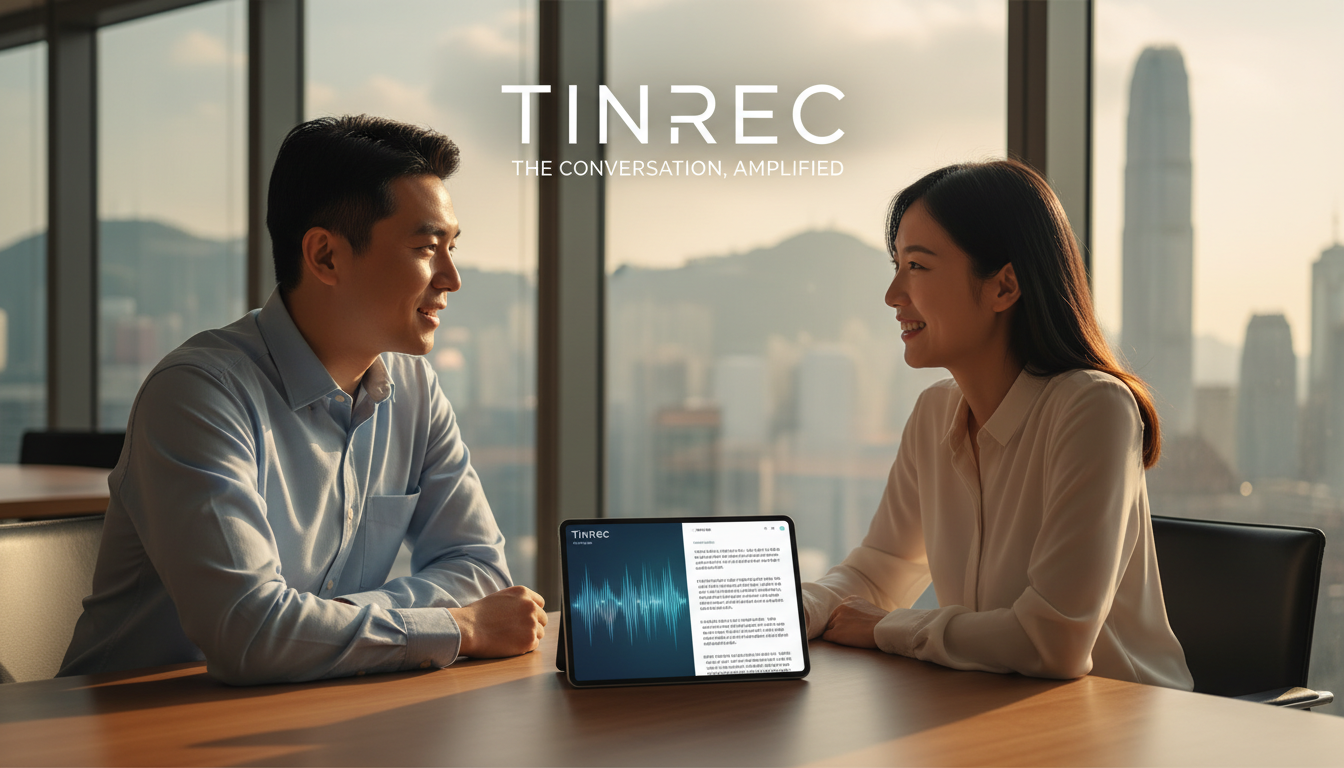
- Extract to-dos: Automatically generate Action Items (as shown below).

Step 4: Use AI Chat for Detail Confirmation
If some details in the summary are uncertain (e.g., specific data or dates), no need to replay the entire recording. Use the "AI Chat Query" feature: type "What exactly did the boss say about the budget?" The AI will search the recording and answer in written Chinese.
Frequently Asked Questions (FAQ)
Q1: Do these tools support iPhone call recording? Due to iOS system privacy restrictions, most apps cannot directly record phone calls. It is recommended to turn on speakerphone during calls and record using another device (e.g., iPad or desktop Tinrec), or upload the recording file for transcription.
Q2: How accurate is Cantonese to written Chinese conversion? According to Subanana, Chinese (including dialects) accuracy is around 85%. Background noise and multiple speakers talking over each other can affect accuracy. Tools like Tinrec leverage AI context understanding to correct some misheard homophones and improve readability of the final text.
Q3: What are the typical free plan limits? Most tools have quota limits. Subanana's free plan offers a first 15-minute trial; Tinrec's free plan provides 100 recording minutes per month. For long meetings, consider paid plans (e.g., Tinrec Basic starts at $4.9 USD per month).
Q4: Can I export Word or PDF files? Yes. Subanana supports .docx and .srt subtitle files; Tinrec supports exporting verbatim text and AI summaries in multiple document formats for easy editing.
Q5: What if the meeting mixes English and Cantonese? Modern AI tools (like Tinrec and Subanana) typically support mixed-language recognition. Select "auto-detect" or the primary language in settings, and the AI can handle common Cantonese-English code-switching in Hong Kong workplaces.
Q6: Are recordings kept? How secure is it? Reputable tools like Subanana claim not to store audio for other purposes, but results are kept for review. Tinrec also values user privacy. For highly confidential meetings, check each service's privacy policy.
Summary
When choosing a tool, return to your core use case:
- Subtitles and videos: Choose Subanana – its subtitle and translation features are tailor-made for creators.
- Records and tracking: Choose Tinrec – its "recording to action items" and "AI Q&A" features truly save you time on transcription, seamlessly converting Cantonese meeting content into written work output.
Turn every recording into actionable outcomes
Get 60 free transcription minutes when you sign in. No credit card required.
Related Reading
You might also like

Best AI Meeting Transcription Tools for 2026: Why Tinrec Is Gaining Ground Over Notta
How do you choose a meeting transcription tool for team meetings? This article compares Tinrec and Notta from a decision-making perspective, covering meeting capture methods, post-meeting outputs, Chinese language experience, team data retention, and pricing. It also includes real-world use cases, buying tips, and FAQs to help you determine which tool fits your meeting style.

7 Best AI Meeting Notes Tools for Teams in 2026: Which Free Version Is Actually Enough?
Tired of scrambling to organize meeting notes after every call? We tested 7 top team meeting notes tools in 2026—Tinrec, Otter.ai, Fireflies.ai, Granola, Notta, TurboScribe, and PLAUD—and break down their positioning, key features, free vs. paid pricing, and ideal team scenarios to help you find the one that truly saves you post-meeting cleanup time.
2026 Product Review Meeting Minutes Tools Comparison: Which AI Q&A and Team Knowledge Base Saves the Most Time?
Tired of missing details in product review meeting minutes? We tested 3 meeting minutes tools, covering transcription, AI summaries, action item extraction, and team collaboration, to find out which one best reduces post-meeting cleanup time. Plus, selection criteria and pitfalls to avoid.

2026 Comparison of 4 Meeting Minutes Generators: Which One Can Automatically Produce Deliverable Reports?
Generating meeting minutes reports isn't just about saving a transcript. This article starts with common misconceptions and compares Tinrec, Notta, Otter.ai, and Granola, explaining how to choose based on bot-free recording, AI summaries, agent report output, and team knowledge retention.

Best Automatic Project Weekly Meeting Minutes Tools? 2026 Hands-On Test of 5 Options—This One Excels for Chinese Meetings
Choosing the right tool for automatic project weekly meeting minutes isn't about how powerful the AI is, but how meeting content enters the system and whether the output is directly usable. This article compares 5 common approaches, breaks down 5 key evaluation points, and uses Tinrec as an example to demonstrate the complete workflow from recording, transcription, summarization to action items and team knowledge retention, helping you decide before your next weekly meeting.

How to Follow Up on Project Meeting Action Items in 2026: A Complete 5-Step Guide
After a project meeting, action items often get lost in chat threads and lack clear owners. This article breaks down a complete 5-step process for following up on project meeting action items, from pre-meeting preparation, bot-free recording, AI summaries and action item extraction, to export tracking and closure documentation. It uses Tinrec as a practical demonstration tool and also covers 5 key considerations and common questions when choosing a meeting follow-up tool.

Meeting Minutes Email Template 2026: 5-Section Structure + 3 Scenario Examples
Stuck with the task of emailing meeting minutes after a meeting wraps up? This guide offers copy-paste meeting minutes email templates covering routine weekly meetings, client meetings, and cross-departmental decision meetings, plus common mistakes and 6 practical FAQs.
2026 Comparison of 4 Meeting Action Plan Tools: Which One Best Tracks Post-Meeting Actions?
Meetings end, but action plans go nowhere—the problem is often not the people, but that the tool only gives you a transcript. This article starts from 'whether post-meeting actions are captured' and outlines 5 key factors for choosing a meeting action plan tool. It compares Tinrec, Otter.ai, Fireflies.ai, and Notta in terms of recording method, to-do extraction, Chinese language performance, and team ownership, and includes 4 common pitfalls and selection advice.
4 AI Meeting Task Extraction Tools Compared in 2026: From Transcript to To-Do List
You have the meeting transcript, but no one remembers who's responsible for what. This article compares four tools—Tinrec, Otter.ai, Notta, and TurboScribe—from a task extraction perspective, covering four key decision points, hands-on experience, common pitfalls, and scenario-based recommendations to help you find the one that turns meeting noise into actionable signals.