

Turn recordings into transcripts and summaries in minutes
Upload audio or video for multilingual transcription, AI notes, and action items
Search volume for "Cantonese voice-to-text apps" is rising on Google, but many users find after installing an app that the output is colloquial (e.g., "係咁嘅") rather than written Cantonese ("是這樣的"), error rates spike with mixed Cantonese-English meetings, and they still have to manually organize key points. The problem isn't speech recognition technology—it's whether the tool you choose can "keep working for you after transcription." This article tests 4 mainstream tools and uses Tinrec as an example to show how to turn Cantonese meeting recordings into actionable checklists.
What Can a Cantonese Voice-to-Text App Do for You?
Using Tinrec as an example, it doesn't just turn audio into text—it organizes your recordings into usable data. Here are three common pain points:
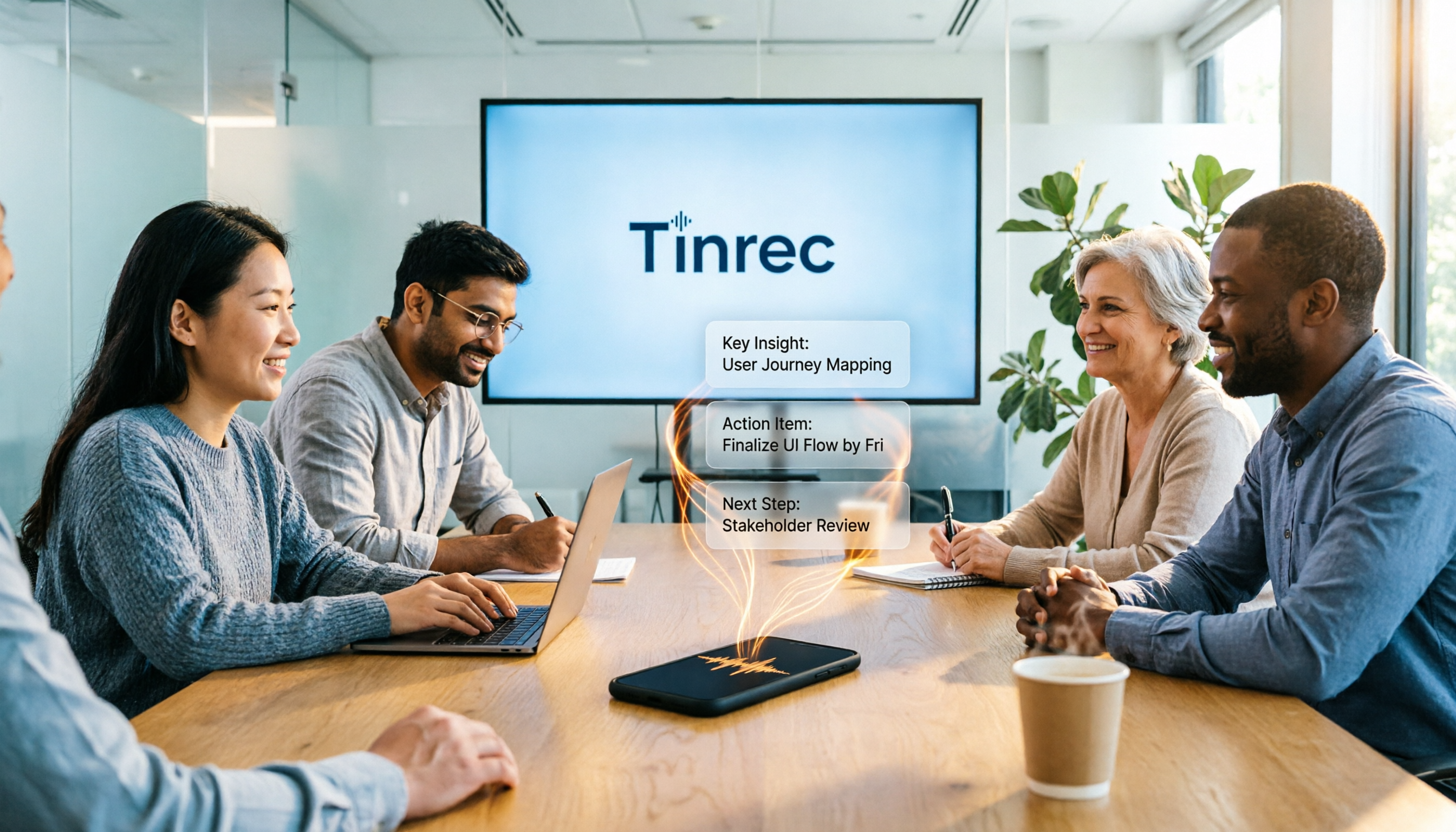
Scenario 1: Meeting notes ready in 5 minutes after the meeting Previously, after a two-hour Cantonese meeting, you might spend another hour replaying the recording, typing a transcript, and then summarizing key points. Now with Tinrec, the moment the meeting ends, AI has already generated a summary, conclusions, and action items—who is responsible for what and deadlines are clear at a glance. You just paste the results into a group chat or email them to colleagues.
Scenario 2: Interview recordings become citable material Journalists, researchers, and content creators often handle Cantonese interviews. Tinrec can turn recordings into transcripts, automatically split them into chapters, and highlight key points, so you don't have to listen from start to finish to quickly locate key viewpoints mentioned by interviewees.
Scenario 3: Course recordings become reviewable notes Students or self-learners record Cantonese lectures but struggle to find key points when reviewing later. Tinrec's AI summaries and chapter organization break a two-hour course into titled sections, and can even generate mind maps, boosting review efficiency several times over.
What Core Capabilities Should a Cantonese Voice-to-Text App Have?
Not every voice-to-text app handles Cantonese well, especially colloquial-to-written conversion and mixed Cantonese-English. Tinrec's core capabilities are designed around "post-transcription organization." Here are four key points:
Real-time transcription: Transcribe as you record, meeting content captured in real time Tinrec supports real-time voice-to-text with low latency, so during meetings you can watch the text sync to ensure nothing is missed. It understands not only Cantonese but also mixed Cantonese-English sentences, e.g., "呢個 project 嘅 deadline 係下個禮拜五."
AI semantic summaries: Not just condensing the transcript into a paragraph, but structured organization Tinrec automatically organizes meeting content into meeting topics, discussion conclusions, action items, and responsible persons, listed separately. You don't need to reread the transcript; just open the summary to know the meeting's key points.
Action item extraction: Turn discussions into to-do lists Meetings often include phrases like "Who's following up?" or "When is this due?" Tinrec automatically extracts action items from the conversation and tags responsible persons and deadlines (if mentioned), so you can export them as a table right after the meeting.
AI conversational query: Ask questions about the recording like querying a database After transcription, you can directly ask Tinrec: "What did the client say about the budget?" or "Who mentioned changing the design?" The system uses semantic understanding to integrate relevant segments and answer you. This is especially useful for long meetings or historical recordings—no more slow replaying.
Practical Use Cases
Meeting notes: From a two-hour recording to an action list
With Tinrec, you just start recording at the beginning of the meeting; when it ends, Tinrec automatically generates a transcript, summary, and action items. You can export action items to Notion or Google Docs and assign tasks to your team. For recurring project meetings, Tinrec's historical recording database lets you search past discussions anytime, e.g., typing "budget adjustment discussed last time" to find relevant segments.
Stop organizing recordings by hand
Upload audio or video and automatically get a transcript, summary, and action items
Classes and lectures: Turn Cantonese lectures into searchable notes
Students use Tinrec to record classes and can quickly find key points mentioned by professors later. If there are mixed Cantonese-English technical terms, Tinrec recognizes them correctly. The AI Q&A feature can even help with review: "What exam points were covered in this class?"
Interviews and research: Quickly organize interviewee viewpoints
After researchers interview multiple subjects, they upload recordings to Tinrec, and AI automatically splits them into chapters and extracts key viewpoints. You can use AI Q&A to quickly compare different interviewees' answers, e.g., "How do Interviewees A and B differ in their attitudes toward pricing?"
Content creation: Turn podcast or video audio into articles
Content creators record Cantonese podcasts or YouTube videos, then use Tinrec to transcribe them, and with AI summaries and chapter organization, quickly generate show notes or blog posts. Tinrec supports exporting to Markdown and Word formats for easy editing.
4 Things to Watch When Choosing a Cantonese Voice-to-Text Tool
1. Accuracy: Don't just trust official claims; test with your own Cantonese recordings Many tools perform well on standard Mandarin but frequently err with Cantonese colloquialisms or mixed Cantonese-English. We recommend testing with a real meeting recording. In our tests, Tinrec showed stable recognition on clear Cantonese recordings, especially for mixed Cantonese-English workplace terms, with error rates within acceptable range.
2. AI features: Transcription is just the first step; post-transcription organization is key If you only need a transcript, many free tools can do that. But if you want "ready-to-use after transcription," you need post-processing capabilities like summaries, action items, and Q&A. Tinrec's strength lies in turning transcription results into a searchable, queryable database, not just a pile of text.
3. Language support: Confirm the tool truly supports Cantonese, not just Mandarin Some tools claim to support "Chinese" but are only trained on Mandarin, failing to recognize Cantonese colloquialisms. Tinrec's product content and use cases clearly cover Traditional Chinese and multilingual users, with good support for Cantonese meetings, classes, and interviews.
4. Export and integration: Can you bring results into your existing workflow? After transcription, you usually need to put content into Notion, Google Docs, or email it to colleagues. Tinrec supports multiple export formats and syncs to common tools, reducing copy-paste time.
FAQ
Q: Is Tinrec's free version sufficient? A: Yes. The free version includes a basic monthly transcription quota, allowing you to try real-time recording, import, and web parsing. If you only occasionally need to transcribe a meeting recording, the free version is a good start.
Q: How accurate is Cantonese-to-text conversion? A: With clear audio, a single speaker, and minimal background noise, Tinrec's recognition of Cantonese is stable and correctly handles most colloquialisms and mixed Cantonese-English. However, accuracy can be affected by background noise, multiple people speaking simultaneously, accents, etc. For important content, we recommend cross-checking with the original audio.
Q: What platforms does Tinrec support? A: Tinrec is available on iOS, Android, and web, so you can use it on your phone, tablet, or computer, with recordings and files synced across devices.
Q: Besides transcription, what else can Tinrec do? A: Tinrec can automatically generate summaries, chapters, action items, and mind maps, and supports AI Q&A—you can ask it about key points in the recording. These features are especially useful for meetings, classes, and interviews.
Q: Is uploading recordings secure? A: Tinrec uses cloud processing; recordings and transcriptions are encrypted and stored, and you can manage your data. If you have privacy concerns, refer to the official privacy policy.
Conclusion
The key to a Cantonese voice-to-text app isn't "can it transcribe," but "can you use it after transcription." If you only need a transcript, many free tools can do that. But if you want to turn meeting, class, or interview recordings into searchable, queryable, exportable work assets, Tinrec is one of the few options on the market that focuses on the Chinese context and offers complete post-processing capabilities. The free version provides a basic monthly quota, so we recommend testing it with a real Cantonese meeting to experience AI-assisted meeting notes.
References
- Tutorial: Free AI offline voice-to-text app converts Cantonese colloquial to written, compared with iPhone built-in transcription
- SoundType AI – Accurate transcripts, voice-to-text, AI dictation – Google Play
- 2026 Latest 4 Cantonese Voice-to-Text Tools Recommended: Solving Mixed Cantonese-English and Meeting Notes Pain Points – Tinrec Blog
- Free Cantonese voice-to-text app 2025 | Subanana
- Online AI voice, video, audio auto-transcription – Free trial – cSubtitle
Turn every recording into actionable outcomes
Get 60 free transcription minutes when you sign in. No credit card required.
Related Reading
You might also like

2026 AI Meeting Assistant Comparison: Tinrec vs Otter.ai vs Granola vs Notta for Chinese Meetings & Post-Meeting Q&A
The real pain point of meeting notes isn't typing speed—it's that decisions and action items get lost after the meeting. This article compares four AI meeting assistants—Tinrec, Otter.ai, Granola, and Notta—using the same testing process, breaking down four dimensions: how meetings are captured, post-meeting organization, Chinese and cross-language performance, and team governance. It also lists four common purchasing mistakes to help you choose the right tool within your budget.

2026 Comparison of 5 AI Agent Structured Output Approaches: From JSON Schema to Meeting Data in Practice
Many people think that writing "please reply in JSON" in a prompt counts as structured output, but when they actually connect it to a system they discover that the fields are different every time. This article starts from common misconceptions, compares 5 structured output approaches side by side, and uses Tinrec to demonstrate how to turn meeting recordings into verifiable, directly usable tables, action items, and reports.

2026 AI Agent Auto-Delivery Tools Compared: From Meeting Notes to Post-Meeting Outputs, Which Is Least Hassle?
2026 is called the "delivery year" for AI Agents, but tools branded as Agents actually fall into four distinct approaches. This article compares them across four dimensions—input method, post-meeting output, Chinese-language experience, and team governance—and uses Tinrec as a practical example of the "bot-free desktop agent" approach to help you decide which one truly turns meetings into deliverables.

2026 AI Meeting Tools Compared: Key Differences That Actually Improve Meeting Efficiency
More meetings don't mean more efficiency. This article starts with common misconceptions and breaks down the three areas AI must address to truly improve meeting efficiency: uninterrupted recording, structured content, and transferable outcomes. Using Tinrec as an example, it explains the complete workflow from bot-free online meeting recording, real-time transcription, AI summaries and action items, AI Q&A, to team spaces. It also includes 5 buying checkpoints and FAQs.
How to Use AI Meeting Efficiency Tools in 2026: 5 Steps from Recording to Team Meeting Minutes
The real work begins after the meeting ends. This article breaks down the practical use of AI meeting efficiency tools through 5 key selection criteria, demonstrates a 5-step workflow from recording, transcription, AI summarization to team knowledge retention using Tinrec, and compares Granola, Notta, and Otter.ai in terms of use cases and official pricing to help you decide which one truly saves time.

2026 AI Meeting Recorder Free Plans Compared: 5 Tools to Check Out
Two-hour meeting, two-hour cleanup? This guide rounds up five AI tools in 2026 that automatically take meeting notes, comparing free plans—from bot-free recording, transcripts, and action items to team collaboration. It also shares hands-on experience on why Tinrec is the top choice for Chinese-language meetings, with free quotas and paid thresholds for each plan.

2026 Meeting Notes App Comparison: Tinrec vs Otter vs Notta – Which Is Best for Office Workers?
Starting from the common misconception that meeting notes apps just need to convert audio to text, this hands-on comparison of Tinrec and Otter covers four key dimensions: meeting capture, Chinese language experience, post-meeting workflow, and team data governance. It also briefly analyzes Notta's free version limitations to help office workers determine which meeting notes app best fits their meeting scenarios.

Best Free Audio Transcription Tools in 2026: 4 Options Compared
Content creators often think free audio transcription means uploading a file and waiting for a transcript, but the real time sink is organizing the output. This article reviews four free options, focusing on Chinese recognition, free quotas, post-meeting summaries, and team collaboration. It also covers Tinrec's bot-free meeting recording, AI Q&A, and export workflow to help you choose a tool that directly produces usable content.

How to Turn Recordings into Reports in 2026: Bot-Free Meeting Transcription + AI Summaries & Action Items
Many people run recordings through transcription tools but still have to re-listen and edit before writing a report. This guide starts with common pitfalls, outlines 5 key buying criteria for transcription tools, compares Tinrec, Granola, Notta, and TurboScribe, and explains how to use AI summaries, chapters, action items, Q&A, and Agent post-processing to turn meeting recordings into deliverable reports. It also covers team plan seats and pricing.