
Turn recordings into transcripts and summaries in minutes
Upload audio or video for multilingual transcription, AI notes, and action items
Drowning in piles of lecture recordings? Don't spend twice as long re-listening.
Before midterms or certification exams, do you feel overwhelmed by hours of 'lecture recordings' on your phone? The traditional approach—scribbling furiously in class and re-listening to fill gaps—is inefficient. Re-listening to a 1-hour recording can take 2 to 3 hours just to pause and type. Information density is low, and fatigue causes you to miss key points.

Modern efficient learners are using AI speech-to-text tools to solve this pain point. These tools not only convert speech to text but also use AI to understand semantics and directly extract key points.
This article will cover:
- Why you should shift from 'recording storage' to 'AI note-taking'
- Specs comparison of popular tools (e.g., Plaud recorder, Google Docs, Tinrec App)
- How to use these tools to convert YouTube instructional videos or recordings into reviewable notes
- Common FAQs about speech-to-text
Quick summary:
- If you have a budget and prefer physical buttons, consider a hardware recorder like Plaud Note.
- For simple, quick needs, Google Docs voice typing is a free option.
- If you don't want extra hardware and need to handle 'video links' or 'multi-device sync,' Tinrec is a balanced software solution.
Why traditional recording methods are inefficient for learning?
In university lectures, cram schools, or professional seminars, the volume of information is enormous. Relying solely on your phone's voice recorder brings three fatal issues:
- Hard to search: A recording is just a timeline. To find where the teacher discusses exam highlights, you often have to scrub back and forth, wasting time.
- No visual structure: Audio is linear; you can't skim it like text. Reviewing is slow without a quick scan of the structure.
- No action-oriented output: The recording doesn't tell you 'memorize this' or 'report due next week.' Action items are buried in long monologues.
The value of AI tools isn't just transcription—it's converting 'unsearchable audio' into a 'searchable, editable, queryable knowledge base.'

Comparison table of popular 2026 speech-to-text tools
There are many tools; we selected three representative types: hardware (Plaud), free (Google Docs), and software integration (Tinrec).
| Dimension | Plaud Note (Hardware Recorder) | Google Docs (Voice Typing) | Tinrec (AI Recording App) |
|---|---|---|---|
| Main form | Physical card/capsule hardware + App | Web/App feature | Cross-platform software (Web/App) |
| Key advantage | Convenient call recording, physical feel | Completely free, always available | No extra hardware, supports video link to text |
| Language recognition | Multi-language (GPT/Whisper) | Basic multi-language | Supports Chinese, English, Japanese, Korean, Cantonese, etc. (10 languages) |
| AI summary/notes | Supported (meeting/class templates) | None (transcription only) | Supported (auto-generates meeting minutes, action items) |
| Source support | Live recording, call recording | Live voice input | Live recording, audio upload, YouTube/web video links |
| AI chat query | Depends on in-app generation | None | Supported (can directly ask AI about recording content) |
| Suitable for | Business meetings, face-to-face interviews | Quick drafts, quiet environments | Class notes, online courses, video learning |
Analysis and recommendations
- Plaud is ideal for business users who heavily rely on call recording and have a budget of $159+; its hardware provides stable audio capture.
- Google Docs is good for quick text needs in a quiet environment with moderate speech, but lacks organizational features.
- Tinrec fills the gap: no hardware purchase needed, works on phone or computer, and exclusively supports 'paste YouTube link to convert to notes,' very convenient for students watching online courses.
Stop organizing recordings by hand
Upload audio or video and automatically get a transcript, summary, and action items
In-depth analysis: How Tinrec solves note-taking pain points for learning
Without needing extra hardware, Tinrec provides a complete 'lecture workflow.' It's more than a transcription tool—it's like an AI teaching assistant. Its core differentiator is broad support for content sources and convenient review options.
1. Multiple inputs: Not just recording, videos too
Beyond live recording, Tinrec solves a major pain point for modern students: organizing online courses. Many learning resources come from YouTube or podcasts, which traditional recorders can't handle. Tinrec allows users to paste a video link, and the AI parses it in the cloud to generate transcripts and summaries, eliminating the quality loss of playing video and recording with a phone.

2. AI chat query: Review like asking a teacher
Traditional transcripts often run tens of thousands of words, still hard to read. Tinrec's built-in 'AI chat query' feature lets users ask about the recording content. For example, you can ask: 'What is the final exam scope mentioned in this lecture?' or 'Summarize the key points about the 4Ps of marketing.' The system gives precise answers based on the recording, far more semantic than a Ctrl+F keyword search.

3. Automated note structure
For classroom settings, the system automatically distinguishes speakers (e.g., professor and student questions) and structures content into 'Summary,' 'Detailed Content,' and 'Action Items' (e.g., assignment deadlines), making notes ready to use.
Tutorial: 5 steps to turn lecture content into perfect notes
Below, we show how to use Tinrec's software features to build an efficient study note system. All you need is a phone or laptop.
Step 1: Choose input method based on scenario
Open the Tinrec app or web version, and choose the entry based on your class format:
- In-person class: Tap 'Start Recording' on the home screen. Keep your phone close to the speaker.
- Online class/video: Tap 'Link to Text' and paste a YouTube or podcast URL.
- Existing recording: If you already recorded with another device, choose 'Import Audio/Video' to upload.

Step 2: Select recognition language
Before starting, check the language setting. If the professor mixes Chinese and English, Tinrec's multi-language model handles code-switching automatically, ensuring accurate recognition of proper nouns.

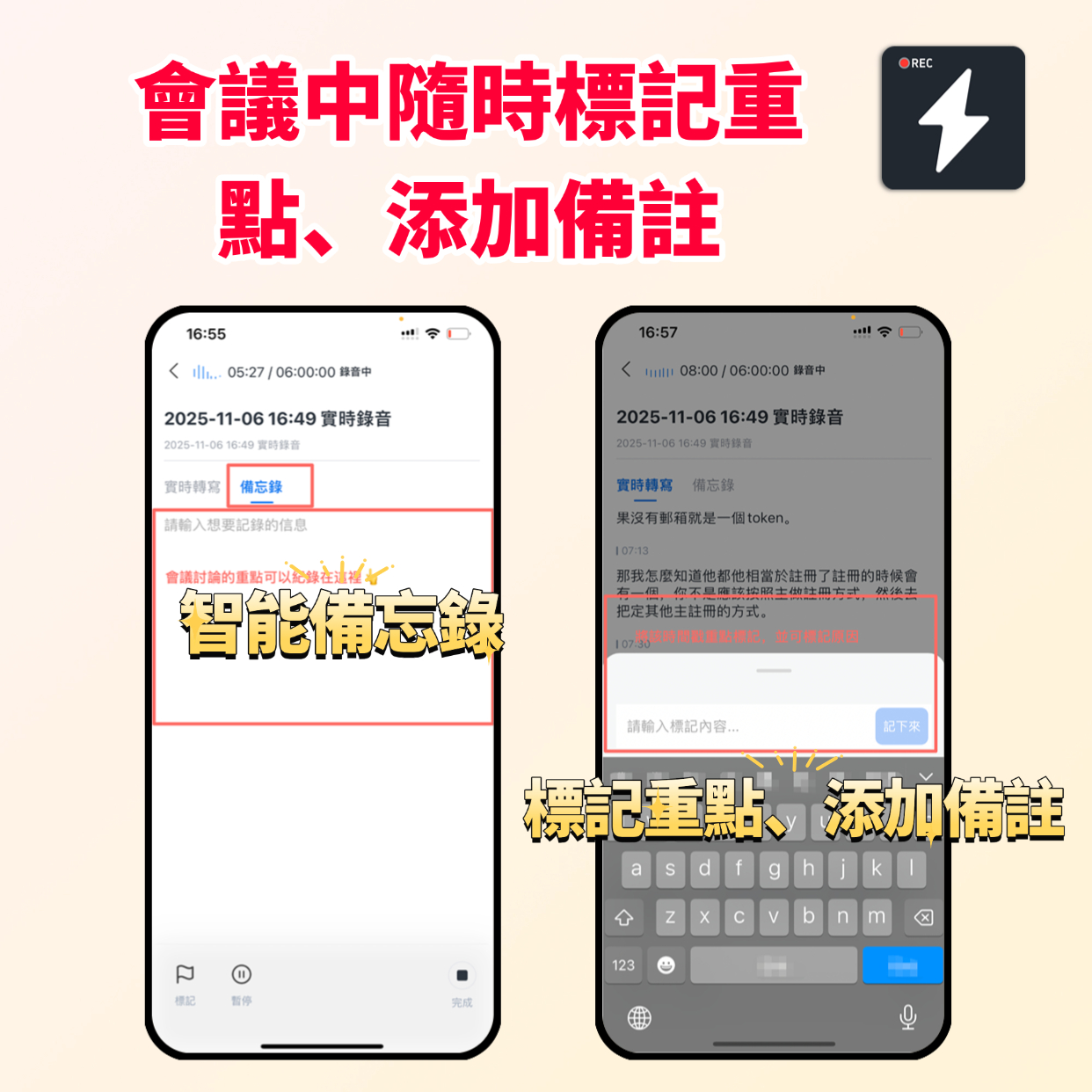
Step 3: Mark important points in real-time (during recording)
During recording, if you hear key points (e.g., 'exam question,' 'important point'), tap the bookmark button. This marks the timeline for quick playback later without re-listening to the whole lecture.
Step 4: Generate AI summary and action items
After recording, the system automatically processes transcription. Wait a few minutes (depending on length) to get a full transcript and an AI-generated 'smart summary.'
- Check the 'To-Do' section for assignments or deadlines.
- Read the 'Section Summary' to quickly grasp the lecture structure.

Step 5: Use AI chat for exam review
This is the most critical step. Don't just save the file. When reviewing before an exam, enter the 'AI Chat' interface:
- Ask: 'List the three core concepts of this lecture.'
- Ask: 'What example did the teacher give for market analysis?'
Through Q&A, the AI extracts the essence from the long recording—this is true 'study notes.' Finally, you can export the organized content as PDF or Word and save it to your note-taking app (e.g., Notion or Obsidian).

Frequently Asked Questions FAQ
Q1: Will recording on a mobile app be interrupted by incoming calls?
Most recording apps may be interrupted by calls when running in the background. It's recommended to enable Airplane Mode and Wi-Fi during class recording, or use a tool like Tinrec with stable background recording. If this is a major concern, a dedicated recorder or a backup phone is safer.
Q2: How accurate is AI transcription in a noisy classroom?
Background noise does affect accuracy. Modern AI models (like Whisper) have good noise resistance, but staying close to the speaker is advised. If too far, the transcript may have sentence breaks, but the AI-generated 'summary' usually captures the gist due to contextual understanding.
Q3: Can I record iPhone calls or online meetings?
Due to iOS privacy restrictions, most apps can't directly record internal call audio. For online meetings (Teams/Meet), use the web version of Tinrec on a computer, or record the speaker output. Hardware like Plaud solves this via physical attachment.
Q4: What are the typical free version limits?
Most tools use a freemium model. For example, Google Docs is free but basic. Tinrec offers a monthly free allowance (e.g., 100 minutes), usually enough for occasional lectures. For frequent use (e.g., daily classes), the subscription cost is far less than hiring a human transcriber.
Q5: What export formats are supported?
For note-taking convenience, Tinrec supports export to common formats like TXT, Word, and PDF, so you can copy and paste into Notion, Evernote, or OneNote for further organization.
Q6: Is audio file privacy and security ensured?
When choosing a tool, check the privacy policy. Legitimate AI services (like Tinrec) use encrypted transmission and only process data for user requests, without disclosing meeting or lecture content.
Turn every recording into actionable outcomes
Get 60 free transcription minutes when you sign in. No credit card required.
Related Reading
You might also like
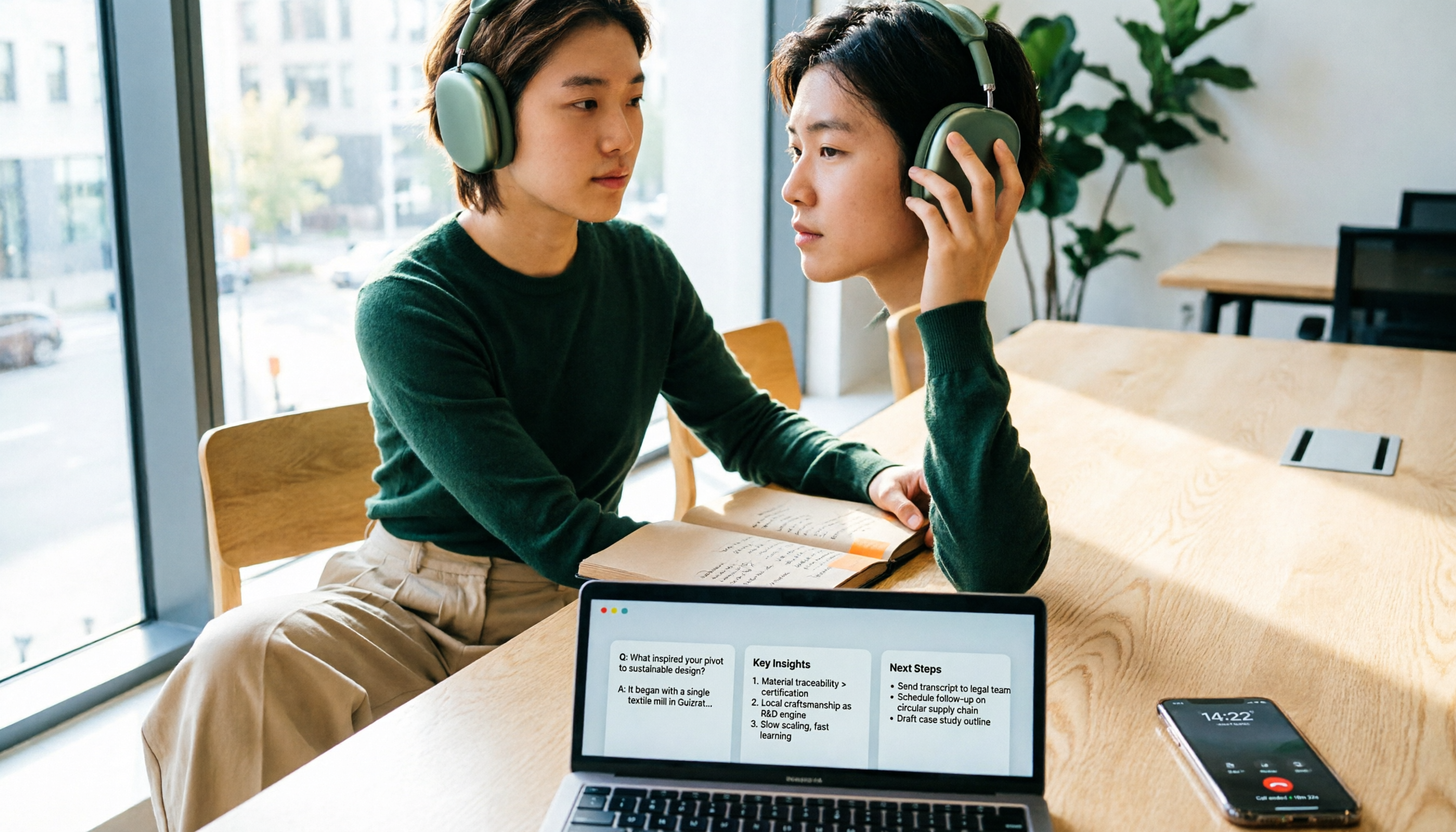
4 iPhone Call Recording Apps Tested in 2026: Free Download Doesn't Mean Free Recording
The biggest trap when recording calls on iPhone is mistaking 'free download' for 'free recording.' This article compares the real limitations of 4 iPhone call recording apps, including three-way calling, subscription unlocks, and where recordings are stored. It also explains that call recording and meeting notes should be handled separately: use Tinrec to turn meetings, interviews, and online calls on your computer into transcripts, summaries, and action items.
4 iPhone Call Recording Apps Tested in 2026: Free Download Doesn't Mean Free Recording
The biggest trap when recording calls on iPhone is mistaking 'free download' for 'free recording.' This article compares the real limitations of 4 iPhone call recording apps, including three-way calling, subscription unlocks, and where recordings are stored. It also explains that call recording and meeting notes should be handled separately: use Tinrec to turn meetings, interviews, and online calls on your computer into transcripts, summaries, and action items.
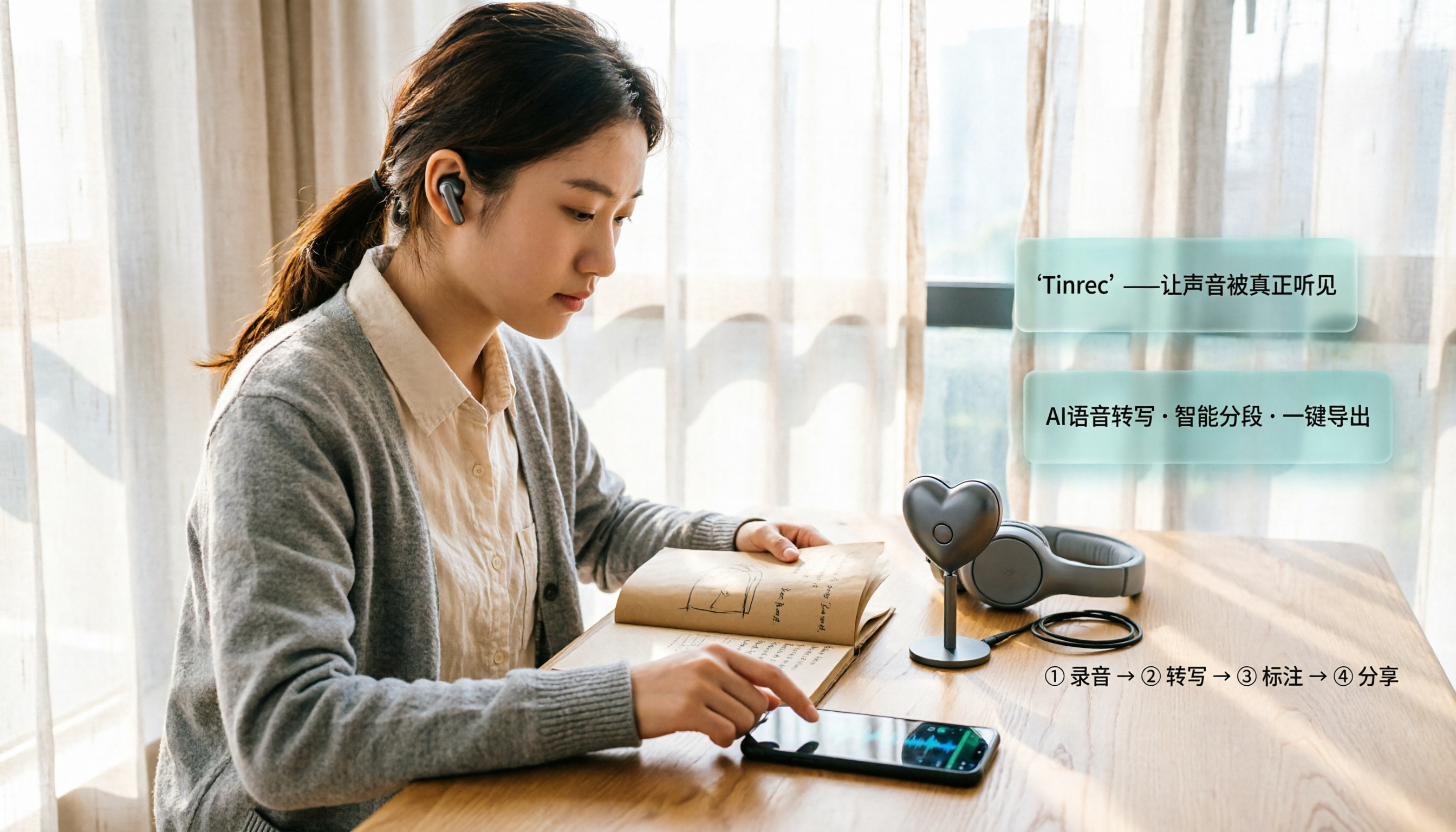
2026 iPhone Recording Microphone Comparison: Capture Is Just the Start—Organizing Is Key
A student's hands-on guide to choosing an iPhone recording microphone: connectors, power, dual wireless, noise reduction, and monitoring—plus why most people buy a mic but never use their recordings, and how Tinrec turns audio files into transcripts, summaries, and action items.

6 iPhone Call Recording Apps Tested for 2026: Which Free Option Is Actually Enough?
Recording iPhone calls has been easy since iOS 18—the hard part is organizing them afterward. This guide breaks down 6 options based on what you're really trying to solve: iOS 18 built-in call recording, Rev Call Recorder, TapeACall, Call Recorder ™, Voice Recorder, and Tinrec for post-call organization. Free and paid tiers are listed honestly, along with selection guidance and 4 things to know before you start.

Tinrec vs iPhone Voice Memos in 2026: 5-Dimension Comparison — Which Free Audio-to-Text Tool Is Right for You?
iPhone's built-in Voice Memos can already transcribe recordings for free — do you really need another tool? This article compares Tinrec and iPhone's built-in features across 5 dimensions: free tier limits, online meeting handling, post-meeting organization, Chinese recognition, and team knowledge retention. It also includes brief positioning notes on Aiko and Notta, plus 4 key pitfalls to avoid when choosing a tool, helping you decide which one to use.

Best iPhone Audio Transcription Tools in 2026: 4 Tested, This Free One Is Enough
Is iPhone audio transcription really free? This article tackles the common 'fake free' trap by comparing 4 options: iPhone's built-in Voice Memos transcript, Aiko, Notta, and Tinrec. It also outlines 4 key buying criteria and 4 pitfalls to help you choose the one that's truly sufficient without wasting money.

Best iPhone Two-Way Call Recording Methods in 2026: 5 Tested Options, This Free Method Wins
The days of iPhone lacking built-in call recording are over—but can 'free, two-way, and good quality' really coexist? We tested 5 methods: iOS 18.1 built-in call recording, screen recording, merged call services, hardware recorders, and jailbreak tweaks. We compare free limits, audio quality, file formats, and post-processing costs, plus a hands-on test of Tinrec turning call audio into transcripts, summaries, and action items—so you can pick the best combo for your needs.

3 iPhone Recording Transcription Tools Tested: Where Are Voice Memos & How to Get Transcripts (2026)
iPhone voice memos are saved only in the Voice Memos app by default—they don't appear in Files or Photos unless you manually export them. This guide first explains where recordings actually live and how to export them, then hands-on compares three recording organization methods: Tinrec, Granola, and TurboScribe, plus common pitfalls and selection advice.

5 iPhone Recording Apps Tested for 2026: Is the Built-in Free App Enough, or Does AI Transcription Save Time?
How to choose an iPhone recording app? This article starts with the most common misjudgments when selecting one, then tests and compares Voice Memos, Tinrec, Otter.ai, Notta, and other tools. It covers the differences between free and paid plans, how to record online meetings, and what to watch out for when sharing with a team—helping you find the one that truly saves time.