
Turn recordings into transcripts and summaries in minutes
Upload audio or video for multilingual transcription, AI notes, and action items
5 Best AI Meeting Recorder Apps for Students in 2026: Which Free Plan Is Worth It?
From "Re-listening to Lectures After Class" to "Asking AI for Key Points Before Exams" — You Don't Need a Tool, You Need a Solution
When choosing an AI meeting recorder app, the first question you should ask isn't how much free quota it offers, but whether it can save you time on organizing notes later.
Last semester, I took a class where the professor talked fast and flipped through slides even faster. I tried taking handwritten notes, but when I opened my notebook before the midterm, I couldn't even understand what I had written. Later, I started recording lectures on my phone, but listening to a two-hour recording from start to finish to find key points before the exam was a total waste of time.
Group discussions were even worse. Everyone talked over each other, and after the meeting, no one remembered the conclusions, so we'd argue all over again at the next meeting. I kept thinking: Is there a tool that can automatically transcribe recordings and directly tell me the key points and action items?
If you've been in these situations, this article is for you. I actually used several AI meeting recorder apps for a whole semester, trying both free and paid versions, and now I'm sharing my insights.
5 Key Points to Understand Before Choosing an AI Meeting Recorder App
1. Accuracy: Don't Just Trust the Official 98% Claim Many tools claim high accuracy, but that's measured in a quiet recording studio. In a real classroom, there's air conditioning noise, page-turning sounds, and classmates whispering, which can significantly reduce accuracy. I recommend testing with your own recordings using the free trial, rather than relying on ads. In my tests, I used real classroom recordings, and the differences were immediately obvious.
2. AI Summaries and Q&A: Can You Ask for Key Points After Recording? Transcription is just the first step. What really saves time is when the AI can automatically generate summaries and action items, or even let you ask questions like "What was the conclusion of this discussion?" Some apps only give you a transcript, and you still have to read through it yourself.
3. Cross-Platform and Input Sources: Works on Phone, Computer, and Online Meetings You might sometimes record lectures on your phone and other times record online discussions on your computer. If an app only supports mobile, it's a pain. Also, the ability to import old recordings is important—my senior gave me an interview recording, and I can't just re-record it.
4. Free Quota: What Students Care About Most How many minutes per month the free plan offers and whether there's a per-recording time limit directly affect whether you can use it without paying. Some apps limit free recordings to 3 minutes each, which is useless for lectures.
5. Team Collaboration: A Great Helper for Group Projects For group discussions or project interviews, can you share recordings, view transcripts together, and manage member permissions? This feature isn't essential for students, but if available, it makes group work much smoother.
These five points are what I learned from trial and error this semester. Now, let's look at the apps I ended up keeping on my phone.
Tinrec (秒听录音) — My Top Choice for the Whole Semester
Tinrec (秒听录音) is an AI recording and meeting notes tool that supports multiple languages and works on mobile, desktop, and web. I started using it before the midterm and continued through finals, and I've already recommended it to three classmates.
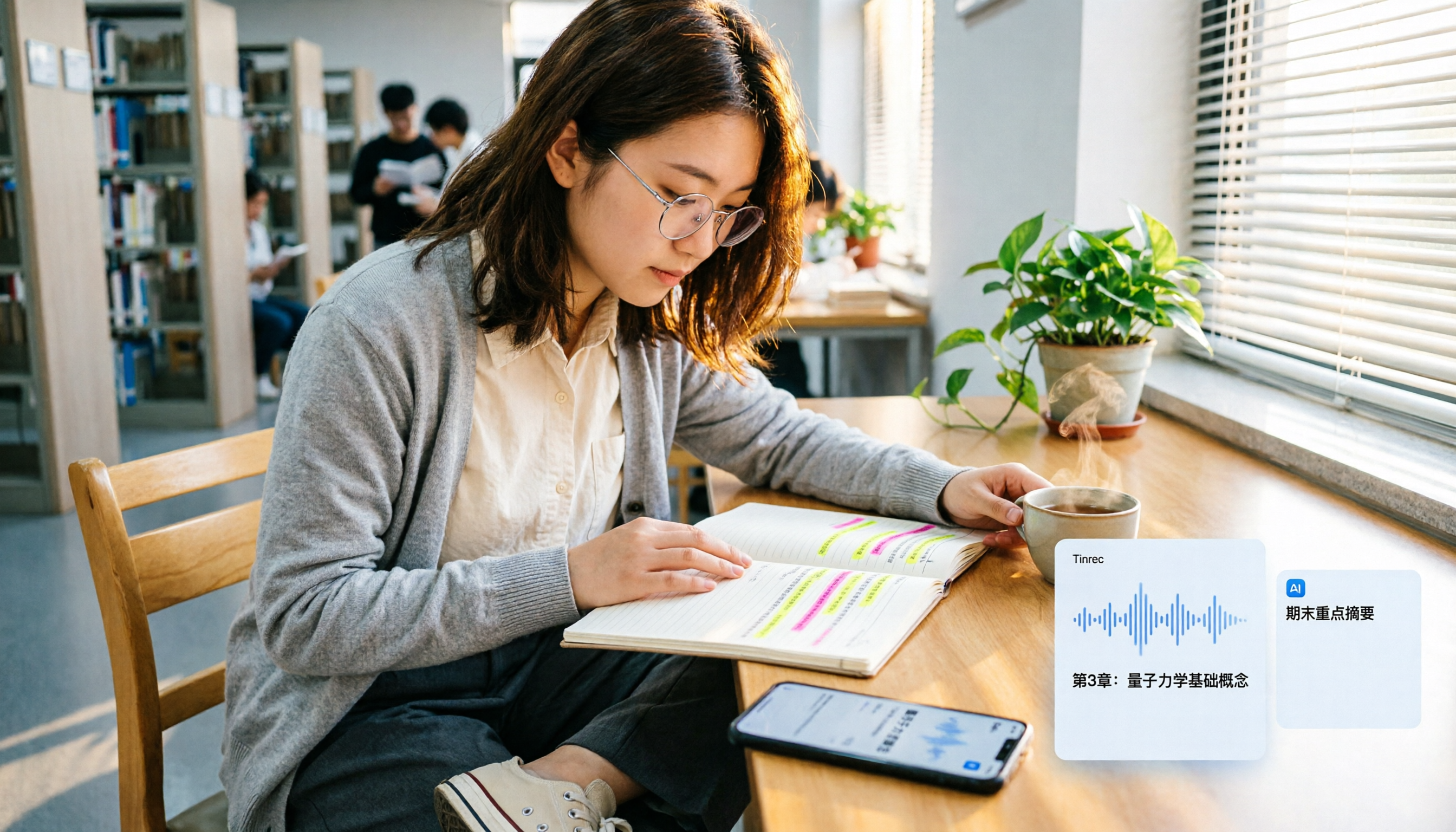
Lecture Recording: From "Afraid to Listen Back" to "Asking AI for Key Points Before Exams" In class, I open Tinrec, and it generates a transcript in real time. When the professor highlights key points, I don't need to scramble to write them down; I just check the transcript later. The most impressive feature is its AI Q&A—before the final exam, I asked Tinrec, "What are the key formulas mentioned in this class?" It compiled the answers from the recording, which was ten times faster than flipping through my notes manually. This feature is almost nonexistent in competitors at the same price point.
Group Discussions: No More Being the Designated Note-Taker In every group discussion, everyone dreads being assigned to take meeting minutes. Now, I proactively open Tinrec, and after recording, it generates a summary and action items, showing who is responsible for what and the deadlines at a glance. Then I share the transcript in the group chat, so those who couldn't attend can catch up.
Stop organizing recordings by hand
Upload audio or video and automatically get a transcript, summary, and action items
Online Meetings: No Bot Needed, Record Directly from Desktop Some classmates use Zoom or Google Meet for discussions. Tinrec's desktop version can record computer audio directly, without needing to invite a bot to the meeting. This is super convenient for our impromptu group meetings, as we don't have to wait for everyone to authorize.
Pros
- Transcription accuracy for mixed Chinese and English course recordings is sufficient, especially for Traditional Chinese.
- The AI Q&A is powerful—after recording, you can ask "When is the assignment deadline?" and it will extract the answer from the discussion.
- Supports importing old recordings; I tested it with an interview recording from my senior, and the key points it generated were more complete than what I could extract myself.
- The free plan offers basic quota to try core features; if you need more, the Pro plan is reasonably priced for students—just skip a few late-night snacks.
Limitations The free plan has limited quota. If you're a heavy user (recording every class and multiple group discussions per week), it might not be enough. But for most students, trying the free version first and then deciding to upgrade is stress-free.
Who It's For If you need Traditional Chinese transcription, want to use AI to find key points after recording, or often switch between phone and computer, Tinrec is currently the best choice for students.
Alternatives to Tinrec
Otter.ai Best for English meetings; the free plan offers a generous 300 minutes per month. However, its Chinese transcription accuracy is noticeably worse than Tinrec's, and its AI Q&A is weaker for Chinese questions. If you mainly record English lectures or interviews, Otter is worth considering; but for Traditional Chinese content, Tinrec is more suitable.
Notta Features are similar to Tinrec, but the free plan has too many restrictions: each recording is limited to 3 minutes, making it useless for lectures. Tinrec's free plan can at least record a full class, and its AI Q&A and team collaboration features are more complete than Notta's. If you just want to try transcription, Notta is okay, but for long-term use, Tinrec is recommended.
Granola Focuses on bot-free meeting notes, similar to Tinrec in that no bot is needed. However, Granola does not retain meeting audio and cannot import old recordings. For students, if you want to re-listen to a specific part later, Granola won't help; Tinrec retains audio and allows importing interview files from seniors, which is a big win.
Pitfall Guide: 4 Common Mistakes When Choosing an AI Meeting Recorder App
Pitfall 1: Only Trusting Official Accuracy Claims Many apps claim 98% accuracy, but that's measured in a quiet environment. Real classrooms have noise and people talking over each other, so accuracy drops. Use the free version to record one of your own classes to test, which is more useful than watching ads.
Pitfall 2: Ignoring the "Per-Recording Limit" in Free Plans Some apps have a large total free quota, but each recording is limited to 3 or 10 minutes, which is useless for lectures. Before choosing, make sure to check the per-recording limit, or you'll find it's a letdown after downloading.
Pitfall 3: Buying Expensive Hardware for Recording There are AI recording hardware devices, like smart recorders, that are pricey. But your phone can do the same thing, so why spend extra? Try a mobile app first, and only consider hardware if it's truly insufficient.
Pitfall 4: Only Using Transcription, Wasting AI Capabilities If you only use these apps for "voice-to-text," you're only using a third of their potential. For example, Tinrec's AI Q&A lets you ask "What was the conclusion of this discussion?" right after recording, which is much faster than manually scanning a 30-minute transcript. Don't waste your money.
Conclusion: Which One Should You Choose?
In short: For students, Tinrec is the way to go, especially if you need Traditional Chinese, AI Q&A, and cross-platform use.
- Need Traditional Chinese transcription + AI Q&A for key points → Tinrec (top choice, try the free version first)
- Only record English courses and have zero budget → Otter.ai (free 300 minutes, but weak in Chinese)
- Want to try something else → Notta (but free plan has too many restrictions, not recommended)
- Only need meeting notes and don't need audio storage → Granola (basic features, not recommended for students)
I suggest downloading Tinrec's free version to try it out; the monthly basic quota is enough to record a few classes and experience the effect. If you like it, consider upgrading to Pro—there's no need to pay upfront. I've used it for a whole semester, relying on it for midterms and finals, and I genuinely recommend it.
References
Turn every recording into actionable outcomes
Get 60 free transcription minutes when you sign in. No credit card required.
Related Reading
You might also like

2026年4款免费会议记录App最新版实测对比:谁的AI纪要真的能省时间?
开完会还要花时间整理逐字稿吗?这篇比较 4 款免费会议记录 App 的最新版本,从会议撷取方式、逐字稿之后的 AI 整理、跨装置支援到免费额度界线逐一检视。我会分享自己怎么用 Tinrec 把整个会后流程换掉,也说明 Notta、Otter.ai、PLAUD 各适合谁,以及挑选时最容易踩的三个坑。

Which Free Meeting Notes App Is Best? 5 Tested in 2026, How to Choose Free Tiers That Actually Work
There are countless free meeting notes apps, but the real limits of 'free' vary widely. This article breaks down 6 key decision points for choosing one—from free quotas, Chinese recognition, meeting formats, to post-meeting organization—and uses Tinrec to demonstrate the full workflow from recording, transcription, AI summary, to action items and team sharing, helping you pick the one that truly works for you.

5 Free Meeting Transcription Apps Tested: Which Free Version Is Actually Enough?
We tested several free meeting transcription apps, comparing free quotas, online meeting recording methods, post-meeting AI organization, and team sharing to help you avoid 'fake free' traps and find the one that's truly usable for free.

4 Free Meeting Notes Apps Compared: AI Summarization Is the Real Time-Saver
How do free meeting notes apps differ from AI meeting tools? This article examines four key factors: free plan single-session limits, meeting capture methods, post-meeting AI organization, and team data ownership. We compare Tinrec, Otter.ai, Notta, and Granola, and highlight common pitfalls to help you decide if a free version is enough.

Tinrec vs Notta 2026: 5-Dimension Comparison, Which Free Meeting Notes App Should You Choose?
A free meeting notes app isn't just about dumping audio and getting a transcript. This article starts with common misconceptions, compares free meeting notes tools across 5 dimensions, and uses Tinrec as an example to show how to turn meetings into searchable, queryable, and transferable data.

Best Free Meeting Notes Apps in 2026: We Tested 2 Options, iPhone Users Don't Need to Buy Hardware First
How do you choose a free meeting notes app? From a mid-level manager's perspective, I tested Tinrec and PLAUD Note across five dimensions: upfront cost, online meeting recording, cross-device continuity, post-meeting AI organization, and team collaboration. I also highlight three common mistakes to help you decide which option fits your meeting style.

5 Free Meeting Transcription Apps Tested and Compared in 2026: How to Choose a Free Plan That Actually Works
How can a free meeting transcription app really save you time? This article examines four key factors—how free quotas are calculated, supported online meeting audio sources, post-meeting outputs, and team sharing—and puts Tinrec, Otter.ai, Notta, and PLAUD Note to the test. It also highlights the three most common pitfalls to help you pick the one that truly meets your needs.

Free Meeting Notes App Download 2026: Tinrec No-Bot Recording + AI Auto Summary
How to download a free meeting notes app without getting burned? This guide starts with common pitfalls, then compares Tinrec and Otter.ai across 5 dimensions, covering the 3-step download process, how to choose a free plan, Traditional Chinese and mixed Chinese-English recognition, no-bot online meeting recording, post-meeting summaries and action items, team seats and data governance, and ends with clear recommendations.

2026 AI Meeting Notes Free Plans Compared: 5 Apps to Consider
Starting from the three most common misconceptions, this article reviews the actual free quotas and limitations of 5 free meeting notes apps in 2026, and compares Tinrec, Notta, Otter.ai, PLAUD Note, and Granola in terms of Chinese transcription, online meeting audio capture, summarization, and AI Q&A, helping you find a free but sufficient option.