
Turn recordings into transcripts and summaries in minutes
Upload audio or video for multilingual transcription, AI notes, and action items
2026年4款免费会议记录App最新版实测对比:谁的AI纪要真的能省时间?
会后那两小时,才是真正吃掉你时间的地方
前阵子我帮一个研究团队看工作流程。
他们一季要跑很多场深度访谈,每一场都全程录音。
问题从来不在录音。
问题在录完之后。
有人要把音档重听一遍,有人负责听打成逐字稿,还有人要把重点整理成报告。同一段对话,被三个人各自听过一次。
会议也是同样的剧本。
开会当下大家都很投入,但会议一结束、人一散,谁答应了什么、上次的决议是什么,全部散回各自的笔记本和聊天室里。
一场会的成本,不只是那一小时,而是会后所有人各自重建记忆的时间。
所以真正该问的不是「哪个 App 可以录音」,而是「哪个 App 能让会后这段时间消失」。
挑会议记录 App,先搞懂这四个关键点
一、它需不需要「多一个人」进到会议里
很多工具的做法是派一个会议机器人,用「与会者」的身分加入你的在线会议。
好处是自动化,缺点是会议名单上会多一个陌生账号,某些客户会议甚至不允许。
另一种做法是从你自己的计算机端直接撷取系统声音,不需要多一个机器人。
我在选择时一定先问这题,因为它决定你能不能把它用在正式场合。
二、逐字稿之后,它还能给你什么
逐字稿只是原料。
真正省时间的是后面那一段:摘要、章节、重点、待办,甚至是「直接对会议内容提问」。
如果一个工具只给你文字,你还是得自己读完那几千字。
三、你的会议长什么样子
在线会议、实体会议、手机随手录的对话、抽屉里那批旧音档——这四种场景需要的入口并不一样。
我会看它能不能全部吃下来,而不是只支持其中一种。
四、免费版的界线在哪里
免费方案不是不能用,是要看清楚它的限制:是每月总量有上限,还是单次长度有上限。
这个差别很大。前者还能开几场会,后者可能连一场都录不完。
这四个维度,也是我这次检视各款工具时最主要的观察点。
Tinrec(秒听录音):我把整个会后流程换掉的那一次
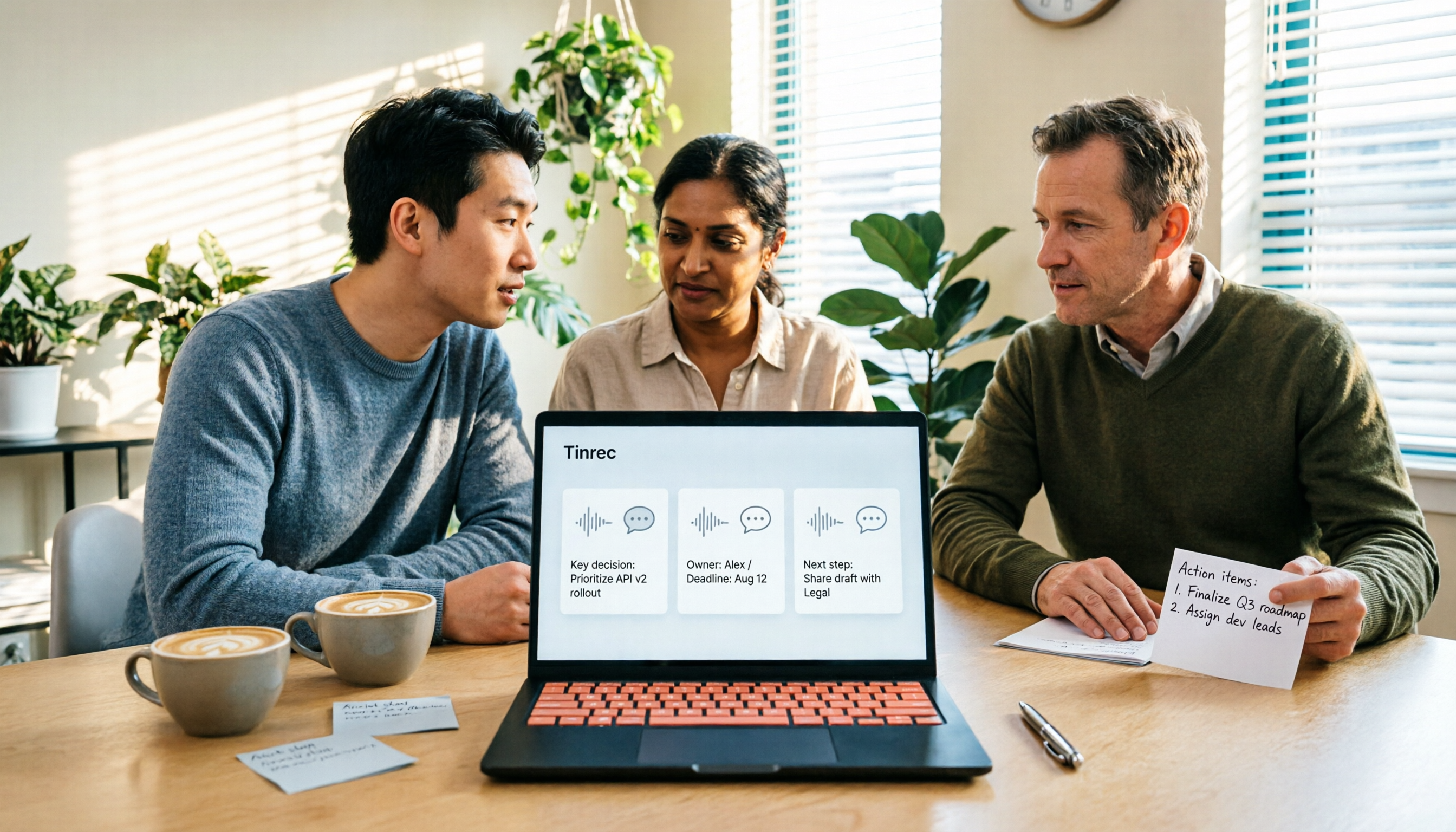
Tinrec 是一款面向个人与团队的 AI 会议记录与协作工具,支持 iOS、Android 与网页版。它不只是把声音转成文字,而是把会议录音整理成可搜寻、可总结、可追问、可导出的数据。
我最有感的是它处理在线会议的方式。
桌面版直接撷取计算机的系统声音,可以处理在计算机上播放的 Zoom、Google Meet、Microsoft Teams、Webex 会议,不需要邀请一个会议机器人进来。
对我这种常跑客户会议的人来说,这一点直接解决了「对方不希望名单上多一个人」的问题。
录音的同时,逐字稿会跟着长出来。
会议结束,摘要、章节和待办也已经排好——谁负责什么、下一步是什么,大致成形。我不再需要会议一结束就冲回座位补笔记。
再往下走,是我觉得它和同类工具差距最大的地方:AI 问答。
我可以直接问它「上一场会议里,客户对报价的顾虑是什么」,它会回到会议内容里给我答案,而不是丢一串关键词搜寻结果。事后回头找某一句话、某个决议,这个功能省下的时间非常可观。
其他我实际用到的还有:
- 录音过程中的实时翻译,可以切换原文、译文或双语检视
- 音频与视频文件上传,把历史会议和旧访谈一起整理进来
- 导出到 Notion、Google Docs、OneNote、Dropbox 等既有工作流
- 用 Agent 后处理,把会议内容延伸成报告、表格和文件
如果是团队使用,它还有独立的团队空间。
这一点我要特别说明,因为很多人会误会。团队版不是「多人共享一个个人账号」,而是会议数据归团队所有的独立空间。成员可以共享查看历史会议,管理员则透过角色与席位来管理:角色决定谁能管理团队与设定,席位决定谁能录制、上传、编辑与导出。没有席位的有效成员还是可以查看、播放和阅读数据,只是不能执行资源使用类的操作。
Stop organizing recordings by hand
Upload audio or video and automatically get a transcript, summary, and action items
席位权益方面,团队付费席位每月提供 2,000 分钟的团队共享导入额度;月付为 USD 29.80/付费席位/月,年付为 USD 199/付费席位/年,换算下来约 USD 16.58/月。价格、币别与活动以正式购买页面为准。
限制也要说清楚。
免费版提供基础额度,适合先体验录音、导入、摘要与转写;如果你是每天开会的重度使用者,会需要付费方案。另外,转写质量会受录音环境、噪音、口音、多人抢话和专业术语影响,重要内容我还是会回到逐字稿的时间点核对。
适合谁?如果你常需要中文会议记录、不想让机器人加入会议、希望会后能直接对会议提问,或需要把会议数据沉淀成团队资产——这是我目前的首选。
除了 Tinrec,还有哪些选择?
Notta:多端转写与翻译做得完整,也有团队方案,免费版每月 120 分钟、单次内容最多 3 分钟。它偏向以会议机器人或文件导入为主要入口;如果你需要无机器人的桌面录制、会后 AI 问答与 Agent 后处理,Tinrec 的流程会更完整。
Otter.ai:英文商务会议的成熟选择,免费版每月 300 分钟。如果你的会议几乎全英文,它是一个合理选项;但中文会议、中英夹杂与台式用语的整理不是它的主场,这部分 Tinrec 明显更顺手。
PLAUD Note/NotePin:AI 录音硬件的代表,适合随身、电话与长时间录音,入门方案每月 300 分钟。前提是你愿意多带一台装置;Tinrec 不用额外硬件,手机、网页与桌面版就能处理在线会议与既有音档,还能进一步做 AI 问答与团队数据管理。
避坑指南:选会议记录 App 最容易犯的三个错
坑一:只看免费分钟数。
每月总量和单次上限是两件事。有的工具免费额度看起来很大,但单次只能处理几分钟,一场会都录不完。试用的时候,请拿一场你真实的会议去测。
坑二:以为有逐字稿就等于有会议记录。
逐字稿是原料,不是成品。如果一个工具只给你文字,你还是得自己读完、自己抓重点。真正省时间的是摘要、章节、待办,以及可以追问的问答能力。
坑三:把团队的会议数据放在个人账号里。
这件事通常要等到有人离职才会被发现。数据放在个人账号,人一走,会议脉络也跟着走。团队用的话,一开始就该放进团队空间,并且搞清楚角色与席位的差别——「可以查看」和「可以编辑」是两种不同的权限。
总结:你到底该选哪一款?
- 需要中文会议记录,又不想让机器人加入会议 → Tinrec(桌面版撷取系统声音)
- 录完想直接对会议提问、找决议 → Tinrec(AI 问答)
- 手机、计算机、旧音档都想一起整理 → Tinrec(多端加上文件导入)
- 要把会议沉淀成团队可查的数据 → Tinrec 团队版(团队空间、角色、席位、用量与审计)
- 会议几乎全英文 → Otter.ai
- 需要随身硬件录音 → PLAUD
快速上手:我会这样开始
- 先用免费版,录一场你真实的会议,不要用测试音档
- 会后先看 AI 摘要,确认它抓到的重点和你的理解一不一致
- 针对摘要里不清楚的地方,直接对会议内容提问
- 检查待办清单,把负责人和时间补上
- 导出到你原本的工作流,不要另外开一个孤岛
- 如果是团队,先把空间和席位规则讲清楚,再开始累积数据
工具会一直更新,最新版永远在变。
但流程是你自己的。
先把你真实的一场会议丢进去跑一次,你就会知道这个工具值不值得留下来。
逐步测试,你也能慢慢掌握这套方法。
参考来源
- 不限时间!3个免费AI逐字稿工具,好用推荐!AI语音笔记生成会议记录、简报、心智图|104职场力
- Meeting Ink - 2026 AI 会议纪录工具实测|7 款语音转文字与摘要速度大比拼 | Meeting Ink - AI 会议纪录助手 自动转录逐字稿总结会议摘要
- AI会议记录 - Google Play 应用程序
- 最近蛮多人问我,有没有什么 AI 工具可以做会议记录? 他们现在还是手工打字,常常没法一心二用,又蛮浪费时间。 我一律回答 —— SeaMeet 为什么推荐?帮大家整理重点: -绑 Google Meet,在线会议同步转逐字稿,又有实时摘要,超方便。 -不用特别重新整理,会议结束后,直接发信给所有会议参与者。 -操作简单到爆,完全没玩过 AI 工具的中老年人,我 10 分钟就教会他们。 -实体会议
- AI 会议记录软件推荐:5 大 App 实测评比,自动转文字让你开会超轻松!
Turn every recording into actionable outcomes
Get 60 free transcription minutes when you sign in. No credit card required.
Related Reading
You might also like

Which Free Meeting Notes App Is Best? 5 Tested in 2026, How to Choose Free Tiers That Actually Work
There are countless free meeting notes apps, but the real limits of 'free' vary widely. This article breaks down 6 key decision points for choosing one—from free quotas, Chinese recognition, meeting formats, to post-meeting organization—and uses Tinrec to demonstrate the full workflow from recording, transcription, AI summary, to action items and team sharing, helping you pick the one that truly works for you.

5 Free Meeting Transcription Apps Tested: Which Free Version Is Actually Enough?
We tested several free meeting transcription apps, comparing free quotas, online meeting recording methods, post-meeting AI organization, and team sharing to help you avoid 'fake free' traps and find the one that's truly usable for free.

4 Free Meeting Notes Apps Compared: AI Summarization Is the Real Time-Saver
How do free meeting notes apps differ from AI meeting tools? This article examines four key factors: free plan single-session limits, meeting capture methods, post-meeting AI organization, and team data ownership. We compare Tinrec, Otter.ai, Notta, and Granola, and highlight common pitfalls to help you decide if a free version is enough.

Tinrec vs Notta 2026: 5-Dimension Comparison, Which Free Meeting Notes App Should You Choose?
A free meeting notes app isn't just about dumping audio and getting a transcript. This article starts with common misconceptions, compares free meeting notes tools across 5 dimensions, and uses Tinrec as an example to show how to turn meetings into searchable, queryable, and transferable data.

Best Free Meeting Notes Apps in 2026: We Tested 2 Options, iPhone Users Don't Need to Buy Hardware First
How do you choose a free meeting notes app? From a mid-level manager's perspective, I tested Tinrec and PLAUD Note across five dimensions: upfront cost, online meeting recording, cross-device continuity, post-meeting AI organization, and team collaboration. I also highlight three common mistakes to help you decide which option fits your meeting style.

5 Free Meeting Transcription Apps Tested and Compared in 2026: How to Choose a Free Plan That Actually Works
How can a free meeting transcription app really save you time? This article examines four key factors—how free quotas are calculated, supported online meeting audio sources, post-meeting outputs, and team sharing—and puts Tinrec, Otter.ai, Notta, and PLAUD Note to the test. It also highlights the three most common pitfalls to help you pick the one that truly meets your needs.

Free Meeting Notes App Download 2026: Tinrec No-Bot Recording + AI Auto Summary
How to download a free meeting notes app without getting burned? This guide starts with common pitfalls, then compares Tinrec and Otter.ai across 5 dimensions, covering the 3-step download process, how to choose a free plan, Traditional Chinese and mixed Chinese-English recognition, no-bot online meeting recording, post-meeting summaries and action items, team seats and data governance, and ends with clear recommendations.

2026 AI Meeting Notes Free Plans Compared: 5 Apps to Consider
Starting from the three most common misconceptions, this article reviews the actual free quotas and limitations of 5 free meeting notes apps in 2026, and compares Tinrec, Notta, Otter.ai, PLAUD Note, and Granola in terms of Chinese transcription, online meeting audio capture, summarization, and AI Q&A, helping you find a free but sufficient option.

4 Free Meeting Transcription Apps Compared: Which Free Tier Actually Lasts?
Tired of spending time after meetings organizing notes? This article compares four free meeting transcription apps—Tinrec, Otter.ai, Notta, and Granola—breaking down how free tiers are calculated, how meeting audio is captured, what you can do after transcription, and who ultimately holds your recordings and data. We also outline four key selection criteria and four common pitfalls to help you find the one whose free version can handle your real meeting length.