

Turn recordings into transcripts and summaries in minutes
Upload audio or video for multilingual transcription, AI notes, and action items
I attend about 15 meetings a week—team syncs, project updates, one-on-ones, and cross-departmental coordination. The most annoying part used to be the aftermath, not the meetings themselves. Every meeting generated a pile of decisions and action items to organize, so my real work only started after the meeting ended.
Then I started using AI recording-to-text tools, and things improved a lot. But a new problem emerged: the free tier quickly hits its minute cap. Is the paid version worth it? This article breaks down Otter.ai's pricing plans using my own usage as a benchmark to help you calculate what's right for you.
First, Figure Out: How Many Transcription Minutes Do You Actually Need Per Month?
Many people make the mistake of comparing monthly fees first. But what you should really calculate is how many minutes you'll actually use each month.
For me: 15 meetings a week, averaging 40 minutes each, comes to about 2,400 minutes a month. That's a conservative estimate—some project discussions run 90 minutes.
So when evaluating plans, my criteria are simple: Can the free allowance cover my usage? If not, what's the per-minute cost after upgrading?
The second thing to check is the "per-recording limit." Some free plans offer a decent total minute allowance, but cap each recording at 30 minutes, which stalls longer meetings. For anyone with meetings over half an hour, this is more critical than the total minutes.
Third is cross-platform needs. If you record on your phone today and need to review transcripts on your computer tomorrow, device restrictions can be a real pain.
Otter.ai Pricing Plans Explained: Who Should Choose Free, Pro, and Business?
Otter.ai currently offers three main plans. Here's a breakdown based on the official pricing page and real-world usage logic.
Free Plan: Best for Light Users Testing the Waters
The core limitation of the free plan is 300 transcription minutes per month, with a 30-minute cap per recording.
Who is this enough for? If you have 6–8 short meetings a month, or occasionally record an interview or lecture, the free plan can handle it. But if you're in meetings daily like me, 300 minutes will run out in about a week and a half.
Another thing to note: the free plan still includes most core features, including basic voice transcription and automatic summaries. My advice: start with the free plan—don't pull out your credit card right away.
Pro Plan: The Threshold for Consistent Users
Pro costs about $16.99 per month, or $99.96 per year, which works out to roughly $8.33 per month with annual billing.
This plan boosts transcription limits, making it suitable for those with steady weekly meeting needs. At the annual rate, it's less than two Starbucks coffees a month—not a heavy burden for working professionals.
Pro is best for scenarios where you need to convert meetings into transcripts and search or organize key points afterward. If you only record occasionally, Pro might go underused—stick with the free plan for now.
Business Plan: Only Consider It for Team Collaboration
The Business plan is priced around $20 per month according to some sources, but actual pricing may vary with promotions, so check Otter's official pricing page for the latest.
This plan isn't about individual transcription—it focuses on team sharing, administrative controls, and higher import limits. If you're a solo user, Business offers little value. But if you're a department head who wants team members to share meeting notes and centrally manage transcripts, this tier is worth evaluating.
Three Things I Genuinely Appreciate After Using Otter
Beyond pricing, here's what I've noticed in real-world use.
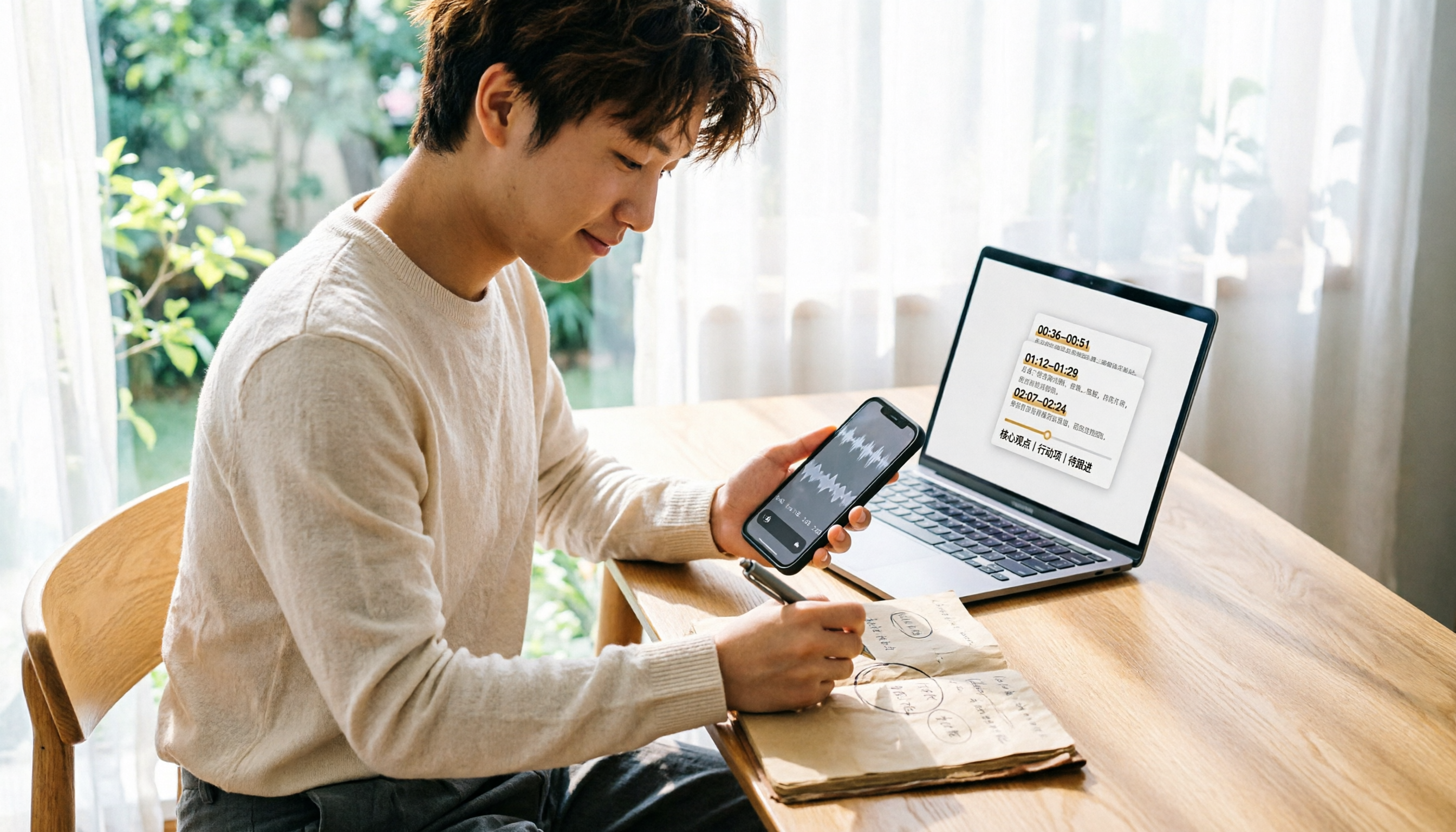
Stop organizing recordings by hand
Upload audio or video and automatically get a transcript, summary, and action items
First, speaker identification. Otter typically auto-labels each speaker by name and updates the transcript to match each person's voice. You don't have to manually tag speakers constantly—a big help in multi-person meetings, though occasional manual corrections are still needed.
Second, the chat-based query feature. You can ask it questions about past recordings, like "What was the budget conclusion from last week's discussion?" and it pulls answers from historical meetings. This is far faster than manually scanning a 30-minute transcript.
Third, integration with online meetings. Otter connects with platforms like Zoom, Google Meet, and Microsoft Teams, automatically transcribing conversations during meetings. This is highly practical for teams with lots of remote meetings.
But Otter Has Limitations You Should Know About
Honestly, Otter isn't perfect.
First, it primarily supports English. If you have many Chinese meetings, its Chinese transcription quality is relatively limited. This is one reason I started looking for other tools.
Second, the free plan's 30-minute per-recording cap is restrictive. Meetings over 30 minutes get cut off, which isn't friendly for longer sessions.
Third, if you need to "ask AI for key points right after recording, generate action items, and turn meeting data into team assets," Otter does part of this, but some tools offer more complete Chinese-language support and team spaces. For example, tools like Tinrec focus on bot-free desktop recording—no extra participant needed—and deliver more robust Chinese transcription and real-time translation. If you primarily record Chinese content, these alternatives are worth evaluating alongside Otter.
What Are the Alternatives to Otter?
If Otter doesn't perfectly match your use case, consider these alternatives.
Tinrec (秒听录音): If you need Chinese meeting transcription, bot-free recording for Zoom or Teams, and want to centralize meeting data in a team space, Tinrec may fit better than Otter. It emphasizes post-meeting summaries, action items, AI Q&A, and multi-format export—ideal for managers who want to turn meetings into team assets.
Notta: Strong in multilingual transcription and translation, but if you need bot-free online meeting recording and team spaces, Notta's focus is different.
Fireflies.ai: Mature in meeting automation and sales analytics, but if you primarily record Chinese content or prefer not to add a meeting bot, you'll need to weigh the trade-offs.
Pitfall Guide: 3 Common Mistakes When Choosing an Otter Plan
Pitfall 1: Only Looking at Monthly Fees, Ignoring Per-Recording Limits. The free plan's 300 monthly minutes seem sufficient, but the 30-minute per-recording cap can cut off long meetings. First, check how long your average meeting lasts.
Pitfall 2: Overlooking Language Needs. If your meetings are primarily in Chinese, Otter's Chinese transcription isn't as good as its English. Test with your actual meeting recordings on the free plan before committing to an annual subscription.
Pitfall 3: Treating the Tool Only as "Recording-to-Text." Using it just for transcripts means using only a third of its capabilities. Features like AI Q&A, automatic summaries, and action-item extraction are where the real time savings come from.
Conclusion: Which Plan Should You Choose?
Back to the practical question: How do you choose an Otter pricing plan?
- Fewer than 6 meetings a month, each under 30 minutes → Stick with the free plan.
- Steady weekly meetings and need to search historical content → Pro annual plan at about $8.33/month offers the best value.
- Need team sharing and management features → Evaluate Business, but first confirm your team actually needs it.
- Primarily Chinese meetings and want to build a team knowledge base → Consider tools like Tinrec that are more focused on Chinese and team spaces.
My straightforward advice: Start with the free plan to gauge your actual usage and language needs—don't rush into an annual subscription. If you have high meeting volume like me and often get asked "What was the conclusion from last meeting?", the Pro annual plan is worth it. But before you pay, spend a week confirming it truly meets your meeting needs.
References
- Otter Pricing Explained – meetXcc
- Otter.ai | Learn AI
- OTTER German Knives, Military Gear, Outdoor Supplies - momo Shopping - Top Picks - January 2026
- OTTER, Brand Directory, Military Gear, Outdoor Supplies - momo Shopping - Top Picks - June 2026
- 2026 Otter.ai Review: Complete Chinese Guide, Features, Costs, and User Experience | Meeting Notes & Auto-Transcript Assistant - RosyArts
Turn every recording into actionable outcomes
Get 60 free transcription minutes when you sign in. No credit card required.
Related Reading
You might also like

4 Free Audio-to-Text Tools Tested for 2026: Which Free Tier Actually Works?
Many free audio-to-text tools offer trial credits rather than a lasting free plan. This comparison focuses on whether the free tier is enough for your needs, evaluating Tinrec, Otter.ai, Notta, and TurboScribe on free limits, per-file length caps, and post-transcription processing to help you pick the one that truly works.

4 Audio-to-Text Tools Compared in 2026: Free vs. Paid at a Glance
Can recorded audio be converted to text? Yes, and it's easier than you think. This article starts from real-world use cases, first covering 4 key points for choosing a tool, then takes a deep dive into Tinrec's bot-free meeting recording, AI summaries, and post-meeting Q&A, and briefly reviews the positioning and limitations of Notta, Otter.ai, and PLAUD Note. It ends with a pitfalls guide and selection advice to help you understand the differences between free and paid plans at a glance.

5 Best Audio-to-Text Tools in 2026: Is iPhone's Built-in Feature Enough?
Since iOS 18.4, iPhone's built-in Voice Memos can transcribe recordings, but that doesn't mean you get the meeting notes you need. This article compares 5 solutions based on recording sources, Chinese recognition, post-meeting output, and team collaboration, so you can decide whether the built-in option suffices or if you need a dedicated tool.
How to Convert WeChat Voice Messages to Text in 2026: 5 Steps from Voice to Transcript
WeChat voice messages can't be exported and are hard to organize into long transcripts. This guide covers 6 recording-to-text solutions, from WeChat's built-in features and phone dictation to AI meeting note tools, and walks through 5 steps to turn a 40-minute WeChat voice message into searchable, queryable meeting material.
6 Android Speech-to-Text Apps Tested for 2026: Which Free Version Actually Works?
Most people start comparing Android speech-to-text apps by looking for the free one, but that's the wrong first step. This guide covers six practical options—from Google Keyboard's completely free dictation to Tinrec, which automatically generates summaries, action items, and AI Q&A—honestly listing each plan's free quota, paid pricing, and best use cases to help you avoid the 'transcribed but unusable' trap.

2026 Audio-to-Text Tool Buying Guide: 5 Key Dimensions Tested and Recommended
How to choose an audio-to-text tool? This guide starts with three key considerations: audio source type, post-meeting organization needs, and team data ownership. It then outlines 5 practical buying dimensions and uses Tinrec as an example to demonstrate bot-free online meeting recording, AI summaries and action item extraction, AI conversational search, and team spaces. A FAQ section is included at the end.

2026 Comparison of 4 Foreign Language Meeting Translation Tools: From Real-Time Bilingual Subtitles to Post-Meeting Summaries
Can you understand foreign language meetings but struggle to remember or follow up? This article starts with common misconceptions and breaks down 4 key factors for choosing a foreign language meeting translation tool. It compares Tinrec, Otter.ai, Notta, and Granola in real-time translation, bilingual comparison, post-meeting summaries, and team collaboration, and lists the 4 most common pitfalls to help you choose the right tool at once.

Tinrec vs Musely 2026: 5-Dimension Comparison, Tinrec for Korean Meeting Notes
How to choose a Korean audio-to-text tool? This article compares Tinrec and Musely across 5 dimensions: Korean recognition, post-meeting organization, team collaboration, export, and free quota. It also covers alternatives like MyEdit and Sonix to help you decide when pure transcripts vs. meeting notes are suitable.

2026 Comparison of 4 Audio-to-Text Tools: Which One Actually Saves You Time?
From meeting notes and transcripts to post-meeting follow-ups, compare Tinrec, Canva, MyEdit, and Otter.ai in terms of positioning, limitations, and best-fit scenarios to help you choose the right audio-to-text tool.