

Turn recordings into transcripts and summaries in minutes
Upload audio or video for multilingual transcription, AI notes, and action items
What You're Really Asking Isn't "Does Otter.ai Support Chinese?"—It's "Should I Bother Trying It?"
Search results about Otter.ai's Chinese support are all over the place.
Some say it has a Chinese version; others say it's mainly for English.
Both are right, but neither explains the key point: Is your meeting content primarily in Chinese or English?
The answer determines whether Otter.ai is a gem or a dud for you.
Here's the bottom line: If your meetings and classes are mostly in English, Otter.ai's free 300 minutes are plenty, and its English recognition is solid.
If your meetings are mostly in Chinese—or a mix of Chinese and English—Otter.ai shouldn't be your first choice right now.
This article covers the free plan, real-world Chinese performance, who it's for, and who it's not for.
Before Choosing an AI Meeting Tool, Get These 3 Key Points Straight
1. Chinese Support Isn't a Simple "Yes" or "No"
Many tools claim "multi-language support," but actual Chinese transcription quality varies wildly.
Traditional Chinese with mixed Chinese-English content is a nightmare for many tools.
Don't just look at the language list on the official site—check real-world tests.
2. Free Limits: Watch the "Per-Meeting Cap"
Some tools offer generous monthly limits but cap each meeting at 30 minutes.
One meeting and you're done.
Otter.ai's free plan caps each meeting at 30 minutes—keep that in mind.
3. What You Can Do After Transcription Matters More Than the Transcription Itself
A transcript is just the starting point.
You want summaries, action items, AI Q&A, and exports to Notion or Google Docs.
If a tool only transcribes, you'll still have to reread everything—that only solves half the problem.
Otter.ai Free Plan: 300 Minutes Sounds Great, but the 30-Minute Cap Is the Catch
What You Actually Get with the Free Plan
Otter.ai's Basic plan gives free users 300 minutes of transcription per month, with a 30-minute cap per meeting, and allows importing 3 audio files or videos.
300 minutes is actually decent for light users.
Two 30-minute meetings a week adds up to about 240 minutes a month—just enough for the free plan.
But here's the problem.
The 30-Minute Cap Is a Dealbreaker
If your meetings often exceed 30 minutes, the free plan is basically unusable.
It won't automatically split the recording—it just stops transcribing.
I've tested similar limits, and it's a terrible experience.
You're in the middle of capturing a key point, and the recording cuts off—more frustrating than not recording at all.
English Transcription Is Rock-Solid
No complaints here.
Otter.ai's English transcription accuracy is among the best in the industry, hitting 85% to 95% in quiet environments.
Speaker identification, auto-summaries, and keyword tagging are all mature features.
For English meetings, classes, and interviews, it works smoothly.
The Real Story on Chinese Support
Otter.ai can handle some Chinese Q&A, but real-time transcription for Chinese meetings is still limited.
Multiple test sources indicate it's primarily English-focused, and Chinese meetings aren't its strength.
If you need Traditional Chinese meeting transcripts, Otter.ai's performance will make you want to throw your phone.
Mixed Chinese-English meetings are even worse.
Beyond Otter.ai: 3 Better Options for Chinese Meetings
Tinrec: The Top Choice for Chinese and Mixed-Language Meetings
Tinrec is an AI meeting notes and collaboration tool for individuals and teams, with Chinese and Traditional Chinese meetings as its core focus.
Stop organizing recordings by hand
Upload audio or video and automatically get a transcript, summary, and action items
The biggest difference from Otter.ai: Tinrec's desktop app captures system audio directly, so you don't need to add a meeting bot to Zoom, Google Meet, or Teams.
That's a big plus for anyone who doesn't like an "extra attendee" in meetings.
After transcription, Tinrec auto-generates summaries, chapters, and action items, and supports AI Q&A about the meeting content.
You can ask, "Who mentioned the budget in the last meeting?" and it answers based on the content—not just keyword search results.
Otter.ai's AI Chat can do something similar, but its basic transcription in Chinese is already a step behind, and no amount of AI smarts can fix that.
The free plan offers basic credits to try recording, importing, and summaries, and there are weekly passes for short-term heavy meeting periods—no annual commitment required.
Notta: Another Option for Multilingual Transcription
Notta supports up to 58 languages, and its Traditional Chinese performance is noticeably more stable than Otter.ai's.
The free plan gives 120 minutes per month, with a 3-minute cap per session—tight for meetings.
The paid plan costs about USD 8.17 per month when billed annually, offering 1,800 minutes.
If multilingual transcription is your priority, Notta is worth a try.
However, it lacks Tinrec's bot-free desktop recording and full team workspace, and its AI Q&A and post-meeting organization are more basic.
PLAUD Note: A Niche Hardware Option
PLAUD takes an AI recording hardware approach, with the NotePin priced at USD 159, plus an annual fee afterward.
Its advantage is convenient portable recording—no computer needed.
But for online meetings, hardware recording means capturing audio from speakers, which degrades sound and transcription quality.
Tinrec requires no extra devices—it works on web, desktop, and mobile—which is practical for budget-conscious small teams.
Pitfall Guide: 3 Common Mistakes When Choosing an AI Meeting Tool
Mistake 1: Assuming "Supports Chinese" Means Accurate Chinese Transcription
"Supports Chinese" and "transcribes Chinese accurately" are two different things.
Otter.ai is the perfect example.
The official language list looks impressive, but actual Chinese meeting transcription is limited.
The safest approach is to test with a real recording from your own meetings—don't rely on ads.
Mistake 2: Comparing Only Monthly Minutes, Ignoring Per-Meeting Caps
300 minutes a month sounds like a lot, but a 30-minute cap per meeting makes long meetings unusable.
Before choosing a tool, think about how long your longest meetings typically run.
If meetings over 30 minutes are the norm, skip Otter.ai's free plan entirely.
Mistake 3: Treating Transcription Tools as Just "Audio-to-Text"
If you only need transcripts, many tools can do that.
But transcripts won't summarize key points, list action items, or answer "What was the conclusion of the last meeting?"
Tools like Tinrec's AI Q&A let you ask questions right after recording—much faster than manually scanning a 30-minute transcript.
When choosing a tool, factor in "what can I do after transcription" so you don't end up using only a third of the features.
Summary: Which One Should You Choose?
Back to the original question.
Are you recording mostly English or mostly Chinese?
Mostly English, meetings under 30 minutes, zero budget → Otter.ai's free plan is plenty.
Mostly Chinese, mixed-language, need AI Q&A and post-meeting organization → Tinrec is the better fit right now.
Need extensive multilingual transcription and don't mind the 3-minute cap → Give Notta a try.
Portable recording matters more than online meetings → Consider PLAUD's hardware.
If you're like me—managing a small to mid-sized team, watching the budget, and choosing tools yourself—I'd suggest starting with free or low-barrier plans.
Use Otter.ai's free plan for English scenarios, and try Tinrec's free credits for Chinese meetings.
Don't rush to pay. Run a real meeting recording through each tool, and your own ears will tell you which is more accurate and smoother.
References
- 2026 Otter.ai Review: Complete Chinese Guide, Features, Pricing, and User Insights | Meeting Notes & Auto-Transcript Helper - RosyArts
- Otter.ai | Learn AI
- Otter.ai - Wikipedia, the Free Encyclopedia
- AI Meeting Tool Test: Otter.ai vs. GitMind—Pros, Cons, and Who They're For | BusinessNext
- Comparison of 5 AI Meeting Note Tools: Otter, Notta, and More—Features and Pricing
Turn every recording into actionable outcomes
Get 60 free transcription minutes when you sign in. No credit card required.
Related Reading
You might also like

4 Free Audio-to-Text Tools Tested for 2026: Which Free Tier Actually Works?
Many free audio-to-text tools offer trial credits rather than a lasting free plan. This comparison focuses on whether the free tier is enough for your needs, evaluating Tinrec, Otter.ai, Notta, and TurboScribe on free limits, per-file length caps, and post-transcription processing to help you pick the one that truly works.

4 Audio-to-Text Tools Compared in 2026: Free vs. Paid at a Glance
Can recorded audio be converted to text? Yes, and it's easier than you think. This article starts from real-world use cases, first covering 4 key points for choosing a tool, then takes a deep dive into Tinrec's bot-free meeting recording, AI summaries, and post-meeting Q&A, and briefly reviews the positioning and limitations of Notta, Otter.ai, and PLAUD Note. It ends with a pitfalls guide and selection advice to help you understand the differences between free and paid plans at a glance.

5 Best Audio-to-Text Tools in 2026: Is iPhone's Built-in Feature Enough?
Since iOS 18.4, iPhone's built-in Voice Memos can transcribe recordings, but that doesn't mean you get the meeting notes you need. This article compares 5 solutions based on recording sources, Chinese recognition, post-meeting output, and team collaboration, so you can decide whether the built-in option suffices or if you need a dedicated tool.
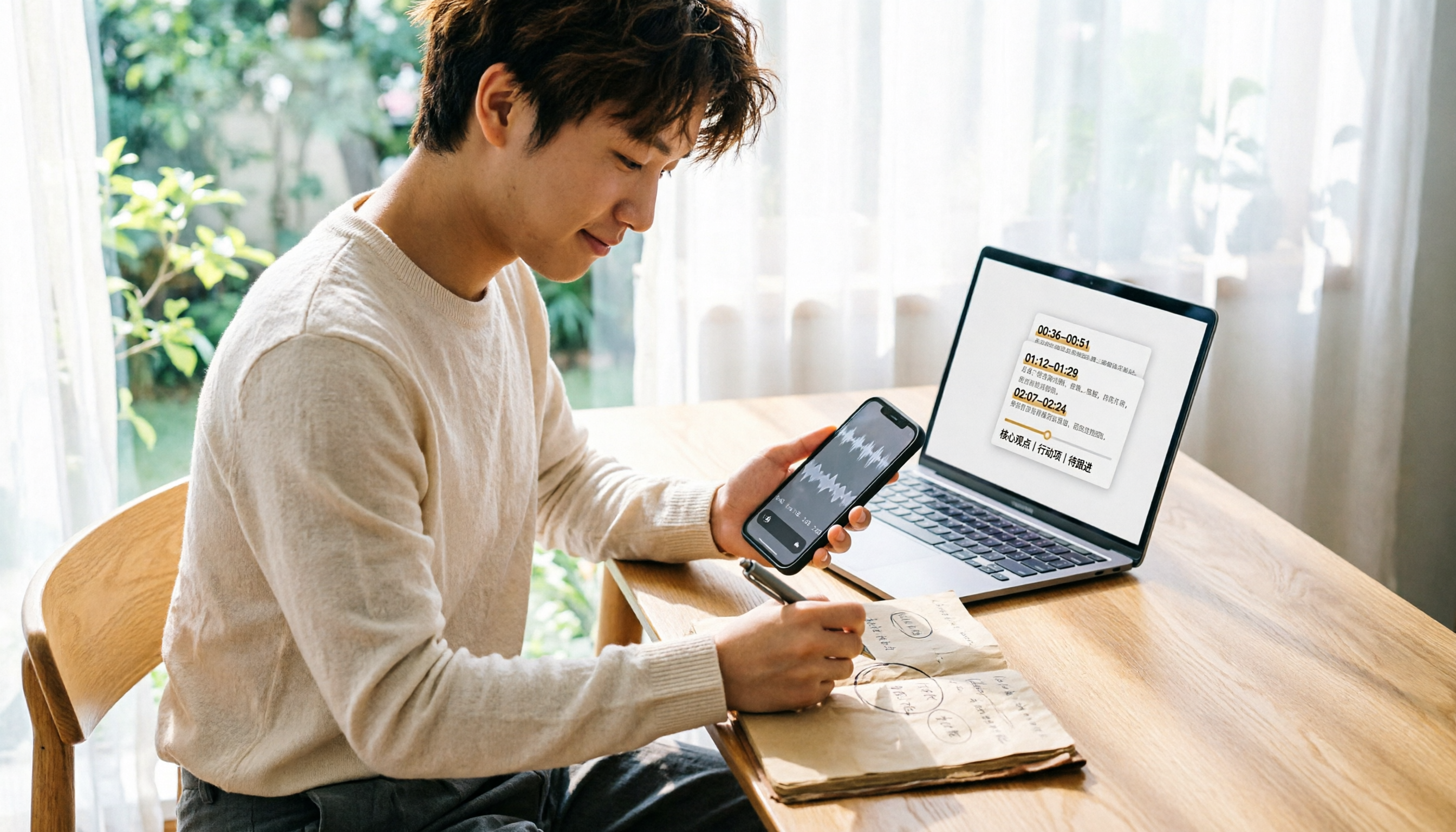
How to Convert WeChat Voice Messages to Text in 2026: 5 Steps from Voice to Transcript
WeChat voice messages can't be exported and are hard to organize into long transcripts. This guide covers 6 recording-to-text solutions, from WeChat's built-in features and phone dictation to AI meeting note tools, and walks through 5 steps to turn a 40-minute WeChat voice message into searchable, queryable meeting material.
6 Android Speech-to-Text Apps Tested for 2026: Which Free Version Actually Works?
Most people start comparing Android speech-to-text apps by looking for the free one, but that's the wrong first step. This guide covers six practical options—from Google Keyboard's completely free dictation to Tinrec, which automatically generates summaries, action items, and AI Q&A—honestly listing each plan's free quota, paid pricing, and best use cases to help you avoid the 'transcribed but unusable' trap.

2026 Audio-to-Text Tool Buying Guide: 5 Key Dimensions Tested and Recommended
How to choose an audio-to-text tool? This guide starts with three key considerations: audio source type, post-meeting organization needs, and team data ownership. It then outlines 5 practical buying dimensions and uses Tinrec as an example to demonstrate bot-free online meeting recording, AI summaries and action item extraction, AI conversational search, and team spaces. A FAQ section is included at the end.

2026 Comparison of 4 Foreign Language Meeting Translation Tools: From Real-Time Bilingual Subtitles to Post-Meeting Summaries
Can you understand foreign language meetings but struggle to remember or follow up? This article starts with common misconceptions and breaks down 4 key factors for choosing a foreign language meeting translation tool. It compares Tinrec, Otter.ai, Notta, and Granola in real-time translation, bilingual comparison, post-meeting summaries, and team collaboration, and lists the 4 most common pitfalls to help you choose the right tool at once.

Tinrec vs Musely 2026: 5-Dimension Comparison, Tinrec for Korean Meeting Notes
How to choose a Korean audio-to-text tool? This article compares Tinrec and Musely across 5 dimensions: Korean recognition, post-meeting organization, team collaboration, export, and free quota. It also covers alternatives like MyEdit and Sonix to help you decide when pure transcripts vs. meeting notes are suitable.

2026 Comparison of 4 Audio-to-Text Tools: Which One Actually Saves You Time?
From meeting notes and transcripts to post-meeting follow-ups, compare Tinrec, Canva, MyEdit, and Otter.ai in terms of positioning, limitations, and best-fit scenarios to help you choose the right audio-to-text tool.