

Turn recordings into transcripts and summaries in minutes
Upload audio or video for multilingual transcription, AI notes, and action items
Why You Need a Speech-to-Text Tool
Meetings, interviews, lectures—many people still manually replay recordings and type out transcripts line by line. This is not only slow but also prone to missing key points.
Automatic Speech Recognition (ASR) technology can now convert speech to text, but machine transcription rarely achieves 100% accuracy. The industry-standard metric is Word Error Rate (WER)—the lower the WER, the higher the accuracy.
This article reviews 5 popular speech-to-text tools, covering real-world use cases, pricing plans, and ideal users.
Tinrec (MiaoTing)—The Most Complete AI Meeting Notes & Collaboration Tool
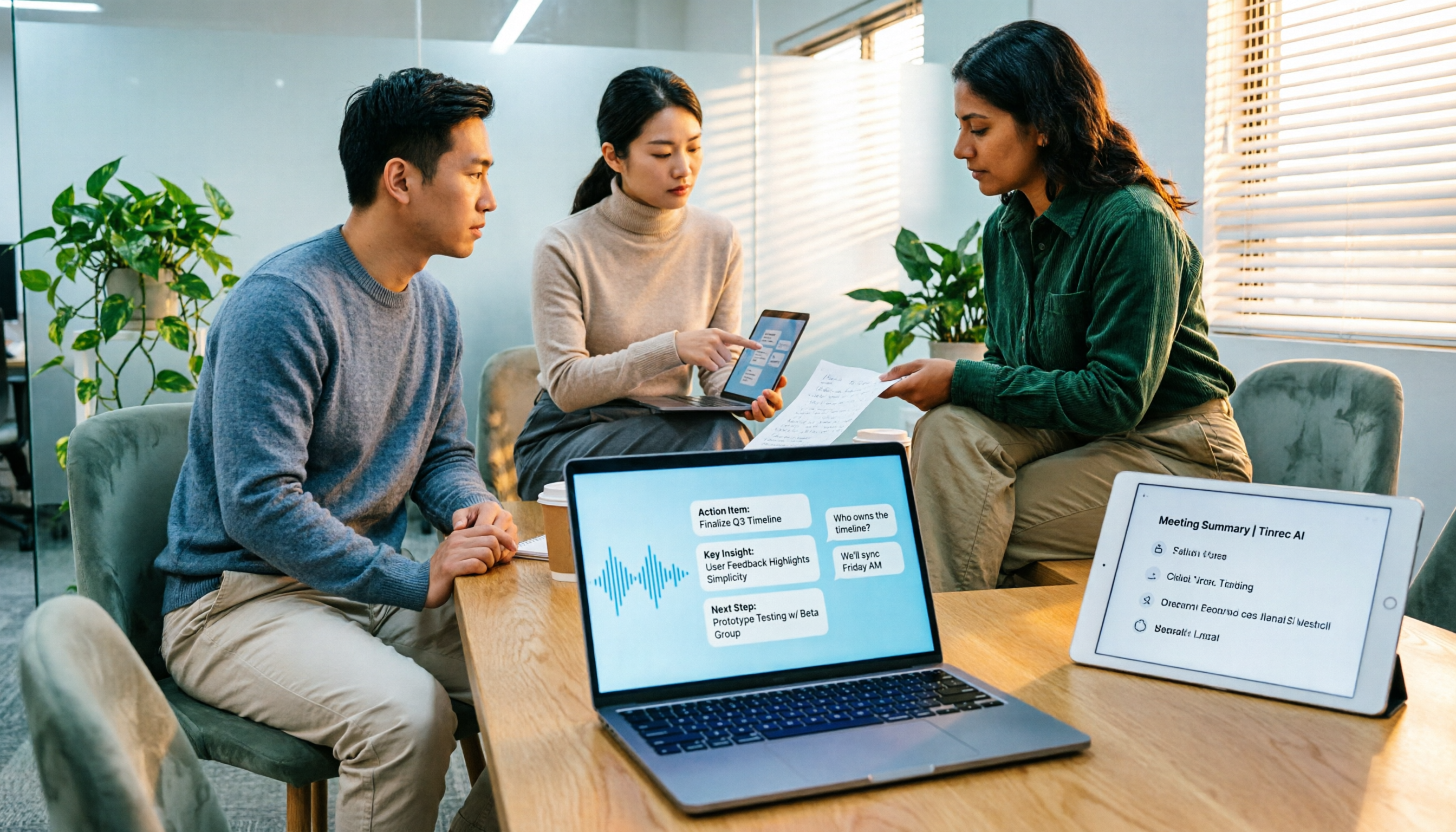
Tinrec is an AI meeting notes and collaboration tool designed for individuals and teams. It doesn't just convert speech to text; it transforms meeting recordings into searchable, summarizable, queryable, and exportable data.
Key Highlights:
- Bot-Free Online Meeting Recording: The desktop app captures system audio directly, handling meetings on Zoom, Google Meet, Microsoft Teams, Webex, and more—no need to add a bot to your meetings.
- More Than Just Transcripts: After recording, it automatically generates summaries, chapters, key points, and action items, and you can even ask AI questions about the meeting content.
- Multilingual & Real-Time Translation: Supports Chinese, mixed Chinese-English content, and multilingual meetings. You can view the original text, translation, or bilingual content during recording.
- Team Space Management: The team plan centralizes meeting data, with role management, seat allocation, usage tracking, and audit logs, turning past meetings into a searchable team asset.
Pricing:
The personal plan offers a free tier, weekly pass, Pro monthly, and Pro annual options. If you occasionally transcribe a recording, start with the free tier; if you have regular weekly meetings, consider the Pro plan.
The team plan includes a 7-day trial with 1 free seat and 300 minutes of shared import quota. Paid plans are per-seat, with each paid seat providing 2,000 minutes of shared import quota per month. Actual pricing is subject to the official purchase page.
Best For: Professionals, managers, and project teams who need to turn meetings into minutes, action items, and follow-up documents, and want centralized meeting data management.
Otter.ai—A Mature AI Meeting Assistant
Otter.ai is a well-established choice for English business meetings, offering real-time transcription for Zoom, Microsoft Teams, and Google Meet, speaker identification, AI Chat, and team management.
Compared to Tinrec, which emphasizes Chinese meetings and bot-free desktop recording, Otter has a stronger presence in the English meeting space.
Pricing: The Basic free plan includes 300 minutes per month; Pro annual billing is approximately USD 8.49/user/month, with 1,200 minutes of in-app recording and 10 file imports per month. Actual pricing is subject to the official price page.
Notta—Multi-Platform Transcription & Translation Tool
Notta overlaps significantly with Tinrec, covering multi-platform transcription, meeting notes, file imports, translation, and team plans.
Notta's strength lies in multilingual transcription and translation, making it suitable for users who need to quickly process files and subtitles.
The free plan offers 120 minutes per month, with a 3-minute limit per session; Pro annual billing is approximately USD 8.17/month, with 1,800 minutes per month; Business annual billing is approximately USD 16.67/seat/month, providing role permissions and usage reports.
Stop organizing recordings by hand
Upload audio or video and automatically get a transcript, summary, and action items
TurboScribe—High-Value Long-File Transcription
TurboScribe is positioned more as a file transcription tool, focusing on long files, bulk uploads, subtitles, and translation.
If you have a large volume of long audio files to process, TurboScribe offers an advantage in handling bulk files in one go.
The free plan allows 3 files per day, with a 30-minute limit per file; Unlimited annual billing is USD 120, supporting files up to 10 hours or 5 GB each, with up to 50 files per upload.
PLAUD Note—Portable AI Recording Hardware
PLAUD takes a hardware approach, where users purchase a standalone device for portable recording, phone call recording, and a dedicated hardware experience.
If you don't mind carrying an extra device and often need to record away from your computer, PLAUD's hardware form factor is more convenient.
However, if you're mainly recording online meetings on your computer, Tinrec requires no additional hardware and works across web, desktop, and mobile. PLAUD device pricing and membership plans are subject to the official page.
With So Many Options, How Do You Choose?
- Need transcription plus AI summaries, action items, and meeting Q&A, and want to centralize data in a team space → Tinrec (most complete, with Chinese meeting support)
- Need bot-free recording for Zoom, Meet, or Teams meetings → Tinrec (desktop app captures system audio directly)
- Meetings are primarily in English and you need a mature English business meeting assistant → Otter.ai
- Main need is bulk long-file transcription and subtitles → TurboScribe
- Often need to record on the go, away from your computer → PLAUD Note
3 Things to Know Before Using Speech-to-Text
Don't Just Look at Claimed Accuracy Numbers.
Some tools tout 98% or 99% accuracy, but real-world performance is affected by recording quality, background noise, accents, overlapping speech, and technical jargon. When comparing, look at WER, but more importantly, test with your own actual meeting recordings.
Post-Transcription Organization Is Key.
Getting just a transcript still means you'll spend time organizing key points yourself. Tools like Tinrec automatically generate summaries, chapters, and action items, saving more time than simple transcription alone.
Don't Rely Solely on AI for Critical Content.
AI transcription can still miss or misinterpret details. For important decisions or compliance-related content, cross-reference the transcript timestamps and replay the original recording to confirm.
Conclusion
Speech-to-text tools have significantly reduced manual note-taking costs, but when choosing, don't fixate on accuracy claims—look at whether the tool can turn your recordings into searchable, organized, and trackable data.
If you need Chinese meeting notes, bot-free recording, and team data centralization, Tinrec is the most complete choice. Start with the free tier and decide on an upgrade based on your meeting frequency.
FAQ
What is WER in speech-to-text?
WER stands for Word Error Rate, which calculates the percentage of incorrectly transcribed words in a transcript. A lower WER indicates higher transcription accuracy.
Can speech-to-text achieve 100% accuracy?
Machine learning systems rarely achieve 100% accuracy. Recording quality, noise, accents, and technical terms all affect results, so it's advisable to replay the original audio to verify critical content.
What's the difference between Tinrec and other recording software?
Typical recording software only captures audio. Tinrec goes further by converting speech to text, generating summaries and action items, and supporting AI Q&A, translation, export, and team collaboration.
Do I always need a meeting bot for online meetings?
No. Tinrec's desktop app can capture system audio directly, so you don't need to add an extra bot to your meetings.
Is the free plan sufficient?
If you only occasionally transcribe a recording, the free plan is a good starting point. If you have weekly meetings or interviews, consider a paid plan based on your usage.
References
- Evaluate and Improve Speech Recognition Accuracy | Cloud Speech-to-Text | Google Cloud Documentation
- Speech-to-Text: AI Speech Input and Transcription | Google Cloud
- Free AI Speech-to-Text Tool – 99% Accuracy, No Registration
- Online Transcription Tool Recommendations: 2026 Complete Review of 15 AI Transcription Tools
- Online AI Speech, Video, Audio to Text - Free Trial - cSubtitle
Turn every recording into actionable outcomes
Get 60 free transcription minutes when you sign in. No credit card required.
Related Reading
You might also like

4 Best Speech-to-Text Tools in 2026: Chinese Recognition, Free Tiers, and Post-Meeting Organization Compared
Many people confuse speech-to-text with text-to-speech and don't realize phone dictation can't process existing recordings. This article breaks down 4 key purchasing factors and compares Tinrec, Notta, Otter.ai, and PLAUD NotePin on positioning, quotas, and post-meeting organization, plus 3 common pitfalls to help you choose the right tool within budget.
3 Speech-to-Text SDK Paths Compared for 2026: 3 Pitfalls to Avoid Before Building Your Own API Integration
A speech-to-text SDK is not a one-size-fits-all solution. Starting from common pitfalls, this article breaks down the applicable boundaries of Google Cloud Speech-to-Text, Azure Speech SDK, and Otter.ai, then explains how Tinrec fills the post-meeting organization gap with desktop bot-free recording, AI Q&A, and team spaces when you don't want to maintain your own service.

How to Use WeChat Voice-to-Text in 2026: 3-Step Guide + Practical Solutions for Long Meeting Transcripts
How do you use WeChat voice-to-text? This guide starts with hands-on steps: long-press a voice message to convert it to text, use voice input and say "over over" to send automatically, and understand its real limits in long meetings and interviews. It then explains four decision points—length, output, history search, and team sharing—to help you decide when to switch to an AI meeting notes tool like Tinrec, with hands-on tips and pitfalls to avoid.

How to Use Online Speech-to-Text in 2026: 5 Steps to Choose the Right Tool and Build a Transcription Workflow
There are many online speech-to-text tools, but the real reason you can't choose is usually not that the tools aren't good enough—it's that you haven't thought through where the text will go after it's produced. This article uses three key questions to help you set direction, then helps you pick the right one from five options: Tinrec, Dictation.io, Google Docs, MyEdit, and Notta. Finally, it gives you a 5-step workflow you can follow directly.

6 Speech-to-Text Tools Tested and Compared in 2026: Which Is Fastest for Chinese Meeting Transcripts and Post-Meeting Summaries?
Using the same criteria, we compare six speech-to-text tools—Tinrec, Otter.ai, Notta, TurboScribe, Granola, and PLAUD—and walk through the full workflow with Tinrec: recording, transcription, proofreading, summary generation, and team knowledge retention. This helps you decide which tool fits your meeting style and budget.

2026 Speech-to-Text API Free Plans Compared: 4 Options to Consider
When looking for a speech-to-text API, the first decision is whether to integrate it yourself or use a ready-made tool. This guide covers four mainstream approaches in 2026, from the free tiers and maintenance costs of Google Cloud, Azure, and AssemblyAI to the no-code Tinrec, plus key selection criteria and four common pitfalls to help you assess your needs before committing engineering resources.

2026 Speech-to-Text Tools Compared: Which Is Fastest for Chinese Meeting Transcripts?
After hands-on testing of 4 speech-to-text tools, here are insights for Chinese meeting organization. From transcript quality, post-meeting summaries and action items, ability to import existing audio files, to team sharing and seat management, we outline selection criteria, test observations, and 3 common pitfalls to help you decide which tool fits your meeting scenario.

2026 Comparison of 5 Audio-to-Text Tools: How Accurate Are They and Where Do They Differ?
How accurate is audio-to-text transcription really? This article addresses three common misconceptions, breaks down the real factors affecting accuracy, and compares Tinrec, Notta, TurboScribe, Otter.ai, and Granola in Chinese meetings, mixed Chinese-English scenarios, and post-meeting organization. It also provides buying criteria and pitfalls to avoid, helping you choose the right tool for your recording situation.

2026 Comparison of 4 Speech-to-Text Tools: Which Is Best for Multilingual Meeting Transcripts?
Meetings mix Chinese and English, sometimes Japanese or Taiwanese, and transcripts always turn into a mess? This article tests and compares four speech-to-text tools—Tinrec, Otter.ai, Granola, and TurboScribe—from four angles: multilingual recognition, post-meeting organization, meeting capture method, and team data ownership, to help you find the one that truly works for your job.