

Turn recordings into transcripts and summaries in minutes
Upload audio or video for multilingual transcription, AI notes, and action items
Many teams think client meeting follow-up is just sending out the meeting minutes
But what happens? Five pages of notes, no reply from the client, and no action internally.
The problem isn't that the notes aren't detailed enough—it's that the notes don't contain a "next step."
I've seen too many client meeting follow-up approaches: sales reps scribble notes during the meeting, spend two hours afterward typing up a Word document, send it to the client and their manager, and then nothing happens.
Another common scenario: during the meeting, budget and timeline were clearly agreed upon, but two weeks later when following up on progress, it turns out both sides had completely different understandings of "who is responsible for what."
What client meeting follow-up really needs to solve is never just recording—it's making decisions and actions visible, memorable, and executable.
If you've experienced these situations, this article is for you.
The most common client meeting follow-up mistake—you don't need a verbatim transcript, you need an action list
Mistake #1: Treating meeting minutes as a verbatim transcript.
A two-hour meeting, two hours of writing notes, and attendees won't even reread them.
Mistake #2: Only recording "what was discussed," not "what was decided."
The client says "this direction works," and then what? Who will provide a quote and by when? What needs to be prepared before the next meeting?
Mistake #3: Keeping follow-up work in personal notes.
When a sales rep leaves or the project changes hands, the context of client meetings disappears with them.
The common thread among these three mistakes: effort was spent recording, but the records weren't turned into executable next steps.
Before choosing a client meeting follow-up template, understand these 4 key points
Key point #1: Does the template have "owner" and "deadline" fields?
An action item without an owner is not an action. "The team will follow up" is an invalid sentence; "Sales rep Alice will send the quote by Friday" is valid.
Key point #2: Can you query past meetings?
Can you find in one sentence the budget cap the client mentioned three months ago, or the specification issue they complained about last quarter? If you have to manually dig through transcripts, the follow-up cost becomes so high that no one wants to do it.
Key point #3: Should recordings and transcripts be kept?
Some tools only give you notes and don't keep meeting audio. Client meetings contain many tones, promises, and caveats—when you need to verify later, not having a recording is a hassle.
Key point #4: When team members leave, does the data stay?
If meeting notes only exist in personal accounts, personnel changes create a data black hole. Only a team-level meeting space can turn client context into a company asset.
These four points are also what struck me most when testing Tinrec.
Tinrec—our top pick after testing
Tinrec is an AI meeting notes and collaboration tool for individuals and teams, supporting iOS, Android, desktop, and web.
It doesn't just convert voice to text—it turns client meetings into searchable, summarizable, queryable, and further processable data.
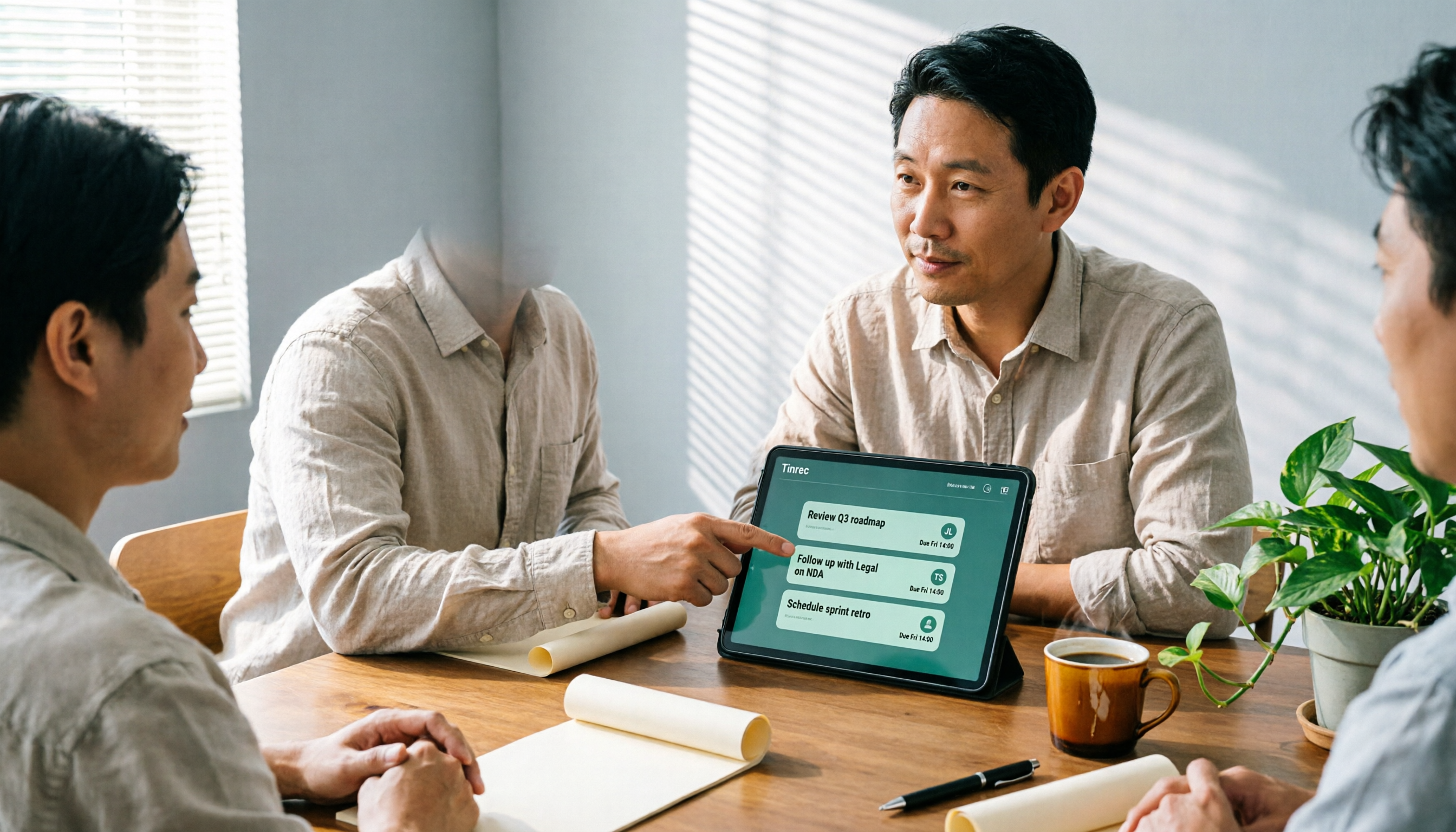
Take an online client meeting as an example: Tinrec's desktop version directly captures computer system audio, without needing to invite a meeting bot to join Zoom, Google Meet, Microsoft Teams, or Webex.
While the meeting is in progress, the transcript is already being generated; after the meeting ends, AI summaries, chapters, and action items appear as well.
For client meeting follow-up, the most useful feature is "AI Q&A."
You can directly ask Tinrec: "What was the budget cap the client mentioned this time?" or "What did they care most about regarding the delivery date?" It answers based on meeting semantics, rather than just throwing a bunch of keyword search results at you.
We tested a mixed Chinese-English client meeting recording (recorded on desktop, about 5 minutes, with dialogue from both sides). Tinrec could distinguish speakers and extract action items; after the meeting, we directly asked the AI "What should we prepare before the next meeting?" and it could point to specific paragraphs in the transcript.
Several advantages of Tinrec:
First, no bot recording. Client meetings often don't want an extra bot attendee; Tinrec processes system audio directly from the desktop, which feels more natural to clients.
Stop organizing recordings by hand
Upload audio or video and automatically get a transcript, summary, and action items
Second, complete post-meeting workflow. Summaries, chapters, action items, mind maps, AI Q&A, multi-format export, and even Agent post-processing to generate reports, tables, and documents.
Third, the team version turns meetings into team assets. Team spaces, member and seat management, usage analytics, audit logs, audio recycle bin, and team hotwords mean client meeting notes no longer leave with individuals. The team version currently offers a first-time 7-day trial (1 free seat, 300 minutes of shared team import quota), monthly USD 29.80 per paid seat, annual USD 199 per paid seat.
Limitations should also be clear: the free version has a basic quota, and heavy client meeting users are better suited to Pro or team versions; real-time performance can be affected by recording quality, noise, accents, and overlapping speakers, so important commitments should be verified against transcript timestamps.
If you frequently hold Chinese client meetings, need AI to query key points afterward, or want to keep meeting data with the team rather than on personal phones, Tinrec is currently the most suitable choice.
Besides Tinrec, what other options are there?
Notta: A multi-platform transcription tool with high overlap with Tinrec, mature in document import, translation, and team plans. Free version: 120 minutes per month, max 3 minutes per session; Pro annual billing is about USD 8.17 per month. It suits users focused on document transcription, but lacks Tinrec's desktop version method of recording online meetings without inviting a bot and directly capturing system audio, and also lacks the Agent post-processing workflow to generate reports and tables.
Granola: A bot-free AI meeting note tool, focusing on "handwritten notes + AI enhancement," Business at USD 14 per user per month. It supports real-time transcript viewing and search, but does not support uploading pre-recorded audio files and does not save meeting audio. If you need to keep client meeting recordings, upload historical interview files, or need Chinese real-time translation and team data management, Tinrec is more suitable.
Otter.ai: A mature choice for English business meetings, Basic free 300 minutes per month, Pro annual billing about USD 8.49 per user per month, 1,200 minutes per month and 10 file imports. It also has desktop capabilities, but its strength remains in English meetings; if you mainly record Chinese client meetings and need bot-free recording and team meeting data retention, Tinrec's experience is closer to your needs.
Pitfall guide: The 3 most common client meeting follow-up mistakes
Pitfall 1: Only recording discussions, not decisions and actions.
Meeting notes are not typing practice. Instead of writing five pages of discussion, it's better to clearly write: what was decided, who will complete what by when. Every action item must have an owner's name and a deadline.
Pitfall 2: Storing recordings on personal phones or personal accounts.
The value of client meetings accumulates. The requirements discussed today and the quotes discussed three months later should all be findable by the same team. If recordings only stay on personal devices, when personnel change, the context is broken.
Pitfall 3: Thinking a transcript equals follow-up.
A transcript is just raw material. What really saves time is directly asking AI after the meeting: "What were the client's objections?" "What did we promise?" Then put the answers into your to-do list and set reminders. Using a transcription tool only as a voice recorder means using only one-third of its capabilities.
Conclusion: Which one should you use?
Need Chinese client meetings + post-meeting AI Q&A → Tinrec (supports real-time transcription, summaries, action items, and AI queries)
Don't want to invite a bot to online meetings → Tinrec (desktop version captures system audio)
Meeting data should stay with the team and not leave when members do → Tinrec team version (team spaces, seat management, audit logs)
Only record English meetings, budget is $0 → Otter.ai (free version 300 minutes per month)
Just want to quickly transcribe long audio files or batch documents → TurboScribe (long files and batch upload are strengths)
We suggest first using Tinrec's free version or team trial for a real client meeting to experience the flow from recording, transcription, Q&A to action items, then decide whether to upgrade.
Quick start checklist:
- Choose a client meeting follow-up template, keeping only five columns: "Issue, Decision, Action, Owner, Deadline."
- Before the meeting starts, open Tinrec desktop or mobile to record.
- After the meeting, first review the AI summary and action items to confirm no commitments were missed.
- Directly ask the AI to find the client's budget, objections, and decisions.
- Paste action items into the team to-do list, set owners and deadlines.
- Before the next meeting, review the previous meeting's unfinished action items.
Test step by step, and you too can gradually turn client meeting follow-up into a repeatable method.
References
- Free Meeting Minutes Template (Word, Google Docs, PDF) | HiNoter Blog
- Quality Meeting Templates by Notion | Notion Marketplace
- Meeting Minutes = Transcript? Professional Meeting Minutes Only Record 3 Key Points | Writing Tips, Templates at Once | 104 Career Power
- [Meeting Minutes Writing 2026] Format Tutorial | Free Template + Template Download - ProjectManager
- Meeting Minutes Guide: Examples, Tips, and Templates | Lark
Turn every recording into actionable outcomes
Get 60 free transcription minutes when you sign in. No credit card required.
Related Reading
You might also like

2026 Complete Guide to Turning Meeting Decisions into Action Plans: Using Tinrec to Convert Meeting Conclusions into To-Dos
Two-hour meetings, piles of conclusions, but a week later no one remembers who's responsible for what? Starting from the real pain points of student group projects, this article breaks down the four most common misconceptions about 'turning meeting decisions into action plans,' and uses Tinrec alongside common tools like Notta to explain how to turn decisions into to-do lists with owners, deadlines, and trackability.

2026 AI Meeting Action Plan Free Options: 4 Tools Compared
2026 AI meeting action plan free options compared: hands-on testing of Tinrec, Otter.ai, Notta, and Granola, covering Chinese meeting recognition, bot-free recording, to-do extraction, and team collaboration to help you find the best meeting action plan solution.

2026 Meeting AI Agents Compared: Which One Actually Saves You from Overtime?
How to choose a meeting AI agent in 2026? This article starts with common pitfalls, breaks down core capabilities like live transcription, AI summaries, action item extraction, AI Q&A, and team spaces, and demonstrates a real workflow using Tinrec for bot-free recording of Zoom, Meet, and Teams meetings, plus 5 buying tips and FAQs.
How Tinrec's AI Meeting Agent Auto-Generates Action Items in 2026: Summaries + Task Tracking in One Go
Meeting's over, but nobody remembers the action items? Drawing from a mid-level manager's real-world experience, this article explains how an AI meeting agent automatically generates action items, summaries, and meeting minutes. Using Tinrec as an example, it breaks down core capabilities, practical use cases, and 5 key purchasing considerations.

2026 AI Meeting Agent Comparison: 4 Tools Tested for Post-Meeting Workflows — Which One Turns Meetings into Actionable To-Dos?
The real pain point of meeting notes isn't recording — it's post-meeting organization and follow-up. This article approaches the problem from the post-meeting processing angle, explains 5 key criteria for choosing an AI meeting agent, tests Tinrec's full workflow from transcript to summary to action items to AI Q&A and export, and briefly reviews Granola, Otter.ai, and Notta for use cases, pricing limits, and pitfalls to avoid.

6 AI Meeting Assistants Tested for 2026: Which Saves the Most Time on Chinese Meeting Minutes?
How do you use AI meeting assistants? This article reviews the practical usage and pricing of 6 tools, from Tinrec, Granola, Otter.ai to TurboScribe, explaining their suitable scenarios, free quotas, and team plan differences to help you pick the best one for your needs.

2026 Best Meeting Software for Sales Teams: 4 Tools Tested Without a Bot
Can't find that one client comment after your weekly sales meeting? We tested Tinrec for bot-free recording, post-meeting organization, and team knowledge retention, and reviewed Otter.ai, Fireflies.ai, and Granola for different use cases. Includes 3 common pitfalls to avoid.

2026 Client Visit Record Template Comparison: Tinrec vs Granola on 5 Key Dimensions — Which Is Better for Sales Follow-Up?
What should you keep after a client visit? This article uses a client visit record template as the framework to compare Tinrec and Granola across 5 dimensions: audio retention, Chinese recognition, to-do follow-up, team knowledge retention, and pricing — helping sales and customer success teams choose the right recording method.

3 Sales Meeting Review Tools Tested for 2026: How AI Meeting Notes Help You Find Lost Deals
Sales meeting done but not sure why the deal didn't close? This article covers review methods and tool selection, testing Tinrec, Otter.ai, Fireflies.ai, and Notta. It outlines key steps for sales meeting reviews, selection criteria, and pitfalls to avoid, helping you turn every customer conversation into searchable, actionable team data.