

Turn recordings into transcripts and summaries in minutes
Upload audio or video for multilingual transcription, AI notes, and action items
2026 AI Transcription App Buying Guide: 4 Tested Picks & Tips
The Problem: You Don't Need "Transcription"—You Need Meeting Data You Can Use
Most people choose a transcription app like this: open the app store, check downloads, ratings, and which one says "free," download it, try it once, and keep it if it seems okay.
The problem is this only solves "turning voice into text." After a meeting, you're left with a 40-minute transcript—and you still have to read through it yourself to pull out key points, list action items, and write a summary for your boss. Manually transcribing one hour of audio typically takes 3 to 4 hours of organizing. After transcription, those 3 to 4 hours don't disappear—they just shift from "typing" to "reading."
Another common misjudgment is assuming all tools can handle online meetings. In reality, many tools send a "meeting bot" to join the meeting as a participant; some don't touch online meetings at all and only accept uploaded audio files. Whether you need to record Zoom, Google Meet, Teams, or in-person conference room conversations directly determines which tools work and which don't.
The real difference comes after transcription: does anyone generate summaries and chapters for you, can you ask questions directly about the meeting content, are action items automatically extracted, will you still find this data six months later, and will team data disappear when members leave? This article breaks down 4 solutions from these angles.
Before Buying a Transcription App, Understand These 4 Key Points
1. Free Tier: Check Whether It's "Monthly" or "One-Time," and Whether File Imports Count Separately
The word "free" is the most misleading. You should look at three things: how many minutes the free tier includes, whether it resets monthly or is given only once, and whether "live recording" and "file upload" share the same quota.
In practice, if you need 2 to 3 meetings per week, that's about 5 hours per month—most freemium plans' free tiers are enough to validate results. But if you're organizing long audio like interviews or lectures, the single-file length limit matters more than total minutes.
2. What You Get After Transcription: Summaries, Chapters, Action Items, Q&A—That's Where Time Is Saved
A tool that only gives you a transcript is essentially handing the organizing work right back to you. Worth checking: does it automatically generate summaries and chapters, can it extract action items from discussions, and does it support asking questions directly about meeting content (not just Ctrl+F keyword search)?
The gap here becomes most obvious in long meetings.
3. How Online Meetings Are Recorded: Bot Joins, or Desktop Captures System Audio
A meeting bot appears in the participant list, which can be awkward for external or client meetings. Desktop system audio capture doesn't require an extra bot, but you need to actively open the tool to start recording—it's not the "automatically join all calendar meetings" mode, so be clear on this first.
Also confirm: does the tool retain audio files? Some tools keep only text and not audio, so you can't go back to verify a specific statement later.
4. Data Ownership and Team Governance: Personal Accounts Can't Hold Team Meeting Records
Personal meeting records stored in personal accounts break down when people change roles. If this is for team use, you must check whether the provider offers team spaces, role and seat distinctions, usage analytics, audit logs, and data recovery mechanisms.
A common misunderstanding: members "can view" doesn't mean "can edit." Most team plans use roles to control governance permissions and seats to control usage eligibility, rather than setting individual permissions for each file.
Tinrec: The Top Choice for Turning Meetings into Team Data
One-line positioning: Tinrec is an AI meeting notes and collaboration tool for individuals and teams, supporting live recording, bot-free desktop recording of online meetings, audio/video file import, real-time translation, and automatic generation of summaries, chapters, action items, and mind maps.
During the meeting: transcribe as you record, no extra bot
For in-person meetings or interviews, open live recording and get a transcript as you go. For online meetings, use the desktop version: it captures computer system audio to process meeting sound from Zoom, Google Meet, Microsoft Teams, Webex, and other platforms, without adding a bot to the participant list. For client meetings or cross-department reviews where "an extra account on the list raises questions," this difference is noticeable. For cross-language meetings, you can enable real-time translation and view in original, translated, or bilingual mode.
After the meeting: AI has already organized the structure
After recording, Tinrec generates summaries, chapters, and key points, and extracts action items from discussions—who's responsible and what to do, listed directly. More importantly, AI Q&A: you can ask it directly "What was the conclusion about the budget in the last meeting?" It answers based on semantic understanding, not a string of keyword search results. This is especially noticeable in meetings over 40 minutes, essentially eliminating the need to "re-read the transcript."
After the meeting: outputs can be further processed
Transcripts, summaries, and action items can be exported in common formats or taken to Notion, Google Docs, OneNote, Dropbox for continued use; you can also use Agent post-processing to generate reports, tables, and meeting minutes. This is the biggest difference from "transcription-only" tools—you're not buying the transcription process, but work output you can deliver directly.
Team scenarios: data belongs to the team, not individuals
The team version is a separate team space, not multiple people sharing a personal account. Meeting data is centrally stored in Audio, Folder, and TODO. New members can view historical data; when members leave or are removed, their team resources are handed over to other active members, so data doesn't disappear with them. Admins can create multiple team spaces, invite members via join links, set Owner/Admin/Member roles, assign and revoke seats, view usage trends, member rankings and details, and query and export audit logs. There are also team hotwords (improving recognition of technical terms) and an audio recycle bin (currently retained for 30 days, can be restored or permanently deleted).
Stop organizing recordings by hand
Upload audio or video and automatically get a transcript, summary, and action items
Pricing and limitations (honest version)
The personal version has a free tier to experience basic quota, plus weekly cards, Pro monthly, and annual cards for different usage densities: weekly cards for short-term intensive meetings or interviews, Pro for steady weekly use, annual for long-term data accumulation. The team version offers a 7-day trial for first-time eligible users, 1 free seat, and 300 minutes of shared team import quota; afterward, USD 29.80 per paid seat per month, or USD 199 per paid seat per year (about USD 16.58/month), with each paid seat providing 2,000 minutes of shared team import quota per month. Under an active team plan and active seats, live recording currently does not deduct minutes; file and web imports consume shared team quota. Prices and benefits are subject to the official purchase page.
Limitations should also be clear: actual recognition performance is affected by recording quality, ambient noise, accents, overlapping speakers, and technical terms—don't treat any tool's accuracy as a fixed number. Also, the team version is currently team-level sharing: all active members can read team data, not a file-level granular permission system; members without seats can view, play, and read data, but need a seat to record, upload, edit, and export.
Who it's for: Individuals and teams who need Chinese or mixed Chinese-English meeting notes, don't want a bot joining meetings, and want to get summaries + action items + a queryable database directly after meetings.
Besides Tinrec, What Are the Alternatives?
Otter.ai: A veteran choice for English business meetings. Free tier 300 minutes/month; Pro annual billing about USD 8.49/user/month including 1,200 minutes of in-app recording and 10 file imports per month; Business offers unlimited meetings and in-app recording. Its English meeting experience is mature and team features are complete—if 80% of your team meetings are in English, it's genuinely cost-effective. However, it lacks Tinrec's post-processing workflow that turns meeting data into a team knowledge base and generates reports and tables, and Chinese meeting experience is not its strength.
Notta: A direct competitor for multilingual transcription and file processing. Free tier 120 minutes/month, max 3 minutes per item; Pro annual billing about USD 8.17/month, 1,800 minutes/month; Business annual billing about USD 16.67/seat/month with role permissions and usage reports. If you mainly batch-process existing audio files and need multilingual translation, it's worth including in your comparison. The difference is Tinrec's bot-free desktop recording of online meetings and post-meeting AI follow-up and Agent output workflow, which Notta covers less.
PLAUD Note/NotePin: For hardware fans who want "record anywhere." NotePin USD 159 on the US official site, Note Pro USD 189; Starter membership 300 minutes/month, Pro USD 99.99/year including 1,200 minutes/month. Its value is in hardware form factor: phone call recording, in-person visits, long-duration portable recording. But it's an extra device expense, and online meetings, batch organizing historical files, and team data governance are not its strong suits—if you want to "handle online + offline meetings with your computer and phone without buying a device," the direction is different.
(Also a commonly discussed option: Granola also captures audio from the desktop without a bot, Basic free, Business USD 14/user/month. Its positioning is "handwritten notes + AI enhancement," doesn't support uploading pre-recorded audio files, and doesn't save meeting audio; if you need to verify original audio or organize existing recordings, this is a clear limitation.)
Pitfalls Guide: 4 Most Common Mistakes When Choosing a Transcription App
Pitfall 1: Only looking at the word "free" without checking how quota is calculated. Some free plans are 120 minutes/month with a 3-minute per-item limit; some give 300 minutes but don't allow file imports. Test with one of your own real meetings first, not just a quiet demo audio—conference rooms have air conditioning noise, keyboard sounds, and people talking over each other; that's the real condition.
Pitfall 2: Treating the transcript as the end goal. If a tool only gives you text, you've just swapped "typing" for "reading + organizing." When choosing, ask directly: Are there summaries and chapters? Is there action item extraction? Can I ask questions about the content? These three together are the key to truly compressing those 3 hours.
Pitfall 3: Assuming a meeting bot is the only solution. For external or client meetings, an extra account on the participant list can be awkward. Desktop system audio capture is another path, but remember it's "you actively open it to record," not automatically joining all calendar meetings. Confirm your meeting types and sensitivity before choosing a tool.
Pitfall 4: Ignoring data ownership and team governance. Meeting records in personal accounts break the chain when people move. For team purchases, check: Is there a separate team space? How are roles and seats divided? Can usage and audit logs be queried? Can accidentally deleted audio be recovered? If this affects annual budget and department collaboration, this column should weigh more than "how many minutes per month."
Conclusion: Which One Should You Choose?
One-line conclusion: If you want "meetings recorded and ready to use," not "one more transcript," Tinrec offers the most completeness in this price range.
- Chinese/mixed Chinese-English meetings, need summaries, action items, and follow-up questions after recording → Tinrec. This is its core differentiation; few competitors at the same price offer comparable AI follow-up and post-meeting output workflows.
- Don't want a bot joining Zoom/Meet/Teams → Tinrec desktop version captures system audio without adding participants.
- Need both phone and computer, and files should stay with the team → Tinrec, multi-device use plus team spaces, seats, and audit logs.
- Team changes and fear of data disappearing with people → Tinrec team version, resources belong to the team and can be handed over when members change.
- Meetings are 90% English, team already used to Western meeting workflows → Otter.ai, starting at 300 free minutes/month, is a reasonable choice.
- Mainly batch-processing long audio, need lots of translation and subtitles → Notta or file-based transcription tools are more suitable.
- Need phone call recording, portable recording for in-person visits → PLAUD-type recording hardware, but include device cost and ongoing membership fees in your budget.
Final practical advice for buyers: First use the free tier on your own hardest meeting—the one with accents, people talking over each other, and technical terms. Afterward, check if the summary is accurate and action items are captured, then decide whether to pay. After all, the cost of choosing the wrong tool is never the monthly fee—it's the hours your team wastes every week.
(Note: Recording and transcription involve personal data and communication privacy; please comply with local regulations and obtain participant consent when necessary.)
References
- No time limit! 3 free AI transcript tools, highly recommended! AI voice notes generate meeting records, presentations, mind maps | 104 Career Power
- Audio to Text - Free Speech-to-Text Tool
- SoundType AI Ultra-Accurate Transcript, Speech-to-Text, AI Dictation App - App Store
- 2026 Top 6 Speech-to-Text App Recommendations: Solving Meeting Notes and Transcript Organization Pain Points - Tinrec Blog
- Transcribe AI Lifetime License Free! AI Speech-to-Text, Note Translation All Included - Mr. Mad
Turn every recording into actionable outcomes
Get 60 free transcription minutes when you sign in. No credit card required.
Related Reading
You might also like

Notion AI vs Tinrec: Which Is Better for Team Meeting Notes in 2026?
A mid-level manager's hands-on comparison of Notion AI and Tinrec for audio transcription, post-meeting summaries, AI Q&A, and team governance. Learn why many teams are moving their meeting notes workflow from note-taking apps to Tinrec, plus team pricing, quotas, and adoption tips.

4 iPhone Audio-to-Text AI Tools Tested for 2026: The Real Work Starts After the Transcript
There are plenty of iPhone audio-to-text tools, but most people get stuck not on transcription but on what comes after—nobody has time to read the full transcript. This article tackles common misconceptions, breaks down 4 key buying factors, and compares iOS built-in Voice Memos, Tinrec, Notta, and PLAUD NotePin to show which one turns transcripts into actionable data.

4 Free Online Speech-to-Text Tools Worth Trying in 2026: Free Tiers and Meeting Summaries Explained
A roundup of 4 free online speech-to-text tools worth trying in 2026, comparing free tiers, Chinese recognition, post-meeting summaries, and team collaboration to help you avoid tools that are free but not useful.
The Complete 2026 Guide to Audio-to-Text AI: Transcripts, Summaries, and Action Items in One Go
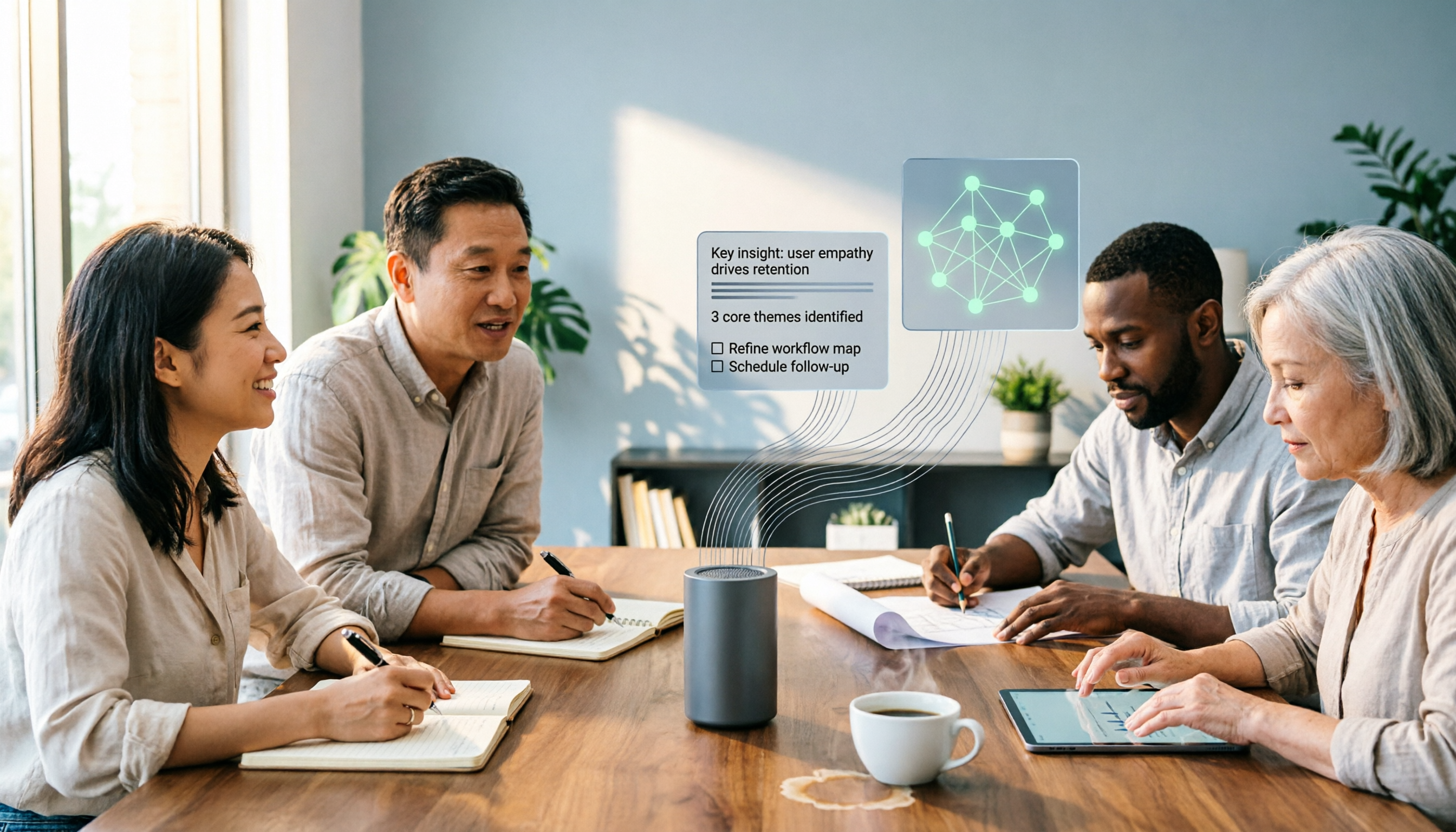
Audio-to-text AI is more than just converting sound into words. This guide draws on real meetings, classes, interviews, and team collaboration scenarios to cover the core capabilities, purchasing considerations, and common questions of audio-to-text tools. Using Tinrec as an example, it explains how to turn transcripts into summaries, action items, and searchable team knowledge.

2026 AI Transcription Tools Buying Guide: 6 Tested Picks & Tips
Turning meeting recordings into transcripts isn't hard—the challenge is what you do afterward. This guide breaks down 6 AI transcription tools, covering their positioning, free tiers, and pricing, with scenario-based advice on which suits individuals vs. teams, plus common pitfalls to avoid.

Tinrec vs Otter.ai 2026: 5-Dimension Comparison — Which Is Better for Chinese Meetings?
When searching for 'audio to text Chinese,' the most common mistake is only checking whether a tool supports Chinese, while ignoring that after transcription you still have to re-listen and re-type. This article compares Tinrec and Otter.ai across 5 dimensions — Chinese and mixed Chinese-English transcription, bot-free meeting capture, post-meeting organization and delivery, team governance, and pricing/quotas — to directly tell you which one to choose for Chinese meetings.

How to Transcribe Audio with ChatGPT in 2026: A 5-Step Guide
ChatGPT can turn audio into text, but the real question is whether the transcript is usable right away. This guide breaks down the full workflow—from recording and transcription to proofreading and final output—in 5 steps, with copy-paste prompt templates and advice on when to switch to a more team-friendly approach.
7 Free AI Transcription Tools in 2026: A Complete Guide
Searching for "free audio-to-text AI" often leads to tools with only a few minutes of free usage or file size limits of a few dozen MB—not enough to properly test a tool. This guide reviews the free plans and paid thresholds of 7 audio-to-text AI tools, from completely free to free-tier options, explaining how quotas are calculated and what you get after transcription, so you can decide if a tool meets your needs before spending money.

Which AI Transcription Tool Is Best? 2026 Hands-On Test of 6 Tools: This One Makes Chinese Meeting Notes Easiest
2026 hands-on comparison of AI audio-to-text tools: from Chinese recognition, how to record online meetings, what you can do after transcription, to team sharing and quota calculations, we break down the use cases for 6 tools and explain Tinrec's real-world performance in bot-free recording, AI Q&A, and team knowledge retention.