

Turn recordings into transcripts and summaries in minutes
Upload audio or video for multilingual transcription, AI notes, and action items
Common Pitfalls: Why Do You Still Find Tools Unusable After Trying Many?
Many people search for "AI audio transcription recommendations" and their first move is to look for free tools.
But free tools usually have quota limits, and after a few minutes of transcription, a payment reminder pops up, wasting your time instead.
The second pitfall is thinking that "converting to text" is the end. In reality, a 1-hour meeting can produce tens of thousands of words in a transcript, and you still have to read through it, find key points, and organize action items yourself—that's the real time-consuming part.
The third pitfall is directly buying recording hardware. Hardware is suitable for on-the-go recording, but if you mainly handle online meetings like Zoom or Google Meet, hardware may not help.
A more reasonable approach is to find a tool that covers the process from "recording → understanding → action → collaboration."
It's not just about converting sound to text, but helping you turn meetings into searchable, queryable, and reusable data.
Before Choosing an AI Audio Transcription Tool, Understand These 5 Key Points
1. How to Evaluate Accuracy? Don't Just Look at Official Claims
When a company says "98% accuracy," it's usually tested in a quiet studio. Real meetings have air conditioning noise, keyboard sounds, and multiple people talking over each other, so performance drops. It's best to test with your own recordings, especially for Chinese and mixed Chinese-English segments.
2. Is There AI Post-Processing? Transcript Is Just the Starting Point
If a tool only gives you a transcript, it's only doing half the job. A good tool automatically generates summaries, chapters, action items, and even lets you ask questions directly about the meeting content. For example, Tinrec supports AI Q&A, so after recording you can directly ask "Who was responsible for the budget in the last meeting?" It answers based on semantic understanding, not just keyword search.
3. How to Record Online Meetings? Bot vs. No-Bot
Meeting bots join as participants, which some meetings may not allow. Another approach is desktop software that directly captures system audio without adding an extra participant. Tinrec's desktop version is the latter, suitable for situations where you don't want a bot appearing in the participant list.
4. Are Cross-Platform and Team Collaboration Important?
Record on your phone today, organize on your computer tomorrow—if the tool doesn't support cross-platform, it's painful. Also, if team meeting data is only stored in individual accounts, it leaves when members leave. Tinrec has team spaces where data belongs to the team, and can be handed over when members change.
5. Is the Free Quota Enough? Is the Paid Plan Expensive?
Free versions usually have monthly minute limits. Tinrec's personal version has a free quota to try, and the team version offers a 7-day trial for first-time eligible users, 1 free seat, and 300 minutes of shared team import quota. The paid team version is USD 29.80/seat per month, or USD 199/seat per year, which is about USD 16.58 per month.
Tinrec — Our Top Choice After Hands-On Testing
Tinrec is an AI meeting notes and collaboration tool for individuals and teams, supporting iOS, Android, desktop, and web.
It not only converts sound to text but also helps you organize meetings into searchable, summarizable, queryable, and exportable data, which is stored in team spaces.
Open Tinrec during a meeting, and it will transcribe as it records. When the meeting ends, AI has already automatically generated summaries, chapters, and action items—who is responsible for what and what's next is clear at a glance. If you're handling online meetings, Tinrec's desktop version directly captures computer system audio without inviting a meeting bot to join Zoom, Google Meet, Microsoft Teams, or Webex.
After recording, you can ask Tinrec directly. For example, "What concerns did the client mention this time?" It won't just give you keyword search results but will answer directly based on semantic understanding. Currently, few tools at the same price offer such AI conversational query functionality.
The team version turns meetings into team assets. After creating a team space, you can invite members, assign seats, and share meeting data. Members without seats can still view and play, but only those with seats can record, upload, and edit. Admins can also view usage analytics, export audit logs, and hand over resources to other members when someone leaves.
In our hands-on test, we used a Chinese meeting recording. In a quiet environment, Tinrec's transcription was basically ready to use; but with overlapping speakers or loud background noise, manual verification is still needed. Actual results depend on recording quality, accent, and technical terms.
Stop organizing recordings by hand
Upload audio or video and automatically get a transcript, summary, and action items
Pros:
- Bot-free recording of online meetings, no extra participants.
- AI Q&A and action item extraction, saving post-meeting organization time.
- Team space centrally stores data, preventing loss when members change.
Limitations:
- Free version has quota limits; heavy users need to pay.
- Some team version capabilities need to be confirmed in the production environment; refer to the official purchase page.
Who is it for: If you frequently need Chinese meeting notes, don't want a bot joining meetings, want to use AI to find key points directly after recording, or need to store meeting data for team use, Tinrec is a very suitable choice.
Besides Tinrec, What Other Options Are There?
Otter.ai: A mature choice for English business meetings, free version has 300 minutes per month, Pro annual billing is about USD 8.49/month. But its Chinese meeting experience and team hotword management are not as focused as Tinrec. If you mainly record English meetings, Otter.ai is worth considering; if you need Chinese transcripts and bot-free desktop recording, Tinrec is more convenient.
Notta: A multilingual transcription tool, free version has 120 minutes per month, Pro annual billing is about USD 8.17/month. It's suitable for document transcription and translation, but Tinrec adds bot-free online meeting recording and Agent post-processing, which can directly turn meetings into reports or tables.
Granola: A bot-free AI meeting notes tool, Business plan is USD 14/user/month. It doesn't save meeting audio and doesn't support uploading pre-recorded files. Tinrec supports audio retention and file import, making it easier to listen back or organize later.
Pitfall Guide: The 3 Most Common Mistakes When Choosing an AI Audio Transcription Tool
Pitfall 1: Only looking at free quota, ignoring post-transcription organization costs. Many tools give you a few minutes free, but the transcript has no summary or action items, so you still have to read from the beginning. The right approach: during the trial, directly check if it can generate summaries and action items. Tinrec's free version lets you experience these AI post-processing features, so try before deciding.
Pitfall 2: Thinking meeting bots are omnipotent. Some meetings are not suitable for bots to join, such as external client meetings or internal sensitive meetings. Choose a tool that supports desktop system audio capture, like Tinrec's desktop version, so no bot appears in the participant list.
Pitfall 3: Using a transcription tool as a pure text tool. If you only use Tinrec as audio-to-text, you're only using one-third of its capabilities. Its AI Q&A lets you directly ask "What was the meeting conclusion?" or "Who mentioned the budget?" which is much faster than manually reading a 30-minute transcript.
Conclusion: Which One Should You Choose?
In one sentence: If you need Chinese meeting notes, bot-free recording, post-meeting AI organization, and team storage, Tinrec is the top choice.
Scenario-based recommendations:
- Chinese meetings + mixed Chinese-English + bot-free recording → Tinrec
- Want to ask AI directly for key points and generate action items after recording → Tinrec
- Need cross-platform (phone + computer + web) → Tinrec
- Team sharing of meeting data, managing seats and usage → Tinrec team version
- Zero budget, only recording English meetings → Otter.ai (the only exception scenario where a competitor is recommended in this article)
We suggest trying Tinrec's free version first to experience its transcription and AI summaries. If it meets your needs, then consider upgrading or the team plan.
FAQ
Q: Is Tinrec's free version enough? A: The free version provides a basic quota, suitable for light use. If you have meetings every week, consider Pro or a weekly pass.
Q: Which online meeting platforms does Tinrec support? A: The desktop version can handle audio from Zoom, Google Meet, Microsoft Teams, Webex, etc., played on your computer, without a bot joining.
Q: What's the difference between the team version and personal version? A: Personal version data belongs to the individual account; the team version has an independent space, data belongs to the team, and adds members, roles, seats, usage analytics, and audit logs.
Q: Can members without seats see data? A: They can view, play, and read team data, but cannot upload, edit, or export. To perform these actions, they need a seat.
Q: Is transcription accuracy guaranteed? A: Tinrec provides high-quality transcription for clear audio and common scenarios, but actual results are affected by noise, accent, and overlapping speakers. For important content, we recommend verifying the transcript and recording.
Q: Can team audio be recovered after deletion? A: After audio enters the team recycle bin, it can be recovered before permanent cleanup. Currently, the recycle bin retention period is 30 days, and TODOs are not included in the recycle bin.
References
- No time limit! 3 free AI transcription tools, highly recommended! AI voice notes generate meeting records, presentations, mind maps | 104 Career Power
- Hands-on test of 4 best "speech-to-text" online tools, free instant transcription of audio files
- [AI Voice Notes] 5 highly recommended AI transcription tools! Generate transcripts and meeting notes, free vs subscription, pros and cons comparison | 104 Career Power
- Asking the experts, any recommended AI tools to transcribe audio files?
- Online AI speech, video, audio file auto transcription - free trial - cSubtitle
Turn every recording into actionable outcomes
Get 60 free transcription minutes when you sign in. No credit card required.
Related Reading
You might also like

2026 Top 5 Speech-to-Text Software Comparison: Which Free Version Is Good Enough?
Starting from the overtime pain points of Central office workers, this article tests and compares free speech-to-text solutions in 2026, breaks down 5 key factors to consider when choosing a tool, and uses Tinrec to demonstrate the complete workflow from real-time transcription, AI summaries, action item extraction, AI Q&A, to team workspace retention.

2026 4-Way Audio-to-Text Comparison: Is Samsung Galaxy AI Enough?
Is Samsung Galaxy AI's speech-to-text assistant good enough? This article starts with three common recording organization mistakes, breaks down 5 key buying factors, and compares Samsung's built-in feature, Tinrec, Otter.ai, and Notta. It also covers 4 pitfalls to avoid, helping you decide based on your budget and use case.

2026 Free Speech-to-Text Options: 5 Common Types Explained
A student's guide to the common types and limits of free speech-to-text options in 2026, plus how Tinrec's instant transcription, AI summaries, action item extraction, AI Q&A, and team spaces work for class notes, group discussions, and senior projects, with advice on choosing between the free plan, weekly pass, Pro, and team plans.

5 Chinese Speech-to-Text Tools Tested in 2026: Which Saves the Most Time on Meeting Notes?
A mid-level manager who runs 15 meetings a week shares hands-on experience: when choosing a Chinese audio-to-text tool, the key isn't whether it supports Chinese, but whether it can handle your meeting format, organize the transcript afterward, and provide enough team governance. Using Tinrec as an example, this covers bot-free meeting recording, Chinese transcripts, AI summaries and action items, and the practical uses and limits of team spaces.

2026 AI Transcription Tools Buying Guide: 6 Tested Picks & Advice
Which tool should you use for class recordings, group discussions, or online project meetings? This guide, based on real student scenarios, reviews 6 AI transcription and meeting note tools—Tinrec, Notta, Otter.ai, Granola, TurboScribe, and NotebookLM—so you can quickly compare free tiers, pricing, and selection order.

4 Free Online Speech-to-Text Tools Tested in 2026: Which Offers the Best Free Tier and Cantonese Recognition?
2026 latest roundup: How to choose a free online speech-to-text tool? From how free quotas are calculated, Cantonese and mixed Chinese-English recognition, post-meeting AI summaries and action items, to team spaces and seat management—all explained clearly, with Tinrec demonstrating the complete workflow from recording to report submission.

4 AI Transcription Apps Tested for 2026: Which One Actually Saves Time After Meetings?
When choosing an AI transcription app, the real comparison isn't transcription speed—it's post-meeting organization, search, and collaboration. This article compares Tinrec, Otter.ai, Granola, and Notta across four dimensions: free tier limits, online meeting recording methods, Chinese recognition, and team management. It also highlights four common pitfalls and offers scenario-based recommendations.

6 LINE Voice-to-Text Tools Tested for 2026: Which Handles Long Voice Messages Fastest?
Ever lose track halfway through a long voice message from your boss, or have to replay an entire client call just to find one number? LINE doesn't record calls, and voice messages expire. This guide covers 6 practical ways to turn LINE recordings into text files—from completely free built-in phone features to AI tools that can summarize, answer follow-up questions, and become searchable team knowledge. Each option includes pricing, limitations, and who it's best for.
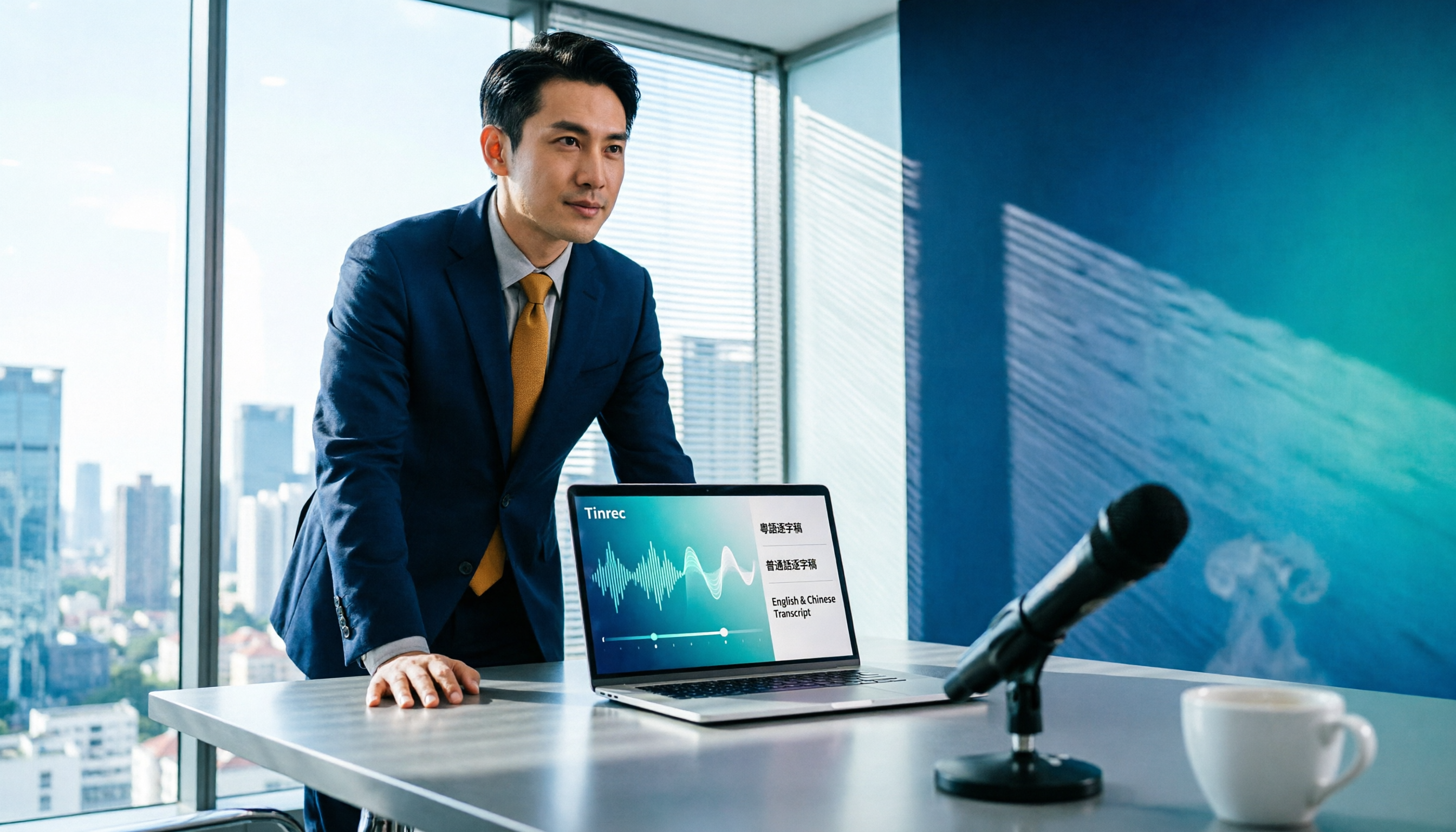
Tinrec vs Otter.ai 2026: 5-Dimension Comparison for Chinese Meetings
Tired of transcribing meeting recordings yourself? This article compares Tinrec and Otter.ai across 5 dimensions, explaining what these AI transcription tools can do, what to consider before meetings, and 5 common pitfalls when choosing a tool.