

Turn recordings into transcripts and summaries in minutes
Upload audio or video for multilingual transcription, AI notes, and action items
Is Good Tape Worth It? 2026 Test of 3 Video-to-Transcript Tools: Tinrec for Chinese Meetings & Team Collaboration
Last month, a friend who runs a YouTube interview show messaged me: "A 40-minute interview video—I need to add subtitles, produce a transcript, and write a post. It took me two full days. Is that normal?"
I said, no. More precisely, it shouldn't be the norm anymore.
Over the years, I've coached many content teams, and I've found that the bottleneck is never typing speed—it's treating "transcription" as the end goal. After the text is out, then what? Who finds the key points, who tracks action items, and where do you find last time's content when you revisit the same topic?
So this article answers the question many people ask me: Is Good Tape worth it? And if you need more than just a transcript, what other more complete options are there.
Bottom line first. Good Tape is indeed a sharp knife for "quickly getting a transcript as an individual." But if you're handling Chinese meetings and want to keep asking questions and refining after the meeting, my main workflow now centers on Tinrec.
What's blocking you isn't typing speed—it's three things no one helps you with
First, the time spent re-listening. For a 60-minute interview, the recording itself isn't the cost—re-listening is. You have to drag the timeline back and forth, confirm exactly what was said, and pick out the truly useful 5 minutes from 40.
Second, video and text become two separate production lines. Video needs subtitles and srt files; articles need transcripts and quotes; social media needs soundbites. The same content is split into three formats, each requiring a fresh start.
Third, data ownership. Most people's recordings are scattered across their phone, computer, and cloud drive. Six months later, to find a specific sentence, you can only rely on memory and re-listen.
(Screenshot: three folders with differently named audio files, arrow pointing to one named "final_final2.m4a")
None of these three issues can be solved by "typing faster."
They require a workflow: turn sound into searchable text, turn text into usable key points, and keep those key points somewhere findable.
Before choosing a transcription tool, understand these 4 key points
When I evaluate these tools, I don't look at spec sheets—I look at "where it takes you." These four dimensions are the criteria I've kept after actually using over a dozen tools.
First, is it an endpoint or a relay station. Some tools finish transcribing and that's it—you have to copy-paste elsewhere to process further. Others let you ask questions directly or have it organize action items. The former saves typing time; the latter saves organizing time, and organizing is the truly time-consuming part.
Second, how to record online meetings. A common approach is sending a meeting bot to join, but many teams dislike having an unknown participant. Another approach is using a desktop app to capture system audio directly, without adding any participant. These two experiences differ greatly—decide which you prefer first.
Third, real-world performance with Chinese and mixed Chinese-English. Don't just look at advertised accuracy numbers—those are usually measured in quiet environments. Real meeting rooms have air conditioning noise, keyboard clicks, and people talking over each other. I suggest testing with your own recording; that's more meaningful than any spec.
Fourth, who holds the data. Personal recordings belong to the individual—that's intuitive. But if team meeting records are tied to a departed colleague's account, that's a disaster. This is why I increasingly care about "team spaces."
Tinrec (秒听录音) — Where I put my main workflow
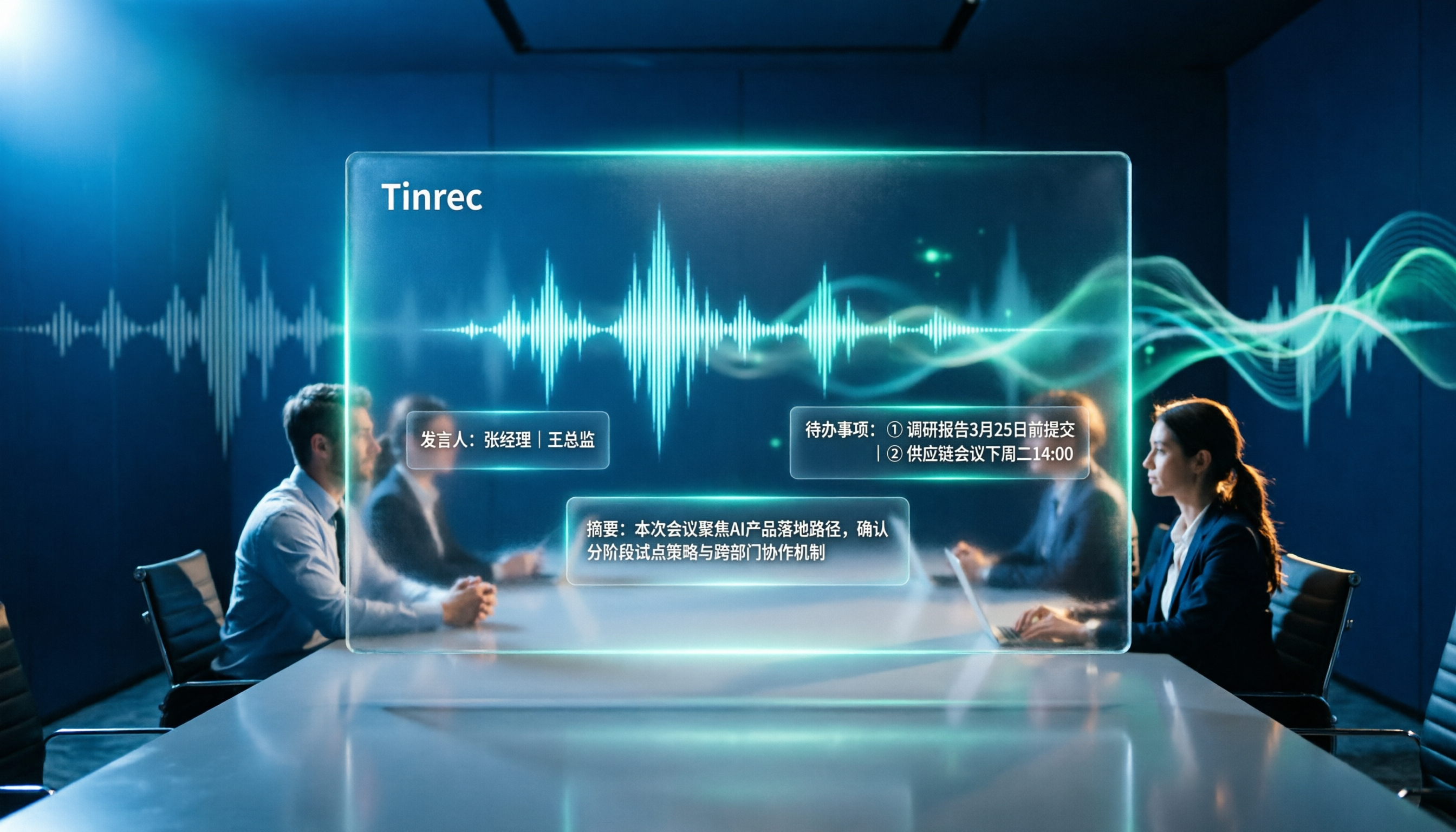
Tinrec is an AI meeting notes and collaboration tool for individuals and teams, available on web, desktop, and mobile. It's not just audio-to-text; it connects "recording, transcription, organization, follow-up questions, and refinement" into one line.
Let me start with what I actually use daily.
During meetings, I no longer invite any bots. Tinrec's desktop app captures system audio directly—Zoom, Google Meet, Microsoft Teams, Webex, and similar meeting audio played on the computer can be handled, without an unknown participant appearing in the meeting room.
(Screenshot: Tinrec desktop app recording screen, left side is meeting list, right side is live transcript, arrow pointing to recording status in top right)
After the meeting, I ask it questions directly instead of scrolling through the transcript myself. This is what I think is the biggest difference from ordinary transcription tools. After a meeting, I paste this into the chat box:
Based on this meeting's transcript, please organize:
1. Three main conclusions, one sentence each
2. All assigned action items, with owner and deadline
3. Topics without conclusions that need follow-up next time
It answers based on the entire meeting content, rather than dumping a list of keywords for you to find yourself. The same logic applies to cross-meeting queries, such as "What was that concern the client raised last month, and how did we respond?"
Stop organizing recordings by hand
Upload audio or video and automatically get a transcript, summary, and action items
Finally, meeting data stays in the team space, not on someone's computer. The team version is a separate collaboration space where you can create multiple teams, invite members via link, set owners and admins, and use "seats" to determine who can record, upload, and edit. Here's an easily confused concept: roles determine governance permissions, seats determine usage eligibility. Members without a seat can still view, play, and read team data—they just can't upload or edit.
(Screenshot: team space member list, arrows pointing to "Role" and "Seat" columns)
The current team version configuration: eligible teams get a 7-day trial, 1 free seat, and 300 minutes of shared team import quota; monthly payment is USD 29.80 per paid seat per month, annual is USD 199 per paid seat per year (about USD 16.58 per month); each paid seat provides 2,000 minutes of shared import quota per month. Live recording under an active team plan and seat currently doesn't deduct minutes; file and web imports use the shared team quota. Actual prices and benefits are subject to the official purchase page.
Personal use is simpler: for occasional recording organization, start with the free version; for short-term intensive interviews or courses, consider a weekly pass; for steady weekly needs, the Pro monthly pass is more suitable; for long-term data refinement, the annual pass has a lower monthly equivalent.
Its limitations should also be clear. The free quota isn't enough for heavy users—payment is needed; transcription quality is affected by audio quality, noise, accents, overlapping speakers, and technical terms—I still double-check important content against the recording; it's not a bot that "automatically joins all meetings on your calendar"—you need to open the desktop app and start recording yourself; file imports consume shared quota, not unlimited.
Who is it for? If you frequently handle Chinese meetings and mixed Chinese-English content, don't want a bot in the meeting, and want to ask questions about the entire meeting afterward, Tinrec is currently the smoothest choice. For team use, the effect is even more pronounced than individual use.
Besides Tinrec, what other options are there?
Good Tape. Created by Danish news organization Zetland, using OpenAI's Whisper technology, supporting over 40 languages, outputting time-coded transcripts and srt subtitles, and exporting to PDF, Word, Excel. Transfers are encrypted and data stays within the EU; unregistered files are kept for only 3 days. For "quickly getting a nice transcript as an individual," it's very competent. But its narrative has always centered on individual use. If you want team shared spaces, member seats, and post-meeting follow-up questions, you'll need another solution—Tinrec's AI Q&A and team space fill that gap. Also, source materials mention it's sensitive to noise and unusual accents; test in noisy environments first.
Yating Transcript. A local service by Taiwan AI Labs, with mature Chinese support, billed by recording duration. AI Labs has stated that with clean audio, its accuracy is on par with Good Tape, and even better with noisy real-world audio. It suits those already comfortable with a Chinese-only context and who don't mind paying by duration. But it lacks post-meeting AI follow-up and cross-device team data spaces—after recording, the organizing work still falls on you.
Otter.ai. A veteran choice for English business meetings, with a generous free tier of 300 minutes per month, and mature summaries, action items, and team management. If 80% of your meetings are in English, it's worth serious consideration. But its Chinese experience isn't the focus; if you mainly handle Chinese meetings, Tinrec will be smoother.
Pitfall guide: 3 most common mistakes when choosing these tools
Pitfall 1: Only looking at advertised accuracy. Those pretty numbers usually come from quiet recording environments. Real scenarios have air conditioning noise, keyboard clicks, and people talking over each other—that's where the gap shows. The right approach is to test with your own recording, not look at ads.
Pitfall 2: Treating it as just a typewriter. This is the biggest waste. Many people finish the transcript and stop, using only one-third of the tool's capability. After recording, directly ask "What were the conclusions of this meeting?" or "Who agreed to what?"—much faster than scrolling through 30 minutes of transcript yourself.
Pitfall 3: Ignoring data ownership. Personal recordings belong to the individual—that's fine. But if team meeting records are tied to a colleague's account, when they leave, the data is lost. The important value of the team version is here: when a member exits or is removed, their team resources can be transferred to other members, so data doesn't disappear.
Summary: Which one should you choose?
Back to the opening question. Is a 40-minute video worth two days of processing? My answer: if the process is right, it shouldn't be two days.
Scenario breakdown for reference:
- Chinese meetings, mixed Chinese-English, need post-meeting follow-up → Tinrec (bot-free recording + AI Q&A + team space)
- Want to keep historical meetings in the team, searchable and transferable → Tinrec team version (seats, usage, audit all in one)
- Individual just wants a nice time-coded transcript → Good Tape (remember to test in noisy environments)
- Pure Chinese, used to billing by duration → Yating Transcript
- 90% English meetings, zero budget → Otter.ai
Quick start:
- Pick a real meeting or interview recording and run it through two or three tools
- Compare not the number of typos, but "how much time you still spend organizing after getting the result"
- For online meetings, switch to desktop system audio capture—stop letting bots into the meeting room
- After the meeting, don't scroll through the transcript yourself—ask it directly, copy and use the prompt above
- Export the organized results to where you normally work, such as Notion, Google Docs, or OneNote
- If the team will use it together, first clarify who needs a "seat" and who only needs "view"
Tools will keep changing; methods won't.
Start with one recording, test gradually, and you'll master this method too.
References
Turn every recording into actionable outcomes
Get 60 free transcription minutes when you sign in. No credit card required.
Related Reading
You might also like
4 Best Otter Alternatives in 2026: Which Handles Chinese Meetings and Post-Meeting Workflows Better?
How to compare Otter alternatives? This guide starts with common pitfalls and outlines the selection criteria for 4 Otter alternatives. It compares Tinrec, Otter.ai, Granola, and TurboScribe on meeting capture, post-meeting organization, Chinese language experience, and team collaboration, then helps you choose the right one based on your scenario.

2026 AI Transcription Tools Compared: Plaud vs Tinrec and How to Choose
Plaud's models and subscription plans are often compared together. This guide separates the hardware—Plaud Note Pro, NotePin, and Note—from the four plans: Starter, Pro, Unlimited, and Team. It then compares them alongside Tinrec, Notta, and TurboScribe to help you decide whether to buy hardware or use software, and which approach is easiest.

Plaud vs Tinrec in 2026: Real-World Comparison — Why Most People Choose Tinrec
Still unsure how to choose after reading Plaud tutorials? This article starts from real meeting scenarios and compares Plaud and Tinrec on acquisition cost, online meeting recording, post-meeting organization, and team collaboration. It also summarizes Tinrec's core features, practical use cases, key buying considerations, and FAQs.

5 Voice Recorders and Apps Tested for 2026: Which One Actually Saves You Organizing Time?
Voice recorder vs. app—how do you choose? This article starts from the decision point of "what happens after recording" and compares PLAUD, traditional voice recorders, and tools like Tinrec, Otter, and Notta. It covers 5 buying criteria, hands-on test insights, common mistakes, and scenario-based recommendations to help you decide whether to buy hardware or install software.

Plaud Pricing in 2026: Device Cost + AI Membership Fees Explained
Plaud's cost isn't a single number—it's the device price plus an AI membership subscription. This guide breaks down the Taiwan and US official prices for Plaud Note, Note Pro, and NotePin, the Starter/Pro/Unlimited membership plans, and add-on credits from a student budget perspective. It calculates the real first-year total cost and shares a hardware-free alternative with Tinrec, key buying considerations, and 3 common pitfalls to avoid.

2026 Voice-to-Text Tools Tested: Good Tape Review and Buying Guide
Still unsure whether to use Good Tape after reading reviews? This article tackles common pitfalls in choosing a tool, compares Good Tape, Yating, Otter.ai, and Tinrec in Chinese meetings, post-meeting organization, and team collaboration, and provides selection criteria and a guide to avoid mistakes, helping you decide which one truly fits your needs.

2026 AI Meeting Recorder Comparison: Otter.ai vs. Chinese-Language Tools (Tested)
Searching 'Otter' on PTT mostly brings up OtterBox phone cases, while otter.ai for meeting notes gets buried. This article first clarifies the two Otters, then compares Tinrec, Otter.ai, Notta, and Granola across Chinese recognition, post-meeting organization, team sharing, and free tiers. It also lists five common pitfalls when choosing a tool, so you can validate with your own meeting before deciding.

Good Tape vs Tinrec 2026: 5-Dimension Comparison – Which Is Better for Free Chinese Transcription?
Good Tape's free version is free to use, but its free quota, file retention period, and post-meeting organization capabilities determine whether it can support your workflow. This article examines five dimensions: free quota, Chinese transcription, post-meeting organization, team collaboration, and data retention. It outlines six practical options to help you decide when Good Tape is sufficient and when to switch to an AI meeting notes tool that can handle follow-up organization.

2026 Good Tape Alternatives Compared: Why Tinrec Is Better for Chinese Classrooms and Group Discussions
We tested three audio-to-text tools—Good Tape, Yating Transcription, and Tinrec—in campus scenarios, comparing Chinese punctuation, post-meeting organization, free quotas, and group collaboration. Here's why I ultimately kept Tinrec as my primary tool.