

Turn recordings into transcripts and summaries in minutes
Upload audio or video for multilingual transcription, AI notes, and action items
5 Best WhatsApp Voice-to-Text Apps in 2026: Which One Handles Chinese Transcripts and Post-Meeting Notes Better?
Honestly, the question I've been asked most by readers over the past six months is: "WhatsApp already has built-in voice-to-text, so why would I need another app?"
That's the first common misconception.
WhatsApp's built-in "voice message transcripts" feature is genuinely useful. Long-press a voice message, tap once, and it converts to text. The transcription happens on your device and is protected by end-to-end encryption—even WhatsApp and third parties can't read it.
But its essence is "turning a voice message into plain text."
The resulting text won't automatically organize into summaries, won't extract action items, can't be searched in bulk, and can't be placed in a team space for colleagues to view together. Plus, this feature rolled out in phases, and language support wasn't complete from the start—sources note that Cantonese wasn't supported in the initial rollout, leaving many people to find alternative tools.
So the real question isn't "Does WhatsApp have this feature?" but rather "Do you want a block of text, or a meeting document you can keep working with?"
If you just occasionally want to understand a voice message, the built-in feature is completely sufficient. But if you're dealing with client voice messages, online meetings, and long interviews every day, an AI meeting notes tool like Tinrec will save you much more time.
What Can WhatsApp Voice-to-Text Do for You?
Scenario 1: Receiving a long voice message during a meeting—grasp the content without headphones
Previously, receiving a three-minute voice message during a meeting meant setting it aside until the meeting ended. Now, by converting voice to text, you can glance at it and know what the other person is saying. With Tinrec, for example, you can save the voice content you need to process as an audio file, import it, and get a transcript with an AI summary—no need to read through a long voice message from start to finish.
Scenario 2: Turn long client voice messages directly into key points and action items
Sales and customer service teams receive voice messages every day that contain requirements, quotes, timelines, and commitments. Tinrec organizes transcripts into chapters and key points, and extracts action items—who's responsible for what and when to respond, all laid out clearly.
Scenario 3: Turn scattered voice communication into searchable team data
The biggest problem with voice messages is that they can't be saved or searched. Tinrec's team version centralizes transcripts, summaries, and action items in a team space. New members can look back at historical communication records instead of having to ask colleagues, "What exactly did the client say last time?"
What Are the Core Capabilities of WhatsApp Voice-to-Text?
Voice and audio file transcription
Tinrec supports real-time recording transcription and can also import existing audio and video files. Meetings, interviews, and client call recordings can all be processed together—no need for manual typing first.
AI summaries and chapters
Getting a transcript is just the first step. Tinrec automatically generates summaries, chapters, and key points, breaking down an hour of content into readable sections so you can jump straight to the important parts when reviewing.
Action item extraction
Follow-up actions mentioned in meetings or voice messages are organized into a to-do list by Tinrec. For teams that often assign tasks via voice, this is far more reliable than trying to recall afterward.
AI Q&A
After transcription is complete, you can ask Tinrec questions directly, such as "What was the budget cap the client mentioned?" or "What objections came up in this conversation?" It answers based on semantics, so you don't have to scroll through the transcript yourself.
Multi-format export and post-processing
Tinrec supports exporting to commonly used tools like Notion, Google Docs, OneNote, and Dropbox. It can also use Agent post-processing to generate reports, tables, and documents, directly connecting to your existing workflow.
Real-World Use Cases
Sales and client communication: When clients explain requirements via voice, Tinrec converts it to a transcript and automatically organizes key points and action items, making follow-up quotes and follow-through easier and preventing verbal commitments from being missed.
Team weekly meetings and decision meetings: Tinrec's desktop version directly captures computer system audio and can handle online meetings on Zoom, Google Meet, Microsoft Teams, Webex, and more—no additional meeting bot needed to join. Post-meeting summaries, decisions, and action items form automatically.
Stop organizing recordings by hand
Upload audio or video and automatically get a transcript, summary, and action items
Interviews and research: User interviews and expert interviews often run over an hour. Tinrec produces transcripts, chapters, and key points that researchers can cite directly without repeatedly listening to recordings.
Personal learning and content organization: Courses, lectures, and voice memos can all be imported into Tinrec. Later, use AI Q&A to find the segments you need, turning long-accumulated voice content into searchable notes.
5 Things to Watch When Choosing a WhatsApp Voice-to-Text App
1. Language and accent support
Don't just look at marketing copy. Recognition performance varies greatly for Chinese, mixed Chinese-English, and different accents. It's best to test with your own recordings. Tinrec covers Chinese, Traditional Chinese, and multilingual meeting scenarios, and offers real-time translation and team hotwords to adjust recognition for your company's commonly used terminology.
2. Can it organize after transcription?
The value of a plain transcript is limited—whether it can automatically generate summaries, chapters, and action items is key. Tinrec organizes content after transcription, which is the biggest difference between it and general transcription tools.
3. Are audio files retained and searchable?
Some tools don't keep audio files after transcription, making it troublesome to verify transcripts later. Tinrec retains audio, and the team version has an audio recycle bin—accidentally deleted files can be recovered within the retention period.
4. Cross-platform and input sources
Confirm the tool supports your commonly used devices and scenarios. Tinrec has iOS, Android, and web versions. The desktop version handles online meetings, while mobile is suitable for on-the-go and offline recording.
5. Team collaboration and governance
If it's for team use, look at member management, role and seat differentiation, usage analytics, and audit logs. Tinrec's team version attributes meeting data to the team, and resources can be handed over when members leave—data won't leave with the person.
A Quick Note on Plans and Pricing
Tinrec's personal version has a free tier, weekly pass, Pro monthly, and Pro annual—choose based on usage frequency: use the free version for occasional recording organization, the weekly pass for short-term intensive meetings, and Pro for regular weekly use.
The team version offers a 7-day trial (1 free seat, 300 minutes of shared import quota). Monthly billing is USD 29.80 per paid seat per month; annual billing is USD 199 per paid seat per year (about USD 16.58 per month). Each paid seat gets 2,000 minutes of team shared import quota per month. Actual prices and benefits are subject to the official purchase page.
Frequently Asked Questions
WhatsApp has built-in transcription—why would I need another app?
The built-in feature gives you plain text, suitable for casually understanding a message. If you need summaries, action items, search, translation, or team sharing, you'll need a tool like Tinrec to turn voice into data you can keep using.
Can Tinrec directly read WhatsApp voice messages?
Tinrec focuses on meeting recording and audio/video file transcription—it doesn't claim to directly read WhatsApp conversations. In practice, you can save the voice content you need to process as an audio file, then import it into Tinrec to get transcripts and summaries.
Is the free version enough?
If you only occasionally organize recordings, the free version's basic quota lets you experience the full workflow of recording, importing, summarizing, and transcribing. If you're truly handling meetings or client voice messages every day, then consider the weekly pass or Pro.
How accurate is Chinese and Cantonese recognition?
Tinrec supports Chinese, Traditional Chinese, and multilingual content, and can improve recognition of professional terminology through team hotwords. Actual performance is affected by recording quality, noise, accents, and multiple people speaking simultaneously. We recommend testing with your own materials, and for important content, still verify against transcript timestamps and the original audio.
What's the difference between the team version and personal version?
Personal version data belongs to the individual account. The team version is a separate team space with member invitations, role and seat management, shared benefits, usage analytics, audit logs, and an audio recycle bin—suitable for departments or project teams that need centralized meeting data management.
Are there privacy concerns with using tools to transcribe recordings?
Recording and transcription involve personal data. We recommend confirming company policies and local laws first, and obtaining consent before recording when necessary.
Conclusion
WhatsApp's built-in voice-to-text solves the problem of "inconvenient to listen," but it doesn't solve the problem of "what to do after listening."
If you deal with a high volume of voice messages and meetings every day, what you really need is a tool that can turn voice into transcripts, summaries, and action items—and put them in a team space. You can start with Tinrec's free version basic quota, experience the complete workflow from voice to meeting document, and then decide whether to upgrade.
References
- WhatsApp Voice-to-Text Officially Launches in Hong Kong! Simple 3-Step Setup for iOS/Android, Plus Unofficial AI Conversion Methods
- "Latest" WhatsApp Voice-to-Text 2026 Official Method!
- WhatsApp Voice-to-Text Free Online Tool | SpeakApp
- Introducing Voice Message Transcripts - WhatsApp Blog
- WhatsApp Voice-to-Text Feature Is Here! See Setup Methods for Android and iPhone
Turn every recording into actionable outcomes
Get 60 free transcription minutes when you sign in. No credit card required.
Related Reading
You might also like

4 Speech-to-Text Tools Tested on PC in 2026: Is Google Docs Voice Typing Really Enough for Transcribing?
In 2026, I tested 4 methods for speech-to-text on a computer: Google Docs voice typing, Google Cloud Speech-to-Text API, the VoiceIn extension, and Tinrec, which I ended up keeping. Using student class recordings and small-group online meetings, I explain what each method can and cannot do, and whether free tiers are enough for students.

2026 Best Speech-to-Text Tools Compared: Which One Handles Cantonese Most Accurately?
We tested 4 speech-to-text tools in real Hong Kong workplaces in 2026. First, we explain 5 key factors for choosing a tool, then take a deep dive into Tinrec's bot-free recording, AI Q&A, and team spaces. We also briefly review Otter.ai, Granola, and Notta, and finish with a pitfalls guide and scenario-based recommendations.

Tinrec vs Notta 2026: 5-Dimension Comparison for Chinese Speech-to-Text
How to choose a Chinese speech-to-text tool? This article compares Tinrec and Notta across five dimensions: Chinese recognition, meeting capture methods, post-meeting output, audio retention, and team collaboration. It also includes options like Google Docs voice typing and Otter.ai, plus four common pitfalls to help you find the right transcription and meeting organization solution for Chinese meetings.

2026 Voice-to-Text AI Comparison: Which Free Tier Works Best for Students?
A 100-minute class, over a dozen sessions per semester—it's impossible to re-listen to everything before finals. This is my year-long, real-world test of voice-to-text AI as a student: how to evaluate free tiers, differences in recognizing Chinese and mixed Chinese-English, and hands-on experience with Tinrec, Notta, Otter.ai, and PLAUD, plus the four most common pitfalls students fall into.

5 AI Speech-to-Text Tools Compared in 2026: How to Choose from Free to Team Collaboration
How do you choose among AI speech-to-text tools often recommended on Dcard? This article first takes a quick look at the positioning of Tinrec, MyEdit, PowerDirector, cSubtitle, and Yating Transcription, then compares Tinrec and MyEdit dimension by dimension across Chinese recognition, pricing, online meeting recording, post-meeting output, and team collaboration, helping you decide whether to use a free tool or a meeting workflow.

2026 Comparison of 4 Google Speech-to-Text Methods: Which One Can Actually Save Recordings as Text Files?
Turning speech into text with Google isn't hard; the hard part is turning it into a truly usable text file. This article compares four methods: Google Docs voice typing, Google Cloud Speech-to-Text, Google Live Transcribe app, and Tinrec. From real-time recording, processing old audio files, post-meeting summaries, to team sharing, we help you find the easiest path.

4 iOS Speech-to-Text Apps Tested in 2026: Which Free Version Is Enough?
We tested 4 iOS speech-to-text apps, comparing input sources, AI post-processing, Chinese language support, and team collaboration to find which free version is most useful. We also explain why Tinrec is our top pick for meeting notes.
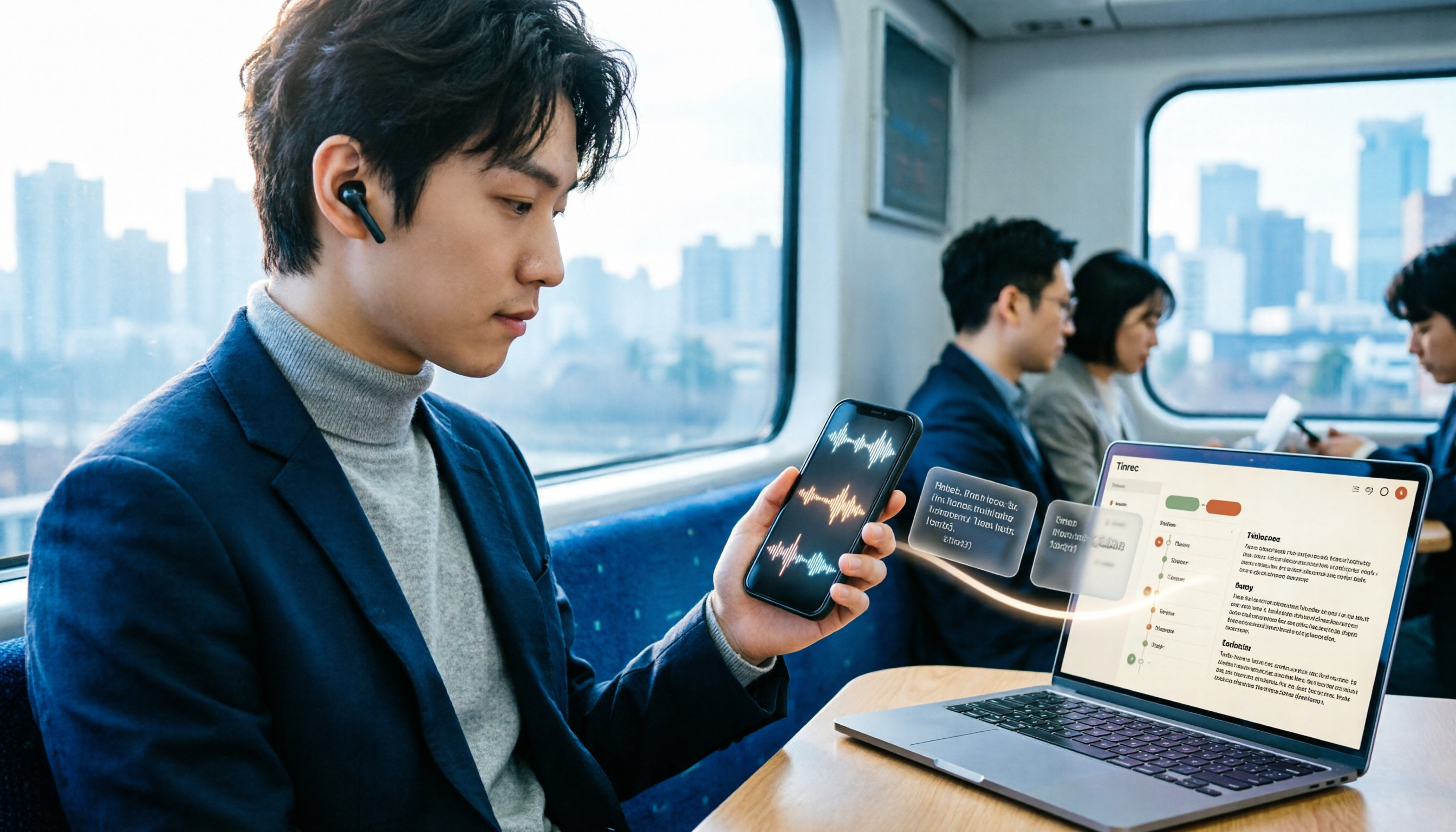
3 LINE Voice-to-Text Methods Tested in 2026: Which One Produces a Usable Transcript File?
LINE voice messages can't be played during meetings or commutes, and there are several ways to convert them to text. This article compares LINE's built-in transcript, iPhone Shortcuts, and AI transcription tools to explain which one truly leaves you with a searchable, organized transcript file.

2026 Comparison of 5 Speech-to-Text Tools: Which Is Best for Chinese Recognition and AI Summarization?
There are many speech-to-text tools available, but Chinese recognition and post-meeting organization are the deciding factors. This article tests 5 tools from four angles: Chinese recognition, AI summarization, cross-platform support, and team collaboration. It also tests Tinrec's bot-free online meeting recording, AI conversational query, and team spaces to help you determine which one best fits your meeting scenarios.