

Turn recordings into transcripts and summaries in minutes
Upload audio or video for multilingual transcription, AI notes, and action items
3 Taiwanese Input Method Apps for Mobile Tested and Compared in 2026: How to Choose Between Missing Characters and Speech-to-Text?
When it comes to typing Taiwanese on a phone, many people's first reaction is to open the App Store, search for "Taiwanese input method," and download a keyboard to install. I used to do the same, but later realized this judgment is often wrong.
Because what really prevents you from typing Taiwanese characters is often not that the keyboard isn't good enough.
Three Common Misconceptions, Let's Clarify First
Misconception 1: Assuming that switching keyboards eliminates the missing character problem. In reality, even if your phone can display it, if the other person's phone lacks the corresponding font, it will still show up as tofu characters.
Misconception 2: Assuming you must first memorize Tâi-lô or Pe̍h-ōe-jī romanization. For those unfamiliar with romanization, typing a single word requires looking it up three times, and they eventually give up and switch back to typing in Chinese.
Misconception 3: Assuming "typing Taiwanese" is the only solution. Many times what you actually need is not typing, but turning a spoken passage of Taiwanese into text data that can be searched, organized, and reused.
If you fall into the third category, what you need is not a keyboard, but a tool for audio-to-text conversion plus content organization. Take Tinrec as an example—it follows this approach: turning spoken words on your phone into usable data.
What Can a Taiwanese Input Method Do for You?
Most people searching for "Taiwanese input method mobile" have in mind "I want to type Taiwanese in LINE to show elders." But the actual scenarios are much broader.
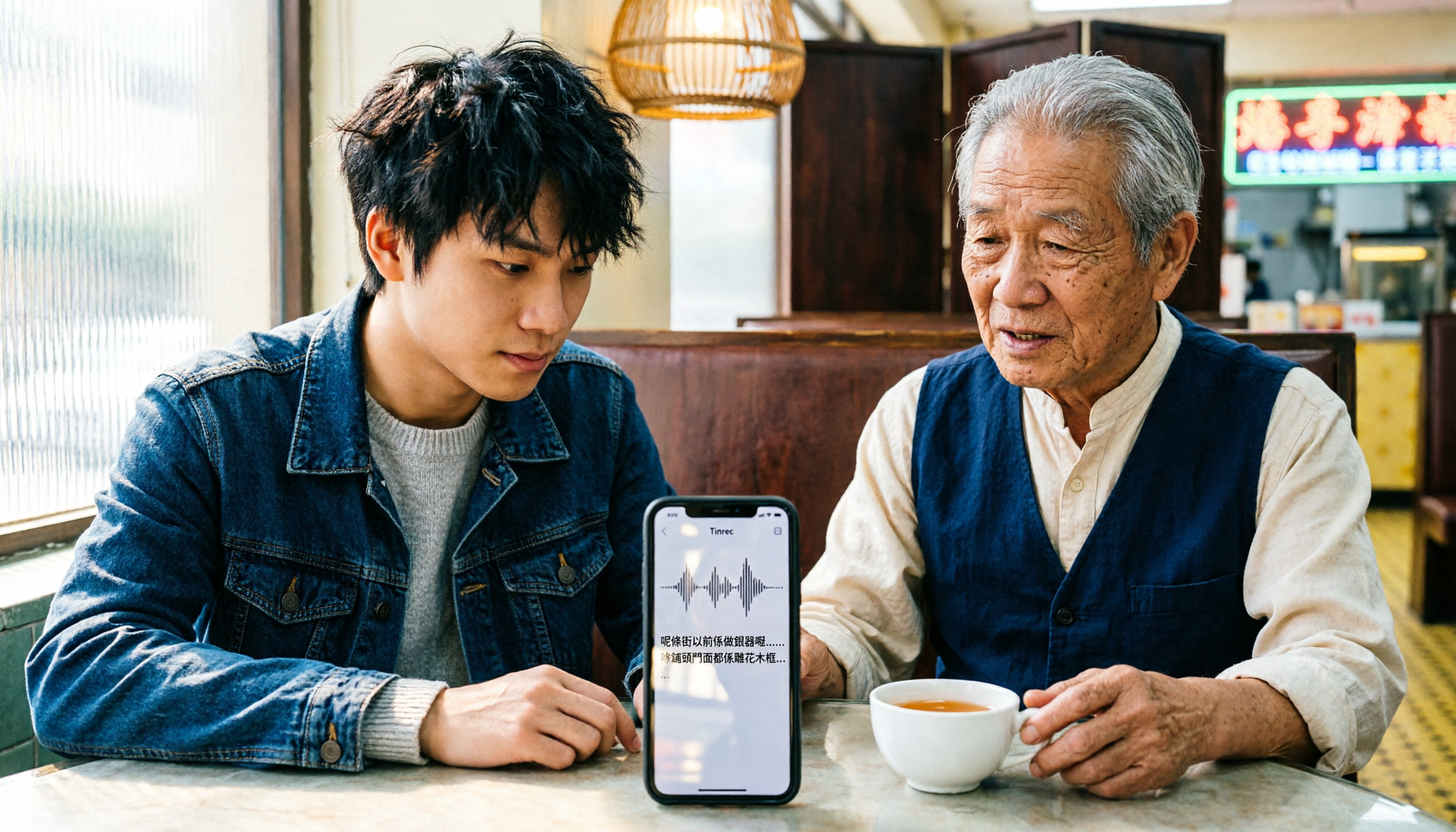
Scenario 1: Wanting to keep a text record of Taiwanese conversations After chatting with elders, clients, or interviewees in Taiwanese, you want to keep a record. Typing character by character, you usually forget everything by the time you finish. Tinrec's real-time audio-to-text can produce text while recording, so by the time the conversation ends, the transcript is nearly formed.
Scenario 2: Taiwanese interviews and fieldwork A one-hour interview recording takes three to four hours to manually transcribe. With Tinrec, you can upload the audio file to convert it into a transcript, and it automatically generates summaries and chapters, so you can first look at the key points and then go back to verify the original text.
Scenario 3: Meetings and classes with mixed Taiwanese and Chinese The most troublesome part is understanding but not being able to note it down. Tinrec supports mixed Chinese-English and multilingual content organization, and provides real-time translation, allowing you to view the original text and translation side by side.
Scenario 4: Personal Taiwanese learning notes Throw each practice recording into Tinrec, let it organize into structured notes, and later use AI Q&A to query, which is much faster than flipping through voice memos.
What Are the Core Capabilities of Taiwanese Input Methods and Audio-to-Text?
Voice input: speak and text appears. The most effortless way to type Taiwanese on a phone is actually by speaking. Tinrec's real-time transcription lets you see the text while recording, without waiting until the recording is finished.
Romanization and Han character comparison: understand both writing systems. Keyboard-based input methods usually require you to first select Tâi-lô, Pe̍h-ōe-jī, or Ministry of Education Han characters. The advantage of audio-to-text is that you don't have to make this choice first—get the transcript first, and organize the writing later.
Missing character handling: don't let the other person see tofu characters. Missing Taiwanese Han characters is a long-standing problem on mobile. Saving the transcript as a text file or document before sharing is usually more reliable than typing directly; if necessary, you can also send it as an image.
Audio and video file transcription: rescue old data. Tinrec supports uploading existing audio and video files, suitable for organizing historical interviews and old recordings.
AI summary, chapters, and action items: the real focus is after transcription. Tinrec automatically organizes summaries, chapters, and action items. Who mentioned what in the interview, what to do next—all listed clearly.
AI Q&A: ask directly for key points. After the transcript is complete, you can directly ask Tinrec: "How many approaches were mentioned in this interview?" "What did the elder have the most opinions about?" It answers based on semantic understanding, without you having to re-listen.
Stop organizing recordings by hand
Upload audio or video and automatically get a transcript, summary, and action items
Export and further processing. Tinrec supports export to Notion, Google Docs, OneNote, Dropbox, and other tools, and can further generate reports, tables, and documents.
Practical Application Scenarios
Taiwanese interview organization After the interview, upload the recording to Tinrec, first look at the AI summary to grasp the interviewee's main points, then search the transcript with keywords, and finally export the quoted passages to a document. The whole process saves a lot of time compared to manual transcription.
Cross-language meeting minutes Meetings mixed with Taiwanese, Chinese, and English are most prone to missing details. Use Tinrec desktop version to initiate bot-free recording, directly capture computer system sound, and get the transcript, real-time translation, and action items after the meeting.
Content creator material gathering For videos or articles on Taiwanese themes, you need a lot of spoken material. Tinrec's AI Q&A allows you to quickly find a certain passage without repeatedly dragging the timeline.
Team-shared meeting database If multiple people need to check the same batch of meeting records, putting the data in Tinrec's team space is more reliable than each person saving their own recording files. New members can view historical meetings, and action items can be continuously tracked.
5 Points to Note When Choosing a Taiwanese Input Method Mobile Tool
1. First distinguish whether you want to "type" or "organize." If you just occasionally type one or two Taiwanese words in messages, a keyboard-based input method is sufficient. If you need to handle entire conversations, interviews, or meetings, what you should look at is audio-to-text and organization capabilities. Tinrec belongs to the latter; the two are not replacements but solve different problems.
2. Have a backup plan for missing characters. Don't just look at whether your own phone can display it. Confirm whether the tool can output content as documents or images so the other person can definitely see it.
3. Test the language support of speech recognition yourself. Tinrec currently covers Chinese, Traditional Chinese, and multilingual content. Actual Taiwanese performance will be affected by accent, speaking speed, recording quality, and overlapping speakers. It is recommended to first test a segment with your own recording within the free quota, which is more accurate than looking at promotional numbers.
4. Data must be searchable and preservable. Recordings lying on your phone are unusable. When choosing a tool, confirm whether the transcript can be searched, exported, and used across devices. Tinrec offers iOS, Android, web, and desktop versions.
5. If you have team needs, don't force it with a personal account. When multiple people need to view the same batch of meeting data, personal accounts are hard to manage. Tinrec's team version provides independent team space, role and seat management, shared benefits, usage analytics, audit logs, and audio recycle bin; the first eligible team trial is 7 days, 1 free seat, 300 minutes of team shared import quota, paid seats provide 2,000 minutes of team shared import quota per month, and real-time recording is not deducted by minutes under an active team plan. Actual prices and benefits are subject to the official purchase page.
FAQ
Q1: Do Taiwanese input methods on mobile require payment? Not necessarily. Both official and community free Taiwanese input methods are available. Tinrec also has a free version, providing basic quota to experience recording, import, summary, and transcription, plus weekly card, Pro monthly, and Pro annual plans, which can be chosen based on usage frequency.
Q2: I don't know Tâi-lô romanization. Can I still use it? Yes. This is the value of the audio-to-text route—you just need to speak, and Tinrec turns the content into text. When you need romanization, you can organize it separately.
Q3: What if the other person's phone can't display the characters I typed? This is a missing character issue, not a matter of input method quality. Exporting the content as a document, image, or transcript link before sharing is usually the safest.
Q4: Does Tinrec support Taiwanese? Tinrec can handle Chinese, Traditional Chinese, and multilingual content, and supports real-time translation and team hotwords. Actual Taiwanese recognition performance is affected by recording conditions. It is recommended to first test with the free quota, and important content should still be verified against the recording.
Q5: Do I need to get the other party's consent before recording? Yes. Recording and transcription involve personal data and local regulations. Before use, you should confirm relevant regulations and obtain participant consent when necessary.
Q6: Is the free version enough? If you occasionally organize a recording, start with the free version. If you have steady weekly needs, consider Pro; if you need long-term data accumulation, the annual plan has a lower monthly equivalent.
Conclusion
Taiwanese input methods solve the issue of "typing," but more people are actually stuck on "turning spoken words into usable data."
If you need the latter, tools like Tinrec that combine audio-to-text with AI organization will be more suitable: real-time transcript, AI summary, action item extraction, AI Q&A, multi-format export, and can be placed in team space for shared use.
It is recommended to first download the free version and try it with a segment of your own Taiwanese recording. Whether it can recognize your accent and whether the organized output is useful—you'll know after one test.
References
- "PhahTaigi Taiwanese Input Method" App - App Store
- Faith Hope Love Taiwanese Hakka Input Method
- Taiwanese Input Method App Tutorial: Voice Input, Solving Missing Characters, and Settings Complete Guide - Mr. Mad
- PhahTaigi Taiwanese Input Method Taigi Keyboard - Google Play App
- Ministry of Education Taiwanese Input Method - Google Play App
Turn every recording into actionable outcomes
Get 60 free transcription minutes when you sign in. No credit card required.
Related Reading
You might also like

WhatsApp Voice to Text vs Tinrec in 2026: Which Handles Cantonese Transcripts Better?
Can WhatsApp's built-in voice message transcription handle Cantonese? This hands-on comparison puts WhatsApp's built-in transcription and Tinrec side by side across five dimensions: audio sources, Cantonese and mixed Chinese-English scenarios, post-transcription processing, team collaboration, and setup cost and pricing. Find out which one fits your situation.
iPhone Cantonese Transcription in 2026: Built-in Voice Memos vs. Tinrec — Which Is Enough?
Recording Cantonese on iPhone — should you stick with the built-in Voice Memos transcript, or install a dedicated AI recording tool? This article compares iPhone's built-in Voice Memos with Tinrec across six dimensions: recording sources, Cantonese and mixed Chinese-English recognition, post-meeting organization, online meetings, cross-platform use, and team collaboration. It also covers pricing and FAQs to help you decide which approach fits your needs.

3 Taiwanese Input Methods Compared: Which One Should You Install on Your Phone or Computer?
Can't find a keyboard that types Taiwanese Hokkien? This article compares three tools: FHL Taiwanese & Hakka Input Method, PhahTaigi Taiwanese Input Method, and Ministry of Education Taiwanese Input Method. It covers download sources, input methods, candidate word design, offline use, and target users, with setup steps and FAQs to help you choose.

4 Best Cantonese to English Translation Apps in 2026: From Single Sentences to Meeting Transcripts
Can you understand Cantonese meetings and Hong Kong client interviews but dread the post-meeting wrap-up? This article breaks down how to choose a Cantonese to English translation app using 4 key criteria, and compares Tinrec, Cantonese Translation Assistant, Otter.ai, and Notta to help you match the right tool to your needs.

4 WhatsApp Voice-to-Text Tools Tested in 2026: What Android Users Who Speak Cantonese Should Choose
Can WhatsApp voice-to-text recognize Cantonese on Android? This article addresses common misconceptions and compares four approaches: WhatsApp's built-in transcription, WeChat, iMyFone VoxBox, and Tinrec. It covers three key buying factors: platform language differences, privacy risks, and free quotas. It also explains how Tinrec turns a Cantonese voice message into a searchable, queryable, and actionable transcript with to-dos.

Cantonese to English Translation App 2026: Cantonese Transcription + Real-Time English Bilingual Comparison
When looking for a Cantonese to English translation app, first clarify whether you need to 'look up a word' or 'turn an entire Cantonese conversation into an English record.' This article compares Tinrec and Otter.ai across 5 dimensions—Cantonese/Chinese context, recording method, post-meeting organization, team collaboration, and pricing/quotas—to give you scenario-based recommendations.

Taiwanese Hokkien Input Methods in 2026: 3 Ways to Type and Tinrec Transcription Guide
How do you type in Taiwanese Hokkien? This guide covers three common input methods (romanization, character selection, and speech-to-text) and shows how Tinrec turns Taiwanese Hokkien interviews, meetings, and class recordings into searchable transcripts, summaries, and action items. It also explains the differences between the personal and team plans.

4 WhatsApp Voice-to-Text Methods Tested for 2026: Which Is Easiest for Cantonese Transcription on iPhone?
Transcribing WhatsApp Cantonese voice messages on iPhone: what are the limitations of the built-in transcription, iOS Shortcuts, and third-party tools? This guide covers setup steps and use cases for 4 methods, explains the iOS 16+ requirement, the two conflicting claims about Cantonese support, and what you can do when you want to turn customer conversations and meeting content into searchable, queryable data—not just read a single voice message.

2026 Taiwanese Input Method Apps: 3 Typing Approaches + Audio-to-Text Workflow Guide
How to choose and use a Taiwanese input method app? This guide breaks down common challenges with the three typing approaches—POJ, Tâi-lô, and Ministry of Education recommended characters—then explains how to upgrade from typing to organizing with Tinrec, turning Taiwanese interviews, heritage language classes, and bilingual meetings into transcripts, summaries, and action items that are searchable and reusable.