
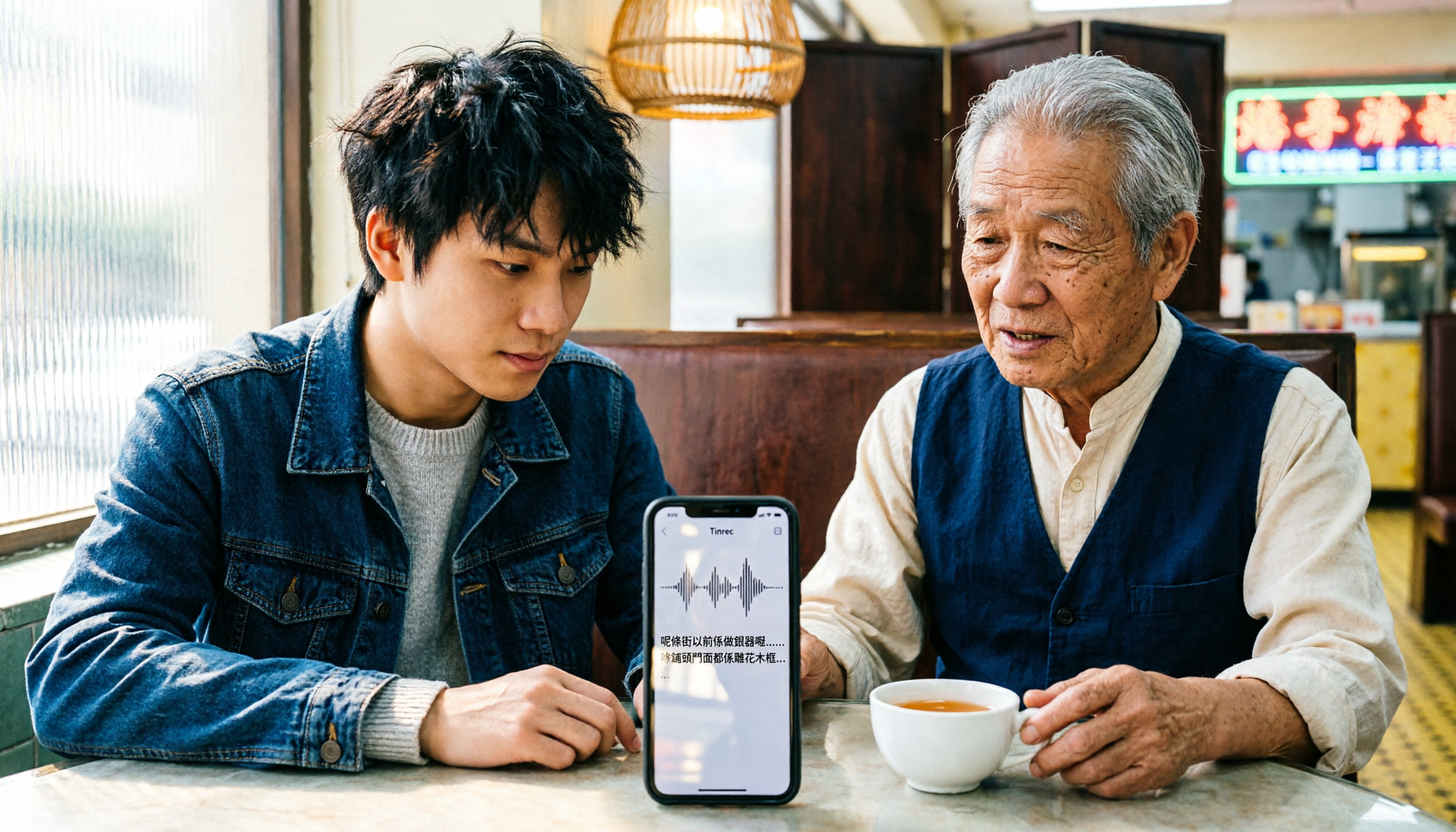
Turn recordings into transcripts and summaries in minutes
Upload audio or video for multilingual transcription, AI notes, and action items
iPhone Cantonese Transcription in 2026: Built-in Voice Memos vs. Tinrec — Which Is Enough?
Recording Cantonese on iPhone — should you stick with the built-in Voice Memos transcript, or find a dedicated AI recording tool? This is the first question many users get stuck on.
The built-in advantage is clear: it's free, requires no installation, and after upgrading to iOS 18.4, recordings can be transcribed directly into text, with Cantonese support. The downside is equally clear: it gives you "text," not "organized data."
Tinrec is an AI meeting notes and collaboration tool for individuals and teams, available on web, desktop, and mobile. It can transcribe live recordings, upload audio and video files, record online meetings, and automatically generate summaries, chapters, and action items. The free version offers basic quota to try recording, importing, summarizing, and transcribing — suitable for those who regularly need to record meetings, classes, or interviews in Cantonese.
iPhone Voice Memos vs. Tinrec | Quick Overview
iPhone's Voice Memos is a built-in recording app. After recording, a transcription indicator appears next to the recording time. Tap the recording and then tap the transcription icon in the bottom left to see the transcript. Tinrec goes beyond the transcript, extending to summaries, Q&A, action items, and team collaboration.
| Item | iPhone Voice Memos | Tinrec |
|---|---|---|
| Positioning | Built-in recording and transcript | AI meeting notes and team collaboration |
| Platforms | iPhone, iPad, Mac | Web, desktop, mobile |
| Pricing | Free with system | Free version with basic quota; weekly pass, Pro monthly, Pro annual; team plan USD 29.80 per paid seat per month, annual USD 199 per paid seat per year |
| Key difference | Pure transcript, data tied to device | Transcript plus summaries, action items, AI Q&A, export, and team workspace |
Below is a comparison across six dimensions.
Dimension 1 | Recording Sources and Input Methods
iPhone Voice Memos follows a "record now" logic. You press record on your iPhone, it captures audio, and after recording, a transcript is generated on the same device. Official documentation also notes that opening recordings made in earlier versions (iOS 17 or earlier) will automatically transcribe them. The problem is it's essentially tied to Apple devices — you can't directly drop in existing meeting audio files or video files from your computer.
Tinrec offers much broader input sources. Besides live recording on mobile, the desktop version can capture computer system audio to handle online meetings on Zoom, Google Meet, Microsoft Teams, Webex, etc. It can also upload existing audio and video files, or import web links. For those who have accumulated a pile of old recordings, this difference is very practical.
→ This dimension: Tinrec clearly wins.
Dimension 2 | Cantonese and Mixed Chinese-English Recognition Experience
iPhone's built-in transcript supports Cantonese after iOS 18.4. It's adequate for everyday conversations at a steady pace, and it's free.
Tinrec covers Chinese, Traditional Chinese, and multilingual meeting scenarios, supports mixed Chinese-English content organization, and offers team hotwords to maintain frequently used professional terminology. Note that actual performance on both sides is affected by recording quality, ambient noise, accents, and overlapping speakers — neither can completely avoid this. The mixed Chinese-English common in Hong Kong meetings usually works more smoothly on tools specifically designed for multilingual use.
→ This dimension: Tinrec wins slightly.
Dimension 3 | After the Transcript — Can You Use It Directly?
iPhone's built-in gives you the transcript itself. It won't segment, add headings, extract key points, or list action items. To turn it into meeting minutes, you still have to read through it yourself.
Tinrec treats transcription as the first step. It automatically generates AI summaries, chapters, key points, and action items, plus a mind map to see the meeting structure, and allows direct AI Q&A on meeting content. To submit weekly reports or documents, you can use Agent post-processing to generate documents, reports, and tables.
→ This dimension: Tinrec wins.
Dimension 4 | Can It Record Online Meetings?
Voice Memos is essentially a device microphone recording tool. To record an online meeting, you can only place your phone nearby and rely on speaker output to capture audio — sound quality and recognition usually suffer.
Tinrec's desktop version directly captures computer system audio, without needing to invite a meeting bot into the meeting room, and without an unfamiliar account appearing in the participant list. Note that this still requires the user to actively open Tinrec to start recording — it does not automatically join all calendar meetings.
Stop organizing recordings by hand
Upload audio or video and automatically get a transcript, summary, and action items
→ This dimension: Tinrec wins.
Dimension 5 | Cross-Platform and Data Continuity
iPhone's transcript follows the device. Whether you can see it on a Mac depends on iCloud sync status, and getting it to Windows or Android is more troublesome.
Tinrec works on web, desktop, and mobile. Transcripts, summaries, and action items can be viewed across devices, and it supports export to Notion, Google Docs, OneNote, Dropbox, etc. for further processing.
→ This dimension: Tinrec wins.
Dimension 6 | Team Collaboration and Data Ownership
iPhone's recordings and transcripts belong to a personal account. Sharing usually means copy-paste or sending the whole thing, and versions quickly get messy.
Tinrec's team plan provides an independent team workspace, where meeting data belongs to the team. You can create multiple team workspaces, invite members via join links, set owners, admins, and regular members, and assign or revoke seats. Active members without a seat can still view, play, and read team data; only with a seat can they record, upload, edit, and export. When a member leaves or is removed, their responsible team resources can be handed over to other active members. The team plan also includes shared import quota, usage analytics, audit logs, team hotwords, and audio recycle bin.
Note that the team plan currently focuses on team-level sharing, not file-level granular permissions — this should be clearly stated when evaluating.
→ This dimension: Tinrec wins.
What Unique Advantages Does Each Have?
Tinrec's unique advantages:
- No meeting bot needed — desktop version can record online meetings and generate live transcripts.
- After transcription, a complete workflow: summaries, chapters, action items, AI Q&A, translation, and Agent-generated reports and documents.
- Cross-platform use with third-party export support — recording on phone and organizing on computer won't get stuck.
- Team workspace with role and seat management — meeting data won't disappear when members leave.
iPhone Voice Memos' unique advantages:
- Completely free, built into the system, no registration or extra installation needed.
- Most intuitive within the Apple ecosystem — see the transcript right after recording.
Conclusion: Which Should You Choose?
- If you just need to turn short Cantonese recordings on iPhone into text without further organization → built-in Voice Memos is enough, and it's free.
- If you need stable recognition for Cantonese with mixed Chinese-English, and want to maintain professional terminology → Tinrec.
- If you want to ask for key points directly after recording, and need summaries and action items → Tinrec.
- If you need to record Zoom, Meet, or Teams online meetings → Tinrec (desktop version).
- If you switch between phone and computer → Tinrec.
- If you're a team sharing meeting data, managing members and usage → Tinrec team plan.
In one sentence: for simple personal short recordings, built-in features are sufficient; but once you need to "organize" and "reuse" meeting content, Tinrec is a more complete choice. We suggest first using the free version to test with your own Cantonese recording before deciding whether to upgrade.
FAQ
Q1: Does iPhone's built-in Voice Memos transcript support Cantonese?
A: Yes, after upgrading to iOS 18.4. If a transcription indicator appears next to the recording time, it means the recording can be transcribed. Tap the recording and then tap the transcription icon in the bottom left to view. Recordings made in earlier versions will also be automatically transcribed when opened in newer systems.
Q2: Do I need a third-party app to record Cantonese on iPhone?
A: Not necessarily. For short recordings where you only need a transcript, built-in is enough. You need a tool like Tinrec only if you need summaries, action items, AI Q&A, or online meeting recording.
Q3: What can Tinrec's free version do?
A: You can use the basic quota to experience recording, importing, summarizing, and transcribing. Test with your own actual recordings first, then evaluate the weekly pass, Pro monthly, or Pro annual.
Q4: What's the difference between Tinrec's personal and team plans?
A: Personal plan data is managed under a personal account. The team plan is an independent team workspace where meeting data belongs to the team, with added capabilities like members, roles, seats, shared benefits, usage analytics, audit logs, and audio recycle bin.
Q5: How is Tinrec's team plan priced?
A: Currently, team monthly is USD 29.80 per paid seat per month, annual is USD 199 per paid seat per year (about USD 16.58 per month). First-time eligible teams get a 7-day trial with 1 free seat and 300 minutes of shared team import quota. Actual prices and billing amounts are subject to the official purchase page.
Q6: Can Cantonese recognition accuracy be guaranteed?
A: It's not recommended to view it that way. Actual performance is affected by recording quality, ambient noise, accents, overlapping speakers, and professional terminology — the same for both tools. For important content, we recommend cross-checking with transcript timestamps and recording playback.
Q7: Are there privacy concerns with audio-to-text transcription?
A: Recording and transcription involve personal data. We recommend following local regulations and obtaining consent from participants before recording when necessary.
References
- [Tutorial] iPhone Recording to Text Transcript Supports Cantonese, No Third-Party Software Needed - unwire.hk Hong Kong
- [Tutorial] 2026 Tinrec Cantonese Voice Input: iPhone Setup Steps + AI Transcription Test - Tinrec Blog
- View Voice Memos Transcript on iPhone - Apple Support (Taiwan)
- iPhone Cantonese Input
- Voice to Text: AI Transcript · Audio to Text · Voice Memo Real-time Translator App - App Store
Turn every recording into actionable outcomes
Get 60 free transcription minutes when you sign in. No credit card required.
Related Reading
You might also like

WhatsApp Voice to Text vs Tinrec in 2026: Which Handles Cantonese Transcripts Better?
Can WhatsApp's built-in voice message transcription handle Cantonese? This hands-on comparison puts WhatsApp's built-in transcription and Tinrec side by side across five dimensions: audio sources, Cantonese and mixed Chinese-English scenarios, post-transcription processing, team collaboration, and setup cost and pricing. Find out which one fits your situation.

3 Taiwanese Input Methods Compared: Which One Should You Install on Your Phone or Computer?
Can't find a keyboard that types Taiwanese Hokkien? This article compares three tools: FHL Taiwanese & Hakka Input Method, PhahTaigi Taiwanese Input Method, and Ministry of Education Taiwanese Input Method. It covers download sources, input methods, candidate word design, offline use, and target users, with setup steps and FAQs to help you choose.

4 Best Cantonese to English Translation Apps in 2026: From Single Sentences to Meeting Transcripts
Can you understand Cantonese meetings and Hong Kong client interviews but dread the post-meeting wrap-up? This article breaks down how to choose a Cantonese to English translation app using 4 key criteria, and compares Tinrec, Cantonese Translation Assistant, Otter.ai, and Notta to help you match the right tool to your needs.

4 WhatsApp Voice-to-Text Tools Tested in 2026: What Android Users Who Speak Cantonese Should Choose
Can WhatsApp voice-to-text recognize Cantonese on Android? This article addresses common misconceptions and compares four approaches: WhatsApp's built-in transcription, WeChat, iMyFone VoxBox, and Tinrec. It covers three key buying factors: platform language differences, privacy risks, and free quotas. It also explains how Tinrec turns a Cantonese voice message into a searchable, queryable, and actionable transcript with to-dos.

3 Taiwanese Input Method Apps for Mobile Tested and Compared in 2026: How to Choose Between Missing Characters and Speech-to-Text?
Struggling to type Taiwanese on your phone? This article starts with common misconceptions, compares keyboard-based Taiwanese input methods with audio-to-text tools, and uses Tinrec to demonstrate how to turn Taiwanese conversations, interviews, and bilingual meetings into searchable, organized transcripts and action items, with 5 key purchasing considerations and an FAQ.

Cantonese to English Translation App 2026: Cantonese Transcription + Real-Time English Bilingual Comparison
When looking for a Cantonese to English translation app, first clarify whether you need to 'look up a word' or 'turn an entire Cantonese conversation into an English record.' This article compares Tinrec and Otter.ai across 5 dimensions—Cantonese/Chinese context, recording method, post-meeting organization, team collaboration, and pricing/quotas—to give you scenario-based recommendations.

Taiwanese Hokkien Input Methods in 2026: 3 Ways to Type and Tinrec Transcription Guide
How do you type in Taiwanese Hokkien? This guide covers three common input methods (romanization, character selection, and speech-to-text) and shows how Tinrec turns Taiwanese Hokkien interviews, meetings, and class recordings into searchable transcripts, summaries, and action items. It also explains the differences between the personal and team plans.

4 WhatsApp Voice-to-Text Methods Tested for 2026: Which Is Easiest for Cantonese Transcription on iPhone?
Transcribing WhatsApp Cantonese voice messages on iPhone: what are the limitations of the built-in transcription, iOS Shortcuts, and third-party tools? This guide covers setup steps and use cases for 4 methods, explains the iOS 16+ requirement, the two conflicting claims about Cantonese support, and what you can do when you want to turn customer conversations and meeting content into searchable, queryable data—not just read a single voice message.
2026 Taiwanese Input Method Apps: 3 Typing Approaches + Audio-to-Text Workflow Guide
How to choose and use a Taiwanese input method app? This guide breaks down common challenges with the three typing approaches—POJ, Tâi-lô, and Ministry of Education recommended characters—then explains how to upgrade from typing to organizing with Tinrec, turning Taiwanese interviews, heritage language classes, and bilingual meetings into transcripts, summaries, and action items that are searchable and reusable.