
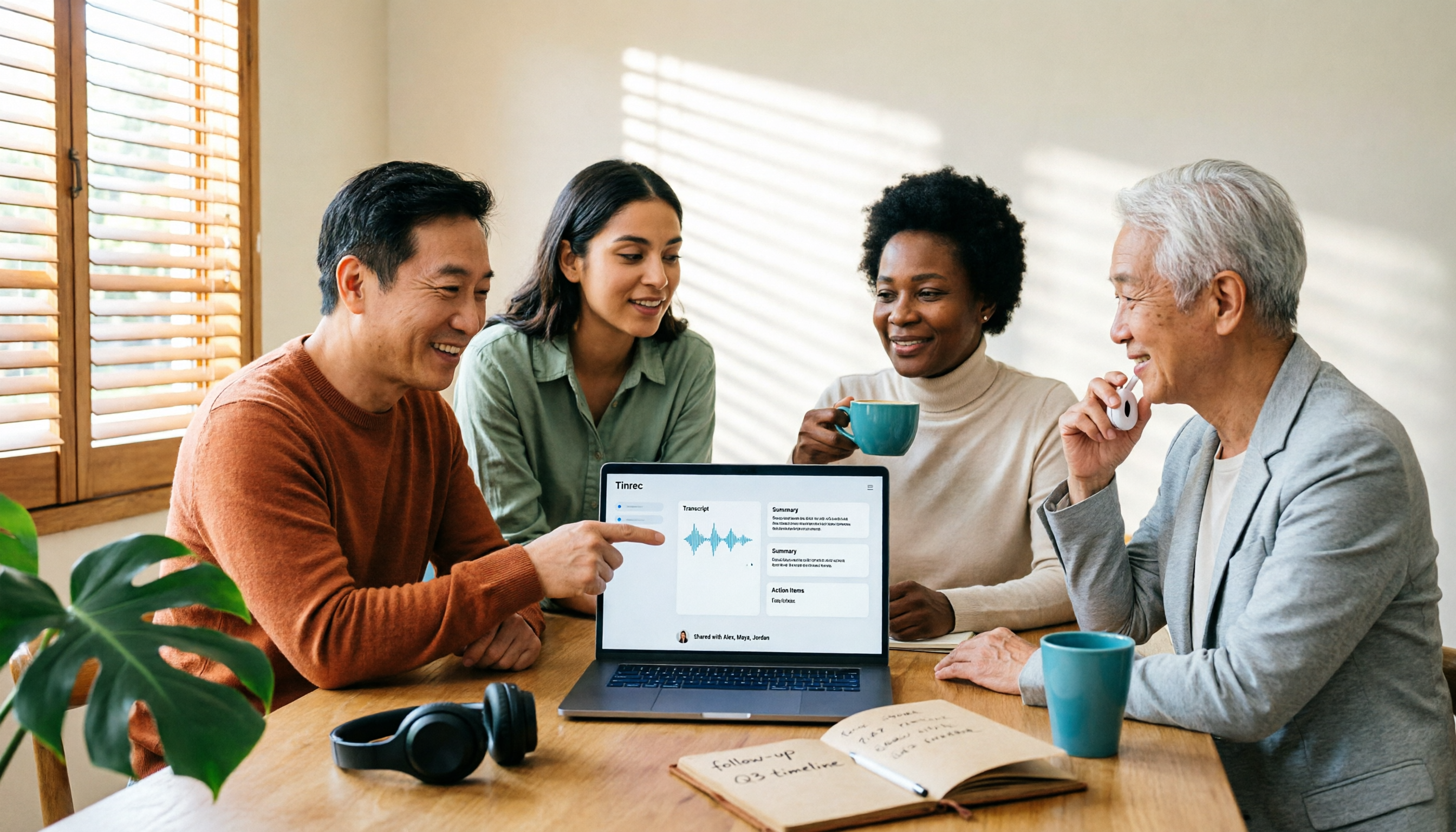
Turn recordings into transcripts and summaries in minutes
Upload audio or video for multilingual transcription, AI notes, and action items
4 AI Meeting Tools Free Plans Compared in 2026: Is Gemini's Free Version Enough?
Many people see the words 'free version' and sign up right away, only to get stuck within a week.
I've been there myself. I used to help clients organize interview recordings and thought I'd just use a free AI tool to get by. But once the transcription quota ran out, I had to type the remaining two hours of files myself. Since then, the first thing I check about a tool is no longer 'Is it free?' but 'Can its free quota get me through one task?'
Is Gemini Free? Here's the Bottom Line
Gemini has a free version, but not all features are free.
The free version allows you to use the Gemini 2.5 Flash model and some features of Gemini 2.5 Pro. To unlock full Pro capabilities, you need to subscribe to paid plans like Google AI Plus ($260 NT/month), AI Pro ($650 NT/month), or AI Ultra ($8,150 NT/month). Additionally, in Google AI Studio, you can currently try Gemini 3 Pro for free in general conversations.
Note that the free version's quota has been continuously adjusted over the past year. For example, the number of image generations dropped from 100 per day to 20. In other words, 'free' is more like an entry ticket, not a long-term solution.
What Can Free AI Tools Actually Do for You?
If you're dealing with 'meetings,' your needs are quite different from general chat Q&A. Here are the four most common scenarios.
Scenario 1: Need to see notes within 5 minutes after a meeting Previously, after a two-hour meeting, you'd spend another hour organizing. With Tinrec, for example, as soon as the meeting ends, AI has already organized the summary, chapters, and action items. Who's responsible for what and when it's due is clear at a glance.
Scenario 2: A pile of historical recording files Old interview recordings, online courses, client calls—they won't turn into data on their own. Tinrec supports uploading audio and video files for transcription. After transcription, you can search keywords directly and ask questions about the content.
Scenario 3: Cross-language meetings you understand but can't note down Tinrec supports real-time translation during recording. You can switch between original text, translation, or bilingual view. No need to look up words after the meeting.
Scenario 4: Meeting data needs to be shared with the whole team Personal account data can only be viewed by yourself. Tinrec's team version provides an independent team space. Meeting data belongs to the team, and new members can view historical meetings.
What Are Tinrec's Core Capabilities?
Bot-free online meeting recording This is the most practical feature of Tinrec's desktop version. It directly captures the computer's system sound to handle online meetings on Zoom, Google Meet, Microsoft Teams, Webex, etc., without inviting a meeting bot into the meeting room.
Real-time transcription and translation Transcribe while recording. Text appears synchronously during the meeting. For cross-language meetings, you can switch between original text, translation, or bilingual view.
AI summary, chapters, and action items It's not just condensing the transcript into a paragraph. It structurally organizes meeting topics, discussion points, and action items.
AI Q&A After transcription, you can ask questions directly, such as 'What was the budget the client mentioned?' or 'Who was assigned in the last meeting?' It answers based on semantic understanding.
Multi-format export and Agent post-processing You can take results to Notion, Google Docs, OneNote, Dropbox, etc., for further use, and also generate reports, tables, and documents.
Team space and governance Includes member and seat management, usage analytics, audit logs, team hotwords, and a 30-day audio recycle bin.
Practical Application Scenarios
Department weekly meetings Weekly meetings are most prone to 'what was said to be done last time, forgotten this time.' Record the meeting with Tinrec, action items are automatically organized. Before the next meeting, just check the notes. Action items won't be lost.
Client interviews and requirement communication Sales and customer success teams can fully record requirements, objections, and commitments. After the meeting, export directly into organized documents, reducing back-and-forth confirmation time.
Stop organizing recordings by hand
Upload audio or video and automatically get a transcript, summary, and action items
Interviews and research For researchers conducting user interviews, the most time-consuming part is actually transcription and finding quotes. After Tinrec transcribes, you can ask questions about the content and search specific sections, greatly speeding up organization.
Online courses and lectures After uploading and transcribing course recordings, they become searchable notes. When you want to review a topic later, you don't need to rewatch the whole thing.
5 Things to Note When Choosing a Free AI Meeting Tool
Free AI tools on the market roughly fall into four categories: general AI assistants (e.g., Gemini), meeting bot types, pure document transcription types, and bot-free desktop recording types. All four can be 'tried for free,' but the task volume they can handle varies greatly.
1. How is the free quota calculated? Don't just look at 'has a free version.' Look at whether the quota unit is minutes, times, or number of files. Tinrec's free version provides a basic quota to let you experience recording, importing, summarizing, and transcription. Run a real meeting first before deciding whether to upgrade.
2. Is it 'transcription' or 'organization'? Transcripts are just raw material. Tinrec's value is after transcription—summary, chapters, action items, Q&A. These are what truly save time.
3. Is the recording method a bot or system sound? Meeting bots appear on the participant list, which some people mind. Tinrec's desktop version takes a bot-free approach, not adding extra participants.
4. Data ownership and collaboration method Personal version data belongs to the individual; team version meeting data belongs to the team. Note that Tinrec's team version currently focuses on team-level sharing, using roles and seat management for usage rights, not file-level granular permission control.
5. Distinguish between versions and seats Tinrec's team version distinguishes between 'roles' and 'seats': roles determine who can manage the team and settings; seats determine whether members can record, upload, edit, and import/export. Valid members without seats can still view, play, and read team data.
Frequently Asked Questions
Q1: Is Gemini free? Yes, Gemini has a free version. General conversations, summaries, and basic generation are available. But to unlock full Pro model capabilities or need higher usage quotas, you need to subscribe to paid plans like Google AI Plus, Pro, or Ultra.
Q2: Is Gemini's free version enough? It depends on your use case. Daily Q&A and drafting are usually sufficient. But for large amounts of meeting recordings requiring transcripts, action items, and team sharing, the free quota of general AI assistants usually isn't enough. In that case, a dedicated meeting notes tool like Tinrec is more suitable.
Q3: Does Tinrec have a free version? Yes. Tinrec's free version provides a basic quota to experience recording, importing, summarizing, and transcription. It's great for trying a real meeting first to see the results.
Q4: How is Tinrec's team version priced? Currently, team monthly payment is USD 29.80 per paid seat per month; annual payment is USD 199 per paid seat per year (about USD 16.58 per month). Eligible teams get a first trial of 7 days, 1 free seat, and 300 minutes of team shared import quota. Each paid seat provides 2,000 minutes of team shared import quota per month. Under an active team plan and active seats, real-time recording is currently not deducted by minutes. Actual prices and promotions are subject to the official purchase page.
Q5: Which meeting platforms does Tinrec support? The desktop version captures system sound to handle meeting content played on the computer from Zoom, Google Meet, Microsoft Teams, Webex, etc. This means it supports meeting audio from these platforms, not an official partnership with these platforms.
Q6: Can team members without seats see the data? They can view, play, and read team data, but cannot perform resource usage operations like uploading, editing, importing/exporting. Team resources belong to the team. When members leave, are removed, or lose their seats, resources are handed over to other valid members and won't be taken away by individuals.
Conclusion
Back to the original question: Is Gemini free? Yes, but the free version has its boundaries.
If you only occasionally ask questions and write drafts, the free version is sufficient. But if your pain point is 'weekly meetings, endless notes, data scattered everywhere,' what you need isn't a smarter chatbot, but a process that turns meetings into usable data.
Take Tinrec as an example. From recording, transcription, summarization, action items to team sharing, the entire process is completed in one place. We recommend running a real meeting with the free version quota first to see what it feels like when AI organizes your meeting notes, then decide whether to go further.
References
- Gemini - Google AI learning companion loved by students
- Gemini 3 Pro open for free use! Latest 5 major features, steps, and plan costs at a glance | CommonWealth Magazine
- Teach you how to try Gemini paid version for free for 30 days, no credit card needed, just log in with Gmail - KOC
- Gemini costs and subscription plans 2026: Free, Plus, Pro, Ultra comparison
- Is Gemini's free version enough? Plan comparison, use cases, FAQs at a glance | Manager Monthly | LINE TODAY
Turn every recording into actionable outcomes
Get 60 free transcription minutes when you sign in. No credit card required.
Related Reading
You might also like

Tinrec vs Otter.ai 2026: 5-Dimension Comparison — Who Transcribes 180 Words Per Minute More Accurately?
Average Chinese speech rate is about 160-220 words per minute, so a 60-minute meeting can produce over 10,000 words of transcript. This article first clarifies the actual number of words per minute in typical speech, then reviews 7 audio-to-text solutions and compares Tinrec and Otter.ai across 5 dimensions to help US readers choose the right tool and save time on meeting notes.

How to Use Gemini for Meeting Notes in 2026: Audio Transcription Test + Tinrec Bot-Free Organization
Can Gemini take meeting notes? This article breaks down Gemini's audio upload, Google Meet's Take Notes for Me, and Gemini Notebook's practical limitations, and compares Tinrec's bot-free recording, AI Q&A, to-dos, and team spaces to help you choose the right meeting notes tool.

2026 Audio-to-Transcript Tools Compared: Is Gemini Enough? Tinrec Saves Time on Chinese Meeting Notes
2026 hands-on comparison: Can Gemini really turn audio files into transcripts? This article answers that question from a student's perspective and compares real-time recording, file import, AI summaries, action item extraction, AI Q&A, and team collaboration. It explains why Tinrec is better suited for students and small groups who need Chinese meeting notes and searchable, shareable transcripts, with 5 key buying tips and FAQs.

ChatGPT Recording Mode 2026: 120-Minute Limit + Transcript Tested
ChatGPT's recording mode has a single-session limit of about 120 minutes, and audio is deleted after transcription. This article explains what that limit really means and its usage constraints, then compares Tinrec, Notta, Otter.ai, and Granola using 5 key buying factors, and outlines 4 common pitfalls to help you find a tool that truly saves time on meeting notes.

4 Transcription Tools Tested and Compared in 2026: What Does 'Verbatim' Mean? Which Saves the Most Time for Chinese Meetings?
What does 'verbatim' mean? This article starts with dictionary definitions to clarify the pronunciation, part of speech, and usage of 'verbatim,' then explains why verbatim transcripts (audio typing, stenography) are so time-consuming. It compares Chinese recognition, post-meeting organization, team collaboration, and pricing of transcription and AI meeting note tools like Tinrec, Otter.ai, Notta, and PLAUD Note, helping you decide which type of tool you actually need.

6 Ways to Launch Google Gemini in 2026: Phone, Computer, and Voice Compared
How do you launch Google Gemini? This guide covers 6 practical ways to wake it up, from Android's "Ok Google" voice command and long-pressing the power button to asking about screen content, Gemini Live, the iPhone app, and the desktop web version. It includes setup paths and common troubleshooting reasons so you can figure out which method to use on your device.

2026 Audio-to-Text Solutions Compared: Beyond ChatGPT, Why Tinrec Is Better for Meeting Notes
Can ChatGPT actually transcribe audio files? The answer depends on your plan, version, and usage limits. This article compares ChatGPT and Tinrec in real meeting scenarios, covering audio sources, Chinese recognition, transcript post-processing, team collaboration, and pricing. It also includes 7 FAQs to help you decide which approach fits your workflow.

5 Best Audio-to-Transcript Tools in 2026: Which One Handles Chinese Meetings and Post-Meeting Workflows Best?
Audio-to-transcript tools do more than just convert sound to text. This article examines real-world use cases, covering core capabilities like real-time transcription, AI summaries, action item extraction, Q&A, and team collaboration. It also outlines 5 key buying criteria and answers common questions to help you choose a transcript tool that truly saves time.

2026 Comparison of 3 Transcription Tools: Which AI Auto-Summarizer Saves the Most Time?
What does a transcript mean? This article starts with common misconceptions, explains the difference between a transcript and meeting minutes, and uses Tinrec to demonstrate real-time transcription, AI summaries, action item extraction, and AI Q&A. It also covers 5 key points to consider when choosing a transcription tool, along with recording compliance and FAQs.