

Turn recordings into transcripts and summaries in minutes
Upload audio or video for multilingual transcription, AI notes, and action items
2026 Comparison of 3 Transcription Tools: Which AI Auto-Summarizer Saves the Most Time?
Many people think transcription is just typing out a recording, and that fast typing is all it takes. Honestly, that's the most common first misconception.
The second misconception is treating a transcript as meeting minutes. A transcript is the "raw material," while meeting minutes are the "finished product"—there's still a lot of organizing work in between.
The third misconception is even more common—thinking that once you have the transcript, you're done. As a result, that file sits in cloud storage and never gets opened again.
Below, I'll use Tinrec as a hands-on example to show you the real use of transcripts, what to watch out for, and how to choose a tool that won't waste your time.
What Is a Transcript? 3 Things Most People Get Wrong
A transcript (verbatim transcript) refers to typing out spoken content word for word. According to Wikipedia, it's typically used in academic interviews or occasions where the full speech content needs to be preserved: usually you record first, then have someone type the recording into a digital file—a process often called "transcription" or "stenography."
Another use: when preparing a speech or rehearsal, you write down every sentence verbatim to precisely control content and timing, at the cost of less room for improvisation.
Here's where people often get confused:
- A transcript is not the same as meeting minutes. A transcript preserves all speech, including filler words, repetitions, and tangents; meeting minutes focus on conclusions, decisions, and action items.
- A transcript doesn't have to be manual. In the past, you had to hire a transcriptionist, but now AI transcription is mainstream.
- A transcript is not the end goal. What truly saves time is when the transcript can be searched, queried, and organized into action items after transcription.
Take Tinrec as an example: it generates a transcript while recording, and by the time the meeting ends, the summary, chapters, and action items appear together—what you get isn't just a text file, but a resource you can continue working with.
What Can a Transcript Do for You? 3 Immediate Changes You'll Feel
Scenario 1: No more re-listening after meetings Previously, after a two-hour meeting, you might spend another hour organizing. With Tinrec, the transcript is generated in real time during recording, and after the meeting you can directly view the AI summary and chapters—capturing the key points of a two-hour meeting in just a few minutes.
Scenario 2: Find a specific sentence without dragging the progress bar "Where was the part where the client mentioned the budget?" In the past, you could only rely on memory and re-listen. Tinrec supports AI Q&A around meeting content—just ask it, and it will find the corresponding section based on semantic understanding. The transcript itself is also fully searchable.
Scenario 3: Transcripts can be reused Interview transcripts can become article material, course recordings can become notes, and client meetings can become the basis for follow-up proposals. Tinrec supports exporting to Notion, Google Docs, OneNote, Dropbox, and other tools, and can further generate reports, tables, and documents, letting the same content be used multiple times.
What Core Capabilities Should a Good Transcription Tool Have?
Real-time transcription: Text appears as you record, not after you finish. Tinrec's real-time recording-to-text is suitable for in-person meetings and on-site interviews—you can watch the text to confirm you haven't missed key points.
Bot-free online meeting recording: This is what many people care about most. Tinrec's desktop version directly captures your computer's system audio to handle Zoom, Google Meet, Microsoft Teams, Webex, and other meetings without inviting a bot to join. Note that this doesn't mean it automatically joins all meetings on your calendar—you still need to actively start recording.
AI summaries and chapters: Transcripts can easily be tens of thousands of words—where are the key points? Tinrec automatically generates summaries and breaks long meetings into chapters, so you can skip around when reviewing.
Action item extraction: In meetings, "who's responsible for what and when it's due" is usually scattered throughout the conversation. Tinrec organizes action items—this is the key step that turns a transcript into an actionable list.
AI conversational query: After transcription, you can directly ask Tinrec: "Who mentioned the budget in this meeting?" "What were the client's main concerns?" It answers based on semantic understanding, rather than dumping a bunch of keyword matches on you.
Multilingual and real-time translation: For mixed Chinese-English or cross-language meetings, Tinrec can generate real-time translations and let you view them in original, translated, or bilingual format; team hotwords let you maintain company-specific terminology to improve proper noun recognition.
Export and post-meeting output: Beyond transcripts and summaries, Tinrec can also generate reports, tables, and meeting minutes through post-processing, directly addressing reporting and review needs.
Stop organizing recordings by hand
Upload audio or video and automatically get a transcript, summary, and action items
Practical Use Cases
Meeting minutes (weekly meetings, review meetings, cross-department meetings) Those who have regular weekly meetings feel this the most. Previously, meeting minutes were often assigned to the most junior person, who typed while listening—resulting in neither understanding nor good notes. With Tinrec, recording and transcription are done simultaneously, and after the meeting AI provides summaries and action items. The note-taker can focus on participating in the discussion and then review key points afterward.
Interviews and research Academic interviews, user interviews, expert interviews—this is the classic use of transcripts. Upload interview audio to Tinrec to quickly get a transcript, then use AI Q&A to compile "all pain points mentioned by interviewees." Compared to repeatedly listening to recordings, this approach saves a lot of time.
Classes and learning Can't take notes fast enough in class, or can't finish an online course in one sitting. Use Tinrec to record course content—the transcript is searchable and queryable, making it fast to find a specific concept before exams; over time, it becomes your own knowledge base.
Content creation and self-media Podcasts, video interviews, livestreams—these contents are themselves raw material for transcripts. Tinrec can organize recordings into transcripts and further generate article drafts or reports, allowing the same material to extend into multiple content formats.
Sales and client communication Needs, concerns, and commitments from client interviews are often forgotten after the conversation. Record client meetings, convert them to transcripts, and save them—then when you need to confirm "what were the terms we discussed," you have a basis, and you can also organize follow-up proposal materials.
5 Things to Consider When Choosing a Transcription Tool
1. Don't just look at the official accuracy claims. Accuracy is affected by recording quality, noise, accents, multiple people speaking simultaneously, and technical terminology. It's best to test with your own recording. Tinrec handles Chinese, mixed Chinese-English, and multilingual scenarios, but actual performance should still be tested with your own audio files.
2. Whether you can organize after transcription is more important than how fast it transcribes. Tools that only provide transcripts still require you to read the entire content yourself. Tinrec provides summaries, chapters, action items, and AI Q&A in addition to transcripts—that's where the real time savings come from.
3. Does it retain the recording and allow you to cross-check? AI may mishear or misunderstand, so important content should be compared against the original. Tinrec retains audio, and the team version has an audio recycle bin—accidentally deleted files can be restored before permanent cleanup.
4. Chinese and multilingual processing capability. Not every tool is good at Chinese, and mixed Chinese-English is a common weak point. Tinrec covers Chinese, Traditional Chinese, and multilingual meetings, and supports real-time translation and bilingual viewing.
5. For team use, look at data ownership and management capabilities. If meeting data is shared by the team, being tied to a personal account is a problem. Tinrec's team version provides an independent team space where meeting data belongs to the team, with roles, seats, usage analytics, audit logs, and an audio recycle bin. Note that roles and seats are two different things: roles determine who can manage the team, while seats determine whether you can record, upload, edit, and export; valid members without seats can still view, play, and read team data. Pricing and quotas are subject to the official purchase page. The team version currently offers a 7-day trial for first-time eligible users, 1 free seat, and 300 minutes of shared team onboarding quota.
FAQ
Is a transcript the same as meeting minutes? No. A transcript is a word-for-word record of speech, while meeting minutes are organized key points, decisions, and action items. In practice, the ideal approach is to first use Tinrec to generate a transcript and AI summary, then write formal meeting minutes based on the summary.
Do I have to pay someone to transcribe? Not necessarily. Manual transcription is still suitable for poor audio quality, heavy accents, or situations requiring high precision, but for general meetings, classes, and interviews, AI transcription already saves a lot of time. With Tinrec, for example, the transcript is completed while recording.
Is Tinrec's transcription accurate? Actual performance is affected by recording quality, noise, accents, overlapping speech, and technical terminology, so it's not advisable to summarize with a single number. A more practical statement: it can significantly reduce the cost of manual note-taking and organizing, but important content should still be cross-checked against the recording.
Do online meetings need a bot to join? No. Tinrec's desktop version directly captures the computer's system audio, and users can start recording themselves—no extra bot attendee.
Where can transcripts be exported? Tinrec supports multiple file formats and can export to Notion, Google Docs, OneNote, Dropbox, and other tools for continued use, and can also generate reports, tables, and documents.
What's the difference between the team version and the personal version? In the personal version, data belongs to the individual account; the team version is an independent collaboration space where data belongs to the team, with additional members, roles, seats, shared benefits, usage analytics, audit logs, and an audio recycle bin. When a member leaves or loses their seat, their team resources can be handed over to other members, so data doesn't disappear with the individual.
Conclusion
The value of a transcript is never just "turning sound into text"—it's about making meeting, interview, and course content searchable, queryable, and organized into action items, so it actually gets used.
If you're still manually transcribing, or if you feel that note-taking after every meeting is a waste of time, try Tinrec's free version for one meeting—from real-time transcription to AI summaries and action items, experience the difference of not having to re-listen to recordings after meetings.
Final reminder: recording and transcription involve personal data and local regulations. Please confirm you have obtained necessary consent before recording.
References
Turn every recording into actionable outcomes
Get 60 free transcription minutes when you sign in. No credit card required.
Related Reading
You might also like

Tinrec vs Otter.ai 2026: 5-Dimension Comparison — Who Transcribes 180 Words Per Minute More Accurately?
Average Chinese speech rate is about 160-220 words per minute, so a 60-minute meeting can produce over 10,000 words of transcript. This article first clarifies the actual number of words per minute in typical speech, then reviews 7 audio-to-text solutions and compares Tinrec and Otter.ai across 5 dimensions to help US readers choose the right tool and save time on meeting notes.

How to Use Gemini for Meeting Notes in 2026: Audio Transcription Test + Tinrec Bot-Free Organization
Can Gemini take meeting notes? This article breaks down Gemini's audio upload, Google Meet's Take Notes for Me, and Gemini Notebook's practical limitations, and compares Tinrec's bot-free recording, AI Q&A, to-dos, and team spaces to help you choose the right meeting notes tool.

2026 Audio-to-Transcript Tools Compared: Is Gemini Enough? Tinrec Saves Time on Chinese Meeting Notes
2026 hands-on comparison: Can Gemini really turn audio files into transcripts? This article answers that question from a student's perspective and compares real-time recording, file import, AI summaries, action item extraction, AI Q&A, and team collaboration. It explains why Tinrec is better suited for students and small groups who need Chinese meeting notes and searchable, shareable transcripts, with 5 key buying tips and FAQs.

ChatGPT Recording Mode 2026: 120-Minute Limit + Transcript Tested
ChatGPT's recording mode has a single-session limit of about 120 minutes, and audio is deleted after transcription. This article explains what that limit really means and its usage constraints, then compares Tinrec, Notta, Otter.ai, and Granola using 5 key buying factors, and outlines 4 common pitfalls to help you find a tool that truly saves time on meeting notes.

4 Transcription Tools Tested and Compared in 2026: What Does 'Verbatim' Mean? Which Saves the Most Time for Chinese Meetings?
What does 'verbatim' mean? This article starts with dictionary definitions to clarify the pronunciation, part of speech, and usage of 'verbatim,' then explains why verbatim transcripts (audio typing, stenography) are so time-consuming. It compares Chinese recognition, post-meeting organization, team collaboration, and pricing of transcription and AI meeting note tools like Tinrec, Otter.ai, Notta, and PLAUD Note, helping you decide which type of tool you actually need.

6 Ways to Launch Google Gemini in 2026: Phone, Computer, and Voice Compared
How do you launch Google Gemini? This guide covers 6 practical ways to wake it up, from Android's "Ok Google" voice command and long-pressing the power button to asking about screen content, Gemini Live, the iPhone app, and the desktop web version. It includes setup paths and common troubleshooting reasons so you can figure out which method to use on your device.

2026 Audio-to-Text Solutions Compared: Beyond ChatGPT, Why Tinrec Is Better for Meeting Notes
Can ChatGPT actually transcribe audio files? The answer depends on your plan, version, and usage limits. This article compares ChatGPT and Tinrec in real meeting scenarios, covering audio sources, Chinese recognition, transcript post-processing, team collaboration, and pricing. It also includes 7 FAQs to help you decide which approach fits your workflow.

5 Best Audio-to-Transcript Tools in 2026: Which One Handles Chinese Meetings and Post-Meeting Workflows Best?
Audio-to-transcript tools do more than just convert sound to text. This article examines real-world use cases, covering core capabilities like real-time transcription, AI summaries, action item extraction, Q&A, and team collaboration. It also outlines 5 key buying criteria and answers common questions to help you choose a transcript tool that truly saves time.
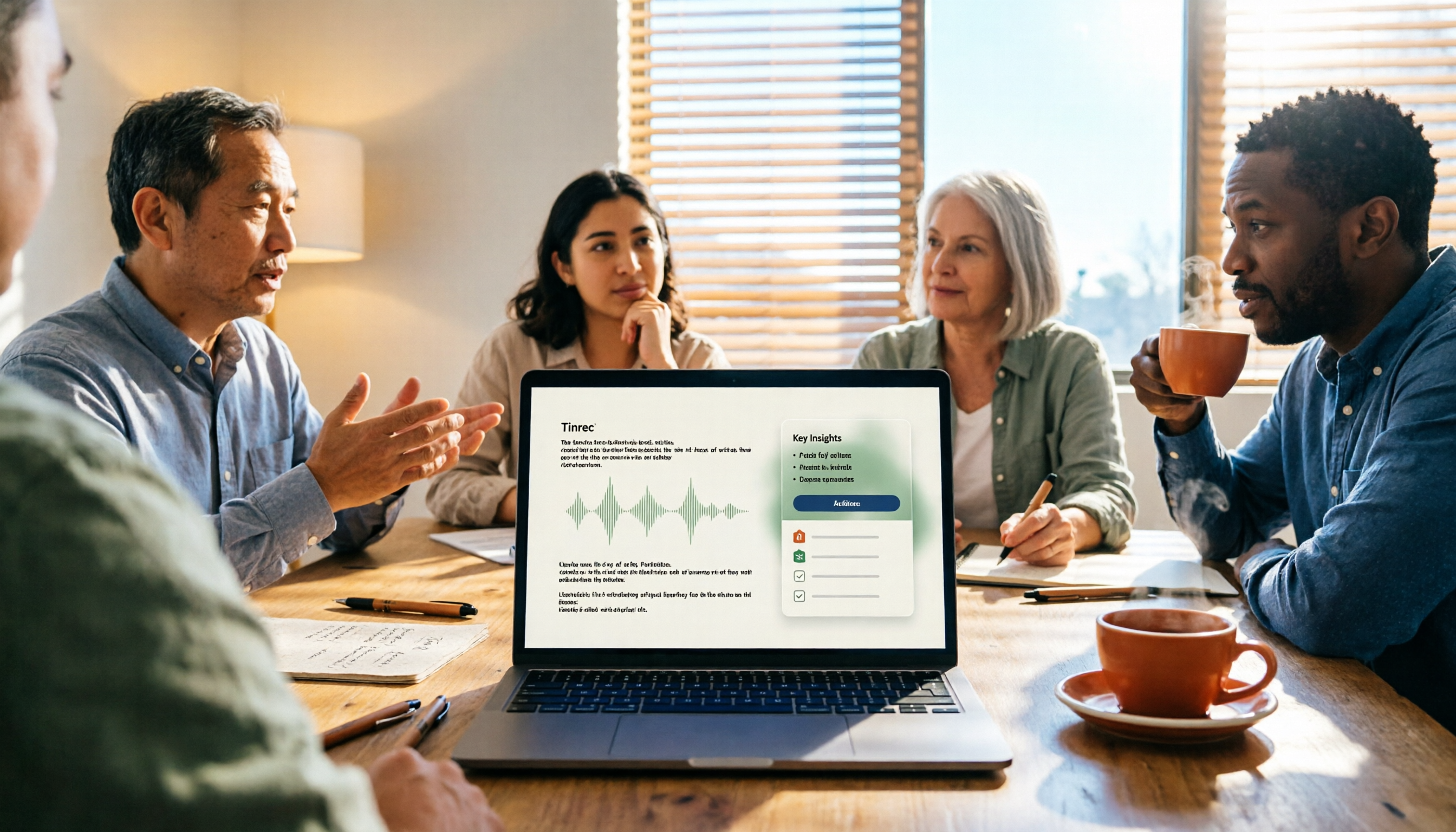
How to Take Meeting Minutes in 2026 with Tinrec: 3 Steps to Transcripts + Action Items
Many people struggle with meeting minutes not because they type slowly, but because they use the wrong approach. This article breaks down the three most common mistakes and demonstrates a 3-step workflow with Tinrec: 'write the skeleton during the meeting, fill in details after.' It covers real-time transcription, AI summaries, action item extraction, and AI Q&A, plus 5 checkpoints for choosing a meeting notes tool.