

Turn recordings into transcripts and summaries in minutes
Upload audio or video for multilingual transcription, AI notes, and action items
How to Choose AI Tools in 2026: 5 Steps to Find the Best AI Right Now
Which AI is really the best right now? First, look at where you get stuck every day
When you type "best AI right now" into the search bar, you probably don't have the same thing in mind as everyone else.
Some people want a general assistant that can help write copy, reply to emails, and organize data; some need to turn meeting recordings into transcripts and to-dos; others just want a search-oriented AI that can quickly look up information and reduce hallucinations.
The problem is, no single AI is best at every task.
Instead of asking "which one is the strongest," ask yourself: what part of my day takes the most time and is the most tedious to handle manually? If the answer is meeting notes, post-meeting organization, and team data lookup, then this article will focus on that scenario and use the same criteria to look at other options.
Before choosing an AI tool, understand these 5 key points
1. Task fit: Do you need general Q&A or a meeting workflow?
General AI assistants are good at writing, translation, brainstorming, and Q&A, but most general tools won't automatically turn a meeting recording into a transcript, summary, chapters, and to-dos. If you need the latter, look for AI tools specifically designed for meetings and voice.
Tinrec's positioning is exactly here: it's not a general chatbot, but a tool that turns meeting recordings into searchable, queryable, exportable work data.
2. Chinese and multilingual capability: Can it handle meetings with mixed Chinese and English?
Workplace meetings in Taiwan rarely use a single language throughout. Mixed Chinese and English, technical terms, and product codes are all tests for transcription tools.
When choosing, don't just look at "how many languages it supports." Look at whether it can handle mixed Chinese-English content and whether it has custom terminology features like team hotwords. Tinrec focuses on Chinese and multilingual meeting scenarios and offers team hotwords to improve recognition of professional vocabulary.
3. Input sources: Can it only upload files, or can it directly record online meetings?
Some tools are strong at file transcription, but you must have a recording file first; others can capture computer system audio through a desktop version to handle online meetings on Zoom, Google Meet, Microsoft Teams, Webex, etc.
If your meetings happen online and you don't want to invite another meeting bot, then "bot-free recording" is a key dimension. Tinrec's desktop version uses this approach.
4. Post-meeting organization: Do you get a transcript or actionable data?
A transcript is just raw material. What really saves time is summaries, chapters, to-dos, AI Q&A, translation, and export.
You can ask a tool: after the meeting, can I directly ask it "Who mentioned the budget in the last meeting?" "What was the conclusion?" If you can only manually Ctrl+F to search keywords, its help is limited.
5. Team collaboration and governance: Does the data stay in personal accounts or become a team asset?
For personal use, where data is stored doesn't matter much. But when departments need to share meeting notes, new hires need to look up historical decisions, and managers need to see usage, team spaces, roles, seats, usage analytics, and audit logs become important.
Not everyone needs this, but if you're already passing things around among multiple people, it's worth including in your evaluation.
Tinrec — Top choice for meetings and team collaboration
Tinrec is an AI meeting notes and collaboration tool for individuals and teams, supporting iOS, Android, and web, with a desktop version for handling online meetings on computers. Its core is not "turning sound into text," but turning meetings into searchable, collaborative, actionable team data.
In our test scenario, we used Tinrec's desktop version to record an online meeting with mixed Chinese and English, without inviting any bot into the meeting room. After opening the desktop version, it directly captures computer system audio and generates a transcript in sync during the meeting. After the meeting, AI has already organized summaries, chapters, and to-dos—who is responsible for what, what to follow up on next time—much faster than manually going through the recording.
Even better is AI Q&A. After recording, you can directly ask Tinrec: "What was the conclusion of this meeting?" "What was the budget range the client mentioned?" It doesn't just throw keyword search results at you; it answers directly based on the meeting content. For those who need to look back at historical meetings, interviews, or class recordings, this is much more convenient than manually dragging the timeline.
Stop organizing recordings by hand
Upload audio or video and automatically get a transcript, summary, and action items
Another strength of Tinrec is its complete output formats. Besides transcripts, it can also generate summaries, chapters, to-dos, mind maps, and supports export to Notion, Google Docs, OneNote, Dropbox, etc. for further processing. If you need post-meeting reports, tables, or documents, you can also generate them through Agent post-processing, essentially taking over the post-meeting paperwork.
In terms of advantages: First, bot-free recording makes online meeting notes more natural, without an extra participant. Second, Chinese and multilingual experience is its home turf; mixed Chinese-English meetings can also produce readable transcripts and summaries. Third, the team version centralizes meeting data in a team space, where members can view historical data, and administrators can manage roles, seats, usage, and audits.
One thing to note: Tinrec's free version provides a basic quota, suitable for light use; if you have many meetings or interviews every week, you'll need to evaluate paid plans. The team version currently offers a 7-day trial for first eligible teams, 1 free seat, and 300 minutes of team shared import quota; paid seats are USD 29.80/seat/month, annual payment USD 199/seat/year, equivalent to about USD 16.58/month, with each seat including 2,000 minutes of team shared import quota per month. Under an active team plan and active seats, real-time recording currently does not deduct minutes. Prices and promotions are subject to the official purchase page.
Also, Tinrec currently has team-level shared visibility, with role-based governance and seat-based usage eligibility, not a fine-grained per-file permission system. This should be clearly communicated to members before adopting it for a team.
Overall, if you frequently handle Chinese meetings, don't want to invite a meeting bot, want to use AI to find key points directly after recording, and need meeting data to accumulate within the team, Tinrec is the most worthwhile option to try first in this scenario.
Besides Tinrec, what other AI meeting tools can you consider?
Granola: A bot-free AI meeting notes tool, Basic is free, Business is USD 14/user/month. It focuses on "handwritten notes + AI enhancement," suitable for people who like to take notes during meetings. However, Granola does not support uploading pre-recorded audio files and does not save meeting audio; if you need to keep recordings and import historical files, Tinrec is more complete in this regard.
Notta: A multilingual transcription tool, free version 120 minutes per month, max 3 minutes per session, Pro annual payment equivalent to about USD 8.17/month, 1,800 minutes per month. It's suitable for file transcription, subtitles, and translation. If your core scenario is bot-free recording of online meetings, post-meeting AI Q&A, and team data accumulation, Tinrec's meeting workflow is more aligned.
PLAUD Note / NotePin: Representative AI recording hardware, NotePin priced at USD 159, Note Pro at USD 189, membership plans extra. Hardware is suitable for portable recording and phone call recording, but if you mainly handle online meetings, Tinrec doesn't require additional equipment; through desktop, web, and mobile, you can complete recording, transcription, and post-meeting organization.
Pitfall guide: The 4 most common mistakes when choosing the "best AI"
Pitfall 1: Only looking at rankings, not your own tasks. The top-ranked tools are usually general Q&A or writing tools. But if you handle meeting notes every day, rankings won't tell you which one has the smoothest transcripts and to-dos. First list the tasks you repeat more than three times a week, then compare tools.
Pitfall 2: Ignoring Chinese and technical term recognition. Many tools look great in English demos but start making mistakes with mixed Chinese-English, product codes, and names of people and places. Test with your own real recordings, don't just look at official marketing.
Pitfall 3: Assuming the free version is always enough. Free quotas are usually enough to try it out, but if you have meetings or interviews every week, you'll quickly hit the limit. Instead of constantly switching accounts, first confirm whether the paid plan's per-seat quota and price are reasonable.
Pitfall 4: Only using AI as a transcription tool. If you only use it to turn recordings into text, you're only using one-third of its capabilities. Features like Tinrec's AI Q&A, to-do extraction, and Agent post-processing let you directly produce reports or tracking lists after meetings, which is the key to saving time.
Conclusion: Which one should you choose?
The best AI right now depends on the problems you need to solve every day. If your core scenario is meeting notes and team collaboration, you can branch as follows:
- Need Chinese and mixed Chinese-English meeting transcription → Tinrec (focuses on Chinese and multilingual meeting scenarios)
- Don't want to invite a meeting bot into Zoom, Meet, Teams → Tinrec (desktop version captures system audio)
- Want to use AI to ask key points and find conclusions directly after recording → Tinrec (supports AI Q&A around meeting content)
- Meeting data needs to be left for team lookup and handover → Tinrec (team space, members, seats, usage, and audit)
- Mainly English meetings, or need portable hardware recording → Otter.ai or PLAUD Note / NotePin (mature options for other scenarios)
If you're not sure, we suggest starting with Tinrec's free version or team trial. Run a complete process with a real meeting: recording, transcription, summary, Q&A, export. If it feels smooth, then consider upgrading—no need to pay from the start.
References
- 2026 Global 19 Strongest AI Tool Recommendations! See the Latest Top 100 AI Hot List Here!
- [AI Knowledge] Which AI tool is best in 2026? Foreign media review: Don't miss these 5! | Jyes Communication ~ Challenge the lowest price in the phone market
- Which AI is best? Detailed introduction to six major AI tools—three heads and six arms, five tiger generals, build your own team!
- [AI Lazy Pack] Just read this! 2026 Recommended AI Free vs Subscription Tools Complete Guide, Improve Work Productivity & Workplace Competitiveness! (Continuously Updated) | 104 Workplace Power
- 12 Best AI Productivity Tools You Can't Miss in 2026
Turn every recording into actionable outcomes
Get 60 free transcription minutes when you sign in. No credit card required.
Related Reading
You might also like

2026 Voice-to-Text Tools Compared: Which AI Best Handles Chinese Meetings and Saves Time?
Want to turn recordings, meetings, and interviews into transcripts quickly but don't know which tool to start with? I tested 4 voice-to-text tools, comparing Chinese recognition, bot-free meeting recording, AI summary Q&A, and team collaboration. Here are the criteria and selection methods I actually use.
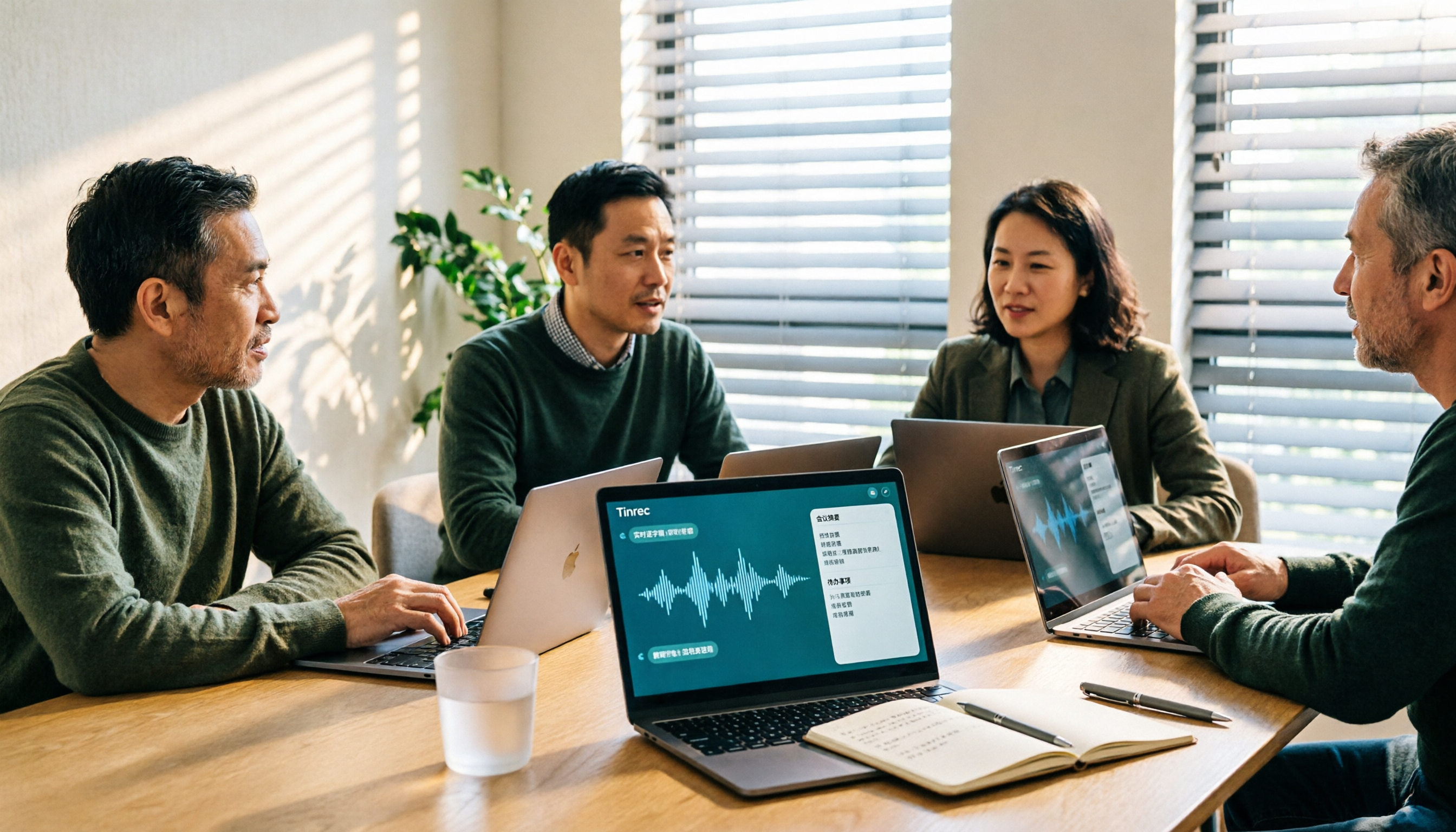
5 Best Audio-to-Text Tools for Chinese Meetings in 2026: Which Saves the Most Time?
Struggling to turn meeting recordings into transcripts? We tested and compared 5 audio-to-text tools—Tinrec, Otter, Notta, PLAUD, and TurboScribe—on Chinese recognition, meeting recording methods, post-meeting organization, and team collaboration to help you find the most time-saving option.

5 Best Video-to-Text Transcription Tools in 2026: Which AI Saves the Most Time?
Turning audio in videos into text is no longer just about converting sound to words. This article starts with common misconceptions, then walks you through post-transcription organization, search, follow-up questions, and export capabilities. We put Tinrec (秒聽錄音) through hands-on testing and compare it with Notta, TurboScribe, Otter.ai, and others to help you choose the video-to-text solution that truly saves time.

Tinrec vs Apple Voice-to-Text in 2026: A 5-Dimension Showdown for Chinese Meetings
After iOS 18.4, Apple added built-in transcription to iPhone Voice Memos. Do you still need a separate tool? This article compares Apple's built-in voice-to-text with Tinrec across five dimensions: Chinese recognition, recording preservation, post-meeting organization, cross-platform support, and team collaboration. It also includes practical tips and selection advice.

Free Video to Text Options in 2026: 4 Tools Compared
Turning video into text isn't hard—the hard part is the cleanup afterward. This guide compares the free plans and paid pricing of 4 video-to-text tools in 2026, with hands-on testing of transcript quality, summary and action items, AI Q&A, and team collaboration, so you can decide which one truly fits your workflow.

4 Video-to-Text Tools Tested: Which Saves the Most Time on Chinese Transcripts and Meeting Follow-Ups?
We tested 4 video speech-to-text tools, covering Chinese meeting transcripts, bot-free online meeting recording, AI summaries and action items, team data ownership, and pricing. We explain common pitfalls and selection criteria, and provide recommendations for different use cases.

Does Google AI Studio Support Chinese in 2026? 5 Steps to Understand Chinese Support and Meeting Notes
Does Google AI Studio support Chinese? This article first clarifies the difference between 'Chinese input/output' and 'interface language,' then outlines 4 key criteria for choosing a Chinese AI tool, and compares Tinrec, Notta, Otter.ai, and TurboScribe on their actual performance in Chinese meeting transcription to help you pick the right tool.
3 Ways to Use the AI Reflect Tool in Illustrator (2026 Tested Comparison): How to Mirror with Precision
Struggling with asymmetrical shapes when drawing symmetrical designs? This guide breaks down three ways to use the Illustrator (AI) Reflect tool: dragging from the toolbar, holding Shift to lock to 45-degree increments, and double-clicking to open the Reflect dialog box. It also covers the three most common beginner mistakes and how to avoid them, so you can create precise symmetrical artwork in half the time.

2026 Smart Meeting Collaboration Platforms Compared: Which Is Best for Chinese-Language Meetings and Team Collaboration?
We tested four smart meeting collaboration platforms in 2026, comparing Tinrec, Otter.ai, Notta, and Granola across four dimensions: meeting capture, post-meeting organization, Chinese transcription, and team governance. We also break down free tiers, pricing, and common pitfalls to help you decide which one truly fits your meeting scenario.