

Turn recordings into transcripts and summaries in minutes
Upload audio or video for multilingual transcription, AI notes, and action items
Tinrec vs Apple Voice-to-Text in 2026: A 5-Dimension Showdown for Chinese Meetings
Finishing the recording is just the beginning of the pain—what you need isn't just text, it's usable data
It's 3 PM on a Friday, and you've just wrapped up a 90-minute cross-departmental meeting.
There's a recording sitting on your phone, but you know the real hell is just beginning when it comes to turning it into something you can deliver.
The quickest approach is to use your phone's built-in feature to convert the recording into a transcript. The problem is that a transcript is just a big block of text with no highlights—who decided what, who needs to deliver what next week—you still have to read through it all yourself.
Another common scenario: you recorded a two-hour interview, and a week later you want to quote a specific interviewee. You only remember that they "seemed to mention it," but you have no idea at which minute.
The answer to these problems isn't really about "whether it can convert to text," but about "what you can do with it after conversion." Below, we'll use five dimensions to help you pick the one that truly works for you.
Before Choosing a Voice-to-Text Tool, Understand These 5 Key Points
1. Chinese recognition quality—it's not enough to just "support" it
Many tools claim to support Chinese, but the level of support varies greatly. Chinese meetings often involve mixed Chinese-English, specialized terminology, and multiple people talking over each other—these are the real differentiators. When choosing a tool, I recommend testing it with a real recording of your own meeting, not just relying on official demo audio.
2. Is the audio file itself saved?
Some tools only give you text and don't keep the audio. This is a hassle when you need to double-check details—if you can't hear something clearly in the text and want to check the recording, you find it wasn't saved. Whether the original audio is preserved is something I always confirm first.
3. What can you do after transcription?
A tool that only gives you a transcript is only doing half the job. Summaries, chapters, action items, and whether you can directly ask questions about the content—these are the keys to saving time on the second round of organization.
4. Cross-platform and online meetings
Today you record on your phone, tomorrow you want to organize on your computer. If the tool doesn't support cross-platform, you'll be miserable. Also, many meetings now take place on Zoom, Google Meet, and Microsoft Teams. Whether it can smoothly handle the audio from these online meetings is also crucial.
5. Team collaboration and data ownership
If it's for team use, you need to ask: Whose account is the meeting data stored in? Will the data still be there after a member leaves? Is there permission, seat, and usage management? These points don't matter for personal use, but they become big issues once you enter a team setting.
Tinrec—A Choice That Checks All 5 Boxes
Tinrec is an AI meeting notes and collaboration tool for individuals and teams, supporting iOS, Android, web, and desktop.
It doesn't just convert voice to text; it organizes meeting recordings into searchable, summarizable, queryable, exportable, and further processable data, and accumulates them into collaborative meeting assets in a team space.
During the meeting: No need to invite a meeting bot
Tinrec's desktop version directly captures your computer's system audio. When handling online meetings on Zoom, Google Meet, Microsoft Teams, Webex, etc., you don't need to add an extra bot to the meeting room. For participants, no unfamiliar account appears in the meeting screen—this is especially useful for external meetings. Note that this is not "automatically joining all calendar meetings," but rather you actively opening Tinrec to start recording.
After the meeting: Summary, chapters, and action items all at once
When the meeting ends, the transcript is already there, and AI generates a summary, chapters, and action items—who is responsible for what, what's the next step—no need to manually drag the timeline and re-listen. If there's foreign language content in the meeting, you can view it in original, translated, or bilingual format.
After the meeting: Ask questions directly about the meeting content
This is the biggest difference between Tinrec and simple transcription tools. After recording, you can directly ask it: "Who mentioned the budget in the last meeting?" "What were the client's concerns about the delivery date?" What it gives you is not keyword search results, but answers organized from the content. Data from multiple meetings can also be queried together, which is very helpful for those who need to look back at historical decisions.
Pros
- Bot-free recording of online meetings; desktop version directly captures system audio, no extra account hanging in the meeting.
- Complete post-transcription workflow: summary, chapters, action items, mind map, AI Q&A, real-time translation, and export to Notion, Google Docs, OneNote, Dropbox, etc. for further use.
- Solutions for both individuals and teams; team version has independent spaces, member and seat management, usage analytics, audit logs, and audio recycle bin.
Stop organizing recordings by hand
Upload audio or video and automatically get a transcript, summary, and action items
Limitations to be clear about
Tinrec's free version offers basic quota, suitable for trying a few meetings first; if you have steady needs every week, then consider Pro monthly or annual. Also, no transcription tool can guarantee 100% accuracy; actual performance is affected by recording quality, noise, accents, overlapping speech, and specialized terminology. For important content, it's recommended to cross-check with transcript timestamps and audio playback.
Team version benefits and pricing
The team version is not multiple people sharing a personal account, but an independent team collaboration space. It supports creating and switching multiple teams, inviting members via link, setting owner/admin/regular member roles, and assigning, reclaiming, or transferring seats. Roles determine governance permissions, seats determine whether one can record, upload, and edit—active members without a seat can still view, play, and read team data.
The first eligible team trial is 7 days, 1 free seat, 300 minutes of team shared import quota. Team monthly is USD 29.80 per paid seat per month, annual is USD 199 per paid seat per year, equivalent to about USD 16.58 per month; each paid seat provides 2,000 minutes of team shared import quota per month. Real-time recording under an active plan and seat is currently not deducted by minutes. Actual prices and benefits are subject to the official purchase page.
Who it's for
If you frequently handle Chinese meetings, need bot-free recording of online meetings, want to use AI to find key points right after recording, or want to turn meeting data from personal devices into team assets—Tinrec is hard to replace across these five dimensions.
Besides Tinrec, what other options are there?
Apple's built-in voice-to-text (Voice Memos transcription + Dictation)
On iPhone 12 and above, after updating to iOS 18.4 or later, Voice Memos can convert recordings into transcripts, supporting Traditional Chinese. The Notes app can also transcribe while recording; first use requires a Wi-Fi connection to download the language module. Its biggest advantage is that it's free and requires no installation, and you can tap on text to jump back to the corresponding recording segment. But it only gives you a transcript, no summary or action items, and you can't ask questions about the content. It also only works within the Apple ecosystem—Android and Windows users can't use it at all.
Otter.ai
Otter.ai is a mature English meeting assistant. The free version offers 300 minutes per month, supports Zoom, Teams, Google Meet, real-time transcription, and AI Chat. If your meetings are almost entirely in English, it's a cost-effective choice. But its core is English business meetings; its Chinese content organization experience is relatively not its strong suit, and it lacks Tinrec's complete workflow of "meeting data accumulation + multi-format export post-processing."
Notta
Notta covers multi-platform transcription, meeting notes, file import, and translation. The free version offers 120 minutes per month, with a maximum of 3 minutes per single item. Pro annual is about USD 8.17 per month, Business annual is about USD 16.67 per seat per month. Its positioning leans towards a transcription and translation tool; in comparison, Tinrec emphasizes bot-free recording of online meetings, team spaces, AI Q&A, and Agent post-processing.
Pitfall Guide: The 4 Most Common Mistakes When Choosing a Voice-to-Text Tool
Pitfall 1: Only looking at official advertised accuracy. Many tools boast high recognition rates, but that's usually measured in quiet environments, with a single speaker, and standard accents. Real meeting rooms have air conditioning noise, keyboard sounds, and multiple people talking over each other—performance will be noticeably different. Test the free version with your own recordings, don't just look at advertising numbers.
Pitfall 2: Thinking "built-in on my phone is enough." Built-in features are indeed convenient, but they have device and OS version limitations, and the service scope is only within Apple devices. More importantly, it stops at "giving you a transcript." If you need a meeting record you can directly deliver, the subsequent organization is where the real time is spent.
Pitfall 3: Ignoring cross-platform needs. Today you record on iPhone, tomorrow you organize on a Windows computer. If the tool doesn't support cross-platform, you have to move files back and forth. When choosing a tool, first think clearly about which devices you usually work on.
Pitfall 4: Buying a tool but only using it for transcription. If you only use an AI meeting tool as "voice-to-text," you're only using one-third of its capabilities. After recording, directly ask it "What was the conclusion of this meeting?" "What are the action items?"—it's much faster than manually flipping through a 30-minute transcript.
Conclusion: Which one should you choose?
In one sentence: If you mainly handle Chinese meetings, Tinrec is the most complete choice in this comparison.
- Want Chinese transcripts and also want summaries and action items → Tinrec
- Want to ask AI questions directly about meeting content after recording → Tinrec
- Need to handle phone, computer, and online meetings → Tinrec
- Team needs to share meeting data, manage members, seats, and usage → Tinrec Team
- Only record English meetings, want to minimize budget → Otter.ai free version
- Only simple recording on iPhone, no need for summaries and follow-up questions → Apple built-in Voice Memos transcription
We recommend starting with Tinrec's free version, testing it with your own real meeting recordings for two or three sessions, and considering an upgrade if it feels right. No need to pay right away.
References
- View Voice Memos transcript on iPhone - Apple Support (Taiwan)
- Dictate text on iPhone - Apple Support (Taiwan)
- iPhone Voice Memos to text tutorial, transcript without third-party apps - Mr. Mad
- iPhone voice-to-text setup tips, 5 methods to achieve recording-to-text - Mr. Mad
- No third-party app needed! iPhone Voice Memos and Notes app recording-to-text guide - Venus's Fantasy World
- Otter.ai Pricing
- Notta Pricing
Sources
- iPhone Voice Memos to text tutorial, transcript without third-party apps - Mr. Mad
- iPhone voice-to-text setup tips, 5 methods to achieve recording-to-text - Mr. Mad
- View Voice Memos transcript on iPhone - Apple Support (Taiwan)
- Dictate text on iPhone - Apple Support (Taiwan)
- No third-party app needed! iPhone Voice Memos and Notes app recording-to-text guide - Venus's Fantasy World
Turn every recording into actionable outcomes
Get 60 free transcription minutes when you sign in. No credit card required.
Related Reading
You might also like

2026 Voice-to-Text Tools Compared: Which AI Best Handles Chinese Meetings and Saves Time?
Want to turn recordings, meetings, and interviews into transcripts quickly but don't know which tool to start with? I tested 4 voice-to-text tools, comparing Chinese recognition, bot-free meeting recording, AI summary Q&A, and team collaboration. Here are the criteria and selection methods I actually use.

How to Choose AI Tools in 2026: 5 Steps to Find the Best AI Right Now
Not sure which AI to use? This guide starts with your daily tasks, outlines 5 selection steps, and tests a meeting notes scenario to help you find the best AI right now. It also compares Tinrec, Granola, Notta, and PLAUD to help you avoid buying pitfalls.
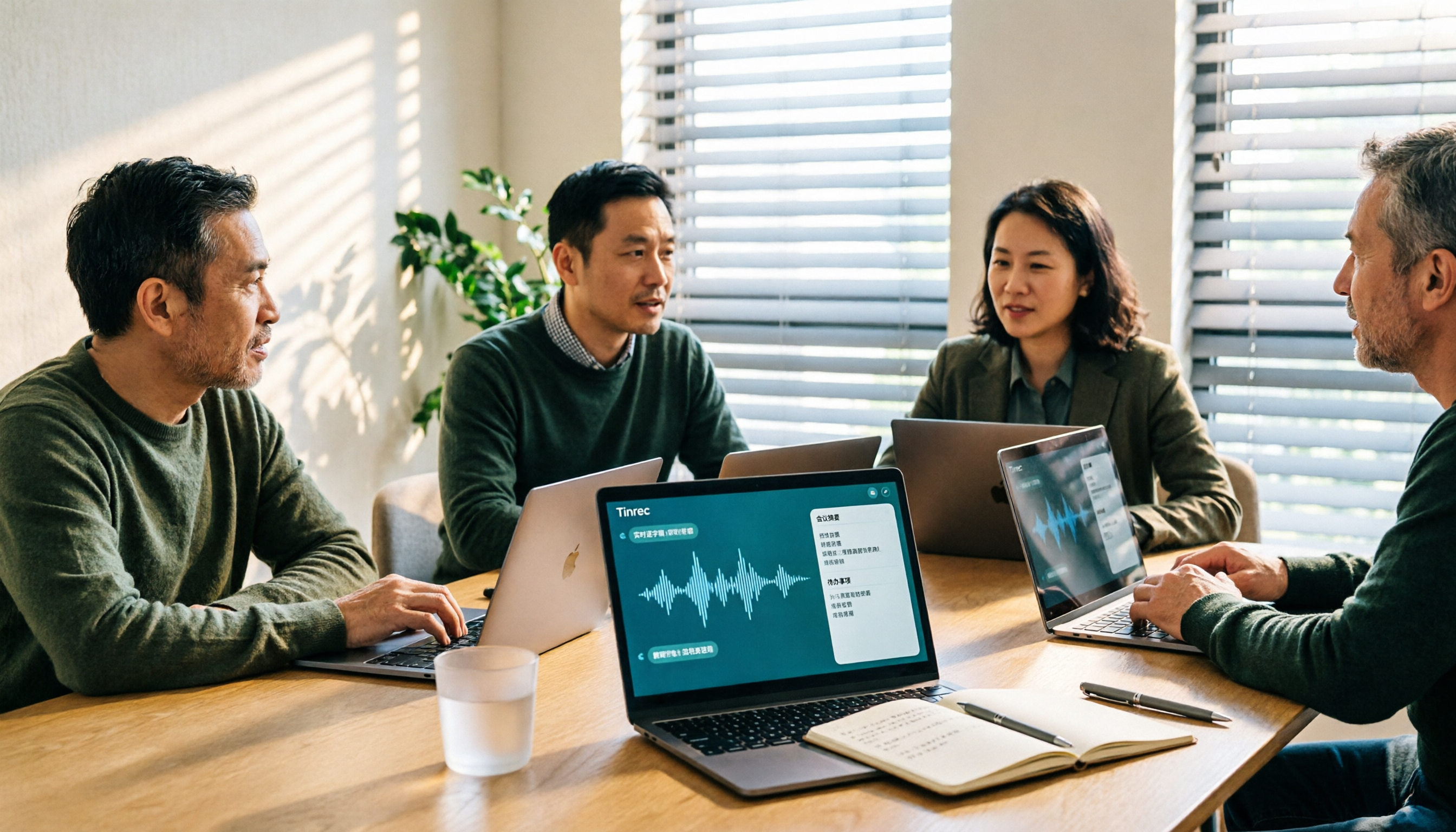
5 Best Audio-to-Text Tools for Chinese Meetings in 2026: Which Saves the Most Time?
Struggling to turn meeting recordings into transcripts? We tested and compared 5 audio-to-text tools—Tinrec, Otter, Notta, PLAUD, and TurboScribe—on Chinese recognition, meeting recording methods, post-meeting organization, and team collaboration to help you find the most time-saving option.
5 Best Video-to-Text Transcription Tools in 2026: Which AI Saves the Most Time?
Turning audio in videos into text is no longer just about converting sound to words. This article starts with common misconceptions, then walks you through post-transcription organization, search, follow-up questions, and export capabilities. We put Tinrec (秒聽錄音) through hands-on testing and compare it with Notta, TurboScribe, Otter.ai, and others to help you choose the video-to-text solution that truly saves time.

Free Video to Text Options in 2026: 4 Tools Compared
Turning video into text isn't hard—the hard part is the cleanup afterward. This guide compares the free plans and paid pricing of 4 video-to-text tools in 2026, with hands-on testing of transcript quality, summary and action items, AI Q&A, and team collaboration, so you can decide which one truly fits your workflow.

4 Video-to-Text Tools Tested: Which Saves the Most Time on Chinese Transcripts and Meeting Follow-Ups?
We tested 4 video speech-to-text tools, covering Chinese meeting transcripts, bot-free online meeting recording, AI summaries and action items, team data ownership, and pricing. We explain common pitfalls and selection criteria, and provide recommendations for different use cases.

Does Google AI Studio Support Chinese in 2026? 5 Steps to Understand Chinese Support and Meeting Notes
Does Google AI Studio support Chinese? This article first clarifies the difference between 'Chinese input/output' and 'interface language,' then outlines 4 key criteria for choosing a Chinese AI tool, and compares Tinrec, Notta, Otter.ai, and TurboScribe on their actual performance in Chinese meeting transcription to help you pick the right tool.
3 Ways to Use the AI Reflect Tool in Illustrator (2026 Tested Comparison): How to Mirror with Precision
Struggling with asymmetrical shapes when drawing symmetrical designs? This guide breaks down three ways to use the Illustrator (AI) Reflect tool: dragging from the toolbar, holding Shift to lock to 45-degree increments, and double-clicking to open the Reflect dialog box. It also covers the three most common beginner mistakes and how to avoid them, so you can create precise symmetrical artwork in half the time.

2026 Smart Meeting Collaboration Platforms Compared: Which Is Best for Chinese-Language Meetings and Team Collaboration?
We tested four smart meeting collaboration platforms in 2026, comparing Tinrec, Otter.ai, Notta, and Granola across four dimensions: meeting capture, post-meeting organization, Chinese transcription, and team governance. We also break down free tiers, pricing, and common pitfalls to help you decide which one truly fits your meeting scenario.