

Turn recordings into transcripts and summaries in minutes
Upload audio or video for multilingual transcription, AI notes, and action items
It's 2:30 on a Wednesday afternoon, and your online meeting just ended. You close the video window, and your calendar still has three more meetings scheduled for next week. The recording of the meeting that just lasted over an hour is sitting quietly in a folder.
The transcript needs to be organized, decisions need to be extracted, and action items need to be assigned to colleagues—none of this has even started yet.
Most people's expectations for "meeting transcription" are actually quite simple: they don't want to learn another tool; they just want the data to be usable the moment the meeting ends.
Tinrec is an AI meeting notes and collaboration tool for individuals and teams. It supports real-time audio-to-text transcription, bot-free recording of online meetings via desktop, audio/video file transcription, and real-time translation. It automatically generates summaries, chapters, and action items. Its goal is to turn meetings into searchable, collaborative, and actionable team data.
Why are people looking for alternatives to Otter.ai and Notta?
Otter.ai is a mature AI meeting assistant with a long history in English business meetings. Notta covers multi-platform transcription, meeting notes, file import, translation, and team plans. Many people first encounter meeting transcription through these two tools.
However, after using them for a while, three common frustrations tend to arise.
The first is language. In Chinese meetings mixed with English technical terms, product codes, and names, the transcribed text often requires sentence-by-sentence correction.
The second is the recording method. If you want to record an online meeting directly, you have to invite a meeting bot into the room, which some participants may find uncomfortable.
The third is the gap. Even after getting the transcript, turning it into meeting minutes, a to-do list, or a report for your manager still requires another round of manual work.
If you have similar needs, Tinrec is worth checking out.
Tinrec vs Otter.ai/Notta: What are the differences in core experience?
Transcription experience for Chinese and mixed Chinese-English meetings
Meetings in Taiwan are rarely "pure Chinese" or "pure English"; they are usually primarily Chinese with English product names and abbreviations mixed in. This is where tools are most tested. Tinrec covers Chinese, Traditional Chinese, and multilingual meeting scenarios, and supports real-time translation. During recording, you can switch between original text, translation, or bilingual view. The team version also allows maintaining "team hotwords" to add company-specific product names, abbreviations, and technical terms, reducing the hassle of manual corrections each time.
It's important to note that actual recognition performance is affected by recording quality, accents, background noise, and overlapping speech—this applies to any tool. We recommend testing with your own recordings.
How to record online meetings
Tinrec's desktop version directly captures the computer's system audio, handling online meetings on Zoom, Google Meet, Microsoft Teams, Webex, etc., without inviting a meeting bot. No unfamiliar account appears on participants' screens. Note that this is not "automatically joining all meetings on your calendar"; the user actively opens Tinrec to start recording. Keep this in mind when evaluating.
What you can do after transcription
This is where I think the difference is most obvious. Many tools now offer summaries and action items, but Tinrec does more after the meeting: summaries, chapters, highlights, action items, mind maps, and you can directly ask AI about the meeting content—"What was the conclusion of this meeting?" "Who is responsible for which item?" It answers based on semantic understanding, so you don't have to dig through dozens of pages of transcript. You can also use Agent post-processing to generate reports, tables, and documents.
Input sources and cross-platform
Tinrec supports real-time recording, computer meeting recording, audio/video file upload, and mobile recording. It works on web, desktop, and mobile. For those who have both online meetings and offline interviews, there's no need to switch tools for different scenarios, and data can be centralized.
How team data is accumulated
Tinrec's team version is a separate team space, not multiple people sharing a personal account. Meeting data belongs to the team, and members can view, search, and reuse historical data. New members can also read previous meeting context. Admins can manage roles and seats, view usage trends, query and export audit logs, and recover accidentally deleted audio from the recycle bin.
Overview of Tinrec's core features
Real-time audio-to-text transcription: Open Tinrec and start recording; text is generated simultaneously. During the meeting, you can listen and read to confirm no key points are missed. By the time the meeting ends, the transcript is complete—no need to listen again.
Bot-free online meeting recording: The desktop version captures system audio and directly handles online meetings played on your computer without adding an extra account to the meeting room. This is especially helpful for those who frequently meet with external clients.
AI summaries, chapters, and action items: Long meetings are automatically divided into chapters, with key points and action items extracted. When reviewing later, you can grasp the context by reading the summary, and action items can be assigned one by one.
Stop organizing recordings by hand
Upload audio or video and automatically get a transcript, summary, and action items
AI conversational query: This is my most-used feature. After recording, you can ask Tinrec questions directly, and it will find answers from the meeting content. You can also ask across multiple meetings, which is great for tracking project progress.
Multi-format export and Agent post-processing: Supports export to Notion, Google Docs, OneNote, Dropbox, and other common tools, bringing results into your existing workflow. It can also generate reports, tables, and documents.
Team space and governance: Includes member and seat management, usage analytics, audit logs, team hotwords, and audio recycle bin. Note that roles and seats are two different things: members who are active but have no seat can view, play, and read data, but cannot upload, edit, import, or export.
Real-world use cases
Weekly meetings: Open the desktop version to record online meetings, transcripts are generated simultaneously, and after the meeting you can assign tasks directly from the action item list. Compared to listening to the recording again, the time saved is considerable.
Client interviews and requirements meetings: Customer needs, concerns, and commitments are all captured in the transcript. Later, you can use AI Q&A to ask "What were the customer's concerns about pricing?" without re-reading the entire record.
Classes, lectures, and personal notes: A one-hour lecture recording is automatically organized into chapters and summaries. When reviewing, you can look at the structure directly, which is much faster than listening from the beginning.
Cross-language meetings: Real-time translation allows switching between original text, translation, or bilingual view. When meeting with international partners, at least you won't miss key points due to language gaps.
Team knowledge base: Store meeting data centrally in the team space. When members leave or lose their seats, their responsible resources are transferred to other active members, so data doesn't disappear with the person.
Points to consider when choosing a meeting transcription tool
Recognition performance for Chinese and mixed Chinese-English: This is the most easily overlooked yet most impactful aspect for daily use. When choosing a tool, test it with your own meeting recordings, especially segments with technical terms and multi-person conversations.
How to record online meetings: First confirm whether you need to add a meeting bot to the room. Tinrec uses desktop system audio capture, so participants won't see an extra account, but it doesn't automatically join all calendar meetings.
Output after transcription: Tools that only provide transcripts usually require additional time for organization. Look for support for summaries, chapters, action items, AI Q&A, and export—these are the real time-savers.
Quotas and pricing: Check the limitations of free plans carefully. For example, Otter.ai's official pricing page shows 300 minutes per month for the free version; Notta's free version offers 120 minutes per month with a maximum of 3 minutes per item; Tinrec's free version provides a basic quota to experience recording, import, summaries, and transcription. Plans and prices often change, so refer to the official purchase page before deciding.
Team permissions and data ownership: If meeting data is shared by the team, confirm how roles, seats, and data ownership are divided. Team resources belong to the team, which makes a big difference when personnel changes occur.
Compliance reminders for recording and transcription: Regardless of the tool, comply with local laws before recording, and obtain participant consent when necessary. This is basic courtesy and risk management.
Conclusion: Is Tinrec worth a try?
If you're looking for a tool that transcribes Chinese meetings smoothly, doesn't require a bot for online meetings, and lets you use AI to find key points directly after the meeting, Tinrec is currently an option worth adding to your comparison list.
It puts recording, transcription, summaries, action items, Q&A, export, and team data management into a single workflow. For those who have regular weekly meetings and need to produce minutes, it saves more than just typing time.
Keep in mind that AI transcription has limits. For important information, it's advisable to cross-check with transcript timestamps and recording playback.
The free version offers a basic quota. You can test it with your own meeting recordings to see if Chinese recognition and summary quality meet your expectations—this is more direct than reading any review.
FAQ
Q1: Which online meeting platforms does Tinrec support?
The desktop version captures computer system audio and can handle meeting audio played on computers from platforms like Zoom, Google Meet, Microsoft Teams, and Webex, without a meeting bot joining.
Q2: Do I need to buy additional recording hardware?
No. Tinrec works via web, desktop, and mobile, so you don't need to buy another device for meeting notes.
Q3: Can the generated transcript be edited?
Yes, you can review, search, and correct content, such as technical terms or misrecognized words. The corrected record will be closer to the actual meeting content.
Q4: What can I try with the free version?
The personal free version offers a basic quota to experience recording, import, summaries, and transcription. The team version's first eligible trial is 7 days, with 1 free seat and 300 minutes of shared team import quota. Actual benefits are subject to the official purchase page.
Q5: Can team members without a seat still see meeting data?
They can view, play, and read team data, but cannot perform resource usage operations such as upload, edit, import, or export. Seats determine "whether you can use resources," while roles determine "whether you can manage the team."
Q6: Can deleted team audio be recovered?
After audio enters the team recycle bin, it can be restored before permanent cleanup begins. The current retention period for the recycle bin is 30 days. Note that action items are not covered by the recycle bin.
References
- 2026 Latest 5 AI Meeting Notes Tools: Solving Transcript Organization and Key Point Omission Pain Points - Tinrec Blog
- 2026 Must-See! 4 AI Audio-to-Text Tools: Meeting Notes, Podcast Transcript神器 Comparison - Mobile01
- 2026 Latest 6 Google Meet Transcription AI Recommendations: Solving Meeting Notes Organization Pain Points - Tinrec Blog
- 2026 Latest 9 AI Meeting Recording Tools: Solving Transcript Organization and Efficiency Pain Points - Tinrec Blog
- RecCloud-AI Speech to Text/Meeting Notes/Text to Speech App - App Store
Turn every recording into actionable outcomes
Get 60 free transcription minutes when you sign in. No credit card required.
Related Reading
You might also like

4 Meeting Recording Transcription Methods Compared: Which Turns a 2-Hour Recording into Usable Meeting Data?
How should you choose a meeting recording transcription method in 2025? This article examines four key decision points and compares approaches like Tinrec, Otter.ai, Granola, and PLAUD, covering bot-free online meeting recording, post-transcription summaries and action items with AI follow-up, and team spaces and seat management, to help you find a method that turns meetings into actionable data.
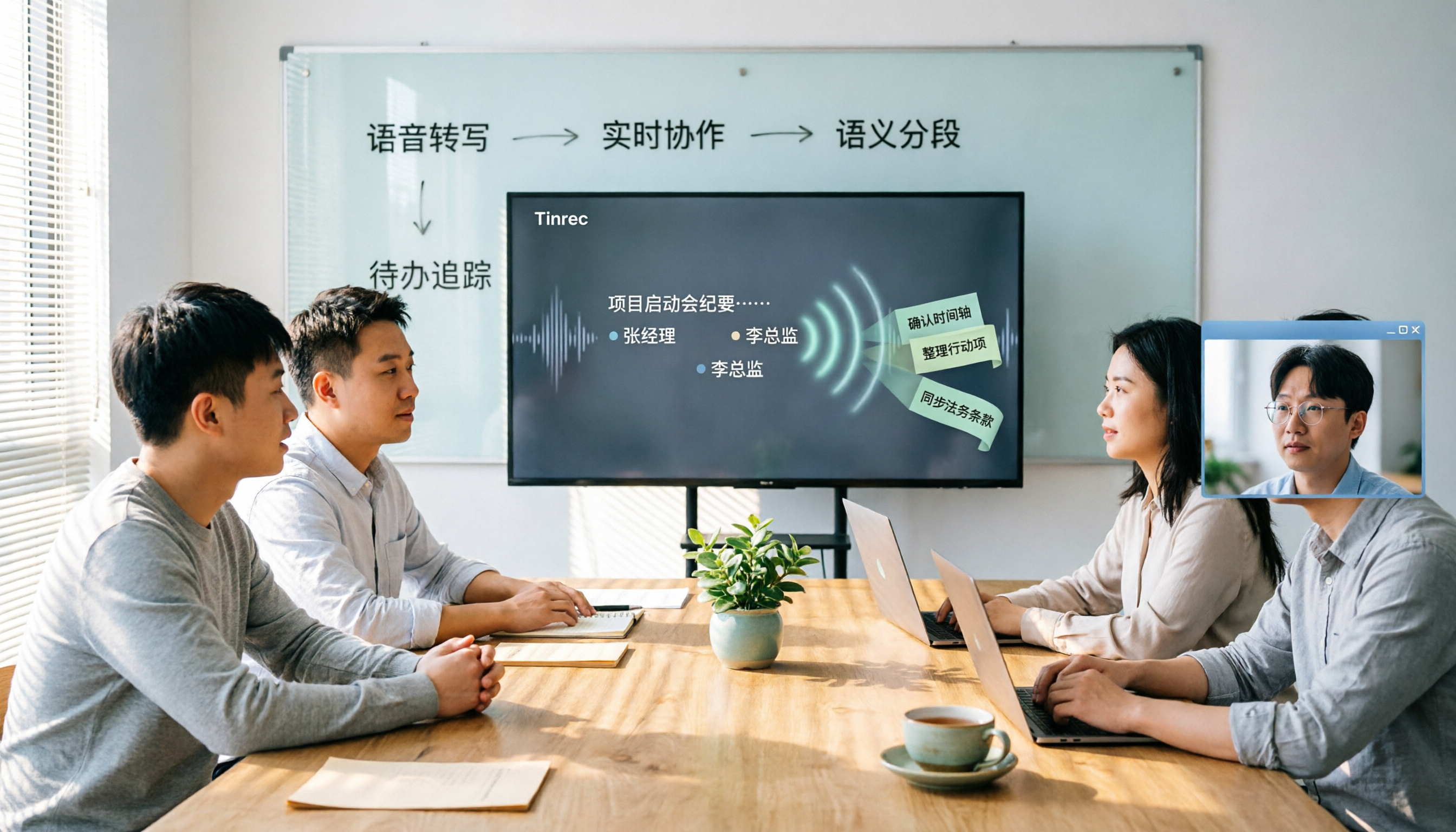
2026 Meeting Transcription Tools Comparison: Why Tinrec Is Better for Chinese-Speaking Teams
Should you choose software or hardware for meeting transcription? This article compares Tinrec and PLAUD Note, two products with completely different approaches, across five dimensions: hardware requirements, online meeting handling, Chinese language experience, post-meeting workflow, and team collaboration. It also covers pricing, plans, and FAQs to help you decide which 2026 version best fits your work situation.

2026 Meeting Transcription Showdown: Tinrec vs PLAUD Note — Which AI Meeting Assistant Saves More Time?
Many people think meeting transcription is as simple as feeding audio to an AI and getting a perfect transcript. But the real pain point is what happens after transcription: organizing and collaborating. This article compares Tinrec and PLAUD Note across five practical dimensions—meeting capture, Chinese language experience, post-meeting organization, team collaboration, and pricing—to help you decide which is better suited for your meeting scenarios.

2026 Comparison of 4 Meeting Transcription Tools: Which One Turns Recordings into Usable Meeting Notes?
Turning meeting recordings into transcripts isn't just about feeding audio to AI—it's a workflow from pre-recording prep to transcription, organization, and archiving. This hands-on review breaks down 5 key selection criteria, takes a deep dive into Tinrec's bot-free meeting recording, AI Q&A, and team spaces, briefly evaluates Notta, Granola, and Otter.ai for different use cases, and includes a pitfalls guide plus copy-paste prompt templates.

2026 Comparison of 4 Meeting Transcription Tools: Which Saves More Time for Chinese Meetings and AI Summaries?
Starting from the pain points of meeting notes discussed by Dcard users, this article compares four meeting transcription tools: Tinrec, Otter.ai, Granola, and PLAUD Note. It breaks down four key purchasing factors: language support, recording capture methods, post-meeting outputs, and team collaboration. It also includes a guide to avoid pitfalls and scenario-based selection advice to help you say goodbye to nights spent re-listening and typing transcripts.
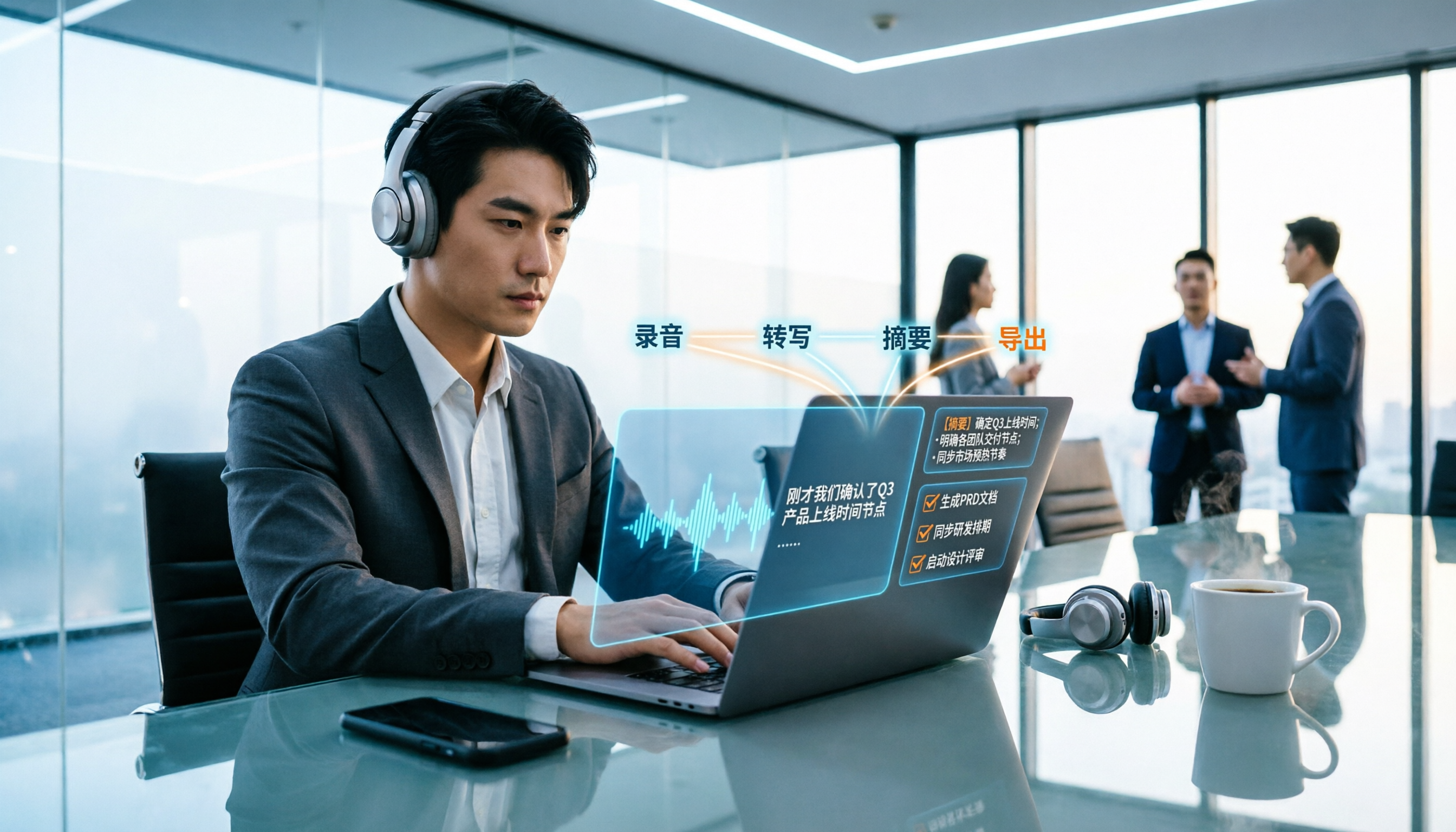
2026 Meeting Transcription Buyer's Guide: 5 Key Testing Points and Getting Started Tutorial
How exactly do you use meeting recording-to-text tools? This guide breaks down the complete workflow from live recording, bot-free online meeting capture, AI summaries, and action item extraction, based on hands-on experience. It covers 5 key buying factors including Chinese recognition, recording sources, export and integration, team management, and pricing quotas. Tinrec is used as the primary demonstration tool, with FAQs and practical insights included.

4 Meeting Transcription Tools Tested and Compared in 2026: Can Any of Them Handle Chinese Transcripts and AI Summaries That PTT Users Care About Most?
The most common question on PTT about meeting transcription tools is answered here. From Chinese transcripts, mixed Chinese-English recognition, and bot-free online meeting recording to AI summaries, action item extraction, and team knowledge retention, this article compares 4 common tool approaches and explains how Tinrec turns meetings into searchable, collaborative, and traceable team data.

How to Transcribe Meeting Recordings in 2026: 5-Step Guide Comparing Tinrec and Otter.ai
Transcribing meeting recordings isn't just about getting a transcript—it's about organizing, searching, asking questions, and collaborating. This article compares Tinrec and Otter.ai across 5 steps: choosing a tool, importing recordings, correcting transcripts, organizing summaries and action items, and exporting for archiving. It also explains the differences between free and paid plans.

Best Meeting Transcription Tools in 2026: We Tested 5, and This One Excels for Chinese Meetings
Which meeting transcription tool is best in 2026? This article addresses common misconceptions, tests 5 tools, and demonstrates a complete workflow with Tinrec: bot-free recording for online meetings, AI transcripts, summaries, action items, AI Q&A, and team spaces. Includes free plan limits, team pricing, and FAQs.