

Turn recordings into transcripts and summaries in minutes
Upload audio or video for multilingual transcription, AI notes, and action items
Can't recall that key point after the interview?
After an important interview, it's frustrating to realize you can't remember a critical detail. Without a transcript, you might spend hours searching through audio files. That's where a written record comes in—it saves you time and effort.
Interview transcripts are a powerful tool for efficiency, especially when you need to reference specific content later. Whether you're interviewing candidates, conducting research, or recording a podcast, having a written version avoids relying solely on memory. By converting speech to text, you can simply search to pinpoint the information you need, without rewinding or scrambling for notes.
This article covers three main strategies for interview transcription, explains the top three benefits of accurate transcription, and provides a high-quality interview transcript example for reference.
How to Transcribe an Interview: 3 Strategies
Depending on your budget, time, and accuracy needs, there are three primary ways to transcribe interviews:
- Manual Transcription: Listen to the recording and type every word yourself. This method is low-cost (free) and allows you to capture nuances like tone, but it is extremely time-consuming and prone to errors due to poor audio quality or multiple speakers.
- Professional Transcription Service: Hire a professional agency or individual. They provide high-quality, well-formatted transcripts and handle technical terms and unclear pronunciations. However, it is more expensive, has longer turnaround times, and may raise privacy concerns with sensitive data.
- Automated Transcription: Use an AI speech-to-text tool like TinRec to quickly convert audio to text automatically. You can upload files or record directly, with features like speaker identification, timestamps, and full-text search. It's fast and cost-effective, even for multilingual scenarios (Chinese, English, Japanese, Cantonese, Hokkien, etc.), with high accuracy and minor errors that can be quickly edited.
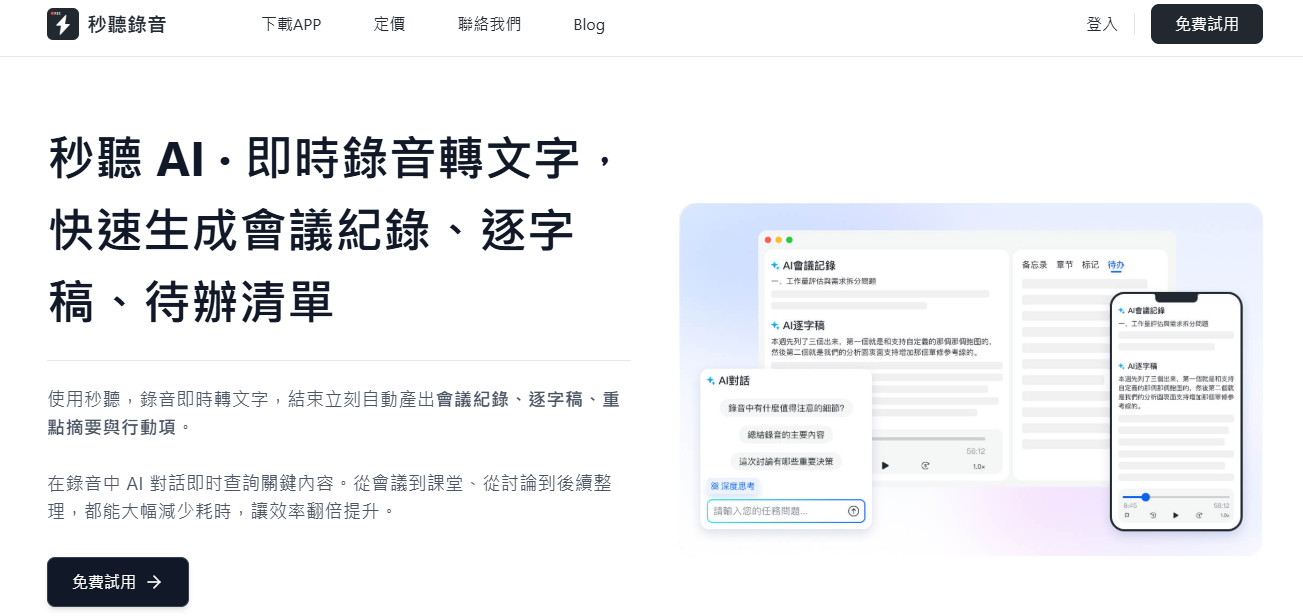
How to Easily Transcribe Interviews with TinRec
Want the fastest and most convenient way to transcribe interviews? TinRec saves you time and money while delivering high-quality results. Here's how:
- Launch TinRec: Download the TinRec app or visit tinrec.com to log in via web. Once logged in, start a new recording or import an existing audio file.
- Record the Interview: For in-person interviews, open the app and tap record. For remote interviews, integrate with Zoom, Google Meet, or Microsoft Teams to automatically record and transcribe the conversation in real time, allowing you to see the text as you talk.
- Let TinRec Work Its Magic: The system automatically identifies speakers, adds timestamps, and organizes content into segments. Within seconds after the interview, you get a complete transcript. You can review, edit any misrecognized words, highlight key points, or share with your team. If you forget to record live, you can upload audio or video files later—they'll be processed just as quickly.
Stop organizing recordings by hand
Upload audio or video and automatically get a transcript, summary, and action items
Interview Transcript Example
A good interview transcript balances accuracy and readability, removing filler words while preserving meaning, and clearly marking speakers and timestamps. Example:
Interviewer: Sarah Podcast
Guest: David, Chief Innovation Officer
[00:00] - Sarah: Welcome to Career Insights. Today, we're honored to have David with us. Thanks for joining.
[00:04] - David: Great to be here, Sarah.
[00:06] - Sarah: Let's dive in. How is AI creating new jobs that didn't exist five years ago?
[00:10] - David: AI has introduced many new roles, such as "AI Ethics Officer," ensuring systems are developed without bias. Also, interface designers are needed to make AI tools easy for non-technical users.
[00:28] - Sarah: Are these positions mostly filled by people with computer science backgrounds? [coughs]
[00:32] - David: Not necessarily. An AI Ethics Officer might come from philosophy, law, or social sciences. People with psychology and UX backgrounds excel in interface design. AI is fostering a blend of technical and human skills.
[00:52] - Sarah: Looking ahead, which roles do you think will rise in the industry?
[00:56] - David: "AI Coaches" who specialize in training AI systems will become increasingly important. Also, communication experts who can explain complex AI decisions to stakeholders.
[01:12] - Sarah: What advice do you have for mid-career professionals looking to transition into AI?
[01:17] - David: Now is the best time. Many companies prefer people with industry experience who proactively learn AI skills. Start with online courses and work on relevant projects. Combining domain knowledge with AI literacy will make you highly competitive.
[01:35] - Sarah: What resources would you recommend to our listeners?
[01:39] - David: Join AI ethics forums and communities, follow global AI policy developments. Most importantly, use AI tools in your current job. Hands-on experience helps you find what truly interests you.
Three Key Benefits of Interview Transcription
- Easy to Reference: Transcripts are structured and searchable documents. Just type a keyword to jump to the relevant part, saving significant time, especially for projects analyzing multiple interviews.
- Stay Focused During the Interview: Without the distraction of note-taking, you can concentrate on listening, asking questions, and building rapport. The conversation flows more naturally, and you capture deeper insights.
- Enhanced Analysis: Text format makes it easier to identify patterns, themes, and key statements. You can highlight important points, extract quotes, and use them for reports or decision-making.
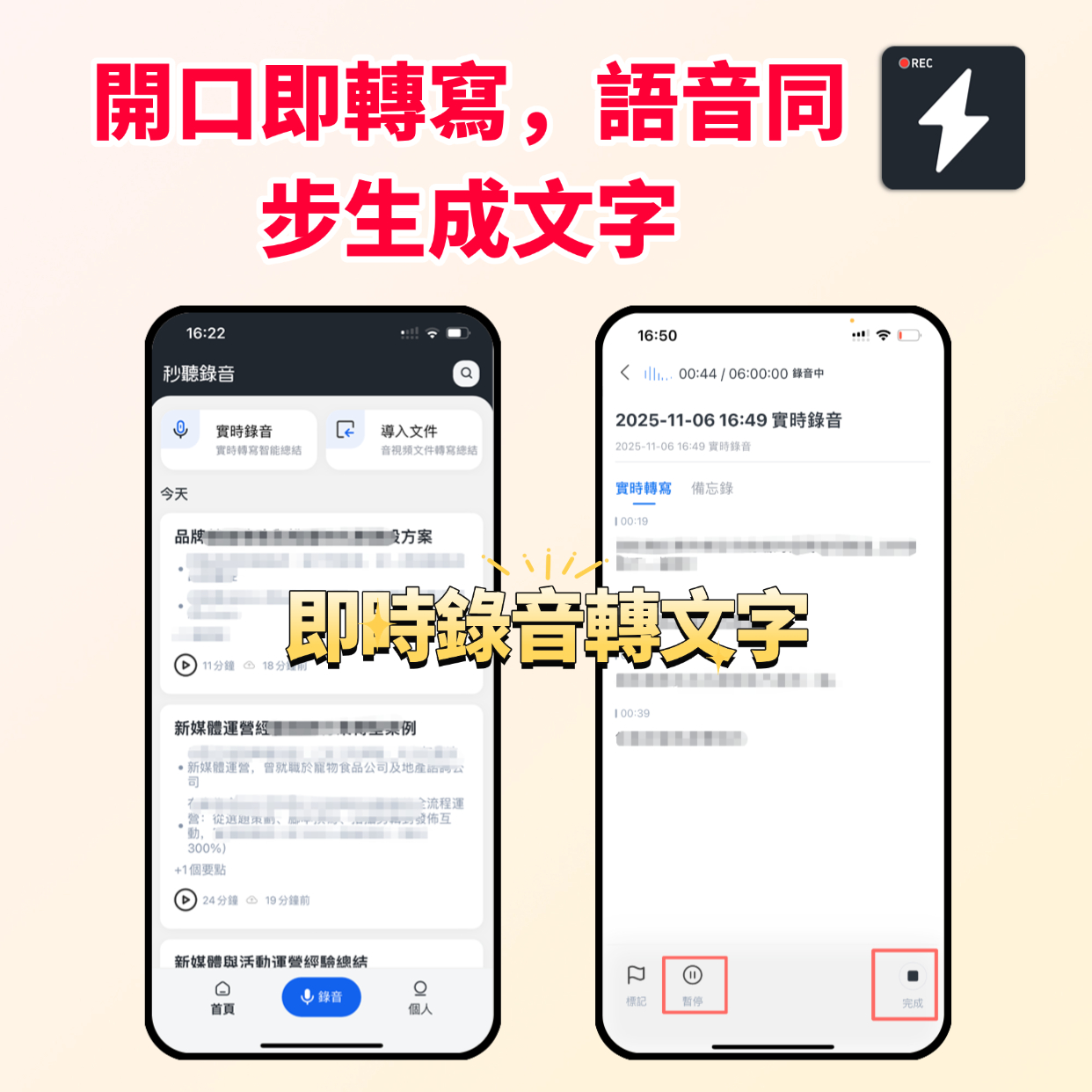
Save Time with TinRec and Focus on What Matters
TinRec automatically converts interviews into searchable, editable transcripts. With features like speaker identification, timestamps, and real-time transcription, you never miss a detail, making follow-up and analysis seamless. Plus, use the TinRec Assistant to ask questions about key topics and extract deeper value from your interviews.
Try TinRec today!
300 minutes of transcription per month
30 minutes per single session
Upload up to 3 audio/video files
Get started free
Also available for enterprises:
Top-tier speech-to-text technology
Advanced AI assistant features
Custom integration and workflows
Request a demo
Turn every recording into actionable outcomes
Get 60 free transcription minutes when you sign in. No credit card required.
Related Reading
You might also like

2026 Real-Time Recording Tools Compared: Which Can Transcribe While Recording?
How do you choose a real-time recording tool? This article tests and compares Tinrec, free online voice recorders, Bandicam, and Granola in real meeting scenarios, explaining why what happens after recording is key, plus 4 buying tips, pitfalls to avoid, and scenario-based recommendations.

5 Meeting Recording Apps Compared in 2026: From Transcripts to Team Collaboration
Meeting recording apps aren't just about audio quality—they're about what happens after the meeting. This guide breaks down five common tool approaches, covering live transcription, AI summaries, action item extraction, AI Q&A, team spaces, and seat management. Using Tinrec as an example, we walk through bot-free online meeting recording, Chinese transcription, summaries, and exports, and compare the free, Pro, and Team plans to help you decide which solution fits your meeting needs.

What Is Instant Messaging in 2026? 5 Steps to Understand the Definition and Choose Tools
What does instant messaging (IM) mean? This article starts with the definition, history, and message storage methods to help you understand the essence of synchronous communication, 4 key points for choosing tools, and compares meeting and communication organization tools like Tinrec, Otter.ai, Notta, and Granola. Finally, a pitfall guide helps you choose the right tool.

Can You Share a Recording with Others in 2026? 5 Key Legal Points and How Tinrec Helps You Organize
Whether you can share a recording with others depends on your role, purpose, and content. This article summarizes key legal points on invasion of privacy and personal data protection, and explains how to use Tinrec to turn recordings into transcripts or summaries so you only share necessary information, reducing privacy and legal risks.

5 Best AI Meeting Notes Apps of 2026: Which Free Version Is Actually Enough?
There are countless AI meeting note takers, but buying one doesn't guarantee better notes. This article starts with the most common mistakes and inefficient habits, outlines 4 key factors for choosing a meeting transcription tool, tests Tinrec's bot-free recording, AI Q&A, and team workspace, and compares Otter.ai, Notta, and TurboScribe on positioning and pricing to help you find a solution that truly saves time.

4 Recording AI Tools Tested in 2026: Which Saves the Most Time on Chinese Meeting Minutes?
Before choosing a recording AI, first confirm where your meetings take place. This article tests 4 common recording AI tools, breaking them down from four angles: audio capture method, post-transcription output, recording file retention, and team sharing. It also summarizes pitfalls to help you determine which one truly saves time on meeting notes.

How to Use an AI Recording Assistant in 2026: A Complete 5-Step Guide
A complete 2026 guide to AI recording assistants: starting from common misconceptions about manual transcription, this guide explains what an AI recording assistant can do for you, a 5-step workflow, real-world use cases, and 5 key purchasing considerations. It uses Tinrec as an example to demonstrate real-time transcription, bot-free online meeting recording, AI summaries and action item extraction, AI Q&A, and team workspace governance, with FAQs and team pricing details at the end.

4 Real-Time Voice Tools Tested for 2026: Which Saves the Most Time for Meeting Notes and Transcripts?
What is real-time voice? This article first clarifies the difference between Apple Live Speech and Live Voicemail, then tests 4 tools, comparing meeting notes, transcripts, AI Q&A, and team collaboration to help you find the most time-saving solution.
4 AI Recording Tools Tested for 2026: Which One Saves the Most Time on Chinese Meeting Notes?
Still have meeting recordings nobody re-listens to? We tested 4 AI recording tools, comparing Chinese transcription, meeting capture methods, post-meeting summaries, AI Q&A, and team data ownership. Find out why Tinrec is the smoothest for Chinese meetings and team collaboration, plus when to choose PLAUD, Otter.ai, or Notta, and key pitfalls to avoid.