

Turn recordings into transcripts and summaries in minutes
Upload audio or video for multilingual transcription, AI notes, and action items
Best Video Highlight Tools in 2026: 5 Tested, This One Wins for Chinese Videos and Meetings
Videos Too Long, Highlights Too Scattered—What You Need Isn't Patience, It's the Right Tool
Have you ever been in this situation: a 90-minute online course, and you just want to find the five minutes where the instructor explains the "three key steps," but you end up dragging the progress bar back and forth for half an hour.
Or your boss sends you a 40-minute product demo video and asks you to summarize the key points and action items before the end of the day. You have to listen and pause, transcribing section by section by hand.
There's an even trickier scenario: the video is in Chinese with English mixed in, the speaker talks fast, and you want to fast-forward but are afraid of missing critical information.
This article is based on my hands-on experience testing several "video highlight" tools. I didn't test in a quiet studio, but in real-world situations: interviews with background noise, product demos with mixed Chinese and English, and old videos with no subtitles at all. Below, I'll share which tools I tested and which one was the most convenient.
Before Choosing a Video Highlight Tool, Understand These 4 Key Points
1. Can It Handle the Video You Have?
Each tool has a different "entry point." Some only accept YouTube links, some require you to upload files, and some are designed for online meetings.
If your sources are diverse—YouTube tutorials, self-recorded videos, client-provided MP4s—first confirm which formats the tool supports. Don't wait until you find out the most common type can't be processed.
2. What Else Does It Offer Besides a Transcript?
A transcript alone isn't enough. You want the "highlights," so it's best if the tool can automatically generate summaries, chapters, and even extract action items mentioned in the video.
Even better is AI Q&A: after organizing, you can directly ask, "How many solutions were mentioned in this video?" without having to Ctrl+F for keywords yourself.
3. Performance with Chinese and Mixed Chinese-English
For Taiwanese users, the most common pain point isn't pure English, but mixed Chinese-English. When choosing a tool, test it with content you're most familiar with to see if proper nouns and product names are mistranslated.
Most tools have a "hotword" or custom vocabulary feature. Adding your company and product names in advance can make a big difference.
4. Free Quota and Data Storage
Make sure to check whether the free version is usable, how much quota it includes, and what happens after you exceed it.
Another often-overlooked point: where is the organized data stored? If it just sits in a browser tab, you'll have to start over next time. Being able to save it into a searchable database is what truly saves time.
Tinrec—My Most-Used Choice After Testing
Tinrec is an AI meeting notes and organization tool for individuals and teams, supporting iOS, Android, web, and desktop. It turns "recorded content" into searchable, summarizable, queryable, and exportable data, which is why I later made it my primary tool.
Throw in a Video, Get a Transcript First
My testing method was simple: I threw in several video files I had on hand, including a product demo with mixed Chinese-English and an interview with background noise, and let it transcribe them first.
The resulting transcript preserves the spoken content, is searchable, and allows you to jump back to timestamps. For those who need to extract quotes, this is much faster than listening to the recording repeatedly.
Note that transcription quality can be affected by recording quality, background noise, accents, and multiple people speaking simultaneously. So for important content, I still go back to verify the original text. It also doesn't promise a fixed accuracy rate, which actually makes it more reassuring.
For videos in the form of online meetings, the desktop version can directly capture the computer's system audio without inviting a meeting bot to join. It also supports importing some public video content via web links, but this is a supplementary capability—not every video can be directly processed.
After the Transcript Comes the Real Value: Summaries, Chapters, Action Items
Tinrec doesn't just provide a transcript. It automatically generates AI summaries, breaks long content into chapters, and organizes action items from discussions into to-dos.
For the product demo I tested, I got key points section by section, plus a final summary. To create a one-page summary for my boss, I barely had to rewrite anything—just delete the parts I didn't need.
Stop organizing recordings by hand
Upload audio or video and automatically get a transcript, summary, and action items
AI Q&A: Ask Questions Directly About the Video
This is the feature I find most practical. After organizing, I can directly ask it: "How many pricing plans did the speaker mention?" "What are the limitations of this feature?"
It doesn't give you a bunch of keyword search results; it gives you answers based on the content. For long videos that last one or two hours, asking is much faster than scrolling through the transcript.
Take Your Organized Data with You
The organized content supports export in multiple formats and can be taken to Notion, Google Docs, OneNote, Dropbox, and other tools for further processing. When formal delivery is needed, it can also generate reports, tables, and documents.
If a team is watching training videos together, the team version allows data to be stored in a team space for members to view and ask questions collaboratively. Admins can manage members, seats, team hotwords, usage, and operation logs.
Plans and Limitations
To be honest, it's not omnipotent. Web link import currently only supports some public video content, not every platform can be directly processed; file import consumes quota, so heavy users should keep an eye on usage.
The personal version is divided into Free, Weekly Pass, Pro Monthly, and Pro Annual. Actual prices and quotas are subject to the official page. The team version offers a 7-day trial for first-time eligible users, with 1 free seat and 300 minutes of shared team import quota; team monthly is USD 29.80 per paid seat per month, annual is USD 199 per paid seat per year (about USD 16.58 per month), with each paid seat providing 2,000 minutes of shared team import quota per month.
One more reminder: before recording or transcribing others' content, please check local regulations and obtain consent when necessary.
Who Is It For?
If you frequently need to organize Chinese or mixed Chinese-English videos, want to ask follow-up questions directly after organizing, and don't want to split the work across multiple tools—Tinrec is the smoothest workflow I've used so far.
Besides Tinrec, What Other Options Are There?
Vidnoz (Free Online AI Video Summary)
It focuses on automatically cutting long videos into highlight clips, all online. Note that the official site also states that gaming videos, music videos, live streams, and life-log videos are not suitable for generating highlights. It produces "video clips." If you want a searchable transcript and AI Q&A, Tinrec is a better fit.
Monica's YouTube Summary with GPT
A web-based tool: paste a YouTube link and use GPT to generate summaries and transcripts. It supports multiple languages and allows you to copy the transcript. Its scope is mainly YouTube links. If you have a client-provided MP4 or a self-recorded meeting, you'll need a tool like Tinrec that supports file uploads and can also save the transcript.
ChatGPT + YouTube Transcript Plugin
This combo is free and flexible, with many online tutorials. But the prerequisite is that the video must have subtitles or a transcript to grab; videos without subtitles are stuck. Also, you have to copy and paste the transcript into the chat box yourself, and the summary format and segmentation depend entirely on your prompts. Tinrec does transcription, summarization, chapters, and action items all at once, so you don't have to piece together the workflow.
Pitfall Guide: 3 Most Common Mistakes in Organizing Video Highlights
Pitfall 1: Thinking AI can organize any video. Most tools' underlying logic is "first convert audio to text, then analyze the text." So for videos with no audio and no subtitles, AI has nothing to work with. Before starting, confirm whether the material has an audio track or subtitles.
Pitfall 2: Only reading the summary, not the original transcript. Summaries are convenient but are ultimately condensed content. If a sentence is to be used for decision-making or citation, it's best to go back to the transcript timestamp and verify.
Pitfall 3: Organizing and then leaving it. Many people work hard to organize, but the data ends up in a tab or chat log. Next time they need to look it up, they have to run it again. Choosing a tool that can save results into a searchable database (e.g., Tinrec's team space) truly saves repetitive work.
Conclusion: Which One Should You Choose?
- To organize Chinese or mixed Chinese-English videos and ask questions directly about the content → Tinrec (transcript, summary, chapters, action items, AI Q&A all in one)
- Sources include self-uploaded media files and online meetings, not just YouTube → Tinrec (supports mobile, web, desktop; recordings can be saved)
- Team wants to watch training videos together and share organized results → Tinrec Team (team space plus member, seat, and usage management)
- Just want to cut long videos into highlight clips → Vidnoz (free online, but note the unsuitable video types)
- Only organizing YouTube, zero budget → Monica's YouTube Summary or ChatGPT + transcript plugin are worth trying
In short, if you have Chinese or mixed Chinese-English videos and you want more than just a "summary"—you want data you can continue to query and use—Tinrec is the one I'd recommend trying first. Run one or two videos with the free version to see if the transcript and summary output work for you, then decide whether to upgrade.
References
- Free Online AI Video Summary Tool | Vidnoz
- Summarize YouTube with GPT: Free Online Video Summary Tool
- ChatGPT YouTube Summary Video Highlight Tips: From Transcript to Summary - Mr. Mad
- YouTube Video Highlight Organization - Poe Tutorial (Generative AI Tutorial) | STEAM Education Learning Network
- How to Use ChatGPT to Organize YouTube Video Highlights? - Taiwan GPT.AI Academy
Turn every recording into actionable outcomes
Get 60 free transcription minutes when you sign in. No credit card required.
Related Reading
You might also like

2026 Video-to-Text Tools Compared: Which One Actually Saves Time After Transcription?
How do you turn meeting recordings, interviews, and course videos into usable text? This article compares four video-to-text tools—Tinrec, TurboScribe, Notta, and Otter.ai—breaking down input sources, post-transcription organization, Chinese recognition, and team data ownership. It also covers free quotas, file limits, and pitfalls to help you choose the best tool for your needs.

5 Best Web-Based Audio-to-Text Tools for 2026: No App Needed, Which Free Version Handles Chinese Meetings Best?
The meeting ends, and the pain begins. This hands-on comparison of 5 web-based audio-to-text tools covers real-time transcription during meetings, Chinese and mixed Chinese-English recognition, free tier limits, and post-meeting AI-powered key point extraction. We also explain why Tinrec stands out for Chinese meetings and team collaboration.

4 AI Video Summarizer Tools Tested in 2026: Which One Actually Turns Videos into Usable Data?
Too many videos to watch? We tested AI video summarizers like Tinrec, Felo AI, Notta, and TurboScribe, comparing video sources, summary depth, AI Q&A, and team collaboration to help you find the best fit. Tinrec stands out for meeting notes and team knowledge retention.

4 YouTube Study Summary Tools Tested for 2026: Which One Saves You the Most Review Time?
Watch an online course and forget it? Can't find key points when reviewing? We tested 4 YouTube study summary tools across four dimensions: transcripts, AI Q&A, mixed Chinese-English recognition, and data accumulation. We explain why Tinrec is better suited for long-term learning with transcript retention, semantic Q&A, and team knowledge building, plus a pitfalls guide and selection advice.

2026 Comparison of 2 Xiaohongshu Video Summary Tools: Tinrec vs Notta — Which One Can Extract Key Points in One Click?
Many people waste time manually fast-forwarding and taking notes while watching Xiaohongshu videos, often missing key points. This article addresses common pitfalls and compares Tinrec and Notta across video-to-text conversion, Chinese recognition, summary extraction, AI Q&A, export options, and pricing to help you find a more efficient way to summarize Xiaohongshu videos.

Best One-Click Video Link Extraction Tools in 2026: Testing 3 Options, Tinrec Offers the Most Complete Chinese Support
Many people think one-click video link extraction means downloading video files, but what's really needed is turning video content into transcripts, summaries, and action items. This article uses Tinrec as an example to explain link import transcription, AI summaries, Q&A, export, and team collaboration, plus 5 key buying considerations and FAQs.

2026 AI Audio Transcription Guide: From Transcripts to Meeting Minutes
How to choose an AI audio transcription tool? This guide starts from real meeting scenarios for mid-level managers, breaks down 4 key selection factors, tests Tinrec's bot-free online meeting recording, AI Q&A, and team spaces, compares Otter.ai, Granola, and PLAUD, and concludes with 5 common pitfalls and selection advice.
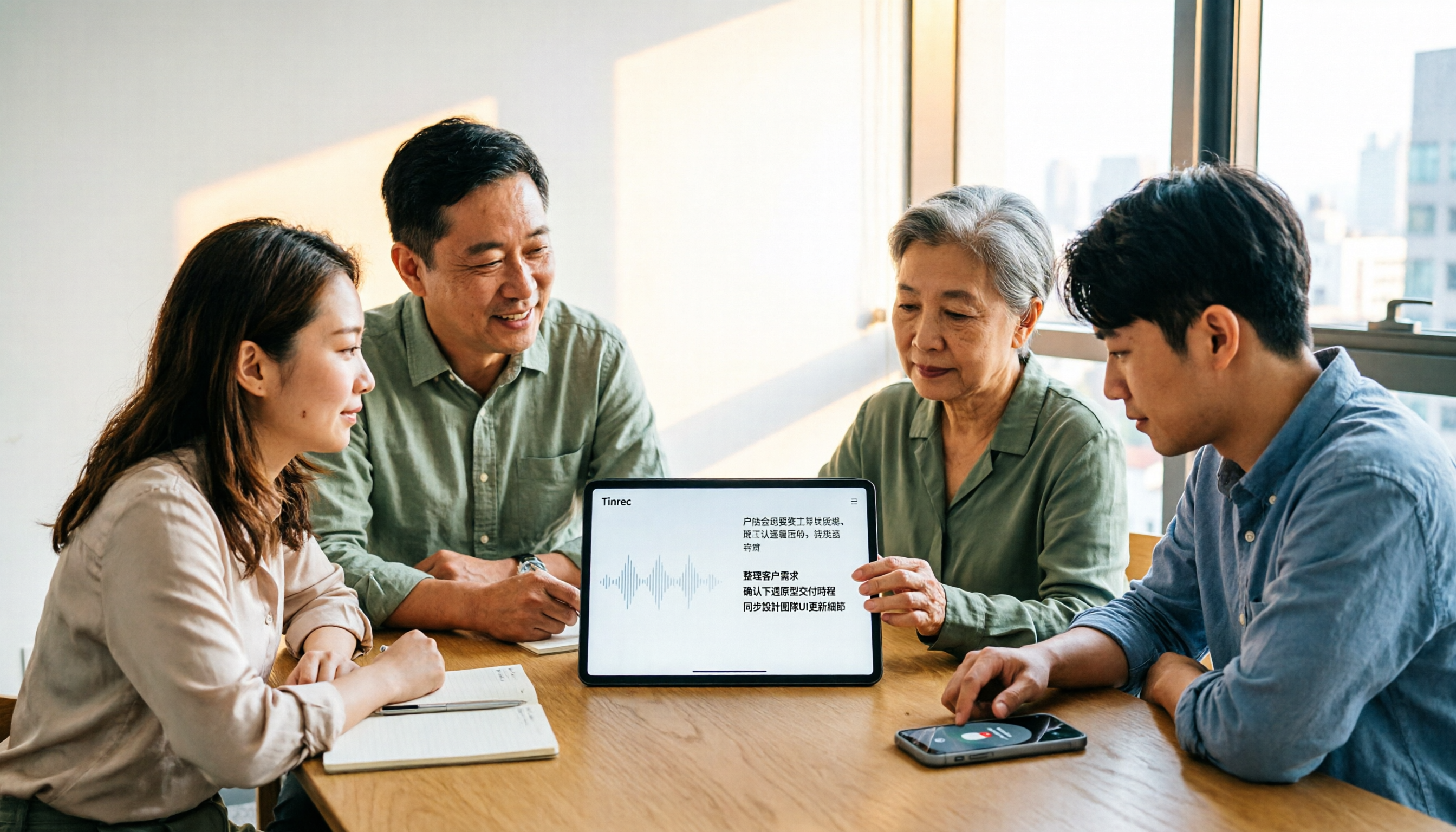
4 AI Meeting Note Takers Tested for 2026: Which Handles Chinese Meetings and Team Collaboration Best?
Spending too much time on meeting notes? We tested 4 recording-to-meeting-minutes tools, comparing Chinese recognition, bot-free recording, post-meeting AI Q&A, and team collaboration to help you find the best fit for your workplace.

How to Transcribe Phone Recordings in 2026: Real-Time Transcripts + AI Summaries
How do you turn phone recordings into text? Starting from the real-world scenario of needing text right after recording on your phone, this article compares Tinrec and Otter.ai across 5 dimensions, covering Chinese and mixed Chinese-English recognition, post-recording summaries and action items, team knowledge retention, free tiers and pricing, and tells you directly which one to choose.