

Turn recordings into transcripts and summaries in minutes
Upload audio or video for multilingual transcription, AI notes, and action items
2026 4 Audio-to-Transcript Tools Tested: Which One Actually Saves You Time?
"Converting to text" is not the same as "finishing a transcript" — most people get the first step wrong
Many people imagine audio-to-transcript as simple: drop the audio file into a tool, hit convert, wait a few minutes, and a ready-to-submit transcript is done.
In reality, the time-consuming part is never the few minutes of conversion, but what comes after — in a 30-minute meeting where speakers interrupt, mix Chinese and English, and throw around jargon, you still have to read through it, manually segment, pick out key points, and find out who promised what.
There's an even more common misconception: thinking "supports Chinese" is enough. But air conditioning noise, keyboard sounds, and multiple people talking at once in a meeting room are where transcription quality really gets tested.
If you deal with meeting notes, interviews, or class recordings every week, this article isn't about "how to turn sound into text" but "how to make that text directly usable."
Before choosing an audio-to-transcript tool, understand these 4 key points
1. Where does your audio come from? Online meetings, in-person meetings, or an existing audio file on your phone — the needs are completely different. If most of your meetings are on Zoom, Google Meet, or Teams, whether the tool can directly capture system audio from your computer determines whether you need to add a bot account to the meeting. I usually check this first because it affects your daily workflow, not just a spec sheet line.
2. After conversion, can you do one less thing? A tool that only gives you a transcript hands all the organizing work right back to you. Look for automatic summaries, chapter segmentation, action item extraction, and even Q&A to look up meeting content — these are the real time-savers.
3. Actual performance with Chinese and mixed Chinese-English. Meetings in Taiwan are rarely pure Chinese; "let's follow up on this case next week" is the norm. Rather than official accuracy claims, look at how it handles Chinese, mixed Chinese-English, and technical terms. Note that no tool should be considered 100% accurate; audio quality, accents, and overlapping speech all affect results, so important content should still be checked against the recording.
4. Should data ultimately live in a personal account or a team space? For personal notes, a personal account is enough. But if meeting data is shared by a team, think carefully: after a member leaves, is the recording still there? Can new hires find decision meetings from three months ago? This isn't a "text conversion" issue but a data ownership issue.
Tinrec — after actually running through it, I'm putting it first
Tinrec is an AI meeting notes and collaboration tool for individuals and teams, supporting web, desktop, and mobile. Its positioning isn't just "audio to text" but turning meetings into searchable, queryable, actionable data.
In actual use, three things stood out:
Live transcription while recording, no bot needed for online meetings. For in-person meetings, open Tinrec and it transcribes as it records; for online meetings, the desktop version directly captures system audio, no need to invite a meeting bot to join Zoom, Meet, Teams, or Webex as a participant. For frequent online meeting users, this eliminates the hassle of checking whether the bot joined the meeting room.
Post-meeting summaries, chapters, and action items. After the meeting, AI generates a summary and chapters, and organizes action items from the discussion. What used to take half an hour of re-listening to find "who's responsible for what and when it's due" now mostly just needs a quick review.
You can keep asking it after recording. This is where it stands out from most transcription tools: you can directly ask "Who mentioned the budget in the last meeting?" and it answers based on meeting content, rather than dumping keywords for you to search. It can also generate reports, tables, and documents, or export to Notion, Google Docs, OneNote, Dropbox, etc. for further editing; for cross-language meetings, there's real-time translation with original, translated, or bilingual view.
Based on actual experience with Chinese meetings, punctuation, segmentation, and action item extraction were the smoothest parts in this round of testing. Tinrec doesn't publicly promise a fixed accuracy number, which I find more honest — accuracy naturally varies with recording environment.
Stop organizing recordings by hand
Upload audio or video and automatically get a transcript, summary, and action items
Limitations to be honest about:
- The free version has a basic quota, good for trying out; if you have many meetings weekly, you'll need a weekly pass or Pro.
- File import consumes quota; team plans use shared import minutes.
- It's not a meeting bot that automatically joins all calendar meetings; you need to start recording yourself.
- Transcription quality is still affected by audio quality, accents, and overlapping speech; important information should be checked against the original.
Pricing and plans: Personal plans include Free, Weekly Pass, Pro Monthly, and Pro Annual — choose based on usage frequency; weekly pass for short intensive periods, annual for long-term data retention. Team plan is USD 29.80 per paid seat per month, or USD 199 per paid seat per year (about USD 16.58/month), with each paid seat providing 2,000 shared import minutes per month; eligible teams can try 7 days with 1 free seat and 300 shared import minutes. Actual prices and promotions are subject to the official purchase page.
What the team plan adds: It's not "multiple people sharing a personal account" but an independent team space. Meeting data belongs to the team; you can invite members, set roles, assign seats, and admins can see usage trends and activity logs; when a member leaves or loses a seat, data can be transferred to other members. Team-level sharing is primary, with roles and seats managing governance and access. If you care about "meeting data not leaving with people," this is the key part.
Who it's for: People who frequently have Chinese meetings and want usable data right after; those with cross-device workflows like recording on phone and organizing on computer; and departments that need to turn meetings into team assets.
Besides Tinrec, what other options are there?
Notta: The one with the most overlap with Tinrec, offering multi-platform transcription, meeting notes, file import, translation, and team plans. Free version: 120 minutes per month, max 3 minutes per session; Pro annual is about USD 8.17/month (1,800 minutes per month). Multilingual transcription is its strength, but if you care about bot-free online meeting recording, post-meeting AI Q&A, and team data retention, Tinrec is more complete.
TurboScribe: More of a pure file transcription tool, focused on long files and batch processing — paid version supports up to 10 hours or 5 GB per file, 50 files at once, USD 120/year. If you have a bunch of old recordings to convert at once, it's cost-effective. But it's "convert and done," with no live meeting recording, no AI Q&A or action item organization — that's the extra part Tinrec offers.
Otter.ai: A veteran choice for English meetings, free version 300 minutes per month, Pro annual about USD 8.49/user/month. If 90% of your meetings are in English, it's still worth considering; but Chinese and mixed Chinese-English aren't its strong suit, and for Chinese-meeting-focused organization, Tinrec's design is closer to the Taiwan usage scenario.
Pitfall guide: 3 most common mistakes when converting audio to transcript
Pitfall 1: Only looking at official accuracy claims. Those numbers mostly come from quiet environments; real meeting rooms have AC noise, keyboard sounds, and people talking over each other. Test with your own hardest recording for free, don't just look at ads.
Pitfall 2: Only looking for tools that "can convert text," ignoring post-conversion organization. If a tool can automatically generate summaries, chapters, and action items, you save not just the few minutes of conversion but half an hour of re-listening. The value of such AI post-processing is far more noticeable than supporting a few more file formats.
Pitfall 3: Team data stored in personal accounts. When team data is in personal accounts, it scatters once a member leaves. The point of a team plan isn't "multiple people sharing" but data ownership and handover mechanisms.
One final reminder: before recording, confirm local regulations and participant consent, especially for client interviews and international meetings.
Conclusion: Which one should you choose?
Simply put, if you want "audio turned into directly usable meeting data," Tinrec is the most complete choice among these.
- Many online meetings, don't want another bot in the room → Tinrec (desktop captures system audio)
- Chinese or mixed Chinese-English meetings, want summaries and action items → Tinrec
- Want to directly ask "What was said in the last meeting?" → Tinrec (AI Q&A)
- Record on phone, organize on computer → Tinrec (multi-device)
- Team needs to retain meeting data, manage seats and usage → Tinrec Team
- Zero budget, meetings almost all English → Otter.ai free version
- Bunch of old files to batch convert → TurboScribe
Start with the free version, run your own two or three recordings through it, see how it performs with your accent and meeting style, then decide whether to pay. For transcripts, others' reviews are just reference; your own recordings are the real test.
References
- Yating Transcript
- Online AI speech, video, audio file auto-transcription - Free trial - cSubtitle
- Google AI Studio transcript tutorial, free AI audio-to-text tips - Mr. Mad
- View Voice Memos transcripts on iPhone - Apple Support (Taiwan)
- Asking the experts, any recommended AI tools to transcribe audio files?
Turn every recording into actionable outcomes
Get 60 free transcription minutes when you sign in. No credit card required.
Related Reading
You might also like

5 Best Real-Time Speech-to-Text Software in 2026: Which Handles Chinese Meetings and Post-Meeting Notes Best?
Still spending two hours after a meeting organizing the transcript? This article tests 5 real-time speech-to-text software, comparing Chinese recognition, bot-free meeting recording, AI Q&A, and team collaboration, and honestly lists each solution's pricing and limitations to help you decide which one best fits your work scenario.

Best Video Summarizer Tools in 2026: Hands-On Test of 4 Options, Tinrec Shines for Chinese and Post-Meeting Organization
No time to watch long videos? We tested 4 video summarizer tools, comparing subtitle-free video processing, AI follow-up Q&A, Chinese and mixed Chinese-English recognition, and export workflows. We also highlight 3 common buying mistakes to help you find the best video summarization solution for your needs.
5 AI Meeting Note Tools Tested and Compared for 2026: Which One Saves the Most Time Auto-Generating Meeting Minutes?
Still spending an hour after a meeting writing up notes? This article starts with common meeting note pitfalls, distills common approaches into 5 key selection criteria, and uses Tinrec to demonstrate how to automatically turn recordings into transcripts, summaries, and action items. It also covers the differences between the free and team versions, how to record online meetings without a bot, real-world use cases, and FAQs.

Complete Guide to YouTube Content Summarization in 2026: From Transcripts to AI Summaries
Videos pile up, but the key points get harder to find. This guide covers practical methods for summarizing YouTube content, from transcripts and AI summaries to follow-up questions and team knowledge retention. It compares browser extensions, web-based summarization tools, and Tinrec, helping you choose the right workflow.

2026 Text-to-Speech Tools Compared: Most People Get It Wrong, Meeting Recordings Still Unorganized
Many people searching for 'text-to-speech' actually need to turn meeting, interview, and course audio into usable text. This article first clarifies what text-to-speech can do, then breaks down the other half that most teams really need to add. Using Tinrec as an example, it explains how real-time transcription, AI summaries, action item extraction, AI Q&A, and team spaces work, and finally provides 5 purchasing checkpoints and FAQs.

Tinrec vs Notta 2026: 5-Dimension Comparison — Which Is Better for Video Analysis and Chinese Meeting Notes?
Most people who want to extract content from online videos aren't looking to download files—they want to turn video content into searchable, citable data. Written from a manager's perspective, this article first distinguishes three needs: downloading, screenshotting, and extracting content. It then compares Tinrec and Notta across 5 key dimensions and explains who Otter.ai and TurboScribe are best for, helping you choose the right tool in 2026.

5 AI Video Summarizers Tested for 2026: Which Free Tier Works Best for Students
Using AI to summarize videos isn't just about pasting a link—the key is whether the summary can trace back to the original timestamps. Based on real scenarios like exam prep, group projects, and interview assignments, this article covers the core capabilities, use cases, and 5 key factors to consider when choosing such tools, plus hands-on experience with Tinrec for transcripts, summaries, AI Q&A, and team collaboration.
2026 Complete Guide to Speech-to-Text for the Deaf and Hard of Hearing: Subsidies, Plan Selection, and Tool Testing
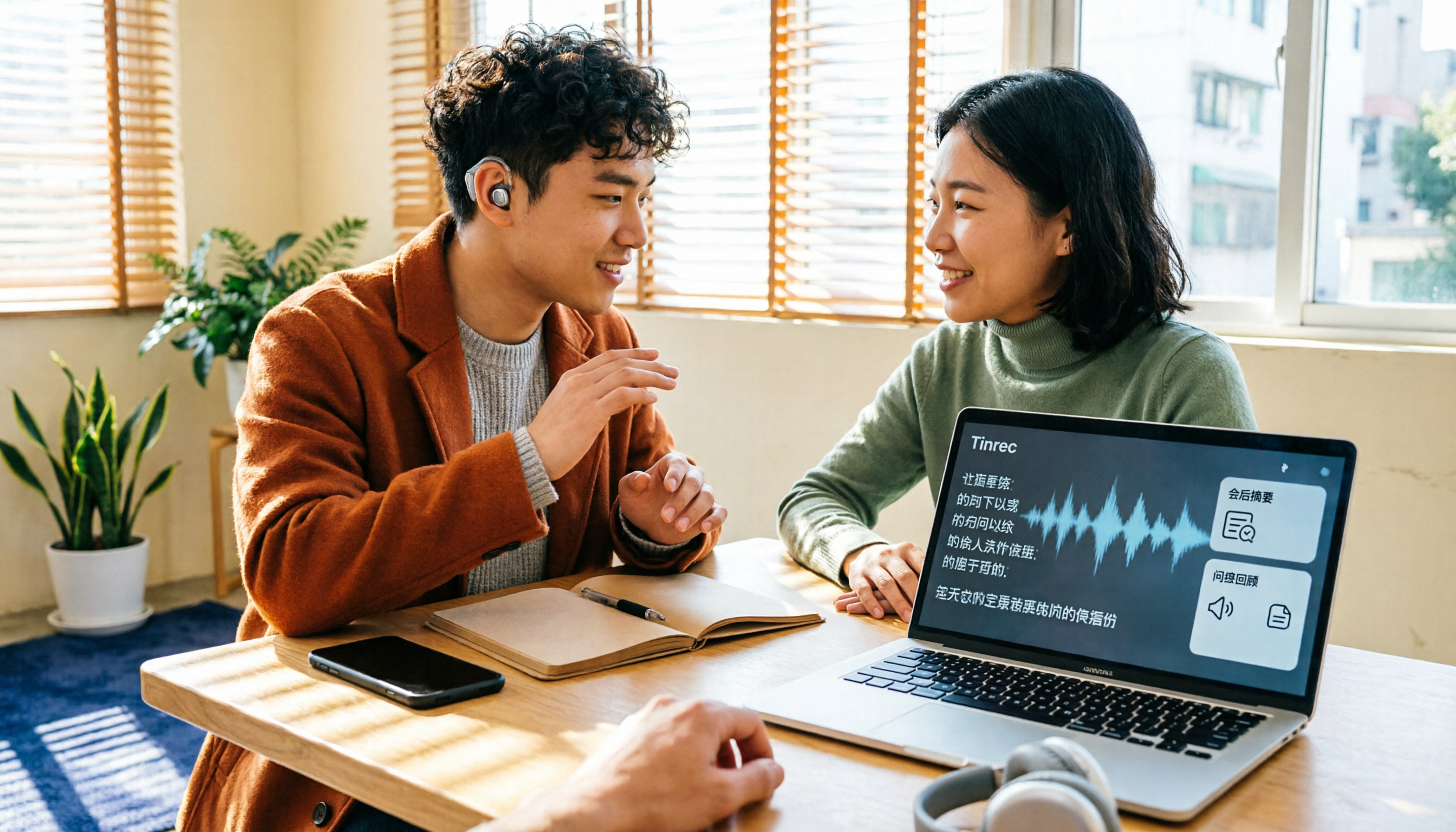
Starting with disability certificate subsidies and discounts available to people with hearing loss in Taiwan, this guide covers 5 key factors for choosing a speech-to-text tool, tests Tinrec's real-time transcription, bot-free online meeting recording, and post-meeting AI Q&A, compares it with Google Live Transcribe, Granola, and PLAUD, and provides scenario-based recommendations.

2026 Free Audio-to-Text Transcription Limits Compared: Why Consider Tinrec Beyond Notta
How do free transcription limits really compare? This article starts with the unit of measurement, explains the differences between live recording and file upload, single-session length caps, post-meeting organization capabilities, and team data ownership. It compares Tinrec and Notta on free plans and core experience to help you choose a workflow that truly fits.