

Turn recordings into transcripts and summaries in minutes
Upload audio or video for multilingual transcription, AI notes, and action items
Tinrec vs Notta 2026: 5-Dimension Comparison — Which Is Better for Video Analysis and Chinese Meeting Notes?
"Online Video Extraction" — Which One Do You Actually Need? Distinguish Three Needs Before Choosing a Tool
I lead a team of 10 and we have about 15 meetings a week. Last month, during a product redesign, the marketing department sent over a 40-minute recording of an online briefing and asked me two days later to reply with "the three things we agreed on last time." That's when I realized that "online video extraction" actually covers three completely different needs.
First, you want to download the video to watch offline. A downloader can handle this—tools like CatchV let you paste a URL and find the video link. It works by pulling the video link from the webpage; it doesn't store files itself, and it won't crack private or unlisted videos.
Second, you just want to capture a specific frame or clip. Windows built-in Game Bar (Win+G) can record, and online tools like Fastreel can trim clips. This need is quickly solved.
Third, you want the "content" inside the video—who said what, what the conclusions were, what action items there are. This is the most time-consuming, and it's the focus of this article.
If every time you watch a video you have to manually replay, take notes, and then organize it into something you can give to your boss or client, what you actually need isn't a downloader—it's a tool that turns video content into searchable, citable data. That's why I later focused my evaluation on AI note-taking tools like Tinrec and Notta.
Before Choosing a Video Analysis Tool, Understand These 5 Key Points
1. Does it produce a file or usable data? A downloader gives you an mp4, and you still have to watch it yourself. What really saves time is a transcript, summary, chapters, and action items. This determines whether you save 10 minutes or 3 hours.
2. Does it support the sources you have? In the workplace, you rarely have just one source: it could be an mp4 from a client, a public video link, or live audio from an online meeting. Some tools only handle files, some only do meetings. Tools that handle both save you from piecing things together.
3. Chinese and mixed Chinese-English recognition experience. Our meetings are often mainly in Chinese with English product names mixed in. Don't just look at official recognition rate numbers—test with a real recording of your own. That's the only accurate way.
4. Export and post-processing. What do you do after the transcript? Put it into Notion, Google Docs, OneNote, or directly generate a report or table? Whether the tool can feed results into your existing workflow makes a big difference.
5. Team sharing and governance. Personal use is simple, but if you want 10 people to access historical data, you need to check for team spaces, member and seat management, usage and audit logs. This is often the blind spot of personal-version tools.
Tinrec — Our Top Choice After Testing
Tinrec is an AI meeting notes and collaboration tool for individuals and teams, available on iOS, Android, and web. It doesn't just convert audio to text—it organizes meeting and video content into data you can continue working with.
Let me start with our most common workflow. I often have "a video plus a link": a client interview video file or a recording of an online briefing. I drop the audio or video file into Tinrec, and it produces a transcript, then automatically generates a summary, chapters, key points, and action items. Last week, for that 40-minute briefing, when I needed to answer "what three things were agreed on," I just opened the summary and action items and checked them off—no need to rewatch the whole video.
The second workflow is online meetings. Tinrec's desktop version captures the computer's system audio, so you don't need to invite a meeting bot. For Zoom, Google Meet, Microsoft Teams, Webex, I just open Tinrec and start recording, and the transcript appears in real time. This is very practical for someone like me who often meets with external clients—the client won't see an unfamiliar account on the participant list.
The third workflow is where I see the biggest difference: AI Q&A. After recording, you can directly ask it "who mentioned the budget in the last meeting" or "what concerns did the client have about the delivery date." It answers based on semantic understanding, not just a list of keyword search results. We used to Ctrl+F in a 30-minute transcript to find a sentence; now we just ask. Plus, it can generate reports, tables, and documents, and export to Notion, Google Docs, OneNote, Dropbox—completing the path from "video → usable data → deliverable."
Three advantages:
Stop organizing recordings by hand
Upload audio or video and automatically get a transcript, summary, and action items
- No extra hardware, works on multiple devices: Record on phone, organize on computer, also works on web. No need to buy a dedicated voice recorder.
- Complete post-transcription outputs: Transcript, summary, chapters, action items, mind map, translation—all available. Handles mixed Chinese-English meetings.
- Team scenarios covered: The team version is a separate team space where meeting data belongs to the team. You can invite members, set owners/admins/regular members, assign seats, and get usage analytics and audit logs. When a member leaves or loses a seat, data can be transferred to other active members—it won't disappear with a personal account.
Limitations to be clear about:
- It's not a downloader. Importing web links is a supplementary feature; it only handles some public content and won't crack private or login-required platforms. If you want to save a video as a file, you still need a download tool.
- Quota depends on plan. Personal plans include free, weekly, Pro monthly, and annual. Team plan is a 7-day trial (1 free seat, 300 minutes of shared team import quota), then USD 29.80 per paid seat per month, or USD 199 per paid seat per year (about USD 16.58/month). Each paid seat provides 2,000 minutes of shared team import quota per month. Actual numbers are subject to the official purchase page.
- Recognition quality varies. Recording quality, background noise, accents, and multiple people talking over each other all affect results. For important content, I still go back to check the transcript timestamps and recording.
Who it's for: People who often have videos or meeting recordings to organize, whose meetings are mainly in Chinese or mixed Chinese-English, and who want to use AI to find key points right after recording. If you need a shared team meeting database, look at the team version.
Besides Tinrec, What Other Options Are There?
Notta: A multi-platform transcription tool with the highest overlap with Tinrec. Official free version: 120 minutes per month, max 3 minutes per file; Pro annual: about US$8.17/month (1,800 minutes per month); Business annual: about US$16.67/seat/month. If you only occasionally transcribe a short video, its free version is worth trying. But its strengths are file transcription and translation. Bot-free online meeting recording, post-meeting AI Q&A, and team data governance are where Tinrec is more complete.
Otter.ai: A mature choice for English meetings. Basic free: 300 minutes per month; Pro annual: about US$8.49/user/month (1,200 minutes). If almost all your recordings are in English, it's worth considering. But Chinese meetings are not its strong suit, and its team data retention and multi-format export completeness are not as good as Tinrec's.
TurboScribe: A cost-effective file transcription tool. Free version: 3 files per day, max 30 minutes per file; Unlimited annual: US$120 (about US$10/month). After paying, max 10 hours or 5GB per file, up to 50 files at once. If you need to process many long videos or create subtitles, it has an advantage in batch files. On the other hand, it doesn't handle "during the meeting"—live recording, bot-free meeting recording, and post-meeting Q&A are where Tinrec differs.
Pitfall Guide: 4 Most Common Mistakes in Online Video Extraction
Pitfall 1: Treating a "downloader" as an "analysis tool." Online downloaders that require no installation are convenient, but they have many ads, quality isn't guaranteed, and most can't batch process—downloading one by one is painful. First confirm whether you want the file or the content, so you don't waste effort.
Pitfall 2: Only looking at official recognition rates. Promotional numbers usually come from clean recording conditions. Real meeting rooms have air conditioning noise, keyboard sounds, and multiple people talking at once. Test with your own recording using the free quota—that's more accurate than any spec sheet.
Pitfall 3: Ignoring whether audio is retained. Some tools only give you a transcript and don't keep the audio. When you find a sentence was transcribed wrong and want to check, there's nothing to compare. Whether you can replay and match timestamps is something I always check.
Pitfall 4: Using only personal accounts for team work. Videos and meeting data are scattered across everyone's phones and accounts. To find a decision from three months ago, you have to ask one by one. If your team uses it, team space, member and seat management, usage and audit logs are more valuable than a few hundred extra minutes.
Conclusion: Which One Should You Choose?
- Want to turn videos or meeting recordings into searchable, citable text and action items → Tinrec (summary, chapters, action items, AI Q&A all in one)
- Meetings are in Chinese or mixed Chinese-English → Tinrec (Chinese scenarios are its strong suit)
- Don't want a meeting bot on the participant list → Tinrec (desktop version captures system audio)
- Need a shared team meeting database, manage members and usage → Tinrec Team
- Need to process many long videos at once, create subtitles → TurboScribe (better batch file efficiency)
- Content is almost all English, just want cheap → Otter.ai (the only exception, but not suitable for Chinese scenarios)
My advice: Start with Tinrec's free version. Take a real video or meeting recording you have and run it through once. See if the transcript and summary can be used directly. If it works well, consider upgrading—no need to pay upfront. Tools are meant to save time, not become another thing to manage.
References
- CatchV: Download Online Web Videos
- Video Screenshot Tutorial: Easily Capture Video Frames, High Quality and Supports Various Formats!
- How to Capture Video Frames and Clips with Software? - Renee Lab
- Online Video Trimmer | Fastreel Free Video Cutter
- [Network Outage Drill] Web Video Download Trick: Quickly Grab Videos for Offline Playback
Turn every recording into actionable outcomes
Get 60 free transcription minutes when you sign in. No credit card required.
Related Reading
You might also like

5 Best Real-Time Speech-to-Text Software in 2026: Which Handles Chinese Meetings and Post-Meeting Notes Best?
Still spending two hours after a meeting organizing the transcript? This article tests 5 real-time speech-to-text software, comparing Chinese recognition, bot-free meeting recording, AI Q&A, and team collaboration, and honestly lists each solution's pricing and limitations to help you decide which one best fits your work scenario.

Best Video Summarizer Tools in 2026: Hands-On Test of 4 Options, Tinrec Shines for Chinese and Post-Meeting Organization
No time to watch long videos? We tested 4 video summarizer tools, comparing subtitle-free video processing, AI follow-up Q&A, Chinese and mixed Chinese-English recognition, and export workflows. We also highlight 3 common buying mistakes to help you find the best video summarization solution for your needs.

5 AI Meeting Note Tools Tested and Compared for 2026: Which One Saves the Most Time Auto-Generating Meeting Minutes?
Still spending an hour after a meeting writing up notes? This article starts with common meeting note pitfalls, distills common approaches into 5 key selection criteria, and uses Tinrec to demonstrate how to automatically turn recordings into transcripts, summaries, and action items. It also covers the differences between the free and team versions, how to record online meetings without a bot, real-world use cases, and FAQs.

Complete Guide to YouTube Content Summarization in 2026: From Transcripts to AI Summaries
Videos pile up, but the key points get harder to find. This guide covers practical methods for summarizing YouTube content, from transcripts and AI summaries to follow-up questions and team knowledge retention. It compares browser extensions, web-based summarization tools, and Tinrec, helping you choose the right workflow.

2026 Text-to-Speech Tools Compared: Most People Get It Wrong, Meeting Recordings Still Unorganized
Many people searching for 'text-to-speech' actually need to turn meeting, interview, and course audio into usable text. This article first clarifies what text-to-speech can do, then breaks down the other half that most teams really need to add. Using Tinrec as an example, it explains how real-time transcription, AI summaries, action item extraction, AI Q&A, and team spaces work, and finally provides 5 purchasing checkpoints and FAQs.

5 AI Video Summarizers Tested for 2026: Which Free Tier Works Best for Students
Using AI to summarize videos isn't just about pasting a link—the key is whether the summary can trace back to the original timestamps. Based on real scenarios like exam prep, group projects, and interview assignments, this article covers the core capabilities, use cases, and 5 key factors to consider when choosing such tools, plus hands-on experience with Tinrec for transcripts, summaries, AI Q&A, and team collaboration.
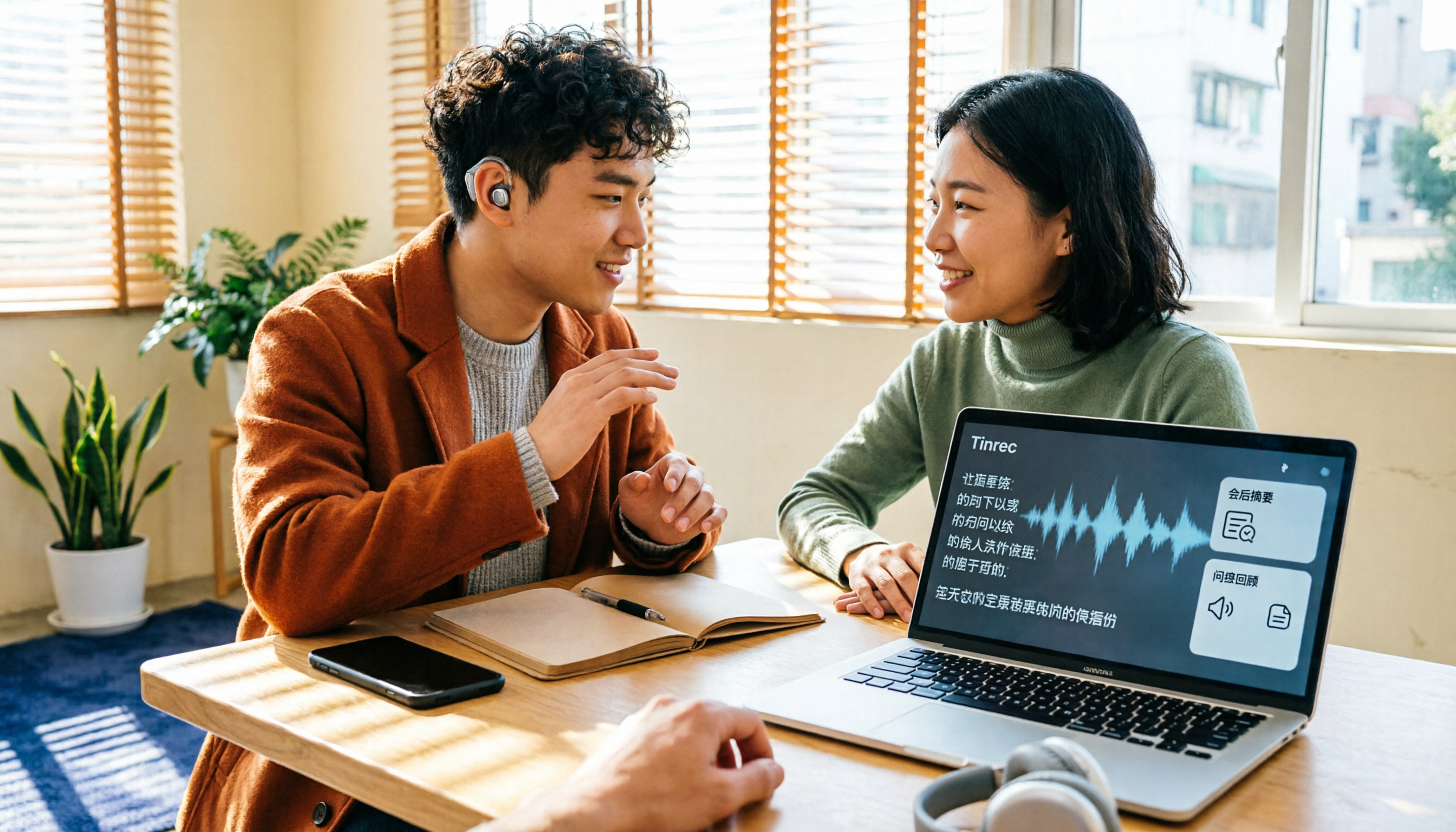
2026 Complete Guide to Speech-to-Text for the Deaf and Hard of Hearing: Subsidies, Plan Selection, and Tool Testing
Starting with disability certificate subsidies and discounts available to people with hearing loss in Taiwan, this guide covers 5 key factors for choosing a speech-to-text tool, tests Tinrec's real-time transcription, bot-free online meeting recording, and post-meeting AI Q&A, compares it with Google Live Transcribe, Granola, and PLAUD, and provides scenario-based recommendations.

2026 Free Audio-to-Text Transcription Limits Compared: Why Consider Tinrec Beyond Notta
How do free transcription limits really compare? This article starts with the unit of measurement, explains the differences between live recording and file upload, single-session length caps, post-meeting organization capabilities, and team data ownership. It compares Tinrec and Notta on free plans and core experience to help you choose a workflow that truly fits.

2026 4 Audio-to-Transcript Tools Tested: Which One Actually Saves You Time?
Turning audio into a transcript is easy; the hard part is whether you can use it right away. This article compares 4 audio-to-transcript tools, covering recording sources, Chinese and mixed Chinese-English performance, post-meeting organization, and team data retention, explaining why Tinrec is the smoothest for Chinese meeting scenarios, while honestly noting the limitations of free quotas and team plans.