
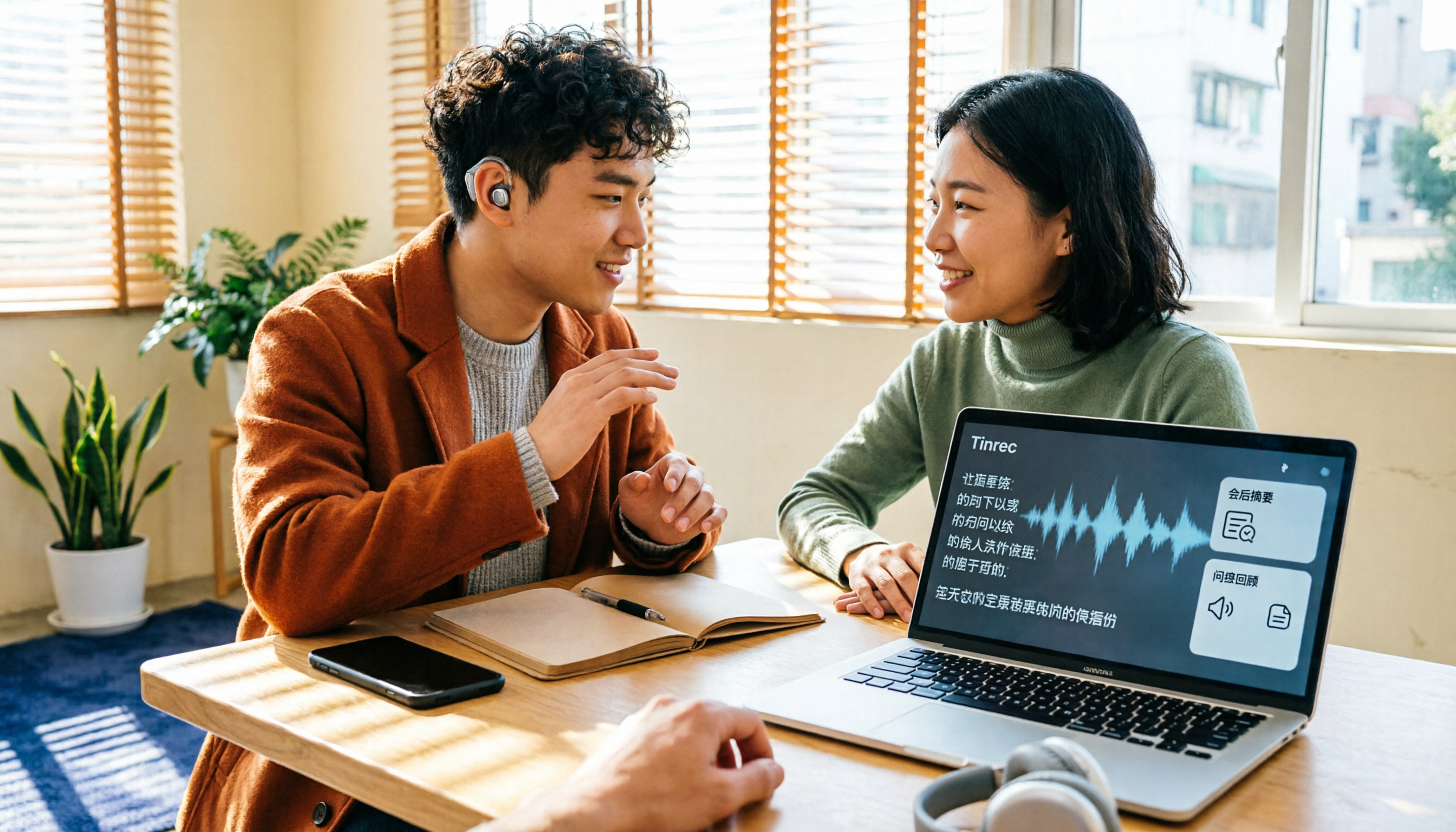
Turn recordings into transcripts and summaries in minutes
Upload audio or video for multilingual transcription, AI notes, and action items
2026 Complete Guide to Speech-to-Text for the Deaf and Hard of Hearing: Subsidies, Plan Selection, and Tool Testing
Not Hearing Clearly Doesn't Mean You Can't Get Meeting Notes—The Hard Part Is 'After the Meeting'
A two-hour meeting followed by two hours of organizing notes is the daily routine for most office workers. For people with hearing loss, the problem starts earlier: air conditioning noise, keyboard clatter, and multiple people talking over each other in the meeting room. You piece things together through lip-reading and context, and when the meeting ends, you're left with just a few keywords.
Online meetings aren't much better. Subtitles often lag, and key points fly by before you finish reading. If you want to double-check a number, you have to rewatch the entire recording.
More often than not, you actually have a transcript. A 30-minute meeting yields two to three thousand words, but no one highlights 'who is responsible for what and when it's due.' A transcript is just raw material, not the result.
This article addresses the entire process from 'how to record' to 'how to use the recording,' while also compiling subsidy and discount resources available to people with hearing loss in Taiwan, tool selection criteria, and recommendations based on actual testing.
What Subsidies and Discounts Are Available for Hearing Loss? First, Confirm What You Can Use
In Taiwan, most hearing-related subsidies require obtaining a 'disability certificate.' Under the current classification, hearing impairment falls under Category 2. Once certified, the items you can apply for are more numerous than most people imagine.
According to a list compiled by Digibionic Hearing Center and welfare promotion materials from the Community Hearing Impairment Welfare Association, common items include: subsidies for hearing aids and other assistive devices, special deduction for disability under comprehensive income tax, exemption from vehicle license tax, half-price public transportation (necessary companions also get half-price), housing rent and home purchase loan interest subsidies, student scholarships, national pension and living expense subsidies, etc.
A few practical reminders:
- The amount, eligibility, and application process for each subsidy vary by governing authority and the county/city of household registration, and figures are subject to adjustment. Before applying, confirm the latest version with your local district office or social affairs bureau.
- Existing subsidies mainly target hardware (e.g., hearing aids). Whether software subscription tools are included in subsidy coverage must be confirmed individually with the responsible unit; do not assume they can be reimbursed.
- Tool 'discounts' are usually not price reductions but free quotas and plan structures. Rather than waiting for a sale, first calculate how many minutes of transcription you need per month.
Before Choosing a Speech-to-Text Tool for Hearing Loss, Understand These 5 Key Points
1. Chinese and Multilingual Recognition Capability Meetings in Taiwan often mix Chinese and English, with many technical terms. When choosing a tool, don't just look at how many languages it supports; look at its actual performance in Chinese, mixed Chinese-English, and proper nouns. It's best to test with your own recordings.
2. Real-Time Transcription vs. Post-Upload Real-time transcription lets you listen and read simultaneously, suitable for classes, medical visits, and face-to-face interviews; post-upload is suitable for organizing existing recordings. These two needs are completely different—first clarify which scenario you encounter most often.
3. Can You 'Search' After the Meeting? A transcript is just the starting point. What really saves time is summaries, chapters, action item extraction, and whether you can directly ask 'who mentioned the budget in the last meeting' in one sentence. The difference in this area usually becomes apparent after two weeks of use.
4. Cross-Platform and Device Continuity Recording on your phone, organizing on your computer, and reviewing on the web is the norm. If a tool is tied to only one platform, you'll waste a lot of time transferring files back and forth.
5. Free Quota and Paid Plans First see how long the free version lasts, then check whether short-term plans (e.g., weekly pass) are more cost-effective than monthly. For team use, clarify whether billing is per person or per seat, and how shared quotas are calculated.
Tinrec—The Best Choice for 'Listening and Then Searching' After Testing
Tinrec is an AI meeting notes and collaboration tool for individuals and teams, covering iOS, Android, and web. It doesn't just convert sound to text; it turns meetings into searchable, queryable, and actionable data.
In actual use, the three most direct scenarios are:
Transcribe as you record. For face-to-face meetings or interviews, turn on real-time recording and the transcript is generated simultaneously, so you don't have to listen from the beginning again. For hearing-impaired users who need to confirm content in real time, this is far more practical than 'record first, organize later at home.'
No bot needed for online meetings. The desktop version directly captures your computer's system audio, handling Zoom, Google Meet, Microsoft Teams, Webex, and other meetings without an extra bot account joining, and without adding a stranger to the participant list.
Ask questions after recording. After the meeting, Tinrec generates summaries, chapters, and action items, and you can directly ask it questions like 'What was the conclusion of this meeting?' or 'What concerns did the client mention?' This is the biggest difference from pure transcription tools: what you get is not just a transcript but a record you can query. It also supports real-time translation, viewable in original, translated, or bilingual mode, which helps with cross-language meetings.
We tested with a Chinese meeting recording containing air conditioning background noise (recorded with a phone's built-in microphone, indoor environment). In segments where speakers did not overlap, the transcript readability was quite high; when multiple people talked over each other, playback verification was still needed. This point will be mentioned again later—no tool should be considered a complete replacement for human verification.
Stop organizing recordings by hand
Upload audio or video and automatically get a transcript, summary, and action items
Advantages worth noting:
- Practical output formats: transcript, AI summary, chapters, action items, mind map, and export to Notion, Google Docs, OneNote, Dropbox, etc. for further processing.
- Chinese and multilingual meetings are a focus: supports Chinese, Traditional Chinese, and multilingual meeting scenarios, and allows maintaining technical terms through team hotwords, making it relatively friendly for mixed Chinese-English meetings.
- Team version retains data: meeting records belong to the team, members can share and view; administrators can manage roles, seats, usage, and audit logs, and data can be handed over when members change, not following the person.
Limitations to note:
- The free version has only a basic quota; heavy users need to pay. Actual prices and benefits are subject to the official purchase page.
- No fixed accuracy commitment. Audio quality, noise, accents, simultaneous speaking, and technical terms all affect results; important content should be verified with transcript timestamps and recording playback.
- Desktop meeting recording requires you to actively start it; it does not automatically join all meetings on your calendar.
How to choose a plan:
- For occasional recording organization, start with the free version.
- For short-term intensive meetings, interviews, or courses, consider a weekly pass.
- For steady weekly needs, the Pro monthly plan is suitable.
- For long-term accumulation of recording data, the Pro annual plan is suitable.
Team use: The team version is not 'multiple people sharing one personal account' but an independent team space. Eligible teams can try 7 days, 1 free seat, and 300 minutes of shared team import quota for the first time; team monthly payment is USD 29.80 per paid seat per month, annual payment is USD 199 per paid seat per year (about USD 16.58 per month), and each paid seat provides 2,000 minutes of shared team import quota per month. Under an active team plan and active seats, real-time recording currently does not deduct minutes; files and web imports use the shared team quota. Note the distinction between roles and seats: having a role does not equal having usage quota; members without a seat can still view, play, and read team data but cannot upload, edit, or export.
Who it's for: If your meetings are mainly in Chinese, you want online meetings without an extra bot, and you want to use AI to find key points and action items directly after recording, Tinrec is currently the closest choice to this workflow.
Besides Tinrec, What Other Options Are There?
Google 'Live Transcribe and Sound Notifications' An Android built-in accessibility feature, free, supports over 80 languages, and can set 'vibrate when someone calls your name,' and can connect wired or Bluetooth microphones to improve audio pickup. It's very practical for those with zero budget who only need real-time captions. But it's a real-time assistive tool: it won't save a complete meeting audio file for you, and it lacks post-meeting summaries, action items, cross-meeting AI Q&A, and team data space—all of which are Tinrec's strengths.
Granola An AI meeting notes tool that also takes the 'no bot invitation' approach, transcribing in real time through desktop system audio and microphone, and combining with your handwritten notes to generate content. Current official pricing is Business USD 14 per user per month. It's suitable for people who are used to typing while in meetings. Note that it does not support uploading pre-recorded audio files and does not save meeting audio; if you need to keep recordings, import existing files, or centralize meetings in a team database, Tinrec's approach is more complete.
PLAUD Note/NotePin A representative of AI recording hardware, selling an independent device, portable recording, and long battery life, with a US official price starting at USD 159. Hardware does have its scenarios, such as phone calls or on-site situations where you can't record at a computer. But it's an extra expense, and you still have to organize in the app afterward. Tinrec doesn't require buying an extra device; it works on phone, desktop, and web, and handles online meetings via the desktop version, making it more direct for 'meeting notes plus post-meeting organization.'
Pitfall Guide: The 4 Most Common Mistakes When Choosing These Tools
Pitfall 1: Only looking at the official accuracy rate. Numbers measured in a quiet recording studio are different from a real meeting room. Air conditioning noise, keyboard sounds, multiple people talking over each other, accents, and technical terms all degrade performance. The right approach is to test the free version with your own recordings, not just read ad copy.
Pitfall 2: Assuming subsidies can definitely be used to buy software. Current hearing loss subsidies mostly revolve around assistive devices and living support; whether software subscriptions apply must be confirmed with the responsible unit. Rather than buying first and asking later, ask clearly first, then decide whether to use the free version, short-term plan, or long-term plan.
Pitfall 3: Treating the transcript as the end point. A transcript without summaries, action items, or the ability to ask questions is just swapping the work of 'listening' for the work of 'reading.' When choosing a tool, make 'can I ask a question and get an answer in one sentence after the meeting' a must-have.
Pitfall 4: Forgetting to inform before recording. Recording and transcription involve personal data and legal responsibilities, and regulations vary by region. Before a meeting or interview, participants should be informed and consent obtained; this step cannot be skipped.
Conclusion: Which One Should You Choose?
Back to the original question: what people with hearing loss need is not more transcripts but a workflow from recording to usable data. Here's a scenario-based breakdown:
- For Chinese-dominant meetings, classes, and interviews needing real-time transcripts, choose Tinrec (supports Chinese and multilingual, transcribes as you record).
- For online meetings without an extra bot joining, choose Tinrec (desktop version captures system audio).
- To ask directly after recording 'What's the conclusion? Who's responsible for what?' choose Tinrec (AI summary, chapters, action items, and AI Q&A).
- To continue using across phone, computer, and web, choose Tinrec (iOS, Android, web).
- For teams sharing meeting records and managing seats and usage, choose Tinrec team version (team space, roles, seats, usage, and audit).
- For zero budget and only needing Android real-time captions, use Google 'Live Transcribe and Sound Notifications' (free, but no post-meeting organization or team space).
- If you're used to handwriting notes during meetings and don't need to keep audio files, consider Granola.
We suggest starting with Tinrec's free version and testing with your most difficult recording: noisy background, mixed Chinese-English, multiple speakers. The free quota is enough to experience the full workflow; consider upgrading only after confirming it suits you—no need to pay from the start.
References
- 2026 Hearing Disability Certificate 20 Subsidies: Amounts, Eligibility, and Methods at a Glance: Up to 600,000 NTD
- Live Transcribe and Sound Notifications - Google Play App
- Hearing Aid Subsidies, Tax Reductions, Transportation Subsidies All at Once! 2026 Top 5 Benefits for Hearing Impairment
- Online Speech-to-Text AI, Free MP3 or Recording to Text Transcript - MyEdit
- Tech Charm | The Problem Isn't Just Not Hearing Clearly! How Technology Helps People with Hearing Impairment Overcome Reading, Speaking, and Communication Difficulties
Turn every recording into actionable outcomes
Get 60 free transcription minutes when you sign in. No credit card required.
Related Reading
You might also like

5 Best Real-Time Speech-to-Text Software in 2026: Which Handles Chinese Meetings and Post-Meeting Notes Best?
Still spending two hours after a meeting organizing the transcript? This article tests 5 real-time speech-to-text software, comparing Chinese recognition, bot-free meeting recording, AI Q&A, and team collaboration, and honestly lists each solution's pricing and limitations to help you decide which one best fits your work scenario.

Best Video Summarizer Tools in 2026: Hands-On Test of 4 Options, Tinrec Shines for Chinese and Post-Meeting Organization
No time to watch long videos? We tested 4 video summarizer tools, comparing subtitle-free video processing, AI follow-up Q&A, Chinese and mixed Chinese-English recognition, and export workflows. We also highlight 3 common buying mistakes to help you find the best video summarization solution for your needs.
5 AI Meeting Note Tools Tested and Compared for 2026: Which One Saves the Most Time Auto-Generating Meeting Minutes?
Still spending an hour after a meeting writing up notes? This article starts with common meeting note pitfalls, distills common approaches into 5 key selection criteria, and uses Tinrec to demonstrate how to automatically turn recordings into transcripts, summaries, and action items. It also covers the differences between the free and team versions, how to record online meetings without a bot, real-world use cases, and FAQs.

Complete Guide to YouTube Content Summarization in 2026: From Transcripts to AI Summaries
Videos pile up, but the key points get harder to find. This guide covers practical methods for summarizing YouTube content, from transcripts and AI summaries to follow-up questions and team knowledge retention. It compares browser extensions, web-based summarization tools, and Tinrec, helping you choose the right workflow.

2026 Text-to-Speech Tools Compared: Most People Get It Wrong, Meeting Recordings Still Unorganized
Many people searching for 'text-to-speech' actually need to turn meeting, interview, and course audio into usable text. This article first clarifies what text-to-speech can do, then breaks down the other half that most teams really need to add. Using Tinrec as an example, it explains how real-time transcription, AI summaries, action item extraction, AI Q&A, and team spaces work, and finally provides 5 purchasing checkpoints and FAQs.

Tinrec vs Notta 2026: 5-Dimension Comparison — Which Is Better for Video Analysis and Chinese Meeting Notes?
Most people who want to extract content from online videos aren't looking to download files—they want to turn video content into searchable, citable data. Written from a manager's perspective, this article first distinguishes three needs: downloading, screenshotting, and extracting content. It then compares Tinrec and Notta across 5 key dimensions and explains who Otter.ai and TurboScribe are best for, helping you choose the right tool in 2026.

5 AI Video Summarizers Tested for 2026: Which Free Tier Works Best for Students
Using AI to summarize videos isn't just about pasting a link—the key is whether the summary can trace back to the original timestamps. Based on real scenarios like exam prep, group projects, and interview assignments, this article covers the core capabilities, use cases, and 5 key factors to consider when choosing such tools, plus hands-on experience with Tinrec for transcripts, summaries, AI Q&A, and team collaboration.

2026 Free Audio-to-Text Transcription Limits Compared: Why Consider Tinrec Beyond Notta
How do free transcription limits really compare? This article starts with the unit of measurement, explains the differences between live recording and file upload, single-session length caps, post-meeting organization capabilities, and team data ownership. It compares Tinrec and Notta on free plans and core experience to help you choose a workflow that truly fits.

2026 4 Audio-to-Transcript Tools Tested: Which One Actually Saves You Time?
Turning audio into a transcript is easy; the hard part is whether you can use it right away. This article compares 4 audio-to-transcript tools, covering recording sources, Chinese and mixed Chinese-English performance, post-meeting organization, and team data retention, explaining why Tinrec is the smoothest for Chinese meeting scenarios, while honestly noting the limitations of free quotas and team plans.