

Turn recordings into transcripts and summaries in minutes
Upload audio or video for multilingual transcription, AI notes, and action items
10 Ways Entrepreneurs Can Use the Automated Meeting Notes Tool TinRec to Build Their Business
Entrepreneurship is an extremely challenging endeavor. Beyond conceiving a viable business model, entrepreneurs must handle customer development, sales, and operations management around the clock, which can lead to physical and mental exhaustion over time. Many entrepreneurs work 20 to 70 hours a week, making great sacrifices to keep their businesses running.
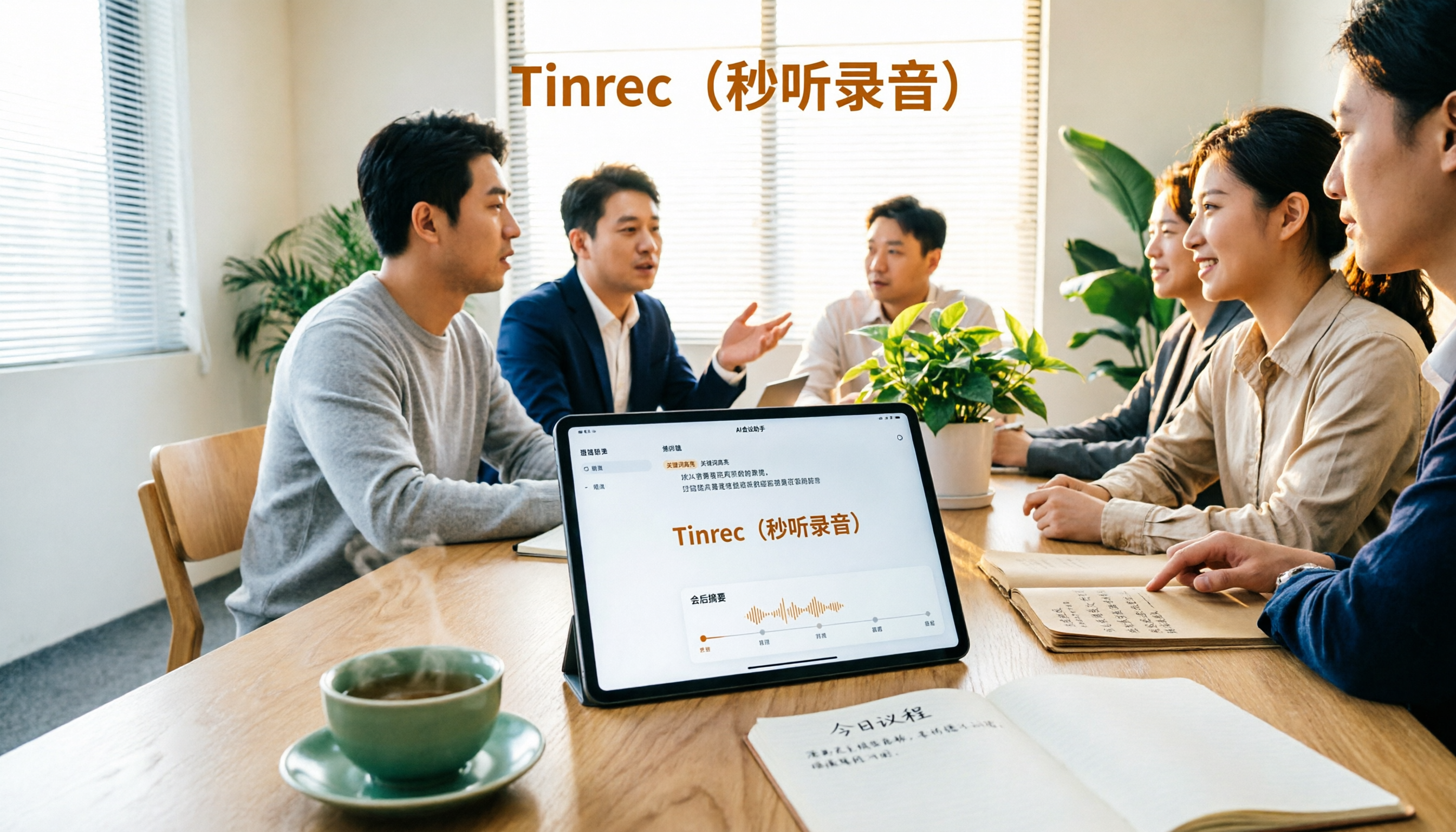
TinRec is dedicated to helping entrepreneurs reclaim valuable time. Using AI voice-to-text technology, TinRec automatically generates transcripts of meetings, lectures, and other important conversations in real time, allowing busy entrepreneurs to preserve every exchange without manual note-taking.
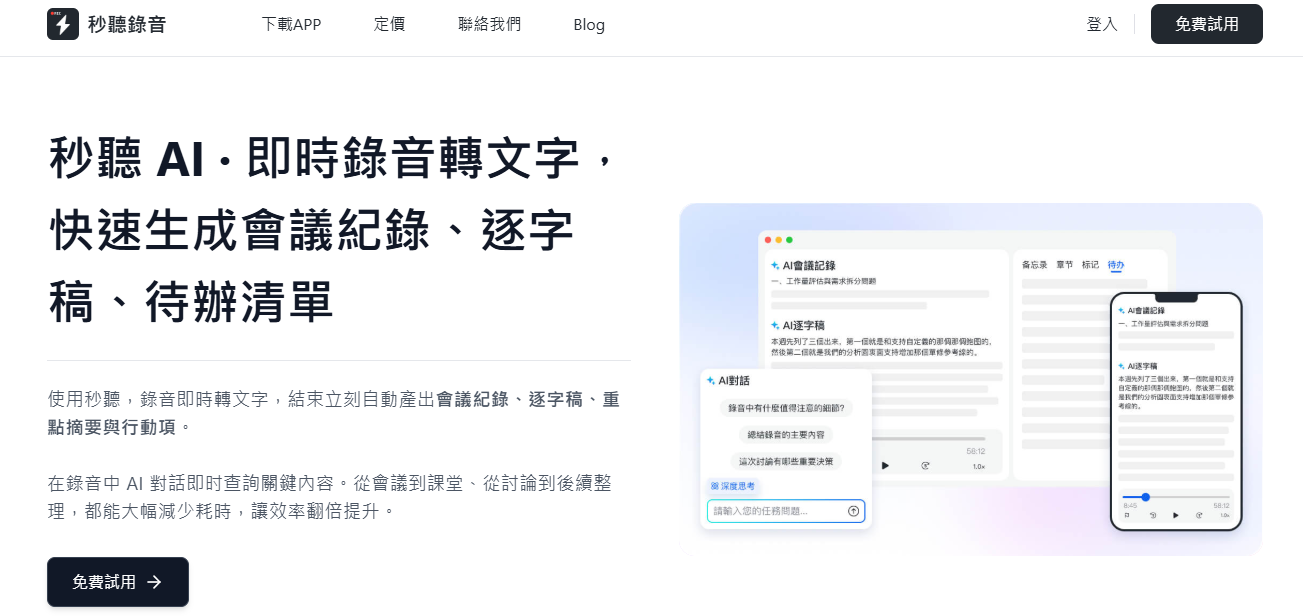
In fact, many entrepreneurs have already integrated TinRec into their daily workflows to boost revenue, streamline operations, and deepen customer relationships. Here are 10 practical use cases:
- 1. News Interview Transcription
- 2. Automated Meeting Notes
- 3. Client Meeting Records
- 4. Microsoft Teams Meeting Transcription
- 5. Venture Capital Pitch Records
- 6. Content Creation Idea Extraction
- 7. Podcast Textualization
- 8. Live Event Real-Time Transcription
- 9. Employee Performance Evaluation
- 10. Teaching Course Text Records
1. News Interview Transcription
Journalists are essentially entrepreneurs themselves, constantly uncovering news leads and chasing the best stories. Whether working for a major media outlet or as a freelancer, conducting high-quality interviews is their core task. When pursuing truth and accuracy, having complete transcripts of statements is crucial.
TinRec significantly reduces the time journalists spend manually transcribing interviews. For example, Don Nicastro, a journalist at CMSWire in Boston, replaced traditional transcription methods with TinRec. The AI-generated text supports keyword search, allowing journalists to quickly locate needed information and improve reporting efficiency.
2. Automated Meeting Notes
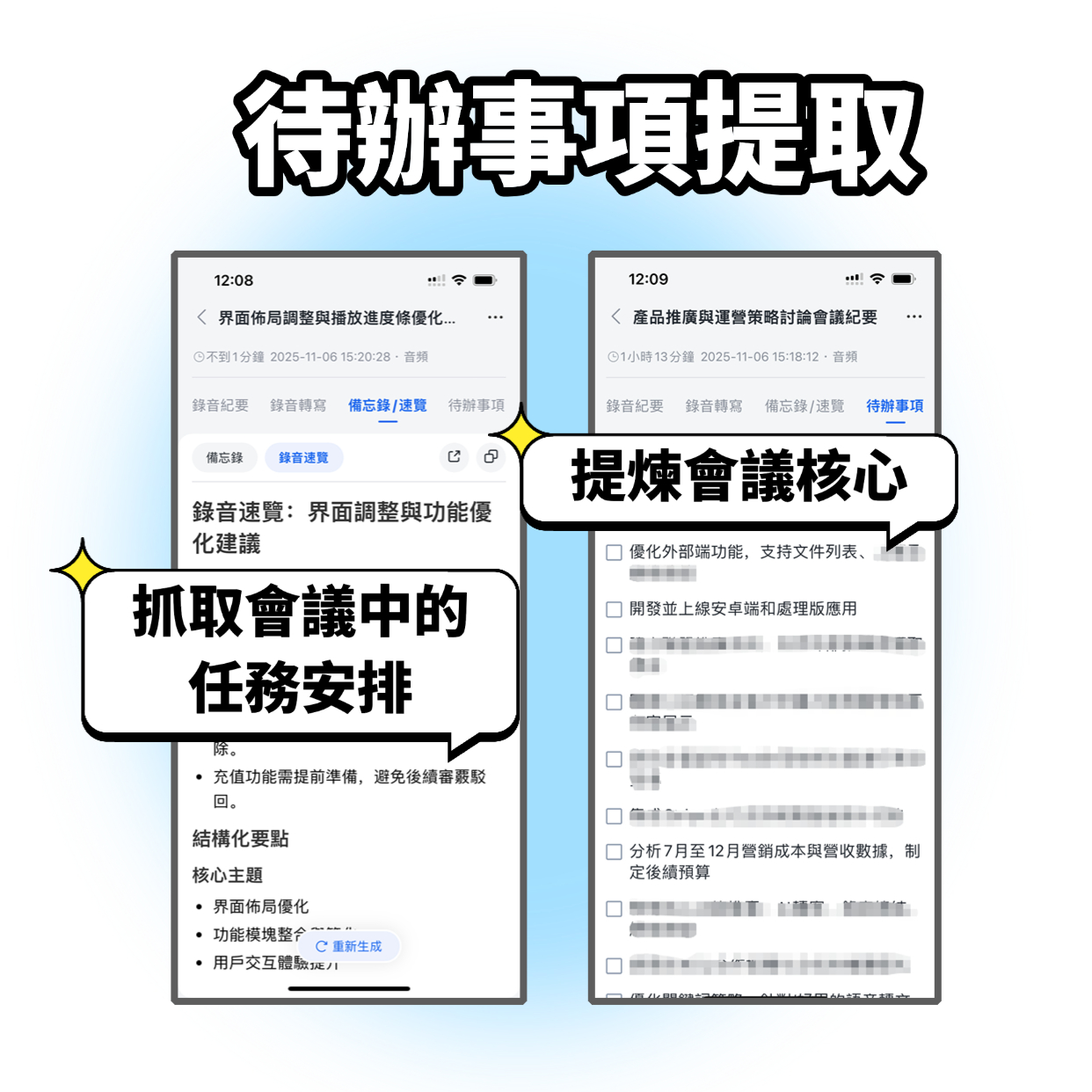
Traditional manual note-taking is prone to omissions or bias; even skilled stenographers may miss key points. TinRec Assistant provides unbiased, complete conversation records, ensuring fair presentation of information.
Stop organizing recordings by hand
Upload audio or video and automatically get a transcript, summary, and action items
Designers use TinRec to record user interviews without relying on on-site note-takers. The automatically generated text files are not only detailed but also convenient for subsequent analysis and archiving, improving research quality.
3. Client Meeting Records
Whether for new client acquisition or maintaining existing partnerships, meetings are key to driving projects and building trust. TinRec allows entrepreneurs to focus on the conversation at hand rather than on taking notes.
Employees at a UK company use TinRec to maintain meeting flow. After the meeting, the system automatically generates searchable text records, helping the team precisely capture consensus and action items, strengthening client relationships.
4. Microsoft Teams Meeting Transcription
Remote collaboration has become the norm. As Microsoft Teams is a core communication platform in Office 365, it supports real-time communication across time zones. However, when multiple people speak simultaneously, details can be missed.
Enterprise experts point out that TinRec can fully transcribe Teams meeting content, making it easy for those who missed the meeting to quickly grasp key points and facilitating subsequent sharing and progress tracking.
5. Venture Capital Pitch Records
Pitching to venture capitalists for funding is a high-pressure process. VCs meeting dozens of entrepreneurs daily cannot rely on memory alone to retain all information. TinRec provides accurate transcripts, helping investors compare the details of each team's proposal and make more informed decisions.
6. Content Creation Idea Extraction
Content creation often gets stuck at "where to start." Ideas generated during brainstorming sessions can easily be lost if not recorded promptly. Educational entrepreneurs use TinRec to capture discussions, then directly convert the text into article outlines or video scripts, significantly boosting output efficiency.
7. Podcast Textualization
Although podcasts are audio-based, text versions can extend the value of the content. Marketing consultant Chris Penn and business podcast host Phil Gerbyshak both use TinRec to generate podcast transcripts and time-stamped episode summaries, enhancing SEO and expanding audience reach.
8. Live Event Real-Time Transcription
Conferences and summits are important venues for knowledge exchange. TinRec can provide attendees with complete transcripts immediately after the event, increasing participation value. Organizers can monetize the transcripts as additional products.
9. Employee Performance Evaluation
Improving operational efficiency relies on performance management. Managers use TinRec to obtain records of employee interactions, providing timely feedback and coaching regularly rather than relying solely on annual reviews.
10. Teaching Course Text Records
Future entrepreneurs are learning in classrooms today. University lectures often contain valuable knowledge that may be missed due to fast speaking or absence. TinRec provides real-time transcription in Traditional Chinese, English, Japanese, Cantonese, and Taiwanese Hokkien, allowing students to search and review key points instantly, improving learning effectiveness.
Whether you are a startup just beginning or an established enterprise, TinRec can effectively optimize your workflow. Try TinRec now and enjoy 300 minutes of free transcription per month, with a maximum of 30 minutes per meeting, supporting audio and video file uploads.
Turn every recording into actionable outcomes
Get 60 free transcription minutes when you sign in. No credit card required.
Related Reading
You might also like

2026 Real-Time Recording Tools Compared: Which Can Transcribe While Recording?
How do you choose a real-time recording tool? This article tests and compares Tinrec, free online voice recorders, Bandicam, and Granola in real meeting scenarios, explaining why what happens after recording is key, plus 4 buying tips, pitfalls to avoid, and scenario-based recommendations.

5 Meeting Recording Apps Compared in 2026: From Transcripts to Team Collaboration
Meeting recording apps aren't just about audio quality—they're about what happens after the meeting. This guide breaks down five common tool approaches, covering live transcription, AI summaries, action item extraction, AI Q&A, team spaces, and seat management. Using Tinrec as an example, we walk through bot-free online meeting recording, Chinese transcription, summaries, and exports, and compare the free, Pro, and Team plans to help you decide which solution fits your meeting needs.

What Is Instant Messaging in 2026? 5 Steps to Understand the Definition and Choose Tools
What does instant messaging (IM) mean? This article starts with the definition, history, and message storage methods to help you understand the essence of synchronous communication, 4 key points for choosing tools, and compares meeting and communication organization tools like Tinrec, Otter.ai, Notta, and Granola. Finally, a pitfall guide helps you choose the right tool.

Can You Share a Recording with Others in 2026? 5 Key Legal Points and How Tinrec Helps You Organize
Whether you can share a recording with others depends on your role, purpose, and content. This article summarizes key legal points on invasion of privacy and personal data protection, and explains how to use Tinrec to turn recordings into transcripts or summaries so you only share necessary information, reducing privacy and legal risks.

5 Best AI Meeting Notes Apps of 2026: Which Free Version Is Actually Enough?
There are countless AI meeting note takers, but buying one doesn't guarantee better notes. This article starts with the most common mistakes and inefficient habits, outlines 4 key factors for choosing a meeting transcription tool, tests Tinrec's bot-free recording, AI Q&A, and team workspace, and compares Otter.ai, Notta, and TurboScribe on positioning and pricing to help you find a solution that truly saves time.

4 Recording AI Tools Tested in 2026: Which Saves the Most Time on Chinese Meeting Minutes?
Before choosing a recording AI, first confirm where your meetings take place. This article tests 4 common recording AI tools, breaking them down from four angles: audio capture method, post-transcription output, recording file retention, and team sharing. It also summarizes pitfalls to help you determine which one truly saves time on meeting notes.

How to Use an AI Recording Assistant in 2026: A Complete 5-Step Guide
A complete 2026 guide to AI recording assistants: starting from common misconceptions about manual transcription, this guide explains what an AI recording assistant can do for you, a 5-step workflow, real-world use cases, and 5 key purchasing considerations. It uses Tinrec as an example to demonstrate real-time transcription, bot-free online meeting recording, AI summaries and action item extraction, AI Q&A, and team workspace governance, with FAQs and team pricing details at the end.

4 Real-Time Voice Tools Tested for 2026: Which Saves the Most Time for Meeting Notes and Transcripts?
What is real-time voice? This article first clarifies the difference between Apple Live Speech and Live Voicemail, then tests 4 tools, comparing meeting notes, transcripts, AI Q&A, and team collaboration to help you find the most time-saving solution.
4 AI Recording Tools Tested for 2026: Which One Saves the Most Time on Chinese Meeting Notes?
Still have meeting recordings nobody re-listens to? We tested 4 AI recording tools, comparing Chinese transcription, meeting capture methods, post-meeting summaries, AI Q&A, and team data ownership. Find out why Tinrec is the smoothest for Chinese meetings and team collaboration, plus when to choose PLAUD, Otter.ai, or Notta, and key pitfalls to avoid.