

Turn recordings into transcripts and summaries in minutes
Upload audio or video for multilingual transcription, AI notes, and action items
2026 Comparison of 4 Meeting Task Tools: Which One Turns Discussions into Trackable To-Dos?
When choosing a meeting task tool, the first thing to evaluate is usually not the price, but this: Can it, right at the moment the meeting ends, organize "who will do what and by when"?
If you still have to go back and listen to the recording yourself, filling in a table cell by cell, then it's just another tool that costs you time.
Currently, solutions on the market can be roughly divided into four types: those that only record, those that only transcribe, those that rely on a meeting bot to join the meeting, and those like Tinrec that use a desktop app to capture system audio and then organize the content into tasks.
Tinrec is an AI meeting notes and collaboration tool for individuals and teams. It supports real-time recording to text, desktop bot-free recording of online meetings, audio/video file transcription and real-time translation, and automatically generates summaries, chapters, to-dos, and mind maps; meeting data can also be placed in a team space to be searched, queried, and further processed.
Simply put, it turns meetings into searchable, collaborative, and actionable team data.
I'll start with the conclusion: if what you care about is "that task list after the meeting," Tinrec is a type of tool worth trying first. Below I've summarized the key points from my trial.
What Can a Meeting Task Tool Do for You?
Scenario 1: Get a to-do list within 5 minutes after a meeting Previously, after a two-hour meeting, you often had to spend another hour recalling who promised what. With Tinrec, for example, as the meeting ends, AI has already organized the discussion into summaries, chapters, and to-dos, so who is responsible and what needs to be delivered can be assigned directly.
Scenario 2: Looking back three months later to check "why was this decision made?" The reasons at the time of the meeting usually don't make it into formal documents. Tinrec keeps the transcript and supports AI Q&A—you can directly ask "Who mentioned the budget cap in this meeting?" "What did the client say about the delivery date?" It will answer based on semantic understanding, without you having to dig through the entire record.
Scenario 3: A shared version of decisions from cross-department meetings When everyone takes their own notes, versions don't match. Tinrec centralizes transcripts, summaries, and to-dos in one place, so team members see the same information.
Scenario 4: Don't miss commitments from client meetings Requirements, objections, and timelines casually mentioned by clients are often the source of follow-up tasks. Tinrec can organize these into to-dos and export them to Notion, Google Docs, OneNote, or Dropbox for further processing.
What Are the Core Capabilities of a Meeting Task Tool?
Real-time transcription: text appears as you record It's not transcribed after recording. Tinrec's real-time transcription lets you check the text during the meeting to confirm key points aren't missed, and it can handle Chinese and mixed Chinese-English meeting content.
Bot-free online meeting recording Tinrec's desktop version directly captures your computer's system audio, handling online meetings on Zoom, Google Meet, Microsoft Teams, Webex, etc., without pulling an extra meeting bot into the meeting room. Note that this does not mean "automatically joining all calendar meetings"—you still need to actively open Tinrec to start recording.
AI summary, chapters, and to-do extraction Transcription is just the first step. Tinrec breaks long meetings into chapters, highlights key points, and organizes action items from the discussion into to-dos—this is the source of the task list.
AI conversational query After transcription is complete, you can continue to ask questions about a single meeting or multiple meetings, treating historical meetings as a queryable database.
Post-meeting output and export Tinrec's Agent post-processing can generate reports, tables, and documents based on meeting content; it can also export results to existing workflows, eliminating manual copy-paste.
Team space and governance The team version provides an independent team space where Audio, Folder, and TODO are stored together, with member and seat management, usage analytics, audit logs, team hotwords, and a 30-day retention audio recycle bin.
Practical Use Cases
Project weekly meetings and cross-department meetings Regular weekly meetings are where task lists are born. After recording with Tinrec, to-dos grow directly from the transcript, so PMs don't have to rely on memory to fill in gaps. Data stays in the same team space, and new members can trace back historical decisions.
Stop organizing recordings by hand
Upload audio or video and automatically get a transcript, summary, and action items
Client interviews and requirements communication Sales and customer success teams fear missing commitments the most. Tinrec keeps transcripts and summaries, which can be exported as client communication records after the meeting and brought into subsequent processes.
Courses, lectures, and internal training This type of content is usually long and dense. Tinrec's chapter and summary features can compress a two-hour course into readable key points, and you can go back to the transcript when you need details.
Personal knowledge management Ideas that come to mind, quick voice memos—over time, they usually become unfindable. Tinrec supports AI Q&A, turning historical recordings into queryable data instead of files lying on your phone.
5 Points to Note When Choosing a Meeting Task Tool
1. Does it produce a transcript or tasks? Transcription quality is just the threshold. What really saves time is "organizing after transcription." Beyond the transcript, Tinrec directly outputs summaries, chapters, and to-dos, so you don't have to retype the task list yourself.
2. How are online meetings recorded? Some methods require a bot account to join the meeting, and some platforms show that someone is recording. Tinrec's desktop version handles it by capturing system audio, so there's no extra participant in the meeting, but you need to initiate it manually. This is especially important for external meetings.
3. Performance with Chinese and mixed Chinese-English Meetings in Taiwan are rarely pure Chinese or pure English. Tinrec covers Chinese, Traditional Chinese, and multilingual scenarios, and supports real-time translation and team hotwords. Note that actual performance is affected by recording quality, noise, accents, multiple people speaking simultaneously, and technical terminology; it's not recommended to rely solely on official accuracy figures.
4. Can it connect to your existing workflow after the meeting? If the organized data can only stay in the tool, it's just another silo. Tinrec supports multi-format export to Notion, Google Docs, OneNote, Dropbox, etc., and can also generate reports, tables, and documents.
5. Is the governance mechanism sufficient for team use? When introducing it to a team, the real questions are: Who owns the data after a member leaves? Who can record, and who can only view? Tinrec's team version uses "roles" to determine management permissions and "seats" to determine whether one can record, upload, edit, and export; members without seats can still view, play, and read team data. When a member exits or is removed and loses their seat, their team resources need to be handed over to other active members. Also, the team version currently focuses on team-level sharing, not a file-level granular permission system—this should be made clear upfront.
Regarding pricing, Tinrec's personal version has a free version, weekly card, Pro monthly card, and Pro annual card, chosen based on usage frequency. The team version's first eligible trial is 7 days, 1 free seat, 300 minutes of team shared import quota; paid plans are USD 29.80 per paid seat per month, or USD 199 per paid seat per year (about USD 16.58 per month), with each paid seat providing 2,000 minutes of team shared import quota per month. Real-time recording under an active team plan is currently not deducted by minutes; file and web imports use the team shared quota. Actual prices and benefits are subject to the official purchase page.
Frequently Asked Questions
Q1: What's the difference between a meeting task tool and a recording-to-text tool? The difference is "whether it organizes for you." Recording-to-text only gives you a transcript; Tinrec further generates summaries, chapters, and to-dos, turning meeting content directly into assignable tasks.
Q2: Does Tinrec require a meeting bot to join? No. Tinrec's desktop version directly captures computer system audio, so no extra bot account appears in the meeting list. But note that this does not mean automatically joining all meetings; the user still needs to actively initiate recording.
Q3: Is the free version enough? If your meeting frequency is not high, you can start with the free version to experience the basic workflow of recording, importing, summarizing, and transcription, and confirm whether the output format suits your habits. If you have regular meetings every week, Pro will be smoother; for short-term intensive interviews or project sprints, consider the weekly card.
Q4: What's the difference between "roles" and "seats" in the team version? Roles determine who can manage the team, members, audits, and team settings; seats determine whether a member can record, upload, edit, import/export, and use team resources. Active members without seats can still view, play, and read team data.
Q5: Can deleted recordings be recovered? Team version audio goes into the recycle bin and can be restored before permanent cleanup begins; the current retention period is 30 days. Note that to-dos (TODO) are not within the scope of the recycle bin.
Q6: Is accuracy guaranteed? It's not recommended to expect that. Tinrec can significantly reduce the cost of manual recording and organizing, but for important content, it's still advisable to cross-check with transcript timestamps and recording playback, especially in noisy environments or when multiple people are talking over each other.
Conclusion
What a meeting task tool really solves is not "recording it," but "after the meeting, do things move forward?"
If you have more than three meetings a week and are chased by to-dos, Tinrec is worth a try: from real-time transcription, AI summary to to-do extraction, after going through the whole process, you'll have a clearer idea of whether you need it.
Before introducing it to a team, it's also recommended to use the team version's trial quota to clarify the rules for members, seats, and data ownership before deciding whether to expand.
References
- 2026 In-Depth Review of Meeting Minutes Tools: One-Click Export to Editable Documents Original
- 2026 Party Branch Meeting Agenda Template PPT Template
- How to Build a 2026 Work Plan PPT Framework? AI Completes It in One Step Original
- 2026 HR Work Plan Full Set (Plan + Cases + Tables + PPT) - Zhihu
- How to Efficiently Generate Monthly Work Reports? 2026 Automation Tools Improve Enterprise Data Analysis - FineReport Report Knowledge Base
Turn every recording into actionable outcomes
Get 60 free transcription minutes when you sign in. No credit card required.
Related Reading
You might also like

How to Create Meeting Minutes Templates in 2026: 5-Column Template + AI-Generated Action Items
How can you create meeting minutes that actually get used? This guide starts with common pitfalls, breaks down the essential action items, decisions, and traceability design for tables, compares manual templates with AI tools, and explains how Tinrec uses transcripts, summaries, and action item extraction to replace the old workflow of typing while listening.

2026 Comparison of 3 Meeting Minutes PDF Tools: Which Delivers Chinese Meeting Documents Fastest?
After a meeting, the real time sink isn't converting to PDF—it's re-listening to recordings and filling in decisions. This comparison of Tinrec, Granola, and Notta covers meeting notes, Chinese language handling, and document export, plus a ready-to-use meeting minutes template.

Word vs Excel for Meeting Minutes: I Tested 3 Methods in 2026 and Chose an AI Tool
Should meeting minutes be in Word or Excel? Drawing on a mid-level manager's hands-on experience, this article breaks down the scenarios each format suits, compares Word, Excel, Notta, Otter.ai, and Tinrec for Chinese meeting notes, action item tracking, and team collaboration, and lists 4 common pitfalls to help you pick the method that truly saves time.

4 Meeting Note Tools Tested in 2026: Which Can Auto-Generate Task Lists?
After the meeting, no one knows who does what next? We tested 4 meeting note tools to compare which can automatically extract task lists from recordings and transcripts, and we break down Tinrec's actual workflow, team plan seats and pricing, plus 6 key points to consider before buying.

2026 Comparison of 5 Free Meeting Minutes Templates: How Much Faster Is AI Auto-Generation Than Manual Filling?
Downloading free meeting minutes templates is easy, but the real time sink isn't the template—it's organizing the content into it. Using Tinrec as an example, this article shows what free meeting minutes templates can help with, what AI approaches exist, 5 key points to consider when choosing a tool, and answers to common questions.
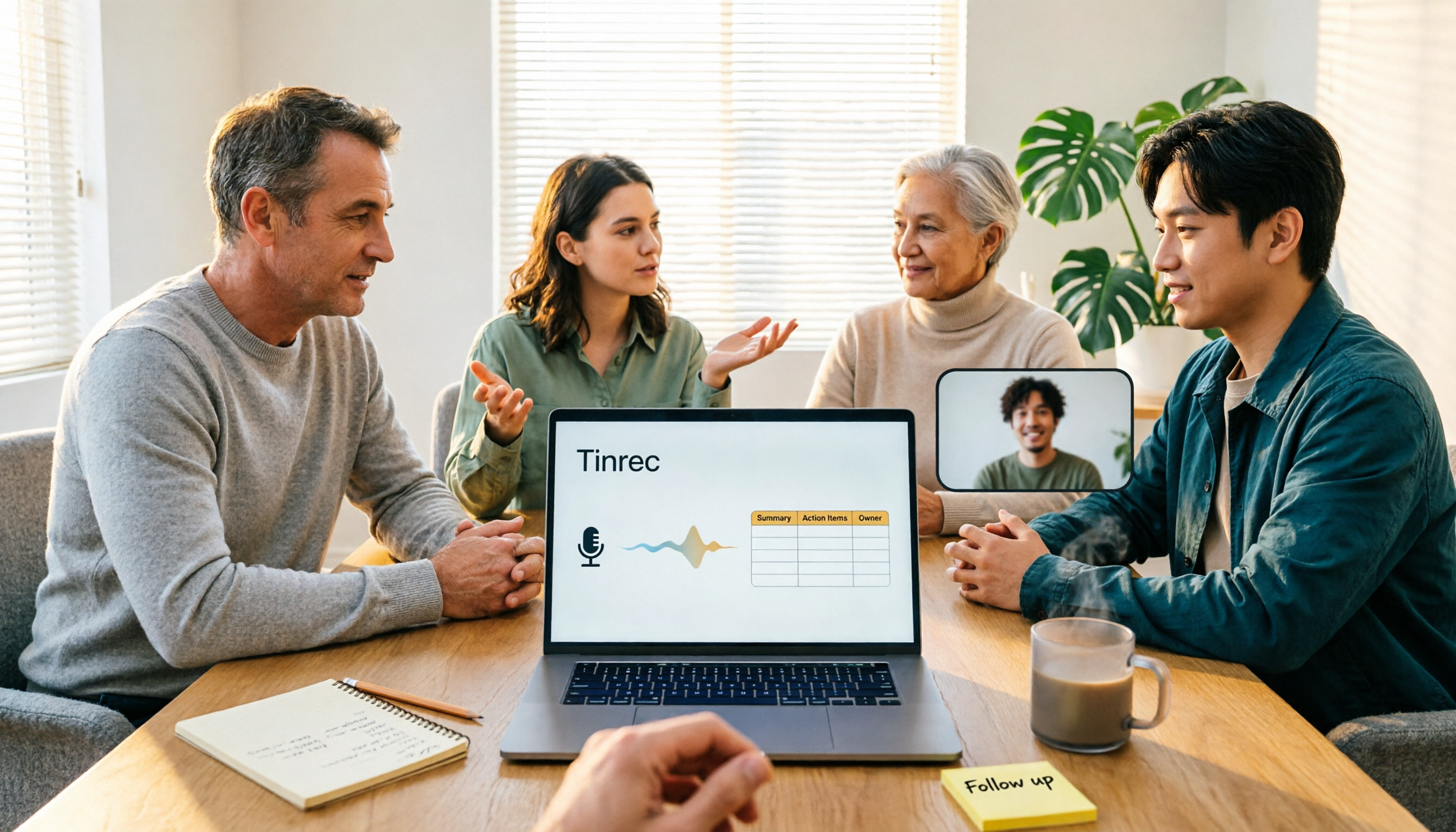
4 Meeting Minutes to Excel Tools Tested in 2026: Which One Can Turn Recordings into Spreadsheets?
When it comes to generating Excel from meeting minutes, the real challenge isn't the spreadsheet format—it's how to automatically flow content into columns. This article compares four tools—Tinrec, Otter.ai, Notta, and TurboScribe—on their meeting capture methods, post-meeting outputs, and team collaboration capabilities. It also outlines 5 key purchasing criteria and 4 common pitfalls to help you determine which tool can truly turn recordings into deliverable spreadsheets.

5 Meeting Action Item Table Formats Tested for 2026: Which One Actually Tracks To-Dos to Completion?
Meetings end, but action items often go untracked. This article compares 5 common meeting action item table approaches, breaking down field design, owner assignment, and cross-meeting tracking, and tests how Tinrec automatically generates transcripts and to-dos during meetings. Includes a pitfalls guide and selection advice.

4 Meeting Minutes Tools Tested for 2026: Which One Automatically Builds Owner and Due Date Tables?
The biggest fear with meeting minutes is writing down only the discussion and not who is responsible or when it is due. This article starts with common mistakes in owner and due date tables, then tests and compares Tinrec, Granola, TurboScribe, and PLAUD. It covers buying criteria, pitfalls to avoid, and selection advice to help you track post-meeting action items all the way to completion.
Meeting Minutes vs. Meeting Report: Key Differences Explained in 3 Minutes (2026 Guide)
What's the difference between meeting minutes and a meeting report? This guide breaks down the readers, purposes, and writing styles of each in a comparison table, teaches you 3 things to decide before you start writing, and shares how our team uses Tinrec to generate both from a single recording.