
Turn recordings into transcripts and summaries in minutes
Upload audio or video for multilingual transcription, AI notes, and action items
Many people, when they first use a PRD auto-generation tool, think: throw in a one-sentence requirement and wait for it to spit out a document ready for engineers. But after trying it, they find the document looks complete, yet engineers get stuck when asking for details. The problem usually isn't the tool, but the material fed into it was never organized.
Why do PRD auto-generation tools have limited effectiveness?
In recent years, many tools designed specifically for generating PRDs have appeared, most integrating PRD templates, user stories, and flowchart generation. They are indeed more convenient than using a general LLM from scratch.
But after reviewing several rounds myself, I think: these tools save time on "formatting and layout," but they don't solve the problem that "the requirements themselves haven't been organized."
The reason is simple. PRD content comes from requirements interviews, cross-department meetings, client communications, and decision discussions. If these processes only remain in a few scattered chat messages, the input to AI is just one sentence, and it can only generate a generic framework.
This also explains why many people, after trying PRD auto-generation tools, feel "it looks complete, but details can't withstand scrutiny."
If you feel the same, the problem may not be the PRD tool, but the step before it—recording and organizing requirements discussions. This is where Tinrec can fill the gap.
Tinrec vs. PRD auto-generation tools: How are their roles different?
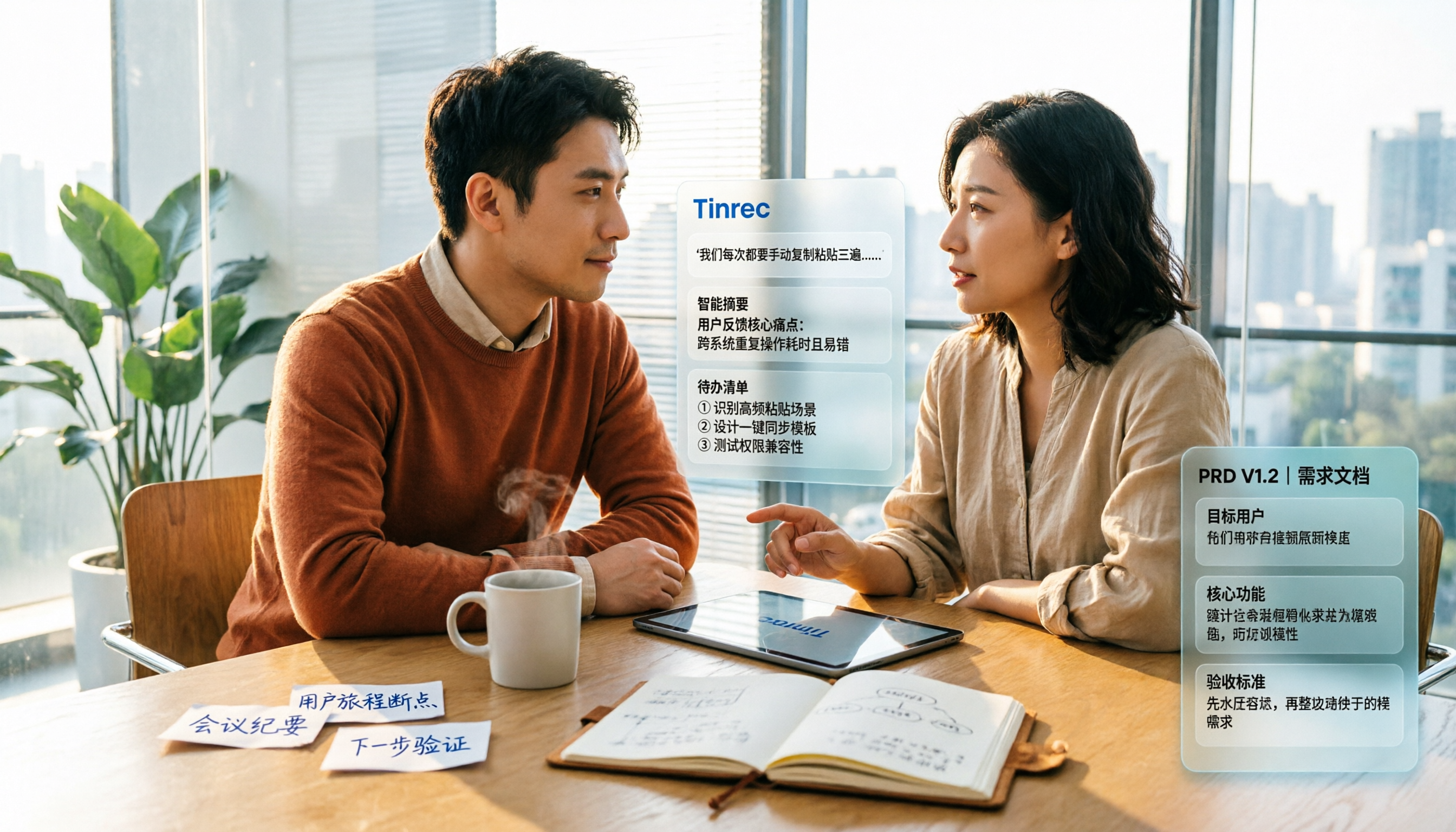
Let's clarify the positioning: Tinrec is not a PRD generator; it's an AI meeting notes and collaboration tool for individuals and teams. It turns the requirements discussion process into usable text material, while PRD tools draft that material into documents. They are upstream and downstream, not mutually exclusive.
Different task positioning: PRD auto-generation tools handle "document drafting"; Tinrec handles "discussion recording and organization." After a requirements meeting, transcripts, summaries, sections, and action items are already formed. When imported into a PRD tool, the generated content density will be noticeably different.
Different input sources: PRD tools usually take text. Tinrec supports real-time recording, desktop bot-free online meeting recording, audio/video file upload, mobile recording, and can also handle some web links. Meeting discussions don't need someone to type them out first.
Different outputs: Tinrec's outputs are transcripts, AI summaries, section highlights, action items, mind maps, and support AI Q&A. These are all raw materials for PRD sections—background, goals, use cases, functional requirements—you can find clues from them.
Chinese meetings and cross-language scenarios: Tinrec covers Chinese, Traditional Chinese, and multilingual content, supports viewing original text, translation, or bilingual during recording, and provides team hotword management, making it relatively friendly for mixed Chinese-English product discussions.
Team knowledge retention: PRD tools usually output the document itself. Tinrec's team plan provides independent team spaces, meeting data belongs to the team, and includes governance capabilities like members, roles, seats, usage analytics, and audit logs. When members leave, data doesn't go with them.
Overview of Tinrec's core features
Real-time recording to text: Open Tinrec to record, and text is generated simultaneously. During requirements interviews or ad-hoc discussions, you don't need to type while listening; the transcript is ready when the meeting ends.
Desktop bot-free online meeting recording: Tinrec desktop directly captures computer system audio, handling meeting content played on Zoom, Google Meet, Microsoft Teams, Webex, etc. No need to add an extra bot to the meeting, nor ask others to cooperate.
AI summaries, sections, and action items: Long meetings are broken into summaries, sections, and highlights, and action items are extracted from discussions. The most common "who needs to supplement what by when" in requirements meetings can be directly organized into a list.
AI conversational query: After the meeting, you can continue to ask questions about the content, such as "Who is the target user for this feature?" or "What different views do people have on pricing?" No need to manually flip through the entire transcript.
Stop organizing recordings by hand
Upload audio or video and automatically get a transcript, summary, and action items
Multi-format export and Agent post-processing: Organized content can be exported to Notion, Google Docs, OneNote, Dropbox, etc., and can further generate reports, tables, and documents, connecting to your existing PRD writing process.
Team space: The team plan centrally stores meetings, transcripts, summaries, and action items. New members can view historical meeting data after joining, without everyone asking from scratch.
Practical use cases
Requirements interviews: Transcribe in real-time during interviews, and get summaries and highlights directly after. Hand this material to a PRD tool, and the generated document will be much more specific than just inputting a one-sentence requirement.
Cross-department requirements meetings: When product, engineering, and design discuss together, the easiest thing to miss is the decision context. Tinrec leaves a complete transcript and action item list, providing a basis for later confirming "why was this decision made originally."
Client requirements communication: Client interview quotes, objections, and commitments are best preserved with recording and transcription. When sales or PMs need to organize into requirements documents, they don't rely on personal memory.
Personal knowledge organization: Courses, lectures, and inspiration recordings can also be put into Tinrec, then searched with AI Q&A. Accumulated recordings won't lie in your phone as unfindable files.
When choosing PRD-related tools, these points are worth noting
Where does the material come from: First think clearly whether the PRD input is "one sentence" or "a whole requirements meeting record." The more complete the input, the more usable the generated result. Tinrec handles the latter.
Recognition of Chinese and technical terms: Product discussions often have mixed Chinese-English and internal codes. Tinrec provides a team hotword feature to maintain team common terms, helping with professional term recognition.
Meeting recording method: If you don't want a bot to join the meeting, look for tools that support desktop system audio capture. Tinrec desktop does exactly that.
Data ownership and team handover: Team data should belong to the team. Tinrec team plan puts resources in team space; when members leave or lose seats, they can hand over their responsible resources to other active members.
Quota and billing: Tinrec team plan's first eligible trial is 7 days, 1 free seat, and 300 minutes of team shared import quota; team monthly is USD 29.80 per paid seat per month, annual is USD 199 per paid seat per year. Paid seats provide 2,000 minutes of team shared import quota per month; real-time recording under an active team plan is currently not deducted by minutes. Actual prices and promotions are subject to the official purchase page.
Summary: Is Tinrec worth a try?
If you're looking for a PRD auto-generation tool but find the generated results always lack something, first check one thing: have the requirements discussions been properly recorded?
Tinrec's value is not in replacing PRD tools, but in filling the most easily broken link between "meeting to document." It organizes interviews, meetings, and client communications into transcripts, summaries, action items, and a queryable database, giving PRD tools enough material to work with.
For PMs, product teams, and researchers who have requirements meetings, interviews, or cross-department discussions every week, this step is worth establishing first. It's recommended to start with Tinrec's free version, run a recording of your own meeting, and see if the organized material can be directly fed into your existing PRD process.
FAQ
Can Tinrec directly generate a PRD? No. Tinrec is a meeting notes and collaboration tool, responsible for organizing requirements discussions into transcripts, summaries, action items, and searchable data. PRD drafting is still done by specialized PRD tools or yourself.
How is Tinrec different from a meeting bot? Meeting bots usually join online meetings as participants. Tinrec desktop captures computer system audio, no need to add to the meeting, but requires the user to actively open Tinrec to start recording.
PRD tools already have AI, do I still need Tinrec? They handle different stages. PRD tools handle document drafting, Tinrec handles recording and organizing requirements discussions. If the upfront material is already complete, PRD tools will naturally perform better.
Who owns the team plan's meeting data? Team resources belong to the team, not the individual uploader. When members leave, are removed, or lose seats, their responsible resources need to be handed over to other active members.
Can members without seats see team data? Yes. Active members without seats can still view, play, and read team data; only after obtaining a seat can they record, upload, edit, import, and export.
Does Tinrec support Chinese meetings? It supports Chinese, Traditional Chinese, and multilingual meeting scenarios, and provides real-time translation and team hotwords. Actual recognition is affected by recording quality, noise, accent, overlapping speech, and technical terms.
References
- AI PRD generation tool first experience, but I think the effect is limited. | Mr. Product
- Product development process, PRD (Product Requirements Document) and Spec (Product Specs...
- aiprd — Generate PRD in one sentence | AI PRD Generator
- Signlz AI : AI-assisted PRD generation tool
- AI-driven PRD creation | Efficient - MagickPen
Turn every recording into actionable outcomes
Get 60 free transcription minutes when you sign in. No credit card required.
Related Reading
You might also like

4 Best Meeting Notes to PRD Tools in 2026: From Transcript to Requirements Doc
Meeting notes are not a PRD, and a transcript is not a spec. This article first provides a ready-to-use five-part 'meeting notes to PRD' template, then compares Tinrec, Otter.ai, Notta, and Granola across five key areas: transcript retention, structured output, follow-up Q&A, export workflow, and team governance. It also covers the four most common pitfalls and selection advice.

2026 AI PRD Generator Comparison: 5 Tools Tested — A Generator Alone Isn't Enough
The most time-consuming part of writing a PRD is often not the document itself, but recording and organizing requirements discussions. This article starts with common misconceptions, explains where AI PRD generators actually fit in the workflow, and takes a deep dive into two bot-free meeting note tools, Tinrec and Granola, comparing them on audio retention, post-meeting organization, Chinese-language experience, and team collaboration to help you decide which to choose.

How to Generate CRM Notes from Sales Calls in 2026: A 5-Step Tutorial
Still manually filling in your CRM after sales calls? This article takes a hands-on approach to show how to turn customer calls into transcripts, summaries, and action items in 2026, then organize them into CRM notes. It also compares Tinrec, Otter.ai, Notta, and PLAUD in terms of differences, pricing, and use cases, with 4 common pitfalls to avoid.

Meeting Minutes vs. PRD: A 2026 Comparison of 3 Tools and How Tinrec Preserves Decision Context
What's the difference between meeting minutes and a PRD? This hands-on comparison breaks down their purposes, timing, content, and owners, and shows how Tinrec turns meeting transcripts, summaries, action items, and AI Q&A into pre-PRD material. If you often mistake meeting notes for requirements documents, this guide clarifies it once and for all.

Tutorial: 2026 Tinrec Post-Meeting Workflow: AI Meeting Minutes + Auto To-Dos
The meeting ends, but the product manager's real work begins: minutes, action items, and decision tracking are all essential. This article breaks down the 4 key evaluation points for a post-meeting workflow, explains how Tinrec (Miao Ting Lu Yin) uses bot-free online meeting recording, AI summaries and action item extraction, AI Q&A, and multi-format export to compress a 90-minute recording into deliverable meeting materials, and compares use cases for Otter.ai, Granola, and PLAUD Note.

2026 Comparison of 2 Customer Needs Organization Tools: Tinrec vs Otter.ai – Which Is Better for Chinese-Speaking Teams?
Customer needs aren't just about taking notes. This article starts with the most common organization mistakes teams make, then compares Tinrec and Otter.ai across five dimensions: Chinese customer meeting transcripts, bot-free recording, needs and action item extraction, post-meeting Q&A export, and team needs retention. It also includes a ready-to-copy workflow and prompt template.

Which AI PRD Writing Tool Is Best? 2026 Review of 6 Tools: How to Combine ChatPRD, MockingBot AI Agent, and Tinrec
The source of a PRD is often meetings and requirements interviews, but most AI PRD tools only generate text. This article focuses on decision-making and compares 6 tools including ChatPRD, MockingBot AI Agent, and PMAI, and shares how I use Tinrec to record meetings, organize transcripts and to-dos, and then connect to the PRD generation workflow.

2026 AI Meeting Notes Comparison: Which Tool Can Generate a PRD Draft After a Requirements Meeting?
Requirements meeting ends, but your PRD is still a blank page? We tested four AI meeting note tools—Tinrec, Otter.ai, Granola, and Notta—comparing transcript structuring, post-meeting AI Q&A, and team data handover to see which one turns requirements discussions into usable PRD draft material.

4 Sales Meeting Follow-Up Tools Tested for 2026: Tinrec vs Notta — Which Is Better for Teams?
Tired of follow-ups slipping through the cracks after sales meetings? We tested and compared tools like Tinrec and Notta to show you how AI meeting notes and action item extraction can turn every sales call into trackable actions and boost your close rate.