
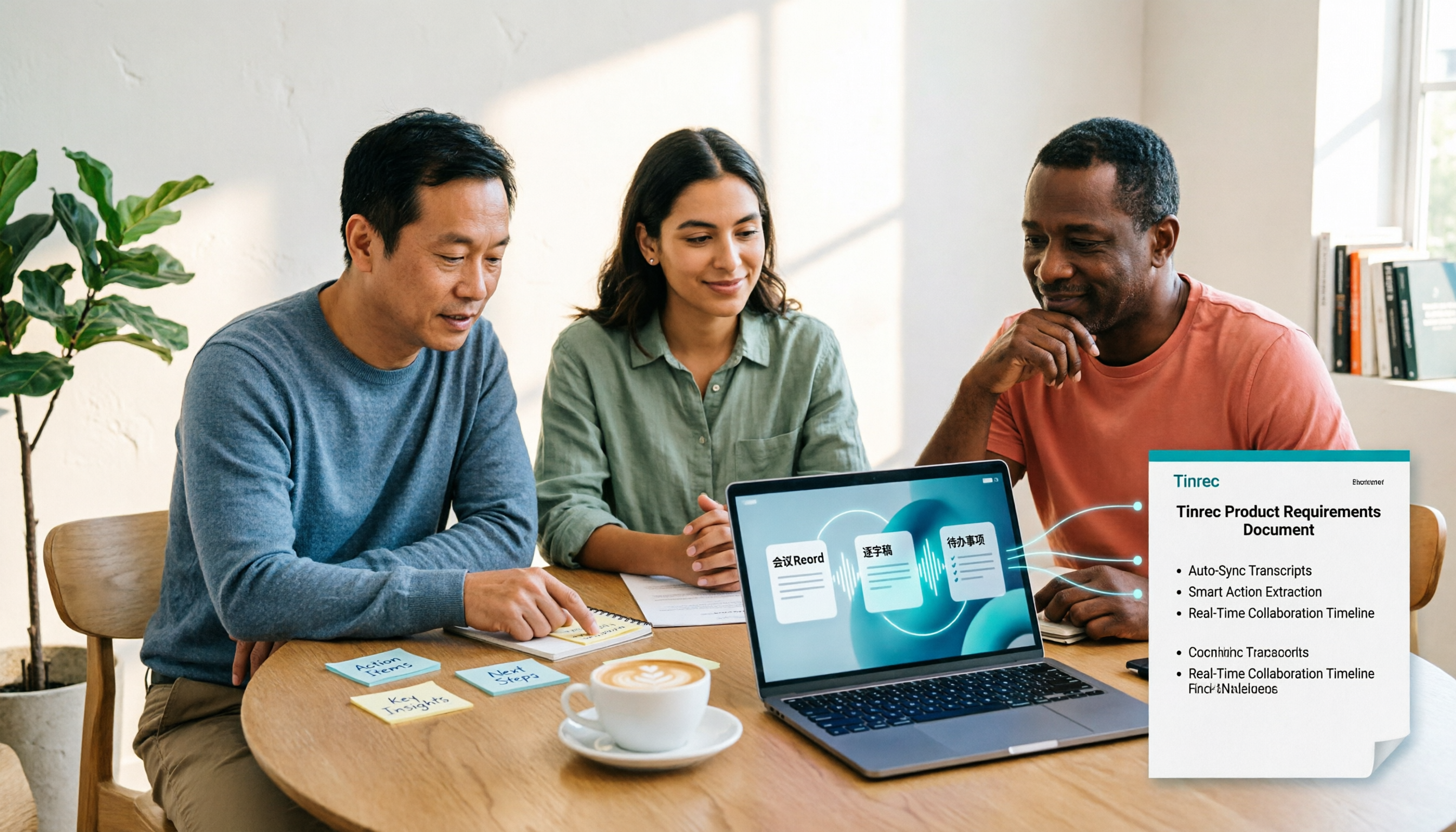
Turn recordings into transcripts and summaries in minutes
Upload audio or video for multilingual transcription, AI notes, and action items
Which AI PRD Writing Tool Is Best? 2026 Review of 6 Tools: How to Combine ChatPRD, MockingBot AI Agent, and Tinrec
The hardest part of writing a PRD is never opening the document.
It's remembering that offhand comment a client made in last week's meeting.
It's buried in someone's notes, in a recording, in a chat message.
So when you search for "AI PRD writing tool recommendations," the real choice you need to make is: do you want an AI that only generates text, or a workflow that connects requirements interviews, meeting notes, PRD drafts, and post-meeting follow-ups?
In this article, I'll compare 6 tools and share the combination I actually use.
The Pain Point of Writing PRDs: It's Not That You Can't Write, It's That Requirements Get Scattered in Meetings
I've coached many product teams, and I've found that everyone gets stuck in the same place.
It's not that they don't know the PRD format, but that the sources of requirements are too scattered.
Recordings of client interviews are sitting on someone's phone.
Conclusions from project weekly meetings only exist in someone's meeting notes.
The spec question an engineer asked on Slack was never followed up on.
So when you write the PRD, you can only piece things together from memory.
The resulting PRD looks complete, but it's missing the context of decisions.
That's why you need more than just "AI-generated PRDs"—you need a process that goes from meetings to documents.
Before Choosing an AI PRD Tool, Understand These 4 Key Points
First key point: Can it understand context, not just continue writing?
Many AI tools can help you expand a piece of text, but a PRD needs logic filled in based on context.
For example, MockingBot AI Agent proactively adds details when descriptions are vague, helping you refine feature boundaries and business goals.
Second key point: Can it check from different role perspectives?
A PRD needs to be read by development, testing, and operations.
If the tool can simulate multiple role perspectives and check whether interface descriptions, feature dependencies, and scenarios are testable, it can reduce back-and-forth revisions.
Third key point: Can it handle Chinese and mixed Chinese-English content?
Taiwanese teams often mix Chinese and English in meetings, and there are many product terms.
If the tool doesn't support Chinese well, the generated PRD will be full of strange translations.
Fourth key point: Can it connect with your meeting notes?
The source of a PRD is meetings.
If meeting notes are scattered, without transcripts or to-dos, even the strongest AI PRD tool can't write content with substance.
That's why I later added Tinrec to my workflow.
My PRD Workflow: From Meeting Notes to PRD Draft
Let me start with the conclusion: Tinrec is not a PRD generation tool.
It's an AI meeting notes and collaboration tool.
But in my PRD workflow, it's the part responsible for "turning requirements interviews and meetings into usable material."
Step 1: Use Tinrec to record requirements interviews and meetings.
For in-person interviews, I open Tinrec on my phone to record, and it generates a transcript as it records.
For online meetings, I use the desktop version, which directly captures computer system audio and handles Zoom, Google Meet, Microsoft Teams, and Webex without adding a meeting bot to the meeting.
(Screenshot: Tinrec desktop version recording a Google Meet, arrow pointing to live transcript)
Step 2: After the meeting, let AI organize for me.
When the meeting ends, Tinrec has already generated a summary, chapters, and to-dos.
I can directly ask it: "What are the three main pain points the client mentioned?"
"Who is responsible for confirming the specs?"
It doesn't just give me keyword search results; it answers directly based on semantics.
For me, this is much faster than manually flipping through a 30-minute transcript.
Step 3: Hand the organized material to the PRD tool.
I paste the transcript or summary produced by Tinrec into ChatPRD or MockingBot AI Agent.
This step is where the PRD draft is generated.
ChatPRD uses best practices for product documents to help me turn vague ideas into a well-structured requirements document.
MockingBot AI Agent can generate a well-layered PRD draft from project background, feature logic, to interaction descriptions.
Stop organizing recordings by hand
Upload audio or video and automatically get a transcript, summary, and action items
Step 4: Store meeting data in the team space.
Tinrec's team version provides an independent team space where meeting data belongs to the team.
Members can view, play, and read team data; only after getting a seat can they record, upload, and edit.
The team version also provides roles, seats, usage analytics, and audit logs.
When a member leaves, their team resources can be handed over to other members, so data doesn't disappear with the individual.
(Screenshot: Tinrec team space, arrow pointing to member seats and usage analytics)
Of course, it has limitations.
The free version has a basic quota, and heavy use requires payment.
Also, Tinrec doesn't have PRD generation features; it handles meeting notes and post-meeting organization.
But if you, like me, believe that PRD quality depends on the completeness of requirements interviews, then this step can't be sloppy.
Besides Tinrec, What Other AI PRD Tools Are There?
The following are tools I use alongside when organizing PRDs.
They each have different strengths, but none handle meeting recording and transcript storage—that's Tinrec's job.
ChatPRD: An AI assistant designed specifically for product managers, helping write PRDs, specs, and user stories, and giving improvement suggestions on your drafts, like a senior product lead on call. Suitable for those who already have clear requirements and need to quickly produce structured documents. But it doesn't have meeting recording, transcripts, or a team meeting database.
MockingBot AI Agent: Trained on a large amount of real PRD data, it can generate a clearly structured PRD draft from a single requirement description, from project background and goals to feature logic and interaction descriptions. It can also validate PRD feasibility from multiple role perspectives such as development, testing, and operations. Suitable for Chinese PRD drafts. But it also doesn't handle meeting recording and post-meeting collaboration.
PMAI: An AI tool vertical to the product manager role, supporting one-click PRD document generation, prototype-to-PRD conversion, value analysis, and weekly report generation. Suitable for those who need to quickly turn ideas into documents. But its strength is generation, not meeting notes and team data storage.
Productlane AI: An intelligent feedback and PRD generation tool designed for product managers, automatically aggregating user feedback, generating feature suggestions, and converting them into structured PRD drafts. Suitable for feedback-driven product iteration. But it doesn't record meetings or retain meeting audio.
Miro AI: An intelligent enhancement of the online whiteboard tool, automatically identifying logical relationships during brainstorming and requirements planning, and generating PRD structure sketches. Suitable for visual collaboration. But it doesn't handle meeting transcripts and recording storage.
Pitfall Guide: The 3 Most Common Mistakes When Choosing an AI PRD Tool
First mistake: Only thinking about generation, forgetting input quality.
PRD quality depends on the material you feed the AI.
If requirements interviews aren't fully recorded, the AI-generated PRD will be full of empty adjectives.
The correct approach is to first use Tinrec to turn meetings into transcripts, summaries, and to-dos, then hand them to the PRD tool.
Second mistake: Treating a PRD tool as a meeting notes tool.
ChatPRD and MockingBot AI Agent are great at generating documents, but they don't handle recording, transcripts, or a team meeting database.
Meeting notes and PRD generation are two different steps.
Third mistake: Ignoring team collaboration and permissions.
Sharing a personal account among multiple people sounds convenient, but meeting data becomes personal.
Tinrec's team version puts meeting data in a team space, controls governance through roles, and controls usage eligibility through seats.
Members without a seat can still view data but cannot upload, edit, or export.
This management approach is much clearer than sharing accounts.
Conclusion: Which One Should You Choose?
If you ask me how to choose an AI PRD writing tool in 2026, I'd break it down like this:
Many requirements interviews and meetings, with PRD sources in meetings → First use Tinrec to record and organize, then pair with ChatPRD or MockingBot AI Agent to generate drafts.
Already have complete requirements and just want to quickly generate PRD documents → ChatPRD or MockingBot AI Agent are both suitable.
Need to automatically generate PRDs from user feedback → Productlane AI can help, but for meeting notes, it's still recommended to use Tinrec.
Team needs to store meeting decisions and historical data → Tinrec's team version provides team space, seats, usage analytics, and audit logs.
Finally, I want to say that tools are just supporting actors.
What truly makes a PRD better is whether you fully capture requirements interviews and meeting discussions.
Test step by step, and you'll gradually find your own PRD workflow.
(Screenshot: Tinrec meeting summary and to-do list, arrow pointing to AI Q&A input box)
References
- AI tool PMAI specifically for product manager roles, supporting one-click PRD document generation, flowcharts, and 13 other features_Prototype to PRD-CSDN Blog
- ChatPRD Introduction, Features, Pricing, Pros and Cons Review | TheAI Academy
- AI automatically generates PRD documents, MockingBot AI Agent lets product managers work lightly - Zhihu
- A programmer's biggest competitor is not the ethereal AI Agent, but the PRD requirements document - Zhihu
- Can't finish writing PRD documents? These 8 AI tools help you increase efficiency 10x
Turn every recording into actionable outcomes
Get 60 free transcription minutes when you sign in. No credit card required.
Related Reading
You might also like
4 Best Meeting Notes to PRD Tools in 2026: From Transcript to Requirements Doc
Meeting notes are not a PRD, and a transcript is not a spec. This article first provides a ready-to-use five-part 'meeting notes to PRD' template, then compares Tinrec, Otter.ai, Notta, and Granola across five key areas: transcript retention, structured output, follow-up Q&A, export workflow, and team governance. It also covers the four most common pitfalls and selection advice.

2026 AI PRD Generator Comparison: 5 Tools Tested — A Generator Alone Isn't Enough
The most time-consuming part of writing a PRD is often not the document itself, but recording and organizing requirements discussions. This article starts with common misconceptions, explains where AI PRD generators actually fit in the workflow, and takes a deep dive into two bot-free meeting note tools, Tinrec and Granola, comparing them on audio retention, post-meeting organization, Chinese-language experience, and team collaboration to help you decide which to choose.

How to Generate CRM Notes from Sales Calls in 2026: A 5-Step Tutorial
Still manually filling in your CRM after sales calls? This article takes a hands-on approach to show how to turn customer calls into transcripts, summaries, and action items in 2026, then organize them into CRM notes. It also compares Tinrec, Otter.ai, Notta, and PLAUD in terms of differences, pricing, and use cases, with 4 common pitfalls to avoid.

Meeting Minutes vs. PRD: A 2026 Comparison of 3 Tools and How Tinrec Preserves Decision Context
What's the difference between meeting minutes and a PRD? This hands-on comparison breaks down their purposes, timing, content, and owners, and shows how Tinrec turns meeting transcripts, summaries, action items, and AI Q&A into pre-PRD material. If you often mistake meeting notes for requirements documents, this guide clarifies it once and for all.

Tutorial: 2026 Tinrec Post-Meeting Workflow: AI Meeting Minutes + Auto To-Dos
The meeting ends, but the product manager's real work begins: minutes, action items, and decision tracking are all essential. This article breaks down the 4 key evaluation points for a post-meeting workflow, explains how Tinrec (Miao Ting Lu Yin) uses bot-free online meeting recording, AI summaries and action item extraction, AI Q&A, and multi-format export to compress a 90-minute recording into deliverable meeting materials, and compares use cases for Otter.ai, Granola, and PLAUD Note.

2026 Comparison of 2 Customer Needs Organization Tools: Tinrec vs Otter.ai – Which Is Better for Chinese-Speaking Teams?
Customer needs aren't just about taking notes. This article starts with the most common organization mistakes teams make, then compares Tinrec and Otter.ai across five dimensions: Chinese customer meeting transcripts, bot-free recording, needs and action item extraction, post-meeting Q&A export, and team needs retention. It also includes a ready-to-copy workflow and prompt template.

2026 Review of 5 PRD Auto-Generation Tools: Tinrec Fills the Gap in Requirements Organization
PRD auto-generation tools can save time on formatting and layout, but they can't solve the fundamental problem of disorganized requirements. This article starts from common misconceptions and explains how Tinrec fills the gap in recording and organizing requirements meetings and interviews, turning transcripts, summaries, and action items into usable material for PRDs. It also covers practical use cases, team plan capabilities, and FAQs.

2026 AI Meeting Notes Comparison: Which Tool Can Generate a PRD Draft After a Requirements Meeting?
Requirements meeting ends, but your PRD is still a blank page? We tested four AI meeting note tools—Tinrec, Otter.ai, Granola, and Notta—comparing transcript structuring, post-meeting AI Q&A, and team data handover to see which one turns requirements discussions into usable PRD draft material.

4 Sales Meeting Follow-Up Tools Tested for 2026: Tinrec vs Notta — Which Is Better for Teams?
Tired of follow-ups slipping through the cracks after sales meetings? We tested and compared tools like Tinrec and Notta to show you how AI meeting notes and action item extraction can turn every sales call into trackable actions and boost your close rate.