

Turn recordings into transcripts and summaries in minutes
Upload audio or video for multilingual transcription, AI notes, and action items
Why Do You Always Miss Half of Customer Objections in Sales Meetings?
"The price is a bit high, let me think about it." You heard this in the meeting and jotted down a couple of lines in your notebook. But three weeks later, when you need to figure out whether the customer was stuck on budget, features, or decision-making process, all you have is a 45-minute recording and a few keywords you can't even decipher.
The most valuable information in a sales meeting is usually not the closing conclusion, but the objections the customer voices directly: they say it's too expensive, they need to check with their manager, they mention evaluating another vendor. These are all clues for the next follow-up. The problem is that during the meeting you're busy responding, making it hard to accurately note every word the customer says, let alone distinguish afterward which are real objections and which are just polite deflections.
This article reviews 6 tools that can help you capture sales meeting content and extract customer objections, from free to paid options.
Tinrec — Turning Customer Objections into Searchable Team Knowledge
Tinrec is an AI meeting notes and collaboration tool for individuals and teams, focused on organizing meeting content, enabling follow-up questions, and building team knowledge — not just converting audio to text.
Bot-free online meeting recording: The desktop version directly captures your computer's system audio, so you don't need to invite a bot to your customer meetings. For sales reps, the customer won't see an unfamiliar participant join, the meeting proceeds as usual, and the transcript is generated simultaneously.
Ask questions directly about meeting content afterward: This is the biggest difference from ordinary transcription tools. You can ask "What were the main objections the customer raised?" or "Did they mention a budget range?" and Tinrec will answer based on the transcript. You can also ask questions across multiple meetings with the same customer, making objection trends visible over time.
Automatic summaries, chapters, and action items: Long meetings are broken into easy-to-browse sections, with key points and follow-up actions listed separately. What the customer promised to provide and what quotes you committed to send are clear at a glance after the meeting.
Team workspace and member management: Recordings and transcripts from customer interviews and requirements meetings belong to the team, not stuck on someone's phone. When a member leaves or hands off, resources can be transferred to other active members, and managers can view usage and audit logs.
The personal plan has a free tier for experiencing basic quotas, plus weekly, Pro monthly, and Pro annual plans to choose from based on usage frequency. The team plan offers a 7-day free trial (1 free seat, 300 minutes of shared team import quota), monthly at USD 29.80/paid seat/month, annual at USD 199/paid seat/year (approximately USD 16.58/month), with each paid seat including 2,000 minutes of shared team import quota per month; real-time recording within an active team plan is currently not deducted by the minute. Actual pricing and benefits are subject to the official purchase page.
Best for: Sales and customer success teams primarily serving Chinese-speaking customers, or managers who want to build a team knowledge base of customer objections, requirements, and commitments.
Otter.ai — A Mature AI Assistant for English Business Meetings
Otter is one of the most established AI meeting assistants on the market, supporting Zoom, Microsoft Teams, and Google Meet, with real-time transcription, speaker identification, AI Chat, and team management. If your customers are mainly English-speaking enterprises and meetings are conducted entirely in English, Otter's maturity in this area is high.
On pricing, the Basic free plan offers 300 minutes per month; Pro annual billing is approximately USD 8.49/user/month, including 1,200 minutes of in-app recording per month and 10 file imports; Business provides unlimited meetings and in-app recording plus more management capabilities.
Best for: Cross-border sales teams whose meetings are primarily in English and who value meeting automation workflows.
Fireflies.ai — Meeting Automation and Sales Analytics
Fireflies excels at meeting automation: meeting bots, AI summaries, AskFred Q&A, team analytics, and extensive third-party integrations. Sales teams often use it for call analysis.
Official annual pricing is Free USD 0, Pro USD 10/seat/month, Business USD 19/seat/month, Enterprise USD 39/seat/month. Note that its "unlimited transcription" is still subject to storage space, file upload speed, and AI Credit rules.
Stop organizing recordings by hand
Upload audio or video and automatically get a transcript, summary, and action items
Best for: Teams already using a CRM who want meeting notes automatically connected to their existing sales workflow.
Notta — Multilingual Transcription and Translation
Notta overlaps significantly with Tinrec, covering multi-platform transcription, meeting notes, file import, translation, and team plans. Its multilingual capability is its hallmark.
Official figures: Free offers 120 minutes per month, with a maximum of 3 minutes per item; Pro annual billing is approximately USD 8.17/month, with 1,800 minutes per month; Business annual billing is approximately USD 16.67/seat/month, offering unlimited transcription, role permissions, and usage reports.
Best for: Sales reps who need to handle multilingual customer meetings and want translation assistance.
Granola — Bot-free AI Meeting Notes
Granola also takes a bot-free approach, using your desktop device's system audio and microphone for real-time transcription, then combining your own typed notes with AI content to generate meeting notes that better reflect your personal thinking.
Official pricing is Basic free, Business USD 14/user/month, Enterprise USD 35/user/month. It supports viewing, copying, and searching real-time transcripts, but does not support uploading pre-recorded audio files and does not save meeting audio.
Best for: Users who prefer to handwrite key points during meetings and only need real-time meeting notes.
TurboScribe — Cost-effective Long-file Transcription
TurboScribe is closer to a file transcription tool, specializing in long files, batch uploads, subtitles, and translation. If you already have a batch of sales call recordings to organize at once, its single-file processing capability is impressive.
Official figures: Free offers 3 files per day, up to 30 minutes per file; Unlimited annual billing is USD 120 (approximately USD 10/month), with paid plans supporting files up to 10 hours or 5 GB, and up to 50 files uploaded at once.
Best for: Teams with large volumes of historical call recordings to batch-transcribe into text archives.
PLAUD Note / NotePin — Portable AI Recording Hardware
PLAUD is a representative of AI recording hardware. What you're buying is the experience of a standalone device, portable recording, and phone call recording — very intuitive for sales reps who are frequently out visiting customers and can't easily open a laptop.
The U.S. official website currently shows NotePin at USD 159 and Note Pro at USD 189; membership plans include Starter at 300 minutes per month, Pro at USD 99.99/year (1,200 minutes per month), and Unlimited at USD 239.99/year.
Best for: Sales reps who primarily do in-person visits and phone communication, and prefer one-touch hardware recording.
With So Many Options, How Should You Choose?
• Want to directly ask "What were the customer's main objections?" from sales meetings → Tinrec (AI conversational queries can follow up on transcripts and compare objection changes across multiple meetings with the same customer) • Customers speak Chinese, occasionally mixing in English terms → Tinrec (handles Chinese and mixed Chinese-English content, and supports team hotwords for your product terminology) • Need to keep customer objections in the team rather than on individual phones → Tinrec (unified team workspace storage, resources can be handed off when members change) • Want to export directly to Notion or Google Docs to continue writing proposals → Tinrec (supports multiple formats and third-party exports) • Meetings entirely in English, team already using a CRM → Otter.ai or Fireflies.ai • Have large volumes of historical call recordings to batch-transcribe → TurboScribe • Prefer handwritten notes, only need real-time key points → Granola • Zero budget, only want to occasionally transcribe a recording → Otter Basic or Notta Free (limited monthly quota, with per-item length caps)
4 Things to Know Before Using Tools to Extract Customer Objections
Address emotions first, then objections. When a customer says "too expensive," it often means they want a better discount, not necessarily that they can't afford it. Tools can help you capture the exact words, but judging real objections, fake objections, and hidden objections still requires you to review the transcript context.
Don't just record without uploading — you won't find it later. Put every customer meeting's recording and transcript into the same database (e.g., Tinrec's team workspace) so you can look up "what did this customer complain about three months ago" when needed.
Transcripts are only useful if you can ask questions about them. A transcript sitting unread in a folder has very low value. Asking questions directly about the content after the meeting and pulling out action items and commitments is what connects to the next follow-up.
Confirm legality and consent before recording. Different markets have different regulations on recording. For important customer meetings, it's advisable to inform and obtain consent first, then use tools to assist with note-taking.
Summary
Customer objections in sales meetings are the most valuable material for your next proposal, but they only exist in the moment of conversation. Rather than relying on memory to recall what the customer said after the meeting, let tools capture the exact words, summaries, and action items together.
If you need a Chinese meeting experience, bot-free recording, the ability to ask questions directly about content after the meeting, and want to turn customer objections into searchable team knowledge, Tinrec is the closest fit for sales scenarios on this list. The free plan lets you try a recording first to see if the workflow suits you before deciding whether to upgrade.
References
Turn every recording into actionable outcomes
Get 60 free transcription minutes when you sign in. No credit card required.
Related Reading
You might also like

2026 Comparison of 4 AI User Interview Tools: How to Turn Interview Recordings into Research Reports
Finished interviews but can't produce the research report? This article starts with the criteria for choosing a tool, breaks down 4 key purchasing points for user interview tools, and compares Tinrec, Otter.ai, Notta, and Granola in terms of transcripts, AI Q&A, team collaboration, and export workflows. It includes a pitfalls guide and selection advice to help you decide where to spend your budget.

2026年4款客户拜访纪要工具实测对比:谁的跟进邮件草稿最省时间?
拜访完客户,真正的苦工才开始。这篇用同一套标准比较 Tinrec、Granola、Otter.ai 与 PLAUD 四款工具,从中文会议识别、会后摘要与待办、AI 问答到团队资料留存,实测哪一款最能帮你在 24 小时内写出有内容的客户跟进邮件,并附上避坑指南与选型建议。

4 User Interview Insight Categorization Tools Tested: Which AI Summary Saves the Most Time in 2026?
Organizing user interview insights is always time-consuming? This article tests 4 interview categorization tools, shares key purchasing factors, and uses Tinrec as an example to explain how to quickly categorize interview insights with AI summaries, chapters, and Q&A, while comparing differences with Otter.ai, Notta, and Granola.

5 Customer Meeting AI Tools Tested in 2026: Which One Actually Turns Meetings into Trackable Customer Data?
The most common failure in customer meetings isn't that they weren't recorded—it's that no one uses the recording afterward. This article breaks down the key buying criteria for 5 customer meeting AI tools in 2026, covering meeting capture methods, post-meeting outputs, Chinese language recognition, data ownership, and pricing structures. It also compares Tinrec, Otter.ai, Notta, and Granola to help you find the one that turns meetings into searchable, queryable, and transferable data.

User Interviews vs Customer Interviews: 5 Key Differences + How Tinrec Transcribes (2026 Guide)
Before planning your next interview, clarify whether you need a user or a customer—this shapes your questions and decisions. This guide compares user interviews and customer interviews across 5 dimensions: participant role, core purpose, question design, sample and timing, and documentation. It also explains how Tinrec helps turn interview recordings into transcripts, summaries, and action items, ideal for individuals and teams with high interview volume.

5 Best AI User Interview Summary Tools in 2026: From Transcript to Insights
AI user interview summarization is not just turning recordings into transcripts. This article debunks common misconceptions, breaks down what interview summarization can do for you, its core capabilities and real-world use cases, and lists 5 buying considerations plus FAQs. It explains how Tinrec turns interviews from raw transcripts into searchable, queryable, collaborative team data.

4 Best Client Visit Follow-Up Tools in 2026: Which One Turns Transcripts Into Your Next Appointment?
How do you follow up after a client visit? This article examines four key decision points—visit records, extracting needs and action items, follow-up email materials, and team knowledge retention—and compares how Tinrec, PLAUD, Otter.ai, and Notta handle the post-visit workflow. It also covers the five most common follow-up mistakes and selection advice.
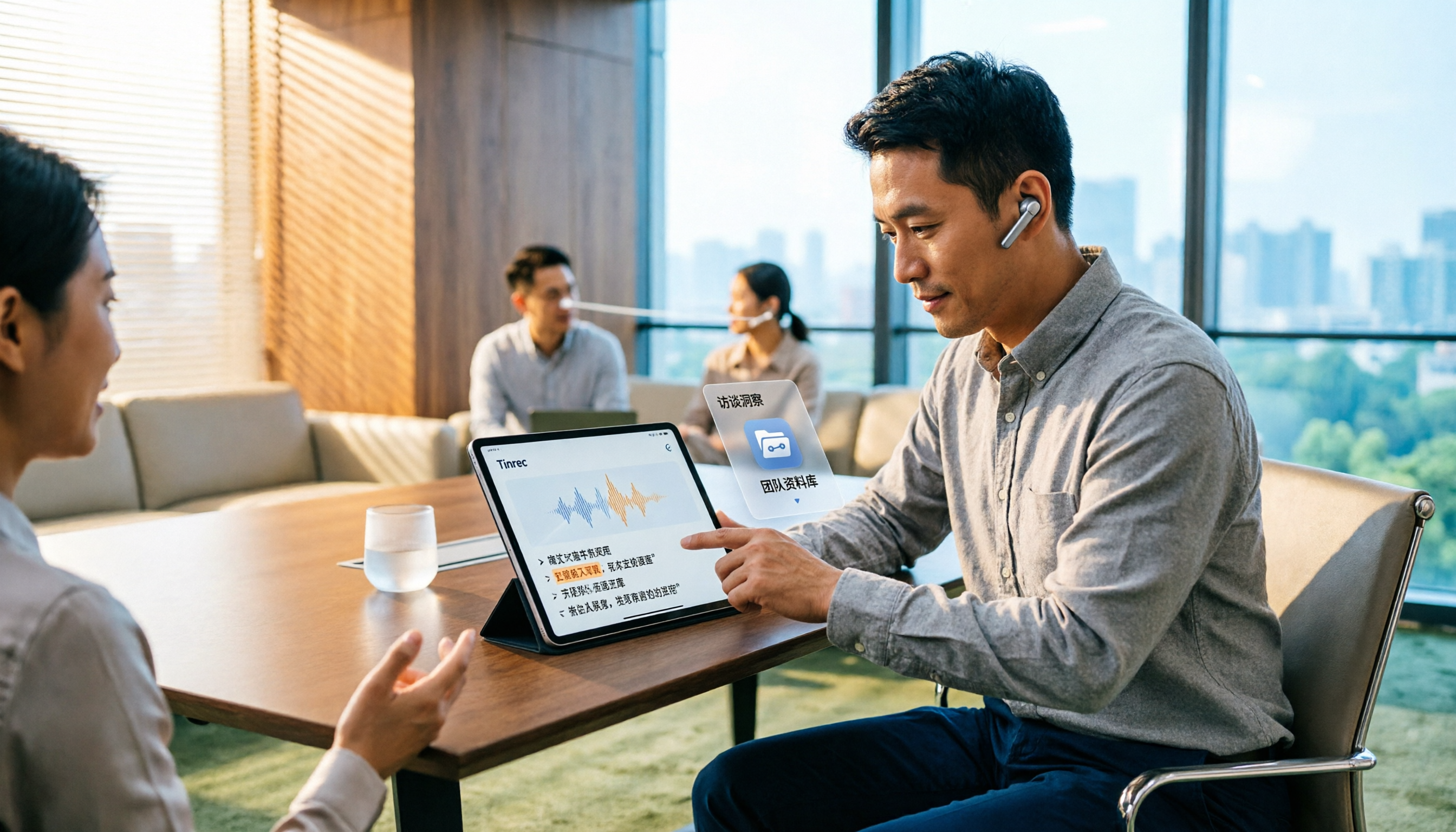
5 AI User Interview Tools Tested in 2026: Which One Turns Interviews into Actionable Decision Data?
Finished user interviews but the transcripts are still sitting in your recorder? Drawing on a mid-level manager's hands-on testing, this article compares 5 AI tools commonly used for user interviews and interview organization—covering Chinese recognition, AI Q&A, audio retention, and team knowledge capture—and explains why Tinrec became the one tool that stayed. Includes key buying criteria and pitfalls to avoid.

4 User Interview Analysis Tools Tested and Compared in 2026: How to Turn Interview Recordings into Insights You Can Follow Up On
After finishing user interviews, do your transcripts just sit in a folder? This article starts with the criteria for choosing user interview analysis tools, compares Tinrec, Otter.ai, Notta, and Granola on recording, transcription, AI Q&A, export, and team collaboration capabilities, and summarizes common pitfalls to help you turn interviews into searchable, follow-up-able, actionable insights.