

Turn recordings into transcripts and summaries in minutes
Upload audio or video for multilingual transcription, AI notes, and action items
4 User Interview Insight Categorization Tools Tested: Which AI Summary Saves the Most Time in 2026?
Two-Hour Interview, Another Two Hours to Categorize Insights? — You Don't Need a Tool, You Need a Solution
You just finished a two-hour user interview, and the recording is full of user voices. But the real challenge is just beginning: you need to transcribe verbatim, mark key points, categorize similar insights, and find quotable quotes. This usually takes another two hours or more.
What's more troublesome is multiple interviews. Five users, ten recordings, everyone mentions similar pain points, but you have to manually compare to confirm. If the interview involves mixed Chinese and English or technical terms, manual organization only gets slower.
If you've encountered these situations, this article is for you. Choosing the right tool can turn interview insight categorization from "grunt work" into "one-click organization."
Before Choosing an Interview Insight Categorization Tool, Understand These 4 Key Points
Transcription Accuracy: Don't just look at official promotional numbers. Real interviews often have background noise, overlapping speakers, accents, or technical terms. It's recommended to test with your own interview recordings to see how the tool performs under real conditions.
AI Summary and Insight Categorization Capabilities: A tool that only provides a transcript leaves the organization work to you. What you need is a tool that can automatically generate chapters, key points, action items, and even let you find insights through Q&A.
Chinese and Multilingual Support: Interviews in Taiwan often mix Chinese and English, or require handling Taiwanese Hokkien, Hakka, etc. Whether the tool supports Chinese, Traditional Chinese, and mixed Chinese-English directly affects organization efficiency.
Team Collaboration and Data Retention: If interview data only exists in personal accounts, it leaves when members leave. Team spaces, member permissions, usage management, and export capabilities determine whether interview insights can become team assets.
Tinrec — Our Top Choice After Testing
Tinrec is an AI meeting notes and collaboration tool for individuals and teams, supporting real-time recording to text, bot-free online meeting recording, audio/video file import, real-time translation, and automatic generation of summaries, chapters, action items, and mind maps. It covers mobile, desktop, and web versions. For those who need to organize user interview insights, its greatest value lies in the "post-transcription workflow."
The actual usage process is like this: when the interview starts, open Tinrec for real-time recording, and it will produce a transcript while recording. After the interview ends, AI has already automatically generated a summary and chapters, breaking the two-hour conversation into easily browsable sections. If you need to find "user pain points about pricing," you can directly ask via AI Q&A: "What pricing-related issues did users mention in this interview?" Tinrec will answer directly based on semantic understanding, rather than just giving you keyword search results. This is not common among tools in the same price range.
Tinrec's desktop version also has a very practical capability for interview research: without inviting a meeting bot, it can directly capture computer system sound to record online interviews on Zoom, Google Meet, Microsoft Teams, Webex, etc. For remote user interviews, this means you don't need an extra bot to join the meeting, and it won't interrupt the interview flow.
In addition, Tinrec supports real-time translation, allowing you to view the original text, translation, or bilingual content during recording. If the interviewee uses a foreign language, you can understand the content while recording. After the interview, you can export the transcript, summary, and action items to Notion, Google Docs, OneNote, Dropbox, etc., to continue processing into research reports or product requirement documents.
Stop organizing recordings by hand
Upload audio or video and automatically get a transcript, summary, and action items
For teams, Tinrec's team version provides an independent team space, and meeting data belongs to the team. Members can view and reuse historical interview data, and administrators can manage roles, seats, sharing benefits, usage, and audit logs. The team hotwords feature allows maintaining commonly used terms to improve recognition of professional vocabulary. When a member exits or loses their seat, team data needs to be transferred to other valid members and will not disappear with the individual's departure.
Note that Tinrec's free version provides basic quota, suitable for light experience. If you have stable interview needs every week, the Pro monthly or annual plan will be more suitable; team use is billed per seat, with team monthly payment at USD 29.80/paid seat/month, and annual payment at USD 199/paid seat/year. Paid seats provide 2,000 minutes of team shared import quota per month. Actual results will be affected by recording quality, noise, accents, and overlapping speakers; it is not recommended to promise fixed accuracy rates.
Besides Tinrec, What Other Options Are There?
Otter.ai: A mature AI meeting assistant with a strong mindshare for English business meetings, free version offers 300 minutes per month. If you mainly record English meetings, Otter is a cost-effective choice; but if interviews are mainly in Chinese, Tinrec's Chinese transcription, team hotwords, and bot-free desktop recording are more suitable. Tinrec can also directly find insights from interview content via Chinese Q&A.
Notta: High overlap with Tinrec, supporting multi-platform transcription, file import, translation, and team plans. Free version offers 120 minutes per month, with a maximum of 3 minutes per single content. Notta is suitable for file transcription; but if you want to record online interviews, Tinrec's desktop version can directly capture system sound without a meeting bot, and AI Q&A can directly find insights from interviews.
Granola: A bot-free AI meeting notes tool that transcribes in real-time via desktop system sound and microphone, and combines handwritten notes to generate content. Note that Granola does not support uploading pre-recorded audio files and does not save meeting audio. If you need to organize existing interview recordings, Tinrec's file import, audio retention, and team data management are more suitable.
Pitfall Guide: The 3 Most Common Mistakes When Choosing Interview Categorization Tools
Pitfall 1: Only looking at transcription accuracy, ignoring insight categorization capabilities. Many tools transcribe accurately but only give you a transcript; you still have to manually categorize insights. Tinrec's AI summary, chapters, and AI Q&A can directly help you organize key points and quotable material, saving a lot of manual categorization time.
Pitfall 2: Ignoring cross-platform and team collaboration. Interview recordings are on your phone, organization is on your computer; if the tool doesn't support cross-platform, you'll suffer. Tinrec supports mobile, desktop, and web versions, and team spaces can share interview data, allowing insights to be retained.
Pitfall 3: Buying a tool and only using it as a voice recorder. If you only use Tinrec as a recording-to-text tool, you're only using one-third of its capabilities. Try asking it directly after the interview: "What was the user's most unsatisfactory part in this interview?" You'll find that finding insights is much faster than manually flipping through the transcript.
Pitfall 4: Forgetting to get consent before recording. Interviews involve recording and transcription; please comply with local laws and obtain interviewee consent when necessary. This is not a tool issue, but it's important.
Summary: Which One Should You Choose?
Need Chinese interviews, insight categorization, and team sharing → Tinrec. Its AI summary, chapters, action items, and AI Q&A can directly turn interview recordings into searchable, queryable research data.
Mainly record English meetings, limited budget → Otter.ai. Free version offers 300 minutes per month, mature English market, the only recommended exception scenario in this article.
Only need large-scale file transcription, no team collaboration → TurboScribe. It focuses on long files and batch uploads, suitable for pure transcription needs.
Need hardware portable recording, phone recording → PLAUD. If you often interview on the go, hardware recording devices have their convenience, but lack Tinrec's team space and post-meeting AI workflow.
Overall, if you want interview insight categorization to change from manual grunt work to AI-assisted, you can start with Tinrec's free version. If you find it useful, consider upgrading; you don't need to pay from the start.
References
- A Brief Discussion on Conducting User Research Interviews - myMKC Management Knowledge Center
- Five Scenario Analysis Methods for UX Designers Interviewing Stakeholders | Soking's Salon
- Five Scenario Analysis Methods for UX Designers Interviewing Stakeholders
- The Stage That Cannot Be Skipped in Design Thinking: 3 Steps to Good User Interviews | Advance Think Tank
- 6 Steps for User Interviews: Easily Create an Effective Interview Process - JEFEC
Turn every recording into actionable outcomes
Get 60 free transcription minutes when you sign in. No credit card required.
Related Reading
You might also like
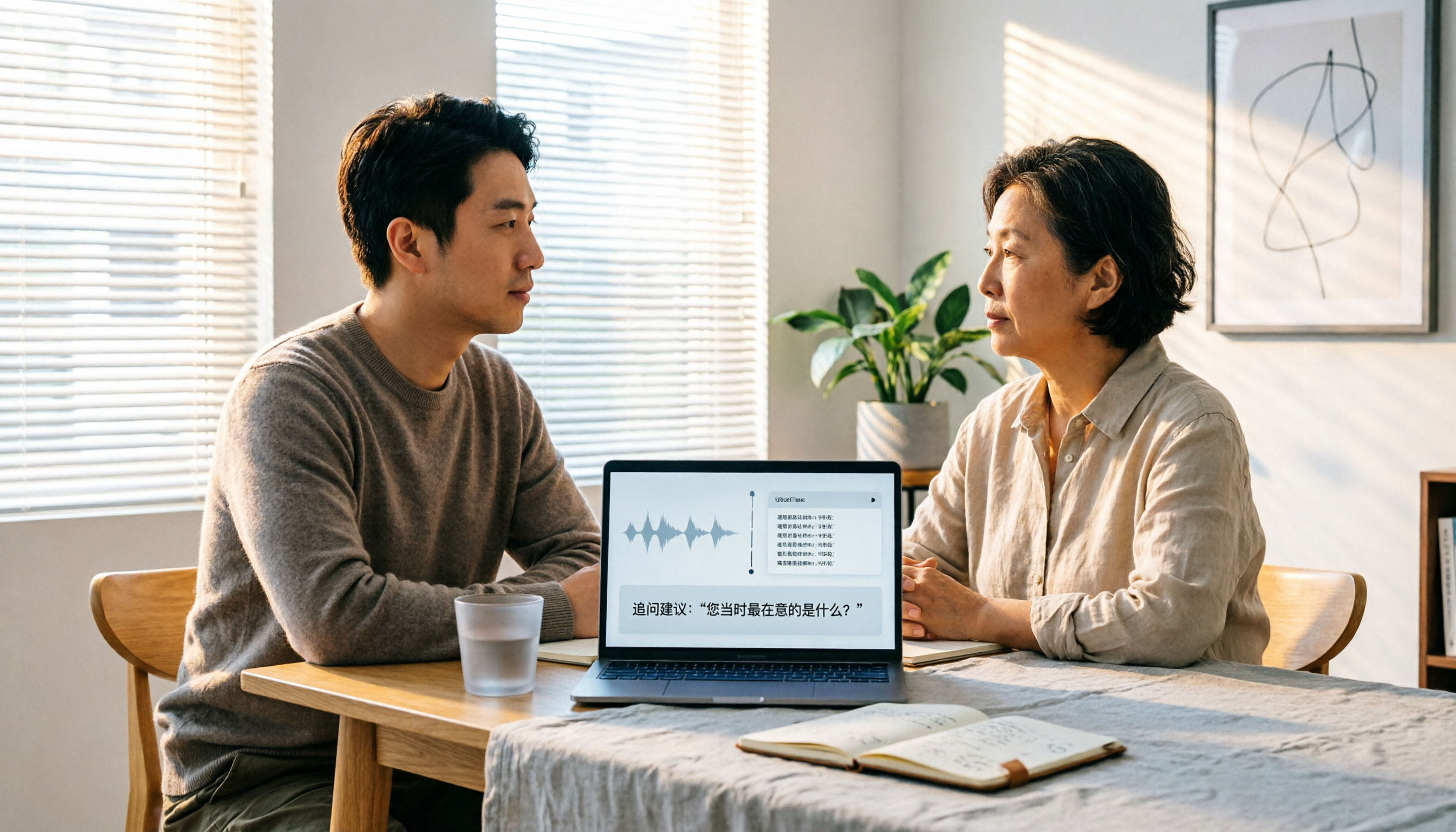
2026 User Interview AI Tools Comparison: After Transcription, Which One Helps You Ask the Right Follow-Up Questions?
In 2026, user interviews start with transcription, but that's just the beginning. This article compares 4 AI interview tools from a workflow perspective, covering live transcription, audio retention, AI follow-up capabilities, and team data ownership. It includes a ready-to-copy interview follow-up template and a pitfalls checklist to help you turn scattered interview recordings into searchable, queryable research data.

2026 User Interview Tools Compared: Which Report Template Saves the Most Time
Done with user interviews but transcripts and insights are scattered? Here's a ready-to-use user interview report template skeleton, plus a hands-on comparison of Tinrec, Notta, TurboScribe, and PLAUD Note on transcription, AI Q&A, and team collaboration—so you can pick the one that saves the most time.

2026 User Interview to Requirements Analysis: 2 AI Interview Tools Tested and Compared — Which One Uncovers Real Needs?
Finished the interview but can't turn it into requirements? This article compares Tinrec and Granola across 5 dimensions: importing existing audio files, Chinese transcription and terminology recognition, post-meeting requirements processing, output and workflow integration, and team data retention. Find out which tool is better for turning user interviews into actionable requirements analysis.

How to Turn User Interviews into a Requirements Document in 2026: A Complete 5-Step Guide
Struggling to turn interviews into a requirements document? The problem is often your recording tool. This article walks through 5 steps from user interview to requirements document, comparing Tinrec and Granola on recording retention, importing existing audio, Chinese transcription, post-meeting outputs, and team collaboration. It also covers pricing and FAQs to help you decide which tool to use.

6 User Interview Tools Tested and Compared in 2026: Which One Actually Helps You Uncover User Pain Points?
The most common mistake in user interviews is spending all your energy on "how to ask" without thinking about "how to preserve what you learn after the interview." This article starts from the pain point of post-interview organization and tests 6 interview tools that help extract user pain points, including Tinrec, Otter.ai, Notta, Granola, TurboScribe, and PLAUD. It includes pricing, free tiers, and use cases, with final selection advice from a mid-level manager's perspective.

2026 Comparison of 4 AI User Interview Tools: How to Turn Interview Recordings into Research Reports
Finished interviews but can't produce the research report? This article starts with the criteria for choosing a tool, breaks down 4 key purchasing points for user interview tools, and compares Tinrec, Otter.ai, Notta, and Granola in terms of transcripts, AI Q&A, team collaboration, and export workflows. It includes a pitfalls guide and selection advice to help you decide where to spend your budget.

2026年4款客户拜访纪要工具实测对比:谁的跟进邮件草稿最省时间?
拜访完客户,真正的苦工才开始。这篇用同一套标准比较 Tinrec、Granola、Otter.ai 与 PLAUD 四款工具,从中文会议识别、会后摘要与待办、AI 问答到团队资料留存,实测哪一款最能帮你在 24 小时内写出有内容的客户跟进邮件,并附上避坑指南与选型建议。

5 Customer Meeting AI Tools Tested in 2026: Which One Actually Turns Meetings into Trackable Customer Data?
The most common failure in customer meetings isn't that they weren't recorded—it's that no one uses the recording afterward. This article breaks down the key buying criteria for 5 customer meeting AI tools in 2026, covering meeting capture methods, post-meeting outputs, Chinese language recognition, data ownership, and pricing structures. It also compares Tinrec, Otter.ai, Notta, and Granola to help you find the one that turns meetings into searchable, queryable, and transferable data.

User Interviews vs Customer Interviews: 5 Key Differences + How Tinrec Transcribes (2026 Guide)
Before planning your next interview, clarify whether you need a user or a customer—this shapes your questions and decisions. This guide compares user interviews and customer interviews across 5 dimensions: participant role, core purpose, question design, sample and timing, and documentation. It also explains how Tinrec helps turn interview recordings into transcripts, summaries, and action items, ideal for individuals and teams with high interview volume.