

Turn recordings into transcripts and summaries in minutes
Upload audio or video for multilingual transcription, AI notes, and action items
Many people handle resignation handovers like this: drop meeting recordings into a LINE group, paste transcripts into a personal cloud share link, verbally go over everything in a handover meeting, ask the other person to sign a checklist, and finally take a photo for the record. It looks complete at the time, but problems usually surface three months later.
Four Common Pitfalls in Handing Over Meeting Data
- Data stored in personal accounts: Recordings in personal cloud storage, notes in personal accounts—when you leave, access goes with you. Managers and successors can open the links at the time only because you're still employed; once you resign, the links become invalid.
- Transcripts without recordings: Transcripts are easy to scan, but when there are questions about amounts, numbers, or exact client wording, there's no audio to check back on; conversely, audio without transcripts means no one dares to use it.
- Treating handover as a single meeting: Once the meeting ends and the checklist is signed, it's considered closed, but decisions and action items aren't turned into trackable documents, and two weeks later it's back to "didn't we say..."
- Handover checklist without dates and versions: File names lack version numbers and update dates, so the successor has three versions and doesn't know which is the final one.
A more reasonable approach is to reverse the order: first get meeting data into the team workspace, then talk about handover. Tool selection should satisfy several things at once—smooth Chinese meeting transcription, recordings and transcripts kept together, ability to import past meeting files, direct generation of handover-ready documents after meetings, and data that belongs to the team, not individuals, when members change.
Below is a comparison of Tinrec (秒听录音) and Otter.ai across 5 dimensions. Both are mature meeting notes tools, but in the "resignation handover" scenario, they suit different users.
Tinrec vs Otter.ai | Quick Overview
Tinrec positions itself as an AI meeting notes and team collaboration tool, focusing not just on converting voice to text but on organizing meetings into team data that can be searched, summarized, queried, exported, and handed over. Otter.ai is a mature AI meeting assistant covering meeting notes, summaries, action items, AI Q&A, and team management, with higher recognition in English business meetings.
| Item | Tinrec | Otter.ai |
|---|---|---|
| Core positioning | AI meeting notes and team collaboration | AI meeting assistant and meeting automation |
| Individual entry | Free plan offers basic quota to experience recording, import, summary, and transcription | Basic free, 300 minutes per month |
| Paid plans | Team monthly USD 29.80 per paid seat per month; annual USD 199 per paid seat per year (about USD 16.58 per month) | Pro annual equivalent about USD 8.49 per user per month, including 1,200 minutes of in-app recording and 10 file imports per month; Business offers unlimited meetings and in-app recording plus more management capabilities |
| Meeting capture method | Desktop version captures system audio without bots | Meeting bots and desktop client, among other methods |
| Chinese context | Chinese, Traditional Chinese, and multilingual meetings, supports real-time translation and team hotwords | Features and marketing have long focused on English business meetings |
The five dimensions compared in this article: Chinese meeting transcription and post-handover readability, meeting asset completeness, team workspace and data ownership, post-meeting output and export, and seat and quota cost structure.
Dimension 1 | Chinese Meeting Transcription and Post-Handover Readability
Otter.ai's feature design and marketing have long centered on English business meetings. Although Chinese meetings can be used, the mixed Chinese-English, product codes, and client abbreviations common in Taiwan teams usually require the successor to proofread a round before understanding.
Tinrec covers Chinese, Traditional Chinese, and multilingual meeting scenarios, and offers a team hotwords feature that lets you pre-maintain terms like product names, project codes, and client abbreviations—the words most easily misheard during handover. It also supports real-time translation, allowing cross-language meetings to switch between original text, translation, or bilingual view. Note that actual transcription quality is still affected by recording quality, background noise, accents, overlapping speakers, and technical terminology; it's not recommended to promise a fixed accuracy rate externally.
→ This dimension: For handover scenarios primarily in Chinese meetings, Tinrec is closer to the need.
Dimension 2 | Meeting Asset Completeness: Recording Retention and Historical File Import
The worst situation in resignation handover is receiving a lone transcript—no recording to check back on, no original file to reorganize. Otter.ai provides online meeting notes, summaries, and AI Q&A; whether meeting audio is retained depends on plan and settings; file import is 10 files on the Pro plan.
Tinrec supports real-time recording, bot-free online meeting recording via desktop version, audio and video file import, mobile recording, and some web link imports, and retains recordings; team audio moved to trash can be restored before permanent deletion, with a current trash retention period of 30 days. In terms of quota design, under an active team plan and active seats, real-time recording currently does not deduct by minutes; file and web imports use the team shared import quota, 2,000 minutes per paid seat per month.
Stop organizing recordings by hand
Upload audio or video and automatically get a transcript, summary, and action items
→ This dimension: Handovers often require "catching up on the past six months of meetings all at once," and Tinrec offers more flexibility in data sources and retention methods.
Dimension 3 | Team Workspace and Data Ownership When Members Resign
This is the core of resignation handover. Otter.ai offers more import and team management capabilities on Business plans and above, better suited for medium to large teams; the data boundary between personal and team versions needs to be confirmed based on the actual plan.
Tinrec's team version is an independent team workspace, not "multiple people sharing one personal account": meeting data belongs to the team, not the uploader. Management allows creating and switching multiple team workspaces, inviting members via join links, setting owner/admin/regular member roles, assigning or reclaiming seats; when a member leaves, is removed, or loses their seat, their team resources can be handed over to other active members. There are also usage analytics, audit logs, team hotwords, and audio trash.
Special note: Tinrec currently focuses on team-level shared visibility, governing through roles and controlling usage eligibility through seats—it is not a file-level permission system. Therefore, it's not recommended to write "members can view team data" as "can set permissions for individual files." Also, active members without seats can still view, play, and read team data, but cannot upload, edit, or import/export.
→ This dimension: For the key handover need of "people leave, data stays," Tinrec's design is more direct.
Dimension 4 | Post-Meeting Output and Export: Can Handover Documents Be Used Directly?
What successors really want is "what did this client promise last time, who's responsible for the next step," not a two-hour transcript. Otter.ai is quite mature in summaries, action items, AI Q&A, and team analytics, keeping meeting intelligence within the platform.
In addition to transcripts, AI summaries, chapters and highlights, to-dos, and mind maps, Tinrec can further generate documents, reports, and tables from meeting content, and supports multi-format export to existing workflows like Notion, Google Docs, OneNote, and Dropbox; it can also continuously query around single or multiple meetings. For handover, this means you're not just delivering "records" but "finished products that can go directly into the handover checklist."
→ This dimension: Tinrec slightly wins, key being the variety of post-meeting output forms and export channels.
Dimension 5 | Seats, Shared Quota, and Cost Structure
First, the numbers. Otter.ai's Basic is free, 300 minutes per month; Pro annual equivalent about USD 8.49 per user per month, including 1,200 minutes of in-app recording and 10 file imports per month; Business offers unlimited meetings and in-app recording, more imports, and management capabilities; actual prices may be affected by promotions.
Tinrec's team version is currently USD 29.80 per paid seat per month, or USD 199 per paid seat per year (about USD 16.58 per month); each paid seat provides 2,000 minutes of team shared import quota per month, and under an active team plan and active seats, real-time recording does not deduct by minutes. First eligible team trial is 7 days, 1 free seat, 300 minutes of team shared import quota. Prices, currencies, and promotions should be based on the official purchase page.
When purchasing, distinguish three things: role (who can manage the team and members), seat (who can record, upload, edit, import/export), and member relationship (whether they belong to this team). The most common situation during handover is "only the successor has a seat, others can only view"; if multiple people need to catch up on data simultaneously during that period, whether the quota is shared or individual directly affects progress.
→ This dimension: Looking only at individual plan monthly fees, Otter.ai has a lower entry barrier; but if the premise is "the team organizes data together during handover," Tinrec's shared quota structure is more suitable.
What Unique Advantages Does Each Have?
Tinrec's Unique Advantages
- Bot-free desktop recording: Directly captures computer system audio, handling Zoom, Google Meet, Microsoft Teams, and Webex without adding an extra bot to the meeting—especially noticeable in client meetings.
- Chinese and team hotwords: Beyond Chinese, Traditional Chinese, and multilingual meetings, it can maintain project codes and client abbreviations, improving post-handover data readability.
- Clear team resource ownership: Data belongs to the team; when members leave or are removed, resources can be handed over to other active members.
- Complete post-meeting workflow: To-dos, reports, tables, mind maps, and third-party exports mean handover documents don't need to be retyped manually.
Otter.ai's Unique Advantages
- Maturity in English business meetings: Long focused on English business scenarios, with rich experience in meeting automation and ecosystem integration.
- Lower entry barrier: Free plan offers 300 minutes per month, and individual paid plan monthly fees are relatively affordable.
Conclusion: Which Should You Choose?
- If your handover data is mainly Chinese meetings and you need transcripts and recordings kept together → Tinrec
- If you need to import and organize past meeting audio and video files all at once → Tinrec
- If you need a team workspace so data stays with the team after members leave and can be handed over to others → Tinrec
- If you need to turn meeting content directly into to-dos, reports, tables, or export to Notion, Google Docs, OneNote, Dropbox → Tinrec
- If meetings are mainly in English, primarily for individual use, and budget is a priority → Otter.ai
- If you just occasionally organize a recording → You can start with Tinrec's free plan basic quota and test with your own meeting recordings
Three practical reminders: First, follow local regulations for recording and transcription, and obtain participant consent when necessary; second, Tinrec is not a meeting bot that automatically joins all calendar meetings—users need to actively initiate recording via the desktop version; third, the team version currently offers team-level sharing, not file-level permissions, so separate roles and seats when planning handover.
In one sentence: For most Taiwan teams that primarily hold Chinese meetings and need to truly hand meeting data over to the team, Tinrec is the more complete choice.
References
- 【Resignation Process Tutorial】How to Prepare for a Perfect Departure: Annual Leave Planning, Handover, Certificate Documents, and More | 104 Career Power
- Form Downloads - Onboarding/Offboarding, Handover - Personnel Office
- Resignation Procedure Form, Handover Inventory Related Forms
- Say Goodbye Professionally! How to Write a Resignation Handover Checklist? (Includes Free Work Handover Template Download) | Salary Comparison Viewpoint
- The Most Important Thing Before Resigning: Do a Good Job Handover, Leave a Good Reputation | Manager Today
Turn every recording into actionable outcomes
Get 60 free transcription minutes when you sign in. No credit card required.
Related Reading
You might also like

4 AI Meeting Agents Tested for 2026: Which One Actually Takes Over After the Meeting?
Most people use AI for meeting notes the wrong way from the start—treating it like a typewriter and still organizing everything themselves afterward. This article breaks down 4 key buying factors, tests Tinrec's bot-free recording and post-meeting AI Q&A, and briefly reviews who Otter.ai, Granola, and TurboScribe are best for, plus 4 common pitfalls to avoid.

How to Use Tinrec for R&D Meeting Notes in 2026: Auto Transcripts + Action Item Tracking
After an R&D meeting, decisions and action items often end up scattered across whiteboards, chat threads, and people's memories. Using Tinrec as an example, this article explains how an R&D meeting notes tool can help: real-time transcription, bot-free online meeting recording, AI summaries, action item extraction, and team spaces. It also covers practical use cases, 5 key considerations when choosing a tool, and FAQs.

4 Meeting Collaboration Tools Tested and Compared for 2026: How They Differ from Project Management Tools
After a meeting, are the conclusions scattered across task cards and chat logs? This article starts with the most common misconception, breaks down the difference between meeting collaboration tools and project management tools, outlines 5 key purchasing points and 4 pitfalls to avoid, and compares Tinrec, Otter.ai, Notta, and Asana to help you decide whether to use them separately or force them into one.
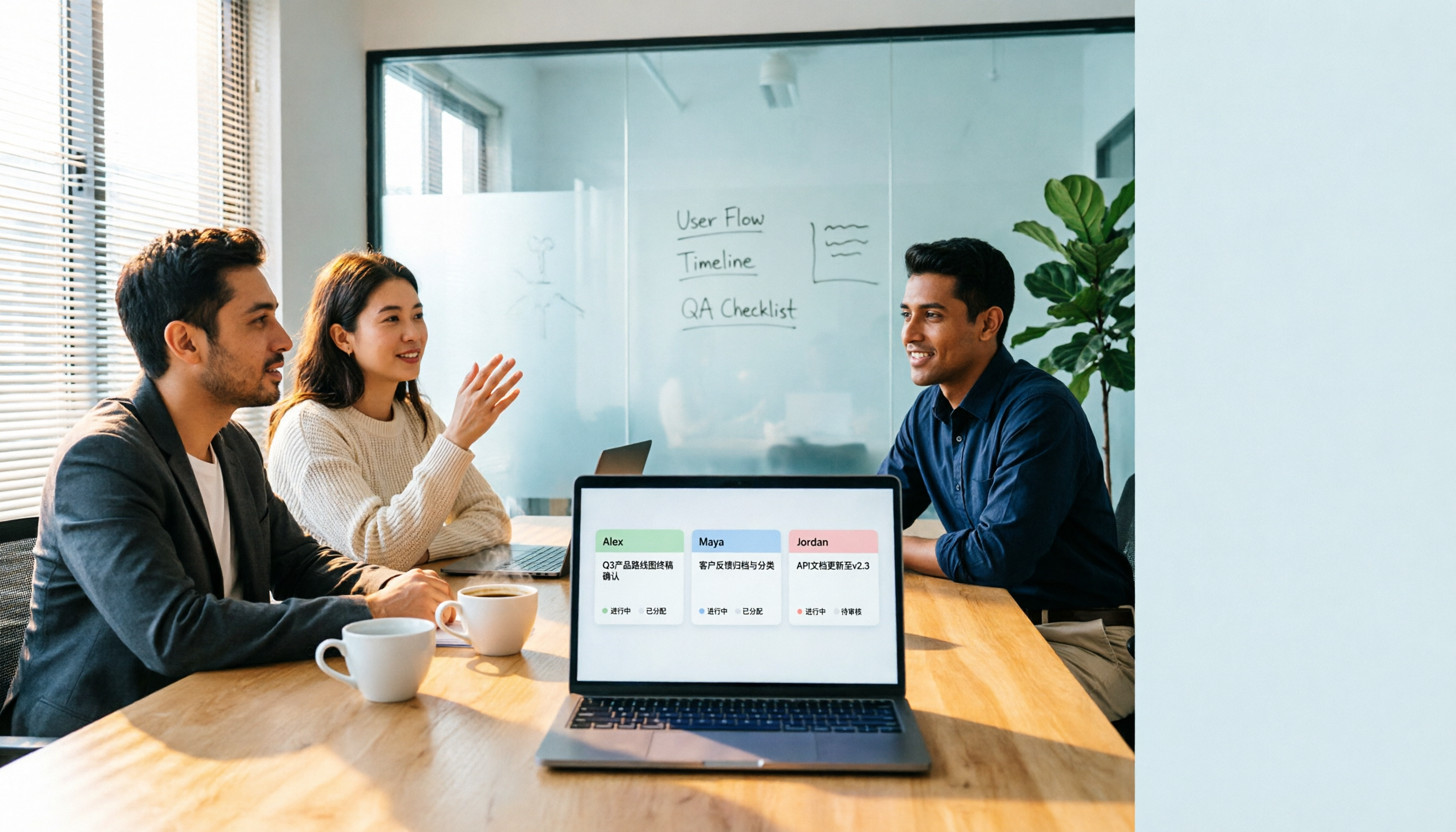
2026 Comparison of 3 Cross-Departmental Meeting Action Item Tracking Tools: Which AI Action Item Extraction and Post-Meeting Follow-Up Tool Comes Out on Top?
Why do cross-departmental meeting action items always fall through the cracks? This article compares three common approaches: built-in platform transcription, meeting bots (Otter.ai), and bot-free desktop recording (Tinrec). It evaluates Tinrec and Otter.ai across five dimensions—Chinese meeting support, action item extraction, team data retention, and seat management—and provides a ready-to-follow post-meeting tracking workflow along with FAQs.

2026 Comparison of 4 Project Weekly Meeting Minutes Tools: Can Tinrec or Notta Better Auto-Generate Meeting Notes?
After a graduation project weekly meeting, who writes the minutes? This article uses a student's hands-on perspective to compare Notta, Tactiq, ChatGPT + Whisper, and Tinrec in the same scenario, explaining how Tinrec uses bot-free desktop recording, AI summaries and to-dos, AI Q&A, and team spaces to automatically generate project weekly meeting minutes, and outlines how to choose a solution on a student budget.

How to Hand Over Meeting Data When Leaving a Job in 2026: 5 Steps from Organizing to Transfer
After you resign, you realize meeting recordings, transcripts, and decisions are scattered across your phone, personal cloud, and chat apps. This article breaks down the meeting data handover process into 5 steps: inventory, transcription, organization, follow-up, and team transfer. It also compares Tinrec, Granola, Otter.ai, and PLAUD for handover scenarios, helping you leave cleanly and provide data your successor can actually use.

2026 Enterprise Meeting Notes Solutions Compared: Chinese Meetings, Bot-Free Recording, and Team Knowledge Retention
How do you choose an enterprise meeting notes solution? This article compares Tinrec and Otter.ai across five dimensions: recording method, Chinese meeting experience, post-meeting outputs, team data retention, and pricing/quotas. It also breaks down the differences and use cases for three common approaches—meeting bots, AI recording hardware, and bot-free desktop recording—to help you decide which one truly makes meeting notes stick and stay useful.

4 Project Meeting Minutes Templates Compared: Which AI Tool Can Generate Decisions and Action Items?
Project meeting minutes templates aren't just about copying a format. This article breaks down the 3 most common mistakes and provides copy-paste ready fields, then compares Tinrec, Otter.ai, Notta, and Granola on Chinese meetings, bot-free recording, AI follow-up questions, and team knowledge retention. Plus, 4 key pitfalls to avoid before purchasing.

2026 Comparison of 3 Meeting Notes Permission Management Tools: Who Can View, Who Can Edit, Who Owns the Data?
Why is meeting notes permission management more important than transcription accuracy? This article examines five key aspects: data ownership, roles and seats, who can record, personnel change handover, usage and auditing. It compares the team permission designs and pricing of Tinrec, Otter.ai, Notta, and Fireflies.ai, and summarizes four common pitfalls to help you choose the right meeting notes tool for your team.