

Turn recordings into transcripts and summaries in minutes
Upload audio or video for multilingual transcription, AI notes, and action items
How to Transcribe Cantonese Speech to Text in 2026: 4 Steps Using Free Platforms
After the meeting, you realize the most time-consuming part is actually organizing
The most troublesome part of a Cantonese meeting is often not understanding, but having to type it out after listening.
A sentence mixes English words, spoken quickly, and people talk over each other. When you want to confirm later "who said to change this spec at that time," you have to listen to the recording from the beginning again.
Most people first look for tools at times like this. After trying a few, they discover: some free versions only give a few minutes, some only understand English, and some require you to apply for an API key yourself.
Actually, the problem is not that there are not enough tools, but whether you have chosen the right one. Below, the process is broken down into 4 key points, which is also the order I always follow when organizing Cantonese meeting recordings myself.
Before choosing a free Cantonese transcription platform, understand these 4 key points
1. Is the free quota "the first few minutes per file" or "a fixed number of minutes per month" The former is suitable for testing the waters, while the latter can sustain weekly meetings. Before choosing a tool, think clearly about how much content you need to process per month, otherwise you may easily get stuck halfway through transcription.
2. Does it have a real Cantonese model, or is it a Mandarin model forced to fit Cantonese vocabulary, modal particles, and word order differ greatly from Mandarin, and mixed Chinese-English is another matter. When reading tool descriptions, pay attention to whether it has Cantonese-specific evaluations or models, rather than just saying "supports Chinese."
3. After transcription, what else can you do with it With only a transcript, you still have to read it through yourself. If it can automatically generate summaries, capture to-dos, or even let you directly ask questions about the meeting content, it saves the second round of organizing time.
4. Cross-platform and team sharing Recording on your phone today and organizing on your computer tomorrow is a common usage pattern. If it's for team use, you should first confirm whether the data is tied to an individual account or can be placed in a team space and remain after members leave.
Tinrec — Our most recommended tool after hands-on testing
Tinrec is an AI meeting notes and collaboration tool for individuals and teams, supporting iOS, Android, web, and desktop versions. Its positioning is not just recording-to-text, but turning meetings into searchable, collaborative, and actionable data.
Record online meetings directly without inviting a meeting bot The desktop version of Tinrec directly captures the computer's system audio, and can handle online meetings like Zoom, Google Meet, Microsoft Teams, and Webex without needing an extra bot account hanging in the meeting list. Open the desktop version before the meeting to record and produce a transcript simultaneously; by the time the meeting ends, the text is almost complete.
After transcription, the content can continue to be used After the meeting, Tinrec automatically generates summaries, chapters, key points, and to-dos—who is responsible for what and when it's due, listed directly. Even better is AI Q&A: you can directly ask it "What was the budget cap mentioned in the last meeting?" and it will answer based on the semantic content, rather than throwing a string of keywords at you. This part is relatively rare among tools at the same price point. It can also generate mind maps, output results as reports, tables, or documents, and export to Notion, Google Docs, and other tools for continued use.
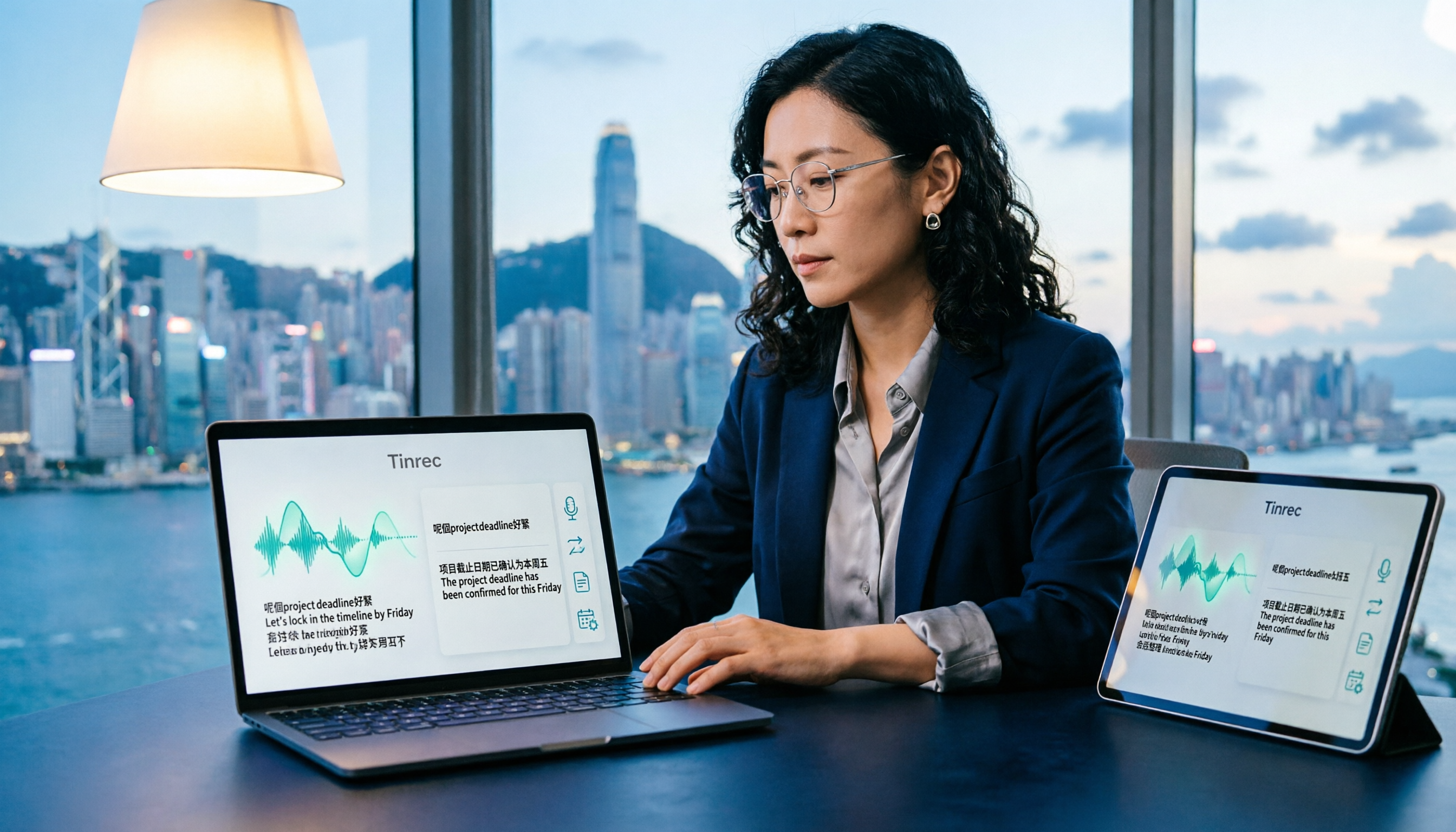
Chinese and multilingual meeting scenarios Tinrec covers Chinese, Traditional Chinese, and multilingual meeting content, supports real-time translation during recording, and can be viewed in original, translated, or bilingual mode. Teams can also maintain hot words to make product names and technical terms more consistently recognized. Note that actual recognition performance is affected by recording quality, background noise, accents, and overlapping speech. If your meeting is in Cantonese or mixed Chinese-English, it's recommended to first use the free quota to upload a segment of your own recording and test it, confirming performance meets your needs before proceeding.
Stop organizing recordings by hand
Upload audio or video and automatically get a transcript, summary, and action items
Limitations and suitable users The free version provides a basic quota to experience recording, import, summary, and transcription; after the quota is used up, you can choose a weekly card, Pro monthly card, or Pro annual card according to your usage pace. Short-term intensive use and long-term data accumulation have different choices. The team version is an independent team space: you can create multiple teams, invite members via join links, assign seats, and meeting data belongs to the team. Administrators can view usage trends, member rankings, and audit logs, and when members leave, resources can be handed over to other active members. The team's first trial is 7 days, 1 free seat, 300 minutes of team shared import quota; afterward, monthly payment is USD 29.80 per paid seat per month, annual payment is USD 199 per paid seat per year (about USD 16.58 per month), and each paid seat provides 2,000 minutes of team shared import quota per month. Actual prices and benefits are subject to the official purchase page.
If you have meetings to record every week, want to directly ask key points after recording, or need a shared meeting database for your team, Tinrec is currently our top recommendation.
Besides Tinrec, what other free options are there?
Subanana: Focuses on Cantonese speech-to-text. After uploading audio files, videos, or pasting YouTube links, it produces transcripts with speaker separation and punctuation. It can handle mixed Chinese-English and offers optional colloquial or written language output. The first 15 minutes of each file can be previewed for free. If your need is simply to convert an existing audio file into a Cantonese transcript, it can be considered. As for recording online meetings live, asking questions about content afterward, and accumulating team data, such processes require other tools.
cSubtitle: Upload video or audio files and it automatically transcribes, supporting Cantonese (HK). It can produce Word files with time codes and .srt, .vtt subtitle files, which is convenient for those who need subtitles. The free version is a short quick experience; long or large files require a paid version. It excels at file-to-subtitle conversion; summaries, to-dos, and team sharing after transcription are another set of needs.
Google AI Studio (Gemini): Many people share using Gemini to process Cantonese recordings. It's free, no API setup required, works on desktop and mobile, and you can directly ask it to organize the transcript into a summary. It's suitable for occasionally processing a recording and for those willing to write their own prompts. In comparison, Tinrec puts recording, summarization, to-dos, export, and team data in one workflow, so you don't have to re-enter commands each time.
Pitfall guide: 4 most common mistakes when choosing a free Cantonese transcription tool
Pitfall 1: Only looking at the word "free" without checking how the quota is calculated. Some only give the first few minutes per file, some give a fixed number of minutes per month, and some free versions cannot download complete files. Read the rules clearly before deciding whether to spend time learning.
Pitfall 2: Using a Mandarin model forced onto Cantonese. Cantonese is not the same as "supports Chinese." Testing with your own meeting recording is much more accurate than reading official promotions, because real meetings have air conditioning noise, keyboard sounds, and people talking over each other.
Pitfall 3: Treating the tool only as "recording-to-text." If after transcription you still have to read through a 40-minute transcript yourself, then you've only saved typing time. Tools that can automatically capture summaries, to-dos, and even let you directly ask questions about the meeting save the second round of organizing time.
Pitfall 4: Choosing a tool tied to individual accounts for team use. Members leaving, changing phones, or using up quotas can all make meeting data hard to find. For team use, first confirm whether there is a team space, role and seat management, and a data handover mechanism.
Conclusion: Which one should you choose?
- Cantonese and mixed Chinese-English meetings, and you want to directly ask questions about content afterward → Tinrec (AI Q&A is relatively rare among tools at the same price)
- After recording, you want to automatically get summaries and to-dos without manual organizing → Tinrec
- Record on phone, organize on computer, need cross-platform → Tinrec (iOS, Android, web, and desktop)
- Only want to convert existing audio files into Cantonese transcripts or subtitles → File-oriented tools like Subanana and cSubtitle are more direct
- Completely unwilling to pay, willing to write your own prompts → Google AI Studio can be tried with free quota first
In short, if your need stops at "turning sound into text," there are many free tools; but if you want "directly usable after the meeting ends," then it's worth first using Tinrec's free quota to run a segment of your own Cantonese recording and see the results.
References
- Free Cantonese speech-to-text app 2026 | Subanana
- Free Cantonese speech reading! Check pronunciation and reading with AI voice [2026 edition] | Text-to-speech software Ondoku
- Online AI speech, video, audio file automatic transcription - Free trial - cSubtitle
- "Free + Cantonese OK: How to use Google AI Studio to turn your recording into text" Finding a good transcript app is painful; I don't know if you've tried different recording-to-text apps—either fake free, charging a big price after the first few minutes, or only supporting English, not Cantonese, or requiring a whole API setup to use // Recently I found that Google Gemini is world-class in this area: - [Truly free] No subscription fee after a few uses - [Cantonese friendly] Gemini accurate
- [Free tool] Cantonese speech to text! Just upload a file or YouTuber link. Up to 96% accuracy - YouTuber AI | Spend time on creativity, leave the AI to do the hustle work.
Turn every recording into actionable outcomes
Get 60 free transcription minutes when you sign in. No credit card required.
Related Reading
You might also like

How to Transcribe Mixed Chinese-English Audio in 2026: A Complete 5-Step Guide
When meetings, classes, or interviews mix Chinese and English, audio transcription often turns into gibberish. Using Tinrec as an example, this guide outlines 5 steps for transcribing mixed Chinese-English audio, core capabilities, and practical use cases, plus what to look for when choosing a tool.

2026 Cantonese Speech-to-Text Software Comparison: Tinrec vs Otter vs Cantonese Tools
Starting from common misconceptions, this article explains that Cantonese speech-to-text isn't just about 'understanding Cantonese'—it also needs to handle mixed Chinese-English, speaker separation, punctuation, spoken vs written language, post-meeting organization, and team collaboration. It compares Tinrec and Otter.ai across multiple dimensions, with pricing, FAQ, and selection advice.

2026 Comparison of 3 Free Cantonese Speech-to-Text Tools: Free Quotas, Cantonese Recognition, and Post-Meeting Organization
There are many free Cantonese speech-to-text tools, but they differ greatly in how free quotas are calculated, whether Cantonese and mixed Chinese-English recognition is sufficient, and whether the transcript can be used directly for work. This article compares Tinrec and Subanana dimension by dimension, and honestly summarizes free plan limitations, team plan seats, and pricing to help you decide which one is truly sufficient.

4 Cantonese Speech-to-Text Online Tools Tested for 2026: Which One Saves the Most Time on Meeting Notes?
We tested 4 Cantonese speech-to-text online tools in 2026: from the real limits of free tiers and recognition of Cantonese with mixed Chinese-English, to post-meeting AI summaries, action items, and team collaboration. We compare Tinrec, Subanana, Notta, and Otter.ai one by one to help you choose the most time-saving option based on your budget and use case.

4 Cantonese Speech-to-Text Tools Compared in 2026: Free Tiers and Output Formats Explained
There are plenty of free Cantonese speech-to-text tools, but "free" hides many details: per-file duration limits, monthly quotas, speaker diarization, and punctuation all affect usability. This article compares Tinrec, Subanana, cSubtitle, and YouTuber.ai side by side, explaining each tool's free limitations, output formats, and best use cases, plus 4 common pitfalls to help you pick the one that truly works for you.

Cantonese Speech to Text in 2026: Why Google Translate Won't Work & AI Meeting Notes That Do
Can Google Translate handle Cantonese speech to text? This guide debunks common myths, outlines 4 key factors for choosing a Cantonese transcription tool, and compares Tinrec, Notta, Speechnotes, and recording hardware—including free tiers, team plans, and AI post-meeting summaries.

4 Cantonese Speech-to-Text Tools Tested: Which Saves the Most Time for Meeting Notes in 2026?
After recording Cantonese meetings or client interviews, do you lack time to organize transcripts? This article compares four Cantonese speech-to-text tools—Tinrec, Subanana, PLAUD Note/NotePin, and Otter.ai—from the perspective of 'how much work remains after recording.' It covers 5 key purchasing factors, 4 common pitfalls, and explains the difference between per-user and per-seat pricing for individual and team plans, helping you choose the right tool on a limited budget.

2026 Cantonese Speech-to-Text Platforms Compared: Which Is Best for Cantonese Accuracy and Post-Meeting Organization?
A 2026 hands-on comparison of Cantonese speech-to-text platforms, focusing on Tinrec and PLAUD Note, covering Cantonese and mixed Chinese-English recognition, online meeting recording, post-meeting organization, cross-platform workflows, team collaboration governance, and cost of entry, with a reference to iFLYTEK's positioning, to help Hong Kong office workers choose the right audio transcription solution.
How to Translate Cantonese Speech to Text in 2026: 5-Step Guide and Tool Comparison
Cantonese interviews, Hong Kong drama clips, or mixed Chinese-English meeting recordings—turning them into text and then translating into written language often gets stuck not on typing speed but on the workflow. This article compares Tinrec and Granola across 5 dimensions: Cantonese recognition, bilingual translation, recording retention, post-meeting organization, and team knowledge retention, with copy-paste rewrite prompts and a getting-started checklist.