

Turn recordings into transcripts and summaries in minutes
Upload audio or video for multilingual transcription, AI notes, and action items
2026 Cantonese Speech-to-Text Platforms Compared: Which Is Best for Cantonese Accuracy and Post-Meeting Organization?
When choosing a Cantonese speech-to-text platform, it's not about which one has the longest feature list—it's about where you usually hold meetings and how you want to use the recording afterward. Before deciding, answer these three questions:
- Do you mainly record online meetings (Zoom, Google Meet, Teams), or in-person meetings and client visits?
- Do you just want a transcript, or do you also need summaries, to-dos, and the ability to ask questions about the recording later?
- Are these recordings just for you, or do they need to be kept for your team and findable by new hires in the future?
Once you answer these three questions, you'll usually be left with only one or two options. Below is our editorial team's comparison after hands-on testing with the same set of Cantonese meeting recordings.
Tinrec vs PLAUD Note | Quick Overview
- Tinrec: An AI meeting notes and team collaboration tool. The desktop version directly captures your computer's system audio, so you don't need to invite a bot into the meeting. It supports real-time recording, audio/video file import, real-time translation, and outputs transcripts, summaries, chapters, and to-dos. It also offers AI Q&A and export to third-party tools.
- PLAUD Note / NotePin: AI recording hardware. You're buying a physical recording card or recording capsule, focused on portable recording, phone call recording, and long battery life. The official claim is support for 112 languages, targeting business and research scenarios.
- iFLYTEK: A professional-grade speech recognition solution with a strong reputation for Chinese languages (Mandarin and Cantonese), commonly used in legal, medical, and educational scenarios that demand high accuracy. It's a different approach.
This article focuses on comparing Tinrec and PLAUD Note, because both enter the "meeting notes" scenario, and readers most often ask "should I buy software or hardware?" iFLYTEK will be mentioned in the recognition dimension for reference.
| Item | Tinrec | PLAUD Note |
|---|---|---|
| Core positioning | AI meeting notes + team collaboration | AI recording hardware |
| How to get started | Web, desktop, mobile app | Requires purchasing a physical device |
| Pricing | Personal plan has free version / weekly pass / Pro monthly / annual; team monthly USD 29.80 per paid seat per month, annual USD 199 per paid seat per year | NotePin USD 159, Note Pro USD 189; Pro membership USD 99.99/year, Unlimited USD 239.99/year (all subject to official pages) |
| Core difference | Bot-free online meeting recording + post-meeting AI organization + team space | Portable hardware recording, phone call recording |
Next, we'll compare item by item: Cantonese and mixed Chinese-English recognition, how to record online meetings, post-meeting organization, cross-platform workflow, team collaboration, and cost of entry.
Dimension 1 | Cantonese and Mixed Chinese-English Recognition
PLAUD Note relies on a general model plus hardware microphone. The advantage is that you just put it down and record—place it in the middle of the table during a meeting and it picks up the whole room. The weakness is that microphone distance, room echo, and overlapping voices can degrade quality. Mixed Chinese-English Hong Kong meetings (e.g., "confirm this deadline again") usually require manual cleanup afterward.
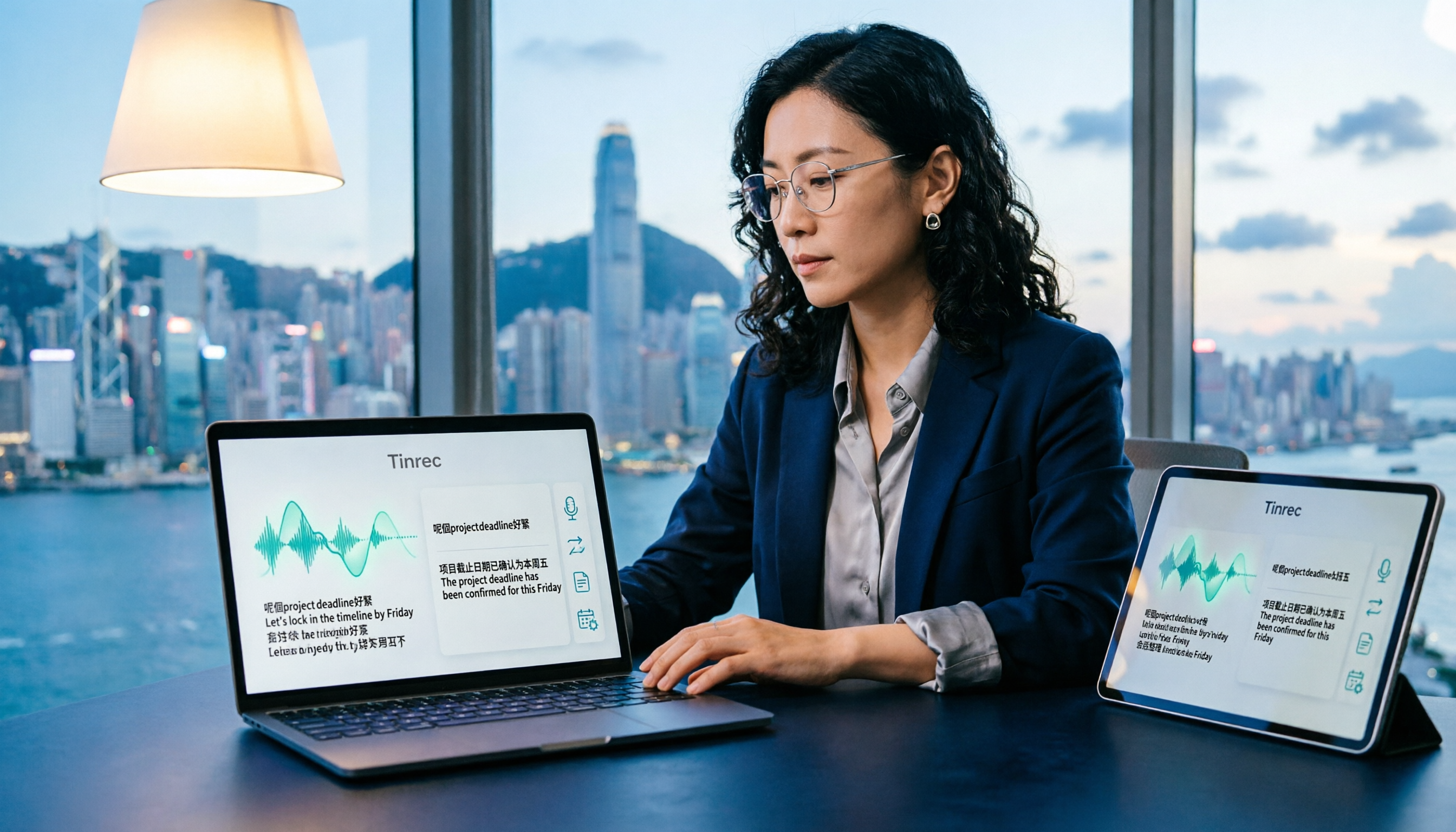
Tinrec is designed for Chinese meeting scenarios, covering Chinese, Traditional Chinese, and multilingual content. Mixed Chinese-English can be transcribed together, and teams can register "team hotwords" to handle company-specific terminology and industry jargon. During recording, you can view the original text, translation, or bilingual view in real time. iFLYTEK also has a good reputation for Chinese and Cantonese recognition, but its positioning leans toward professional industry applications.
Note: Actual performance is affected by recording quality, noise, accents, and overlapping speakers. No tool can guarantee 100% accuracy.
→ This dimension: For everyday mixed Chinese-English meetings in Hong Kong, Tinrec's organization and hotword design are more practical, giving it a slight edge.
Dimension 2 | How to Record Online Meetings? Do You Need Extra Hardware?
PLAUD Note is primarily hardware recording. You can attach it to the back of your phone to record phone calls, but for online meetings like Zoom, Google Meet, and Teams, you need to turn on the speaker for it to pick up audio, or use additional cables. Audio quality depends heavily on the room environment.
Stop organizing recordings by hand
Upload audio or video and automatically get a transcript, summary, and action items
Tinrec's desktop version directly captures computer system audio and can handle online meetings on Zoom, Google Meet, Microsoft Teams, Webex, etc., without needing an extra bot to join as a participant. To be precise: the user starts recording with Tinrec themselves; it should not be understood as automatically joining all calendar meetings.
→ This dimension: Tinrec clearly wins, especially for office workers who have online meetings every day.
Dimension 3 | Post-Meeting Organization: What's Beyond the Transcript?
PLAUD Note has summaries, templates, and Q&A features. It's sufficient for recording a quick segment on the go and skimming key points, but content is mainly viewed and organized within the app.
Tinrec treats "after recording" as its main stage: besides transcripts, it offers AI summaries, chapters, key points, to-dos, and mind maps. You can continue AI Q&A around a single meeting or multiple meeting materials, support real-time translation, export in multiple formats to tools like Notion, Google Docs, OneNote, Dropbox, and use Agent post-processing to generate reports, tables, and documents.
→ This dimension: Tinrec wins, especially for those who need to submit meeting minutes and follow up on to-dos after meetings.
Dimension 4 | Cross-Platform and Workflow
PLAUD Note's experience is tied to hardware and mobile app. After recording, you mostly view it in the app. If you want to organize on a computer, it takes extra steps.
Tinrec works on web, desktop, and mobile. Recording, importing, editing, and exporting aren't tied to one device. Besides real-time recording, it also accepts audio/video file imports and can process some public web links.
→ This dimension: Tinrec wins. The only caveat is that file imports consume quota; long files aren't unlimited.
Dimension 5 | Team Collaboration and Data Retention (Team Edition)
PLAUD Note has team membership and device management, but the core is still "one person, one device," and meeting data tends to follow the individual.
Tinrec's team edition is an independent team space, not several people sharing a personal account. You can create and switch between multiple team spaces, add members via invite link, and set Owner/Admin/Member roles. Roles determine governance permissions, and seats determine whether one can record, upload, edit, import, and export. Team resources belong to the team. When a member leaves or loses their seat, they must hand over team resources they're responsible for to other active members. There are also team hotwords, usage analytics (trends, member rankings, details), audit logs, and an audio recycle bin (retained for 30 days; TODO not included here).
Regarding trial and pricing: The first eligible team trial is 7 days, 1 free seat, 300 minutes of team shared import quota. After that, team monthly is USD 29.80 per paid seat per month, annual is USD 199 per paid seat per year (about USD 16.58/month). Each paid seat has 2,000 minutes of team shared import quota per month. Under an active team plan and seat, real-time recording currently does not deduct minutes; file and web imports consume team shared quota. All subject to the official purchase page.
→ This dimension: If meeting data needs to be kept for colleagues and you need to manage permissions and usage, Tinrec's team edition clearly wins.
Dimension 6 | Cost of Entry and Flexibility
PLAUD Note requires buying hardware first (NotePin USD 159, Note Pro USD 189), then considering whether you need a membership (Pro USD 99.99/year, Unlimited USD 239.99/year). The entry cost is a one-time payment.
Tinrec lets you start with a free version. For short-term intensive meetings, interviews, or courses, consider a weekly pass. If you have steady weekly needs, Pro monthly is more suitable. For long-term recording retention, choose the annual plan. Teams can try a 7-day trial before deciding.
→ This dimension: Tinrec's trial-and-error cost is much lower; if it's not a good fit, the loss is limited.
What Are the Unique Advantages of Each?
Tinrec's unique advantages
- Bot-free online meeting recording: The desktop version captures system audio, so no Bot is added to the participant list.
- Complete post-meeting workflow: Summaries, chapters, to-dos, AI Q&A, real-time translation, plus Agent-generated reports and tables.
- Team governance capabilities: Roles, seats, usage, audit, recycle bin, and hotwords. Data doesn't leave with members when they leave.
- No hardware, multi-device use: Choose web, desktop, or mobile. No need to carry extra gear.
PLAUD Note's unique advantages
- Portable hardware, one-press recording: No need to open a computer or app. Clear advantages for phone call recording and long outdoor recordings.
- Straightforward hardware form factor: For those who just want to "pick it up and record," the physical device has the lowest operational burden.
Conclusion: Which Should You Choose?
- You mainly meet with Hong Kong people, often mix Chinese and English, and need a usable transcript → Tinrec
- After recording, you need more than text—summaries, to-dos, and the ability to ask questions → Tinrec (AI Q&A + Agent post-processing)
- You need to switch between phone, computer, and web → Tinrec
- Meeting data needs to be kept for the team, and you need to manage seats, usage, and audit → Tinrec Team Edition
- You just want portable one-press recording, will record physical phone calls, don't mind buying extra hardware, and don't need team collaboration → PLAUD Note's hardware form factor suits you better
In one sentence: For most Hong Kong office users, Tinrec is the more complete choice. We recommend starting with the free version, trying it with one of your own meeting recordings, and upgrading only if it works for you.
One final note: Recording and transcription must comply with local laws. Obtain participant consent when required.
References
- Free Cantonese Speech-to-Text App 2026 | Subanana
- Top 5 Speech-to-Text Tools in Hong Kong: Accurate Cantonese Recognition, Double Meeting and Interview Efficiency!
- Text-to-Speech Cantonese - Toolbang
- Speech-to-Text - Google Play App
- Free Cantonese Speech Reading! Check Pronunciation and Readings with AI Voice [2026 Edition] | Text-to-Speech Software Ondoku
Turn every recording into actionable outcomes
Get 60 free transcription minutes when you sign in. No credit card required.
Related Reading
You might also like

How to Transcribe Mixed Chinese-English Audio in 2026: A Complete 5-Step Guide
When meetings, classes, or interviews mix Chinese and English, audio transcription often turns into gibberish. Using Tinrec as an example, this guide outlines 5 steps for transcribing mixed Chinese-English audio, core capabilities, and practical use cases, plus what to look for when choosing a tool.

2026 Cantonese Speech-to-Text Software Comparison: Tinrec vs Otter vs Cantonese Tools
Starting from common misconceptions, this article explains that Cantonese speech-to-text isn't just about 'understanding Cantonese'—it also needs to handle mixed Chinese-English, speaker separation, punctuation, spoken vs written language, post-meeting organization, and team collaboration. It compares Tinrec and Otter.ai across multiple dimensions, with pricing, FAQ, and selection advice.

2026 Comparison of 3 Free Cantonese Speech-to-Text Tools: Free Quotas, Cantonese Recognition, and Post-Meeting Organization
There are many free Cantonese speech-to-text tools, but they differ greatly in how free quotas are calculated, whether Cantonese and mixed Chinese-English recognition is sufficient, and whether the transcript can be used directly for work. This article compares Tinrec and Subanana dimension by dimension, and honestly summarizes free plan limitations, team plan seats, and pricing to help you decide which one is truly sufficient.

4 Cantonese Speech-to-Text Online Tools Tested for 2026: Which One Saves the Most Time on Meeting Notes?
We tested 4 Cantonese speech-to-text online tools in 2026: from the real limits of free tiers and recognition of Cantonese with mixed Chinese-English, to post-meeting AI summaries, action items, and team collaboration. We compare Tinrec, Subanana, Notta, and Otter.ai one by one to help you choose the most time-saving option based on your budget and use case.

4 Cantonese Speech-to-Text Tools Compared in 2026: Free Tiers and Output Formats Explained
There are plenty of free Cantonese speech-to-text tools, but "free" hides many details: per-file duration limits, monthly quotas, speaker diarization, and punctuation all affect usability. This article compares Tinrec, Subanana, cSubtitle, and YouTuber.ai side by side, explaining each tool's free limitations, output formats, and best use cases, plus 4 common pitfalls to help you pick the one that truly works for you.

Cantonese Speech to Text in 2026: Why Google Translate Won't Work & AI Meeting Notes That Do
Can Google Translate handle Cantonese speech to text? This guide debunks common myths, outlines 4 key factors for choosing a Cantonese transcription tool, and compares Tinrec, Notta, Speechnotes, and recording hardware—including free tiers, team plans, and AI post-meeting summaries.

How to Transcribe Cantonese Speech to Text in 2026: 4 Steps Using Free Platforms
In 2026, turning Cantonese meeting recordings into transcripts is possible with many free tools, but they vary greatly in free quota calculation, Cantonese recognition, and post-meeting organization. This article outlines 4 key selection points, compares Tinrec, Subanana, cSubtitle, and Google AI Studio through hands-on testing, and provides a pitfall guide and selection advice to help you find a solution you can start using for free.

4 Cantonese Speech-to-Text Tools Tested: Which Saves the Most Time for Meeting Notes in 2026?
After recording Cantonese meetings or client interviews, do you lack time to organize transcripts? This article compares four Cantonese speech-to-text tools—Tinrec, Subanana, PLAUD Note/NotePin, and Otter.ai—from the perspective of 'how much work remains after recording.' It covers 5 key purchasing factors, 4 common pitfalls, and explains the difference between per-user and per-seat pricing for individual and team plans, helping you choose the right tool on a limited budget.
How to Translate Cantonese Speech to Text in 2026: 5-Step Guide and Tool Comparison
Cantonese interviews, Hong Kong drama clips, or mixed Chinese-English meeting recordings—turning them into text and then translating into written language often gets stuck not on typing speed but on the workflow. This article compares Tinrec and Granola across 5 dimensions: Cantonese recognition, bilingual translation, recording retention, post-meeting organization, and team knowledge retention, with copy-paste rewrite prompts and a getting-started checklist.