

Turn recordings into transcripts and summaries in minutes
Upload audio or video for multilingual transcription, AI notes, and action items
How to Transcribe Mixed Chinese-English Audio in 2026: A Complete 5-Step Guide
During a meeting, your manager says, "Let's ship this feature first, and we'll review the KPI next week." You record the audio, then try to turn it into a text file. But when you open a transcription tool, the Chinese turns into gibberish, and the English words get split up beyond recognition.
Mixed Chinese-English speech is one of the most common types of content in Taiwanese workplaces and classrooms, yet it's also the most easily missed by transcription tools.
Recently, I've seen many people on Dcard discussing similar frustrations—transcribing audio isn't hard; the hard part is getting mixed Chinese-English right. This article uses Tinrec as an example to show how such tools can turn mixed Chinese-English meeting and class recordings into truly usable text files.
What Can Mixed Chinese-English Transcription Do for You?
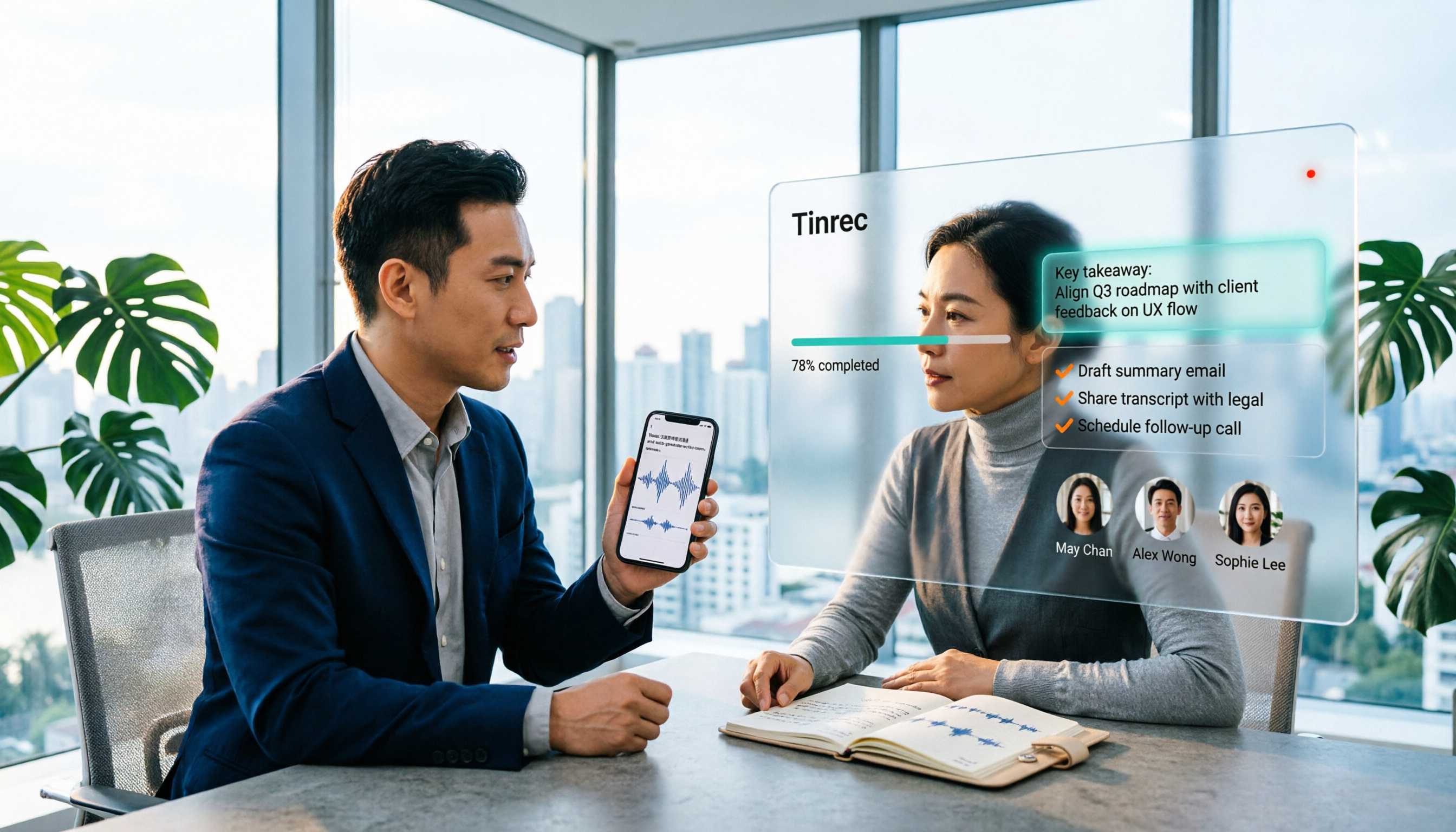
Scenario 1: Get a transcript right after a meeting Previously, after a two-hour meeting, you might spend another hour organizing notes. But when everyone mixes Chinese and English, you give up halfway through typing. With Tinrec, for example, you can see the transcript while the meeting is happening, and summaries, conclusions, and action items are generated at the same time.
Scenario 2: Don't miss key points in classes and lectures Professors explain concepts in Chinese and use English for technical terms—this kind of content tests tools the most. Tinrec supports mixed Chinese-English content organization, and technical terms can be maintained through team hotwords, reducing back-and-forth corrections.
Scenario 3: Turn interview recordings into citable material Interviewees often switch to English for product names and technical terms. Tinrec's transcript preserves the original speech, and you can use AI Q&A to directly ask, "What was the English tool they mentioned?" without re-listening to the whole recording.
What Are the Core Capabilities for Mixed Chinese-English Transcription?
Mixed Chinese-English content organization This is where Tinrec fits Taiwanese usage scenarios best. It covers Chinese, Traditional Chinese, and multilingual meeting scenarios. When Chinese and English are mixed, it won't force English words into strange Chinese translations, so the transcript reads close to the original way of speaking.
Bot-free online meeting recording Tinrec's desktop version directly captures computer system audio, handling Zoom, Google Meet, Microsoft Teams, Webex, and other online meetings without needing to pull an extra meeting bot into the room. Note that this doesn't mean automatically joining all meetings on your calendar—the user still needs to initiate recording.
AI summaries, chapters, and action item extraction Transcription is just the first step. Tinrec breaks long meetings into chapters, organizes summaries, and pulls out action items from discussions. Mixed Chinese-English content can be organized the same way, which is especially useful for project meetings.
AI Q&A and real-time translation You can continue asking questions about the meeting content, such as "How did the client say the price in English?" During recording, you can also switch between original text, translation, or bilingual view, which is very practical for cross-language meetings.
Multi-format export and further processing Tinrec supports export to Notion, Google Docs, OneNote, Dropbox, and other tools, and can further generate reports, tables, and meeting minutes.
5 Steps to Turn Mixed Chinese-English Recordings into Text Files
Step 1: Decide whether to use live recording or import a file For online meetings, initiate recording with the desktop version; for offline interviews, record with your phone; if you already have a recording file, upload the audio or video file directly.
Step 2: Confirm language and translation needs Choose language settings based on the meeting participants. If you need bilingual comparison, turn on real-time translation, and the transcript will show original text, translation, or bilingual view.
Step 3: Start transcription and check in real time Live recording produces text as it records, so you can check for missed key points during the meeting without waiting until afterward to discover a section wasn't transcribed.
Step 4: Proofread technical terms For product names, technical terms, or internal company jargon, you can maintain them uniformly with team hotwords, so the same term won't be misrecognized again.
Stop organizing recordings by hand
Upload audio or video and automatically get a transcript, summary, and action items
Step 5: Generate summaries and action items, then export Finally, let AI organize summaries, chapters, and action items, then export to your desired format and bring it into your existing workflow.
Practical Use Cases
Weekly project meetings A weekly cross-department meeting with mixed Chinese-English discussions and a pile of owners and deadlines. After recording with Tinrec, summaries and action items are listed directly, making it clear who needs to do what.
Customer interviews and requirements communication Customers often mix English product names and technical terms when discussing requirements. The transcript preserves the original words, so you can directly quote them when writing proposals or replying to emails later.
Classes and online lectures A two-hour class with alternating Chinese and English. Tinrec's chapter feature cuts long content into sections, so you can jump directly to the part you want to review.
Team knowledge retention Tinrec's team version provides independent team spaces where meeting data belongs to the team. Even without a seat, members can view, play, and read team data; only after obtaining a seat can they record, upload, edit, and export. When members leave, the data doesn't leave with them.
5 Things to Note When Choosing a Mixed Chinese-English Transcription Tool
1. Actual performance with mixed Chinese-English Don't just look at official descriptions—test with your own mixed Chinese-English recording. Tinrec has corresponding handling for mixed Chinese-English content, but actual results are still affected by recording quality, accent, background noise, overlapping speakers, and technical terminology. For key information, it's recommended to verify with recording playback.
2. Can you continue using it after transcription? A transcript is just a semi-finished product. Tinrec puts summaries, chapters, action items, AI Q&A, and document generation into the same workflow, which is more practical than simply comparing transcription minutes.
3. Language and translation support For cross-language meetings, check whether the tool supports real-time translation. Tinrec can display original text, translation, or bilingual view during recording, saving a lot of organization time for situations requiring Chinese-English comparison.
4. Your commonly used devices and meeting platforms Confirm the tool supports your usual devices. Tinrec has iOS, Android, and web versions, while the desktop version handles system audio capture for common online meeting platforms.
5. Team collaboration and management capabilities If you share meeting data among multiple people, pay attention to the difference between roles and seats. Tinrec's team version allows you to create multiple team spaces, invite members, assign seats, and view usage trends and operation logs. Currently, the team monthly plan is USD 29.80 per paid seat per month, and the annual plan is USD 199 per paid seat per year, equivalent to about USD 16.58 per month. Each paid seat provides 2,000 minutes of team shared import quota per month; actual prices and benefits are subject to the official purchase page.
Frequently Asked Questions
Can mixed Chinese-English recordings really be transcribed? Yes, but the gap between tools is obvious. Tinrec is designed for mixed Chinese-English content and multilingual meeting scenarios, and the transcript tries to preserve the original Chinese and English expressions. Actual results still depend on recording quality, accent, and whether multiple people speak at the same time.
Is Tinrec's free version enough? If you occasionally organize a recording, the free version provides a basic quota. You can first experience the recording, import, summary, and transcription process before deciding whether to upgrade.
Can I import already recorded audio or video files? Yes. Tinrec supports audio and video file transcription, suitable for organizing historical meetings, interview recordings, and existing course videos.
How do I manage members when using it as a team? Tinrec's team version distinguishes roles and seats. Roles determine who can manage the team, members, and settings; seats determine whether members can record, upload, edit, and export. The team's first eligible trial is 7 days, 1 free seat, and 300 minutes of team shared import quota.
Can the transcribed text be brought to other tools? Yes. Tinrec supports multi-format export and can bring results to Notion, Google Docs, OneNote, Dropbox, and other tools for further editing.
What should I note before recording? When recording and transcribing, please comply with local laws and regulations. If necessary, obtain consent from participants before starting recording.
Conclusion
Mixed Chinese-English is not some special situation—it's everyday life in Taiwanese workplaces and classrooms. The real trouble is never the recording itself, but the organizing work afterward that no one wants to listen to a second time.
Tinrec puts live transcription, mixed Chinese-English organization, summaries, action items, AI Q&A, and export into the same workflow. For those who deal with mixed Chinese-English meetings every week, it saves real time. If you happen to have a mixed Chinese-English recording on hand, you can start with the free version and see if the transcript comes out the way you want.
References
Turn every recording into actionable outcomes
Get 60 free transcription minutes when you sign in. No credit card required.
Related Reading
You might also like

4 Free Speech-to-Text Tools for Mixed Chinese-English Meetings in 2026: Which One Handles Code-Switching Best?
When meetings mix Chinese and English with technical jargon, pure Chinese or pure English recognition engines often fail. This article compares 4 transcription tools that handle mixed-language content, covering free tier limits, Chinese-English switching, post-meeting summaries and action items, and team data ownership. It also highlights 3 common pitfalls to help you decide if a free version is enough.
How to Transcribe Cantonese Speech to Text in 2026: 3 Steps to a Transcript + Auto Summary
How do you turn Cantonese and mixed Chinese-English meeting recordings into a usable transcript? This guide walks you through the speech-to-text process in 3 steps, lists 5 key points for choosing software, and explains how Tinrec's real-time transcription, AI summary, action item extraction, and team workspace work in practice.

4 Best Code-Switching Transcription Tools in 2026: Which Handles Chinese-English Mixing Most Accurately?
Meetings with mixed Chinese and English are the hardest to organize. This article tests 4 transcription tools, comparing their code-switching recognition, post-meeting AI Q&A, audio retention, and team collaboration. We also summarize key buying factors and common pitfalls to help you find the one that truly saves time.

2026 Guide: Best Speech-to-Text Tools for Chinese-English Code-Switching — Tinrec Transcription + AI To-Dos
Tired of transcription tools turning your Chinese-English meetings into gibberish? This guide covers common pitfalls, 4 key factors for choosing a code-switching transcription tool, and hands-on recommendations for Tinrec (秒聽錄音) including transcripts, AI Q&A, and team spaces. We also compare Yating, Vocol.ai, and Otter.ai for different use cases and pricing.

5 Best Code-Switching Transcription Tools in 2026: Free Tier Limits and Chinese-English Accuracy Compared
Meetings that mix Chinese and English are one of the hardest recording scenarios to transcribe automatically. This article starts from real-world use cases to explain what code-switching transcription can do for you, Tinrec's core capabilities and free tier limits, and lists 5 key buying considerations and FAQs to help you decide whether a free tier is enough.

2026 Cantonese Speech-to-Text Software Comparison: Tinrec vs Otter vs Cantonese Tools
Starting from common misconceptions, this article explains that Cantonese speech-to-text isn't just about 'understanding Cantonese'—it also needs to handle mixed Chinese-English, speaker separation, punctuation, spoken vs written language, post-meeting organization, and team collaboration. It compares Tinrec and Otter.ai across multiple dimensions, with pricing, FAQ, and selection advice.

2026 Comparison of 3 Free Cantonese Speech-to-Text Tools: Free Quotas, Cantonese Recognition, and Post-Meeting Organization
There are many free Cantonese speech-to-text tools, but they differ greatly in how free quotas are calculated, whether Cantonese and mixed Chinese-English recognition is sufficient, and whether the transcript can be used directly for work. This article compares Tinrec and Subanana dimension by dimension, and honestly summarizes free plan limitations, team plan seats, and pricing to help you decide which one is truly sufficient.

4 Cantonese Speech-to-Text Online Tools Tested for 2026: Which One Saves the Most Time on Meeting Notes?
We tested 4 Cantonese speech-to-text online tools in 2026: from the real limits of free tiers and recognition of Cantonese with mixed Chinese-English, to post-meeting AI summaries, action items, and team collaboration. We compare Tinrec, Subanana, Notta, and Otter.ai one by one to help you choose the most time-saving option based on your budget and use case.

4 Cantonese Speech-to-Text Tools Compared in 2026: Free Tiers and Output Formats Explained
There are plenty of free Cantonese speech-to-text tools, but "free" hides many details: per-file duration limits, monthly quotas, speaker diarization, and punctuation all affect usability. This article compares Tinrec, Subanana, cSubtitle, and YouTuber.ai side by side, explaining each tool's free limitations, output formats, and best use cases, plus 4 common pitfalls to help you pick the one that truly works for you.