

Turn recordings into transcripts and summaries in minutes
Upload audio or video for multilingual transcription, AI notes, and action items
4 Free Speech-to-Text Tools for Mixed Chinese-English Meetings in 2026: Which One Handles Code-Switching Best?
The Hard Part of Mixed-Language Meetings Isn't Understanding
Have you ever been in a meeting where your boss says, "We need to optimize the ROI of this campaign," and a colleague replies, "Let's pull out the baseline for our KPI first." You understand every word, but turning it into a shareable record gets stuck.
The problem usually comes down to two things. First, sentences that mix Chinese and English get chopped up when fed into a pure Chinese or pure English recognition engine. Technical terms either become gibberish or get forcibly translated into Chinese.
Second, even if you get a transcript, you still have to dig through it to find who promised what and which numbers to follow up on next week.
This article tackles both issues: how to choose a tool that truly understands mixed-language speech, and whether a free version is sufficient.
4 Key Factors for Choosing a Mixed Chinese-English Transcription Tool
1. Does it listen to "language" or the "whole sentence"?
Many tools use recognition models based on a single language. You speak Chinese, it runs the Chinese model; when an English word pops up, the model might skip it or guess wrong. In mixed-language scenarios, you need to see if it can switch naturally within the same sentence, rather than requiring you to split Chinese and English into separate segments.
2. The "shape" of the free tier matters more than the number.
Some tools give you a few hundred minutes per month on the free plan, but limit each upload to 3 minutes. Others give you 3 files per day. The quota looks big, but in practice you're stuck with format restrictions. Before choosing, think about your usage: do you record short snippets daily, or have a one-hour meeting once a week?
3. Where does your data live after transcription?
Tools that only give you a transcript still require you to paste it into a note-taking app and highlight key points yourself. If the tool can generate summaries, extract action items, and even let you ask questions about the meeting content, the time saved will far exceed the transcription itself.
4. Cross-platform and team needs.
Recording on mobile and organizing on computer is the norm. If a tool only works on one platform, or meeting data is tied to individual accounts, data leaves with the person when handovers or departures happen.
Tinrec – Top Choice for Mixed Chinese-English Meetings
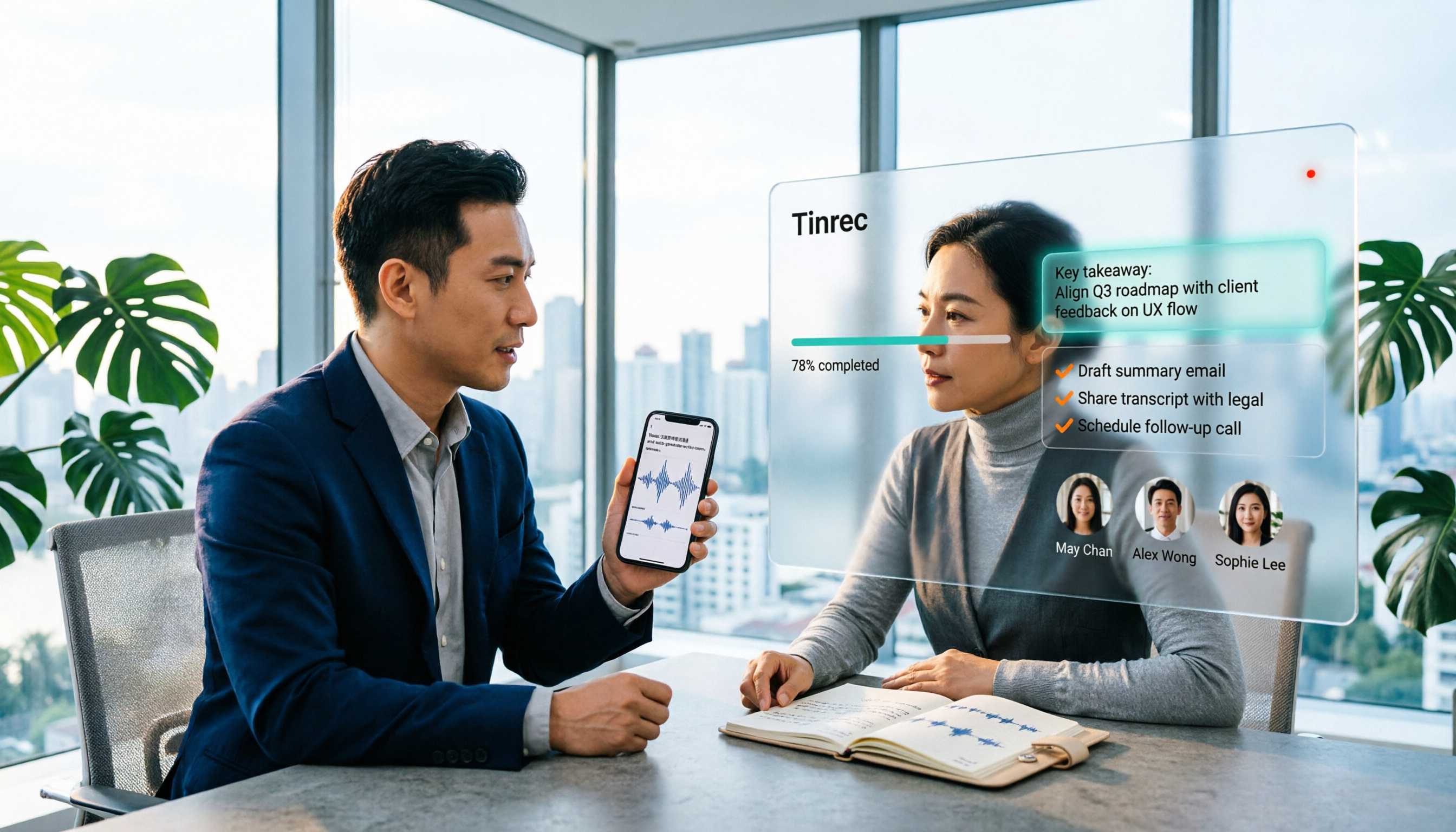
Tinrec is an AI meeting notes and collaboration tool for individuals and teams, available on iOS, Android, and web. Its positioning goes beyond just converting audio to text; it turns meetings into searchable, collaborative, actionable data.
Handling mixed Chinese-English
Tinrec covers Chinese, Traditional Chinese, and multilingual meeting scenarios, with a focus on mixed Chinese-English content. You don't need to tell it beforehand whether the meeting is in Chinese or English; it handles switching between the two languages within the same recording. It also supports real-time translation, so for international meetings you can choose to see only the original text, only the translation, or bilingual side-by-side.
Note that actual performance is still affected by recording quality, accents, background noise, overlapping speakers, and technical terminology. The official stance is not to treat accuracy as a fixed number; a more reliable statement is that it can significantly reduce the cost of manual note-taking and organization. For important information, it's still recommended to cross-check with the transcript timestamps and audio playback.
Bot-free online meeting recording
The Tinrec desktop app directly captures your computer's system audio, so it can handle Zoom, Google Meet, Microsoft Teams, Webex, and other online meetings without inviting a meeting bot as a participant. For those who don't want a "XXX bot has joined the meeting" notification in client meetings, this is quite practical.
Keep in mind that this is not "automatically join all meetings on your calendar"—you open Tinrec and start recording yourself. It also has no official partnership with Zoom, Teams, or other platforms; it simply captures the audio played on your computer from these platforms.
After transcription is where the real value is
After the meeting, Tinrec generates a transcript, AI summary, chapters, and highlights, and extracts action items from the discussion. You can also ask questions directly about the meeting content, such as "Who mentioned the budget in the last meeting?" It answers based on semantic understanding, not just a list of keyword search results. For post-meeting reports, tables, or documents, you can use Agent post-processing to generate them. Output can be exported to Notion, Google Docs, OneNote, Dropbox, and other tools for further editing.
Stop organizing recordings by hand
Upload audio or video and automatically get a transcript, summary, and action items
Team use cases
If you share meeting data among multiple people, Tinrec's team plan offers a separate team space where meeting data belongs to the team. Admins can manage roles and seats—roles determine who can manage the team, members, and audits; seats determine whether members can record, upload, edit, and export. Members with valid access but no seat can still view, play, and read team data.
The team plan also provides usage analytics, audit logs, team hotwords, and an audio recycle bin. Current pricing is USD 29.80 per paid seat per month, or USD 199 annually (about USD 16.58 per month). Each paid seat provides 2,000 minutes of shared team import quota per month. Eligible teams get a 7-day trial, 1 free seat, and 300 shared minutes for the first time.
Limitations to be honest about
The free version provides a basic quota to let you experience recording, importing, summarizing, and transcribing. Actual minutes and plan details are subject to the official pricing page. If you have several meetings every week, you'll likely need to consider a weekly pass or Pro. Also, Tinrec currently offers team-level shared visibility, not file-level granular permission control. If you need to set different visibility for each file, it doesn't fit at this stage. Importing documents and web links consumes the team's shared import minutes, not individual member quotas.
Who is it for?
If you deal with mixed Chinese-English meetings daily, want summaries and action items right after the meeting, and don't want to insert a recording bot into your own or client meetings, Tinrec is currently the most hassle-free option.
Besides Tinrec, What Other Options Are There?
Otter.ai
Otter.ai is a veteran AI meeting assistant with a mature understanding of English business meetings. Its free plan offers 300 minutes per month, which is generous, and Pro is about USD 8.49 per user per month billed annually. Its strength is in English environments; Chinese and mixed Chinese-English are not its main focus. It now also offers desktop capabilities, not just a meeting bot. If your meetings are 90% English, it's more cost-effective than Tinrec. But if you need Chinese meeting organization, real-time translation, and team data retention, Tinrec has more to offer.
Notta
Notta overlaps significantly with Tinrec, supporting multi-platform transcription, meeting notes, file import, and translation. The free plan offers 120 minutes per month, with a maximum of 3 minutes per upload. Pro is about USD 8.17 per month billed annually. It has a good reputation for multilingual transcription, but lacks Tinrec's bot-free system audio recording on desktop, and its post-meeting AI Q&A and Agent post-processing are not its main features.
TurboScribe
TurboScribe is more of a cost-effective file transcription tool, focusing on long files and batch uploads: paid plans allow up to 10 hours or 5 GB per file, and up to 50 files at once. The free plan allows 3 files per day, with a 30-minute limit per file. If you have a bunch of pre-recorded long audio files to batch process, it does the job well. But its approach is "convert files to text first," with no real-time meeting recording, post-meeting Q&A, action items, or team collaboration.
Pitfall Guide: 3 Most Common Mistakes When Choosing Free Mixed Chinese-English Transcription Software
Pitfall 1: Only looking at free minutes, not per-upload limits.
Many tools advertise hundreds of minutes per month on the free plan, but actually limit each upload to 3 minutes. To transcribe a 45-minute meeting, you'd have to split it into 15 segments and stitch them back together. Before choosing a tool, test it with a real meeting recording—that's more reliable than staring at a pricing table.
Pitfall 2: Using pure Chinese or pure English standards to choose.
The difficulty of mixed Chinese-English recognition is completely different from pure Chinese. You can deliberately say a sentence like "Let's align on the Q3 target and fill in the budget" to test whether English words are correctly preserved, forcibly translated into Chinese, or simply disappear. This test will tell you if it's suitable.
Pitfall 3: Treating a transcription tool as "just transcription."
Many free tools only give you a transcript; summaries, action items, and Q&A all require manual work. If you spend half an hour after each meeting organizing manually, the time saved is actually limited. Tools like Tinrec put summaries, chapters, action items, and AI Q&A into one workflow, so you can move forward right after the meeting—that's where the real difference lies.
Conclusion: Which One Should You Choose?
Think about what your meetings look like:
- Mixed Chinese-English meetings with post-meeting summaries and action items → Tinrec (mixed-language organization, bot-free recording, post-meeting AI Q&A)
- Don't want a bot join record in front of clients or supervisors → Tinrec (desktop captures system audio)
- Meeting data needs to stay with the team, with member departures and handovers → Tinrec team plan (team space, roles and seats, audit logs)
- 90%+ English meetings, tight budget → Otter.ai (mature English ecosystem, 300 minutes per month free)
- A bunch of pre-recorded long audio files for batch transcription → TurboScribe (strong for long files and batch uploads)
We recommend starting with the free version and throwing your toughest mixed Chinese-English recording at it to see if the transcript is actually usable. If it passes that test, then consider upgrading.
References
- Tool Programs - Text Encoding Software Downloads (Page 1) - Softking
- Online Speech-to-Text AI, Free MP3 or Audio to Transcript - MyEdit
- Three Free Online Speech-to-Text Tools for Real-Time Chinese Dictation Notes
- 10 Free Speech-to-Text Tools That Support Chinese to Boost Office Efficiency
- Online AI Speech, Video, Audio to Text Automatically - Free Trial - cSubtitle
Turn every recording into actionable outcomes
Get 60 free transcription minutes when you sign in. No credit card required.
Related Reading
You might also like

2026 Comparison of 4 Mixed Chinese-English Audio Transcription Tools: Which AI Understands Hong Kong-Style Code-Switching?
We tested 4 mixed Chinese-English audio transcription tools using a real 30-minute meeting recording, comparing mixed-language recognition, post-meeting AI summaries and action items, cross-platform use, and team collaboration. Find out which one works best for Hong Kong office scenarios.

4 Best Tools for Transcribing Mixed Chinese-English Audio in 2026: Which One Actually Exports a Usable Transcript File?
People often ask on PTT how to turn mixed Chinese-English recordings into text files. This article uses the same mixed-language meeting recording to compare Tinrec, Notta, Otter.ai, and TurboScribe, covering mixed-language recognition, file export, online meeting recording, and team collaboration to help you decide where to spend your budget.

Best Speech-to-Text Tools for Mixed Chinese-English Meetings: 6 Tested in 2025, This One Handles Chinese Best
Taiwanese teams rarely meet in pure Chinese—product names, technical terms, and client names in English switch languages multiple times in a single sentence. This article reviews 6 methods for transcribing mixed Chinese-English speech in 2025, from AI meeting tools to pure transcription services, comparing language switching, post-meeting organization, team collaboration, and pricing, and explains how to choose.

2026 Comparison of 4 Tools for Transcribing Mixed Chinese-English Speech: Which Produces the Cleanest Transcript?
Meetings with mixed Chinese and English are the ultimate test for speech-to-text tools. This article uses the same mixed-language recording to compare Tinrec, Otter.ai, Notta, and TurboScribe on language switching, meeting capture methods, post-meeting output, and free quotas. It also highlights 4 common pitfalls to help you choose the tool that requires the least editing.

4 Best Mixed Chinese-English Speech-to-Text Tools in 2026: Accuracy & AI Summaries Compared
Struggling to transcribe meetings with mixed Chinese and English? We tested 4 popular speech-to-text tools, comparing mixed-language recognition, post-meeting AI summaries, free tiers, and team collaboration. Includes buying criteria and pitfalls to avoid. Tinrec stands out for its Chinese experience and bot-free recording, ideal for meeting notes and team knowledge retention.
How to Transcribe Cantonese Speech to Text in 2026: 3 Steps to a Transcript + Auto Summary
How do you turn Cantonese and mixed Chinese-English meeting recordings into a usable transcript? This guide walks you through the speech-to-text process in 3 steps, lists 5 key points for choosing software, and explains how Tinrec's real-time transcription, AI summary, action item extraction, and team workspace work in practice.

4 Best Code-Switching Transcription Tools in 2026: Which Handles Chinese-English Mixing Most Accurately?
Meetings with mixed Chinese and English are the hardest to organize. This article tests 4 transcription tools, comparing their code-switching recognition, post-meeting AI Q&A, audio retention, and team collaboration. We also summarize key buying factors and common pitfalls to help you find the one that truly saves time.

2026 Guide: Best Speech-to-Text Tools for Chinese-English Code-Switching — Tinrec Transcription + AI To-Dos
Tired of transcription tools turning your Chinese-English meetings into gibberish? This guide covers common pitfalls, 4 key factors for choosing a code-switching transcription tool, and hands-on recommendations for Tinrec (秒聽錄音) including transcripts, AI Q&A, and team spaces. We also compare Yating, Vocol.ai, and Otter.ai for different use cases and pricing.

5 Best Code-Switching Transcription Tools in 2026: Free Tier Limits and Chinese-English Accuracy Compared
Meetings that mix Chinese and English are one of the hardest recording scenarios to transcribe automatically. This article starts from real-world use cases to explain what code-switching transcription can do for you, Tinrec's core capabilities and free tier limits, and lists 5 key buying considerations and FAQs to help you decide whether a free tier is enough.