

Turn recordings into transcripts and summaries in minutes
Upload audio or video for multilingual transcription, AI notes, and action items
Mixed Chinese-English Meetings: The Hard Part Isn't Understanding, It's Organizing
During a Wednesday afternoon project meeting, the PM switches mid-sentence: "Let's align on the scope for this feature first, then we'll confirm the timeline with the client next week." You're typing while listening, and after the meeting you open your notes to find only a few English words you can't even spell.
This scenario—switching between Chinese and English within a single sentence—is practically a daily occurrence in Taiwanese workplaces.
It's even more troublesome with interviews or class recordings. For a one-hour file, you have to pause, play, and pause again just to confirm whether the speaker said "spec" or "specs." Just typing it out takes an entire afternoon.
The problem often isn't your lack of focus—it's that you didn't choose the right tool. Transcribing mixed Chinese-English speech is actually a different task from pure "Chinese to text" or "English to text."
4 Key Points to Understand Before Choosing a Code-Switching Transcription Tool
1. How does it handle "language switching within the same sentence"?
Many tools claim to support dozens of languages, but that usually means "you can select one primary language." True code-switching is when the subject is in Chinese, the verb in English, and the proper noun is an abbreviation—all crammed into one sentence. So don't just look at the number of languages; test it directly with a recording of your own mixed Chinese-English speech to know if it works.
2. After transcription, can you "ask it" questions?
A verbatim transcript is just raw material. What really saves time is being able to ask directly after the meeting: "What was decided?" "Who is responsible for which item?" and have the tool give you answers instead of making you slowly search with Ctrl+F.
3. Does it keep the audio file, and can you export it?
Some tools only keep text and not audio, so when you discover a misrecognized sentence, you have no way to verify it. Also, whether you can export to Word, time-coded transcripts, or subtitle files determines how well it fits into your workflow.
4. Is the free quota enough to test results?
The purpose of a free version isn't for you to use it forever for free—it's for you to determine if the tool is accurate enough for your meeting context. If the free quota is so small that you can only test three minutes, you can't really evaluate its performance on mixed Chinese-English.
5. Team use or personal use?
Sharing one account across a department may seem cost-effective short-term, but long-term you'll face issues with data ownership, member departures, and uncontrolled usage. If meeting data is a team asset, the tool itself needs concepts of team spaces, members, and seats.
Tinrec — The Go-To Choice After Testing
Tinrec is an AI meeting notes and collaboration tool for individuals and teams, available on web, desktop, and mobile, focusing on Chinese and multilingual meeting scenarios. It doesn't just convert audio to text—it organizes meetings into searchable, summarizable, queryable, and exportable data.
You can get a transcript while recording during the meeting. The desktop version directly captures your computer's system audio, so for online meetings like Zoom, Google Meet, Microsoft Teams, and Webex, you don't need to invite a separate meeting bot. This is practical for mixed Chinese-English situations: rather than dropping a bot into the meeting room and making clients feel odd, you can quietly record on your own computer.
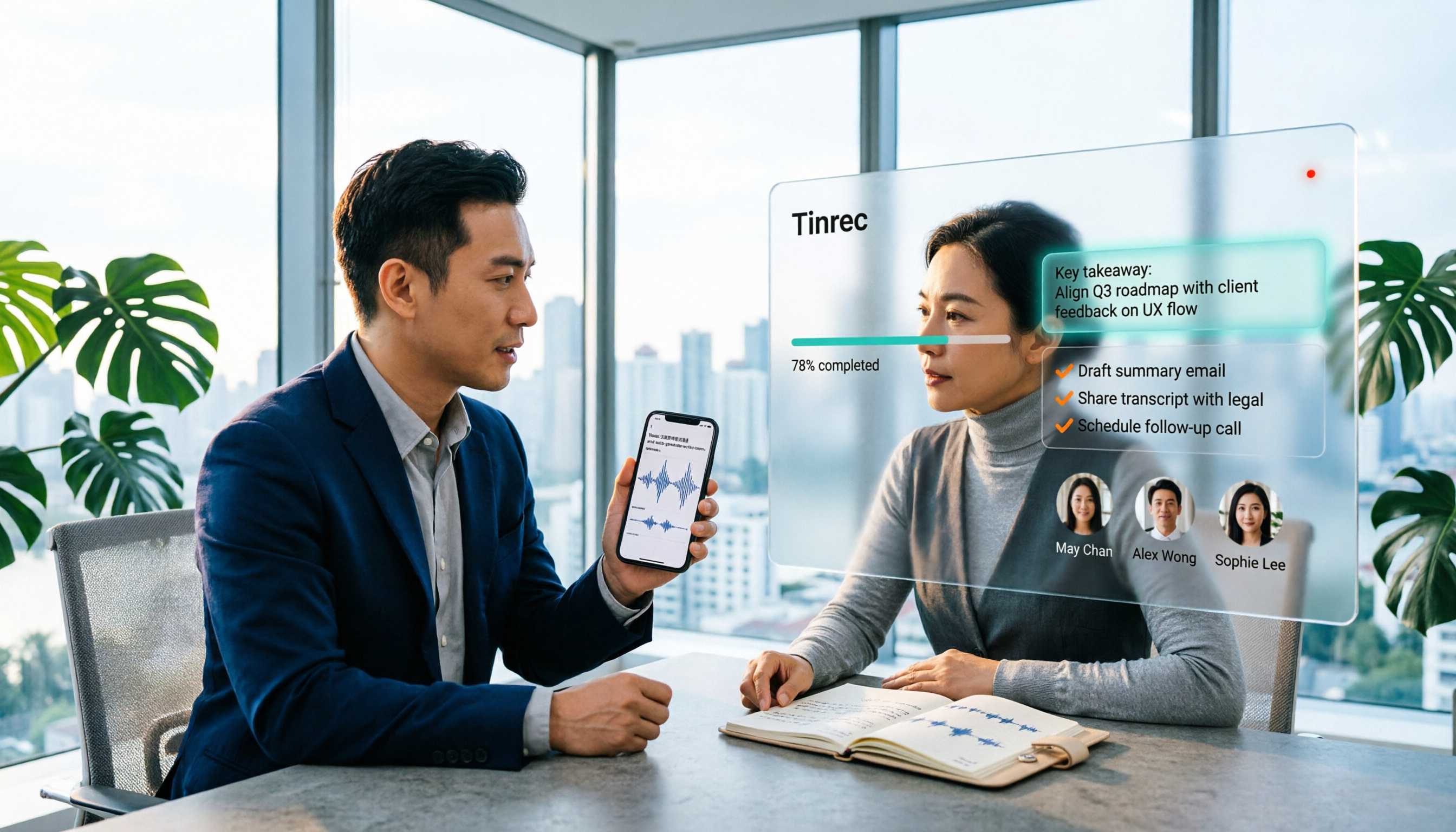
No need to extract key points yourself after the meeting. After recording, Tinrec automatically generates summaries, chapters, and action items. Who committed to what and when, what needs to be delivered next week—all extracted from a long conversation. When you need to deliver results, you can use Agent post-processing to generate reports, tables, or meeting minutes.
You can ask questions directly about the meeting content. This is where it most clearly stands out from tools in the same price range. You can ask, "What was that part about the budget in the last meeting?" and it gives you a semantic answer, not a list of keyword search results. The more recordings you accumulate, the more useful this feature becomes.
Real-time translation for cross-language meetings. During recording, you can switch between original text, translation, or bilingual view, so you don't have to guess about mixed Chinese-English segments afterward.
Transcription results are portable. It supports export to common formats and integrates with tools like Notion, Google Docs, OneNote, and Dropbox for further processing, so you're not locked into a single platform.
Stop organizing recordings by hand
Upload audio or video and automatically get a transcript, summary, and action items
Team version keeps data in the team's hands. If shared by a department or project team, the team version provides independent team spaces, allows creating multiple spaces, inviting members via link, setting owner/admin/member roles, allocating seats, and viewing team usage trends, member rankings, and audit logs. When a member leaves or loses their seat, their team data can be transferred to other active members and won't disappear with them. Pricing: Team monthly USD 29.80 per paid seat per month, annual USD 199 per paid seat per year. Actual amounts are subject to the official purchase page.
Note that roles and seats are different: an active member without a seat can view, play, and read team data but cannot upload, edit, import, or export. This is by design for team governance—not everyone can modify data.
Test conditions and limitations. We tested with a real remote meeting recording of about 20 minutes with mixed Chinese and English (typical office background noise, multiple speakers taking turns). Segments with Chinese mixed with English proper nouns were mostly captured; however, when multiple people talk over each other or speak quickly, there are still places that need manual correction. Tinrec itself does not recommend promising a fixed accuracy rate—recording quality, accents, noise, and technical terminology all affect results.
For the personal version, the free version lets you experience recording, import, summarization, and transcription with a basic quota; for short-term intensive meetings or interviews, consider a weekly pass; for regular weekly needs, choose the Pro monthly plan; for long-term data accumulation, the annual plan works out cheaper.
Who it's for: People who frequently handle mixed Chinese-English meetings, those who want to ask key points directly after recording instead of re-listening, and teams that need to keep meeting data in a team space rather than a personal account.
Besides Tinrec, What Other Options Are There?
Notta: Offers multi-platform transcription, document import, translation, and team plans—broad coverage. Free version: 120 minutes per month, max 3 minutes per session; Pro annual works out to about USD 8.17 per month (1,800 minutes per month). It's suitable for bulk file transcription, but lacks Tinrec's desktop method of recording online meetings without inviting a bot, and post-meeting AI Q&A and team data accumulation are not its focus.
Otter.ai: A veteran choice for English meeting notes. Basic free: 300 minutes per month; Pro annual works out to about USD 8.49 per user per month (1,200 minutes per month). If your meetings are almost entirely in English, it's more than enough; but its strength is English business scenarios—Chinese and mixed Chinese-English are not its forte, which is a clear difference from Tinrec.
PLAUD Note / NotePin: You're buying hardware. NotePin is USD 159, Note Pro USD 189, Pro membership USD 99.99 per year. Suitable for portable, face-to-face, or phone recording, but you need to carry an extra device and the barrier is higher; Tinrec is software-based, usable on web, desktop, and mobile, so online meetings and historical files don't rely on hardware.
(Third-party prices verified in 2026; actual prices subject to official pages.)
Pitfall Guide: 4 Most Common Mistakes When Choosing a Code-Switching Transcription Tool
Pitfall 1: Only looking at "supports dozens of languages." The number of languages is different from code-switching recognition. Some tools are good at Chinese and good at English, but when switching within a sentence they start guessing. We recommend testing the free version directly with a recording of your own meeting—you'll know in ten minutes if it's suitable.
Pitfall 2: Thinking transcription is the end. A 60-minute meeting transcript can easily be tens of thousands of words; the real time sink is finding conclusions within it. If the tool only gives you a transcript, you still have to re-read it yourself, saving limited time.
Pitfall 3: Sharing a personal account across a team. Cheap, but data ownership is unclear, member departures break continuity, and usage can't be managed. Team use should choose a solution with team spaces, roles, and seat design, not treat a personal account as a shared folder.
Pitfall 4: Thinking buying a voice recorder solves the problem. Hardware solves audio capture, especially for long-distance and noisy environments; but transcription, summarization, and finding key points after capture still rely on software. The two are complementary, not replacements.
Conclusion: Which One Should You Choose?
- Meetings with mixed Chinese-English, needing recognition even when Chinese and English are in the same sentence → Tinrec
- After recording, want to directly ask "What was the conclusion?" "Who is responsible for which item?" → Tinrec (AI Q&A)
- Don't want to invite a meeting bot into Zoom, Meet, Teams, Webex → Tinrec (desktop bot-free recording)
- Need to put meeting data into team spaces, manage seats and usage → Tinrec Team version
- Meetings almost entirely in English, tight budget → Otter.ai
- Mainly bulk file and long audio transcription → Notta
- Need portable hardware recording, frequent face-to-face interviews → PLAUD
Overall, the mixed Chinese-English scenario—switching languages within a single sentence—is the best test to distinguish good tools from bad. We recommend starting with the free version, running a short recording of your own meeting, and seeing if the transcript is directly usable before deciding whether to go further.
References
- Online AI Voice, Video, Audio File Auto Transcription - Free Trial - cSubtitle
- Expert-Monitored Top 10 Audio-to-Text Recommendations | mybest
- 【2024 Update】Voice-to-Text Recorder Pen Comparison
- Convert Audio Files to Text/Transcribe/Generate Transcripts: 2026 6 AI Tool Reviews and Practical Tutorial - Tinrec Blog
- 【AI Voice Notes】Top 5 AI Transcription Tools! Generate Transcripts and Meeting Notes, Free vs Subscription, Pros and Cons | 104 Workplace
Turn every recording into actionable outcomes
Get 60 free transcription minutes when you sign in. No credit card required.
Related Reading
You might also like

2026 Comparison of 4 Mixed Chinese-English Audio Transcription Tools: Which AI Understands Hong Kong-Style Code-Switching?
We tested 4 mixed Chinese-English audio transcription tools using a real 30-minute meeting recording, comparing mixed-language recognition, post-meeting AI summaries and action items, cross-platform use, and team collaboration. Find out which one works best for Hong Kong office scenarios.

4 Best Tools for Transcribing Mixed Chinese-English Audio in 2026: Which One Actually Exports a Usable Transcript File?
People often ask on PTT how to turn mixed Chinese-English recordings into text files. This article uses the same mixed-language meeting recording to compare Tinrec, Notta, Otter.ai, and TurboScribe, covering mixed-language recognition, file export, online meeting recording, and team collaboration to help you decide where to spend your budget.

Best Speech-to-Text Tools for Mixed Chinese-English Meetings: 6 Tested in 2025, This One Handles Chinese Best
Taiwanese teams rarely meet in pure Chinese—product names, technical terms, and client names in English switch languages multiple times in a single sentence. This article reviews 6 methods for transcribing mixed Chinese-English speech in 2025, from AI meeting tools to pure transcription services, comparing language switching, post-meeting organization, team collaboration, and pricing, and explains how to choose.

2026 Comparison of 4 Tools for Transcribing Mixed Chinese-English Speech: Which Produces the Cleanest Transcript?
Meetings with mixed Chinese and English are the ultimate test for speech-to-text tools. This article uses the same mixed-language recording to compare Tinrec, Otter.ai, Notta, and TurboScribe on language switching, meeting capture methods, post-meeting output, and free quotas. It also highlights 4 common pitfalls to help you choose the tool that requires the least editing.

4 Best Mixed Chinese-English Speech-to-Text Tools in 2026: Accuracy & AI Summaries Compared
Struggling to transcribe meetings with mixed Chinese and English? We tested 4 popular speech-to-text tools, comparing mixed-language recognition, post-meeting AI summaries, free tiers, and team collaboration. Includes buying criteria and pitfalls to avoid. Tinrec stands out for its Chinese experience and bot-free recording, ideal for meeting notes and team knowledge retention.

4 Free Speech-to-Text Tools for Mixed Chinese-English Meetings in 2026: Which One Handles Code-Switching Best?
When meetings mix Chinese and English with technical jargon, pure Chinese or pure English recognition engines often fail. This article compares 4 transcription tools that handle mixed-language content, covering free tier limits, Chinese-English switching, post-meeting summaries and action items, and team data ownership. It also highlights 3 common pitfalls to help you decide if a free version is enough.
How to Transcribe Cantonese Speech to Text in 2026: 3 Steps to a Transcript + Auto Summary
How do you turn Cantonese and mixed Chinese-English meeting recordings into a usable transcript? This guide walks you through the speech-to-text process in 3 steps, lists 5 key points for choosing software, and explains how Tinrec's real-time transcription, AI summary, action item extraction, and team workspace work in practice.

2026 Guide: Best Speech-to-Text Tools for Chinese-English Code-Switching — Tinrec Transcription + AI To-Dos
Tired of transcription tools turning your Chinese-English meetings into gibberish? This guide covers common pitfalls, 4 key factors for choosing a code-switching transcription tool, and hands-on recommendations for Tinrec (秒聽錄音) including transcripts, AI Q&A, and team spaces. We also compare Yating, Vocol.ai, and Otter.ai for different use cases and pricing.

5 Best Code-Switching Transcription Tools in 2026: Free Tier Limits and Chinese-English Accuracy Compared
Meetings that mix Chinese and English are one of the hardest recording scenarios to transcribe automatically. This article starts from real-world use cases to explain what code-switching transcription can do for you, Tinrec's core capabilities and free tier limits, and lists 5 key buying considerations and FAQs to help you decide whether a free tier is enough.