

Turn recordings into transcripts and summaries in minutes
Upload audio or video for multilingual transcription, AI notes, and action items
The Biggest Pitfall in Chinese-English Meetings Isn't a Lack of Tools
Many people looking for a Chinese-English transcription tool start by opening the App Store, searching "speech to text," and downloading whatever is free. Then in a meeting, a colleague switches to English mid-sentence, and the transcript turns into a string of incomprehensible characters.
The second common mistake is treating "high accuracy" as the only metric. No matter how accurate the transcript is, without summaries, chapters, and action items, you still have to read through 40 minutes of content from scratch.
The third pitfall is more insidious: choosing only personal-version tools. Meeting data gets scattered across everyone's phones, and when a colleague leaves, the discussion records disappear with them.
A more sensible approach is to first understand what your meetings look like—are they primarily Chinese with some English, or primarily English? After the meeting, do you need a transcript, or a summary and action items you can directly use for reporting? Once you clarify these two things, choosing a tool becomes much more accurate.
4 Key Factors Before Choosing a Chinese-English Transcription Tool
1. Recognition ability for mixed Chinese-English speech
Don't just read a Chinese news segment during testing. Record a sentence like "We need to move the KPI review up next week, so let's sync with the PM on the roadmap first" and see if the tool can connect English words with Chinese sentences. Real meetings often involve switching languages twice in a single sentence.
2. Can the transcript link back to the recording?
Transcripts will always have errors, especially product codes, names, and numbers. Whether the tool lets you click on text to jump back to the corresponding audio determines whether proofreading takes 10 minutes or an hour. Also confirm: does the tool retain the original audio file?
3. What can you do after transcription?
A transcript alone is only half the job. Tools with summaries, chapters, action item extraction, and AI Q&A truly complete the "meeting organization" task.
4. Is data stored personally or with the team?
For one-off interviews or class recordings, a personal version is sufficient. But for teams or departments with weekly meetings, consider team spaces, member seats, usage management, and data handover when members leave.
Only then look at free quotas and pricing. Scenario first, price second—reversing the order often leads to buying features you won't use.
Tinrec (秒聽錄音) — Our Top Recommendation After Hands-On Testing
Tinrec (秒聽錄音) is an AI meeting notes and collaboration tool for individuals and teams, available on iOS, Android, and web, with a desktop version that can capture system audio directly.
Chinese-English mixed and multilingual meetings
Tinrec lists mixed Chinese-English content as a key capability, supporting Chinese meeting transcription, multilingual meeting transcription, and real-time translation. The team version also maintains "team hotwords" to add internal product names and project codes, reducing the chance of them being misrecognized as strange typos. Note that actual performance depends on recording quality, accents, background noise, and overlapping speakers—no tool can guarantee 100% accuracy.
Online meeting recording without a meeting bot
This is where Tinrec differs from other meeting tools. The desktop version captures system audio directly, so for Zoom, Google Meet, Microsoft Teams, Webex, and other online meetings, you don't need to invite a meeting bot as a participant. For external client meetings, not having a strange bot name on the attendee list is actually quite important.
Post-meeting organization and AI Q&A
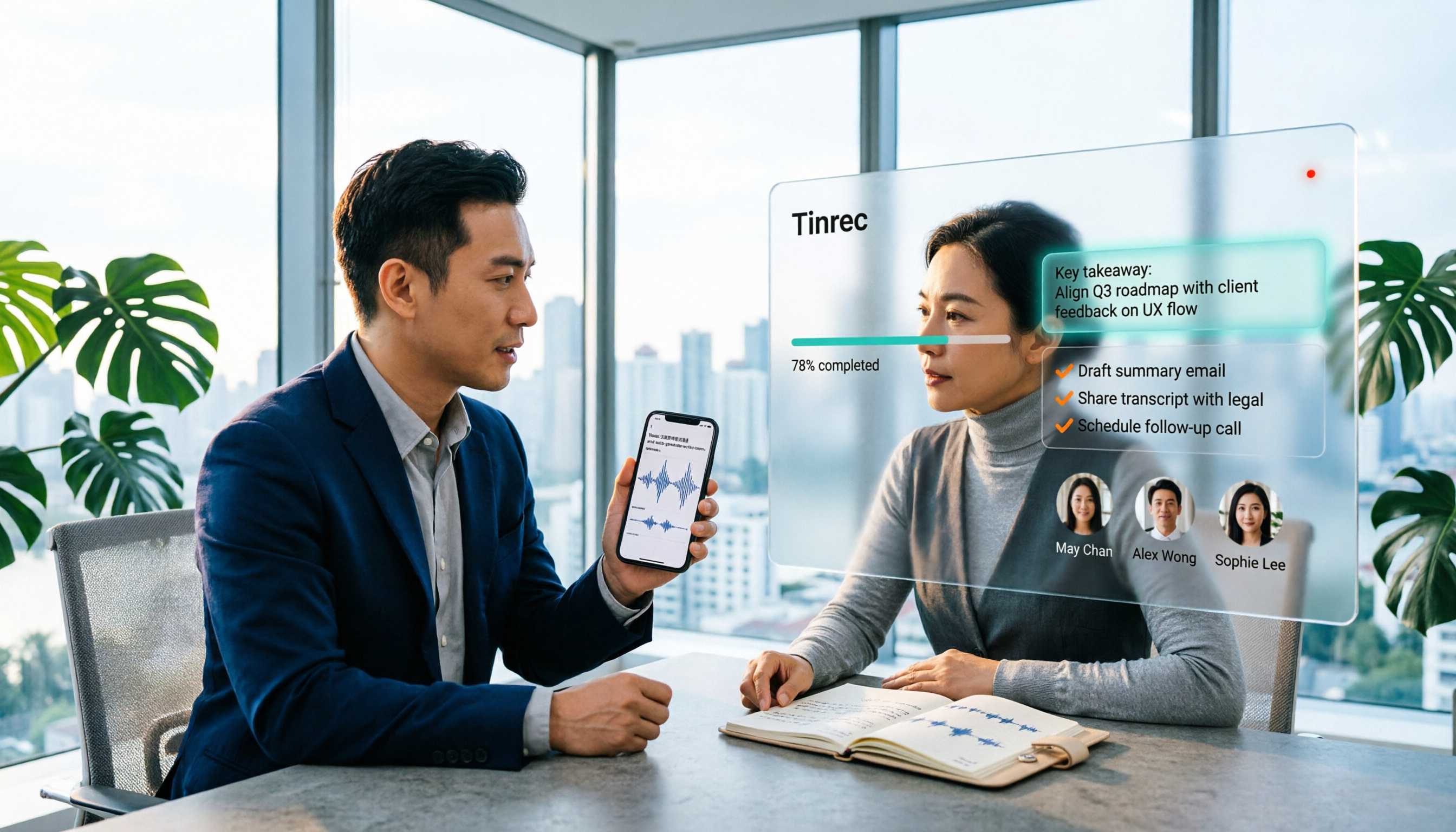
After recording, Tinrec generates transcripts, AI summaries, chapters, and action items. Even better is AI Q&A: you can directly ask "Who mentioned the budget in last week's meeting?" and it will give you an answer based on semantics, rather than dumping a list of keyword search results for you to sift through.
Meeting results can also be exported to Notion, Google Docs, OneNote, Dropbox, and other tools, or post-processed via Agent to generate reports, tables, and documents.
Stop organizing recordings by hand
Upload audio or video and automatically get a transcript, summary, and action items
Team spaces
For team use, Tinrec's team version provides an independent team space where meeting data belongs to the team. Administrators can manage member roles and seats, view usage trends and details, query and export audit logs, and recover accidentally deleted audio from the recycle bin. When members leave or are removed, their team resources can be handed over to other active members, so data isn't taken away when someone leaves.
Limitations and pricing
AI transcription isn't omnipotent; for important information, we recommend cross-checking with transcript timestamps and audio playback. The free version has limited quota, and heavy users need to pay; file and web imports consume the team's shared quota, while real-time recording currently does not deduct minutes under an active team plan and active seat.
The current team version terms: first eligible team trial is 7 days, 1 free seat, 300 minutes of team shared import quota; team monthly payment USD 29.80 per paid seat per month, annual payment USD 199 per paid seat per year (about USD 16.58 per month), each paid seat provides 2,000 minutes of team shared import quota per month. Prices and promotions are subject to the official purchase page.
Who is it for?
If your meetings are primarily Chinese with English mixed in, you need summaries and action items immediately after the meeting, or you want meeting data to stay in a team space rather than on personal phones, Tinrec is currently a more hassle-free choice.
Besides Tinrec, What Other Chinese-English Transcription Options Are There?
Yating Transcription
A veteran Taiwanese app focused on audio-to-text and Chinese-English mixed recognition, with playback for proofreading errors—intuitive for journalists and students. However, it mainly outputs transcripts and lacks Tinrec's AI Q&A and team database; if you just need to turn a recording into a text file, consider it.
Vocol.ai
Also developed by a Taiwanese team, real-time audio-to-text is free and unlimited, supporting Mandarin, English, Japanese, Cantonese, and recognizing Taiwanese Mandarin, Taiwanese Hokkien, and Chinese-English code-switching. Uploading media files provides 120 minutes per month on the free plan. It focuses more on turning audio into text, while Tinrec emphasizes post-meeting summaries, action items, AI Q&A, and team knowledge retention; for online meetings, audio capture requires additional handling.
Otter.ai
A mature choice for English meetings, with a Basic free plan of 300 minutes per month and Pro annual payment at about USD 8.49 per user per month. Its strength is English business meetings; if your meetings are primarily Chinese with English as an accent, Tinrec's Chinese and multilingual meeting experience will be closer to actual needs.
Pitfall Guide: 4 Most Common Mistakes in Chinese-English Transcription
Pitfall 1: Only looking at advertised accuracy
Many tools advertise "98% accuracy," but that's usually measured in a quiet environment. Real meeting rooms have air conditioning noise, keyboard sounds, and people talking over each other, so the number drops significantly. Test with your own meeting recordings during the free trial, don't just look at ads.
Pitfall 2: Treating the transcript as the end goal
If you only use a transcription tool as "audio to text," you're only using a third of its capability. With Tinrec, after recording you can directly ask "What was the conclusion of this meeting?"—much faster than manually scanning a 30-minute transcript.
Pitfall 3: Not confirming whether audio files are retained
Some tools only give you text and don't save audio, so later when you want to verify a number or name, you're stuck. Before choosing a tool, confirm how original recordings are retained.
Pitfall 4: Team sharing a single personal account
When multiple people share one account, usage, permissions, and data ownership inevitably get messy. Tinrec's team version separates roles, seats, and data ownership; active members can view and play team data even without a seat, and seats are assigned when recording and uploading are needed, with data handover when members leave.
Conclusion: Which One Should You Choose?
- Chinese-dominant meetings with English mixed in, plus post-meeting summaries and action items → Tinrec
- Need team-shared meeting data, with data retained after members leave → Tinrec Team Version
- Online meetings without adding a meeting bot → Tinrec Desktop Version
- Just want to turn a phone recording into a transcript, no team involved → Try local tools like Yating or Vocol.ai
- All-English meetings, zero budget → Otter.ai free plan
We recommend first using your own Chinese-English meeting recording to run a free trial of Tinrec or the team trial (7 days, 1 free seat, 300 minutes shared import quota), see if the transcript and summary can really save you organization time, then decide whether to upgrade.
References
- AI Document Translation | Immersive Translate: Supports multiple formats and bilingual reading | Immersive Translate
- Immersive Translate - Next-gen AI translation software | Bilingual webpage translation/PDF ...
- 9 Speech-to-Text Software Recommendations: How to Choose Transcripts and Subtitles
- Expert-Reviewed Top 10 Audio-to-Text Recommendations | mybest
- [Software Recommendation] Chinese-English Mixed Speech Quickly Converted to Text - Yating Transcription
Turn every recording into actionable outcomes
Get 60 free transcription minutes when you sign in. No credit card required.
Related Reading
You might also like

2026 Comparison of 4 Mixed Chinese-English Audio Transcription Tools: Which AI Understands Hong Kong-Style Code-Switching?
We tested 4 mixed Chinese-English audio transcription tools using a real 30-minute meeting recording, comparing mixed-language recognition, post-meeting AI summaries and action items, cross-platform use, and team collaboration. Find out which one works best for Hong Kong office scenarios.

4 Best Tools for Transcribing Mixed Chinese-English Audio in 2026: Which One Actually Exports a Usable Transcript File?
People often ask on PTT how to turn mixed Chinese-English recordings into text files. This article uses the same mixed-language meeting recording to compare Tinrec, Notta, Otter.ai, and TurboScribe, covering mixed-language recognition, file export, online meeting recording, and team collaboration to help you decide where to spend your budget.

Best Speech-to-Text Tools for Mixed Chinese-English Meetings: 6 Tested in 2025, This One Handles Chinese Best
Taiwanese teams rarely meet in pure Chinese—product names, technical terms, and client names in English switch languages multiple times in a single sentence. This article reviews 6 methods for transcribing mixed Chinese-English speech in 2025, from AI meeting tools to pure transcription services, comparing language switching, post-meeting organization, team collaboration, and pricing, and explains how to choose.

2026 Comparison of 4 Tools for Transcribing Mixed Chinese-English Speech: Which Produces the Cleanest Transcript?
Meetings with mixed Chinese and English are the ultimate test for speech-to-text tools. This article uses the same mixed-language recording to compare Tinrec, Otter.ai, Notta, and TurboScribe on language switching, meeting capture methods, post-meeting output, and free quotas. It also highlights 4 common pitfalls to help you choose the tool that requires the least editing.

4 Best Mixed Chinese-English Speech-to-Text Tools in 2026: Accuracy & AI Summaries Compared
Struggling to transcribe meetings with mixed Chinese and English? We tested 4 popular speech-to-text tools, comparing mixed-language recognition, post-meeting AI summaries, free tiers, and team collaboration. Includes buying criteria and pitfalls to avoid. Tinrec stands out for its Chinese experience and bot-free recording, ideal for meeting notes and team knowledge retention.

4 Free Speech-to-Text Tools for Mixed Chinese-English Meetings in 2026: Which One Handles Code-Switching Best?
When meetings mix Chinese and English with technical jargon, pure Chinese or pure English recognition engines often fail. This article compares 4 transcription tools that handle mixed-language content, covering free tier limits, Chinese-English switching, post-meeting summaries and action items, and team data ownership. It also highlights 3 common pitfalls to help you decide if a free version is enough.
How to Transcribe Cantonese Speech to Text in 2026: 3 Steps to a Transcript + Auto Summary
How do you turn Cantonese and mixed Chinese-English meeting recordings into a usable transcript? This guide walks you through the speech-to-text process in 3 steps, lists 5 key points for choosing software, and explains how Tinrec's real-time transcription, AI summary, action item extraction, and team workspace work in practice.

4 Best Code-Switching Transcription Tools in 2026: Which Handles Chinese-English Mixing Most Accurately?
Meetings with mixed Chinese and English are the hardest to organize. This article tests 4 transcription tools, comparing their code-switching recognition, post-meeting AI Q&A, audio retention, and team collaboration. We also summarize key buying factors and common pitfalls to help you find the one that truly saves time.

5 Best Code-Switching Transcription Tools in 2026: Free Tier Limits and Chinese-English Accuracy Compared
Meetings that mix Chinese and English are one of the hardest recording scenarios to transcribe automatically. This article starts from real-world use cases to explain what code-switching transcription can do for you, Tinrec's core capabilities and free tier limits, and lists 5 key buying considerations and FAQs to help you decide whether a free tier is enough.