

Turn recordings into transcripts and summaries in minutes
Upload audio or video for multilingual transcription, AI notes, and action items
5 Best Code-Switching Transcription Tools in 2026: Free Tier Limits and Chinese-English Accuracy Compared
During a Wednesday afternoon project meeting, the client explains requirements in Chinese while the engineer keeps interjecting "deploy," "API endpoint," "roadmap," and "timeline." You listen and type the transcript at the same time, only to realize when the meeting ends—you misspelled the English and missed three key points in Chinese.
This kind of code-switching meeting is one of the most common and hardest recordings to transcribe automatically.
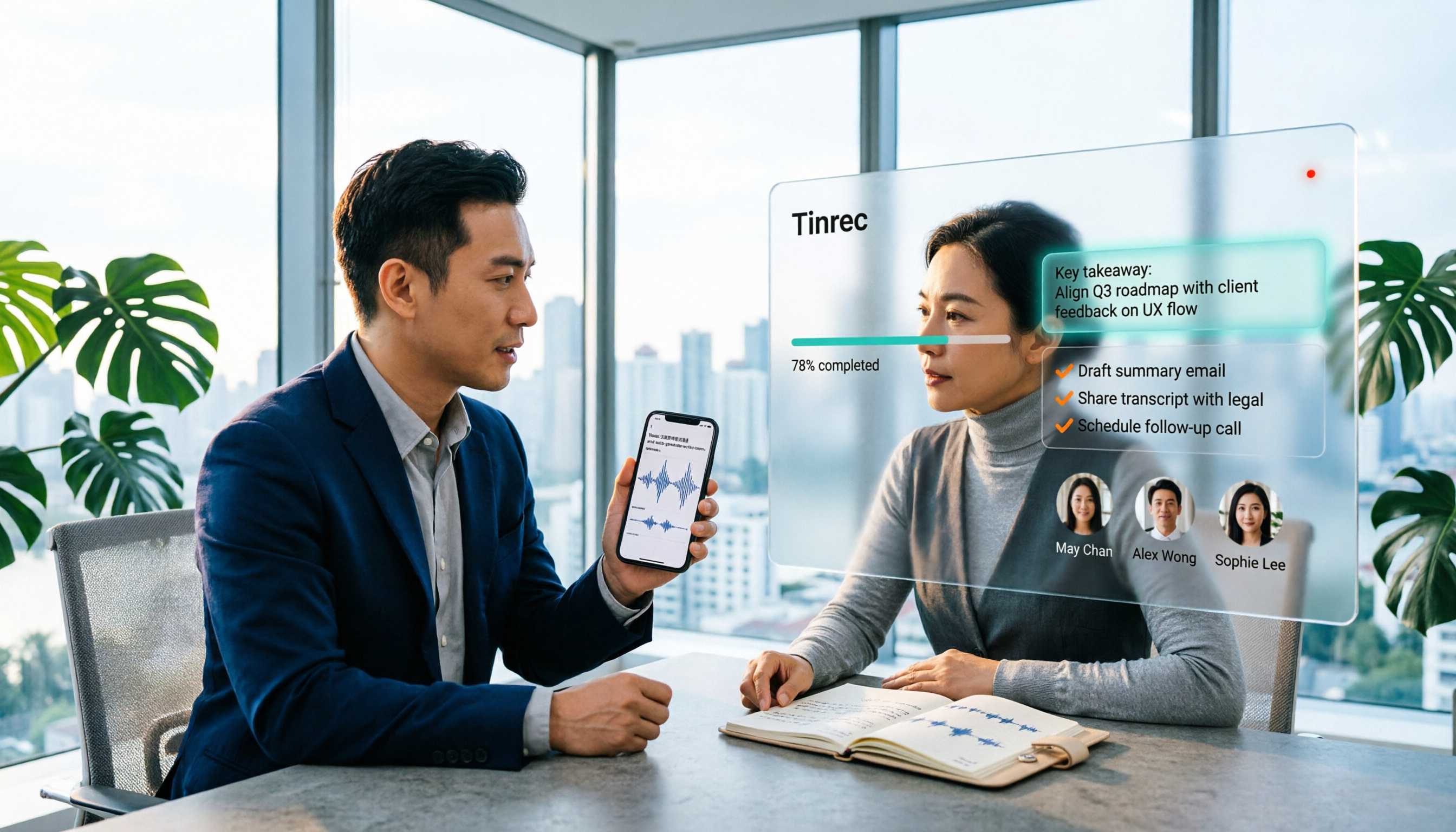
Tinrec is an AI meeting notes and collaboration tool for individuals and teams, specializing in mixed Chinese-English content organization. It supports real-time recording, bot-free online meeting recording, audio and video file import, and can automatically generate summaries, chapters, and action items. The free tier provides basic quota so you can experience the recording, import, summary, and transcription workflow—ideal for professionals who occasionally need to organize meetings or interviews.
Below, we start from real-world use cases to see what these tools can do for you, how Tinrec works, and whether the free tier is enough.
What Can Code-Switching Transcription Do for You?
Scenario 1: No more spending an hour after the meeting to fill in the transcript A two-hour meeting often takes another one to two hours to manually transcribe, with constant pausing and rewinding. With Tinrec, for example, you can transcribe while recording during the meeting, and after it ends, summaries, chapters, and action items are generated together—who is responsible for what and by when, listed directly.
Scenario 2: No need to be your own translator in mixed Chinese-English meetings In meetings, saying "let's align on this feature first" is everyday language. Tinrec supports mixed Chinese-English content organization and can display original text, translation, or bilingual comparison in real time during recording, reducing the need for manual translation in cross-border teams or bilingual meetings.
Scenario 3: Customer interviews and research recordings—find the key points later The biggest fear with interview recordings is "recording without organizing." After transcription, Tinrec's AI Q&A lets you ask directly: "What did the customer say about the budget?" "What concerns did they have about the delivery date?" No need to listen from the beginning again.
What Are the Core Capabilities of Code-Switching Transcription?
Real-time recording to text Transcribe as you record, no need to wait until the meeting ends. Tinrec supports offline meetings, interviews, and on-site notes; text is captured synchronously as you record, so you can check for missed key sentences in real time.
Bot-free online meeting recording This is the biggest difference from "meeting bots." Tinrec's desktop version directly captures computer system audio to process meeting audio played on platforms like Zoom, Google Meet, Microsoft Teams, and Webex, without needing an extra bot account to join the meeting room. Note that this does not mean it automatically joins all meetings on your calendar; you still need to actively start recording.
AI summaries and chapters The most time-consuming part of long meetings is "grasping the key points." After transcription, Tinrec organizes content into summaries, chapters, and highlights. You can scan the structure of a two-hour meeting in five minutes, then decide whether to dive into a specific section.
Action item extraction After the meeting, the real hassle is follow-up. Tinrec extracts action items from discussions—especially useful for project and customer meetings.
AI Q&A and multi-format export After transcription, you can continue asking questions about the meeting content and export results to tools like Notion, Google Docs, OneNote, and Dropbox, or further use the Agent to generate reports, tables, and meeting documents.
Real-World Use Cases
Project weekly meetings and cross-department meetings Regular weekly meetings are perfect for direct recording with Tinrec's desktop version. After the meeting, you have transcripts, summaries, and action items, and cross-department decisions won't be lost just because someone is on leave.
Stop organizing recordings by hand
Upload audio or video and automatically get a transcript, summary, and action items
Customer requirements interviews Sales or customer success teams often can't focus on listening and take detailed notes at the same time. Record with Tinrec, then use AI Q&A to confirm customer needs, objections, and commitments, and export as material for follow-up proposals.
Courses and lectures Students or professionals seeking further education can import course recordings or video files into Tinrec, convert them into searchable transcripts, and search keywords directly during review instead of re-listening to two hours.
Team knowledge retention If meeting materials are scattered across everyone's computers and chat logs, Tinrec's team version provides an independent team space where meeting data belongs to the team. Members can view historical meetings, share real-time recording and import privileges, and administrators can manage roles, seats, usage, and audit logs.
5 Things to Note When Choosing a Code-Switching Transcription Tool
1. Chinese and code-switching recognition performance Code-switching is the most easily overlooked test item. We recommend testing with a real meeting recording of your own, rather than just reading official marketing. Tinrec specializes in Chinese and mixed Chinese-English content organization, but actual results are still affected by recording quality, noise, accents, and overlapping speakers.
2. Can it help you organize after transcription? Tools that only provide transcripts save you only typing time. Tinrec also produces summaries, chapters, and action items after transcription, and supports AI Q&A—this is its main differentiator.
3. How is the meeting recorded? Some tools require a bot account to join the meeting room. Tinrec's desktop version handles online meetings by capturing system audio, without an extra participant—less intrusive for external client meetings.
4. Free tier quota and limitations Free tiers usually have usage caps and may have restrictions on export or team features. Tinrec's free tier provides basic quota to experience recording, import, summary, and transcription. If you have steady weekly needs, consider the Pro monthly or annual plan; for short-term intensive use, a weekly plan may be suitable.
5. Team and data ownership If meeting data is to be shared with the team, pay attention to permission design. Tinrec's team version distinguishes "roles" and "seats"—roles determine who can manage the team and members, seats determine who can record, upload, edit, and export; members without seats can still view, play, and read team data.
Frequently Asked Questions
Q1: Will English in code-switching recordings be transcribed as gibberish? Not necessarily; it depends on the tool's language model and your recording quality. Tinrec supports mixed Chinese-English content organization and handles switched English terms based on context; however, for product proper nouns and internal code names, we recommend maintaining team hotwords for more stable recognition.
Q2: Is Tinrec's free tier enough? If you only occasionally organize a meeting or interview, the free tier provides basic quota to run through the complete workflow of recording, import, summary, and transcription. If you have meetings to organize every week, consider upgrading to Pro; for short-term project sprints, a weekly plan may be suitable.
Q3: Can I record Zoom, Google Meet, and Teams meetings? Yes. Tinrec's desktop version captures computer system audio to record and transcribe meeting content played on these platforms in real time. Note that you still need to actively open Tinrec to start recording; it is not a bot that automatically joins calendar meetings, nor does it imply official partnerships with these platforms.
Q4: Can I export the transcript? Yes. Tinrec supports multi-format export and can bring results to tools like Notion, Google Docs, OneNote, and Dropbox for further editing, or generate reports, tables, and documents via the Agent.
Q5: What accuracy can be achieved? We do not recommend focusing on a fixed number. Transcription performance depends on recording quality, background noise, accents, simultaneous speakers, and technical terminology. Tinrec provides high-quality transcription with clear audio and common scenarios; for important content, we still recommend verifying against the transcript and recording.
Conclusion
Code-switching meetings are the most realistic daily reality and one of the toughest scenarios for transcription tools. Whether a free tier is usable depends not only on quota but on whether it turns "recording" into "usable"—transcripts, summaries, action items, Q&A, and export are where real time is saved.
Tinrec's free tier provides basic quota, enough to run through the complete workflow for a few meetings. If you have more than two or three recordings to organize each week, consider Pro or the team version—more practical than buying a bunch of minutes upfront. Before recording, don't forget to check local regulations and obtain participant consent when needed.
References
Turn every recording into actionable outcomes
Get 60 free transcription minutes when you sign in. No credit card required.
Related Reading
You might also like

2026 Comparison of 4 Mixed Chinese-English Audio Transcription Tools: Which AI Understands Hong Kong-Style Code-Switching?
We tested 4 mixed Chinese-English audio transcription tools using a real 30-minute meeting recording, comparing mixed-language recognition, post-meeting AI summaries and action items, cross-platform use, and team collaboration. Find out which one works best for Hong Kong office scenarios.

4 Best Tools for Transcribing Mixed Chinese-English Audio in 2026: Which One Actually Exports a Usable Transcript File?
People often ask on PTT how to turn mixed Chinese-English recordings into text files. This article uses the same mixed-language meeting recording to compare Tinrec, Notta, Otter.ai, and TurboScribe, covering mixed-language recognition, file export, online meeting recording, and team collaboration to help you decide where to spend your budget.

Best Speech-to-Text Tools for Mixed Chinese-English Meetings: 6 Tested in 2025, This One Handles Chinese Best
Taiwanese teams rarely meet in pure Chinese—product names, technical terms, and client names in English switch languages multiple times in a single sentence. This article reviews 6 methods for transcribing mixed Chinese-English speech in 2025, from AI meeting tools to pure transcription services, comparing language switching, post-meeting organization, team collaboration, and pricing, and explains how to choose.

2026 Comparison of 4 Tools for Transcribing Mixed Chinese-English Speech: Which Produces the Cleanest Transcript?
Meetings with mixed Chinese and English are the ultimate test for speech-to-text tools. This article uses the same mixed-language recording to compare Tinrec, Otter.ai, Notta, and TurboScribe on language switching, meeting capture methods, post-meeting output, and free quotas. It also highlights 4 common pitfalls to help you choose the tool that requires the least editing.

4 Best Mixed Chinese-English Speech-to-Text Tools in 2026: Accuracy & AI Summaries Compared
Struggling to transcribe meetings with mixed Chinese and English? We tested 4 popular speech-to-text tools, comparing mixed-language recognition, post-meeting AI summaries, free tiers, and team collaboration. Includes buying criteria and pitfalls to avoid. Tinrec stands out for its Chinese experience and bot-free recording, ideal for meeting notes and team knowledge retention.

4 Free Speech-to-Text Tools for Mixed Chinese-English Meetings in 2026: Which One Handles Code-Switching Best?
When meetings mix Chinese and English with technical jargon, pure Chinese or pure English recognition engines often fail. This article compares 4 transcription tools that handle mixed-language content, covering free tier limits, Chinese-English switching, post-meeting summaries and action items, and team data ownership. It also highlights 3 common pitfalls to help you decide if a free version is enough.
How to Transcribe Cantonese Speech to Text in 2026: 3 Steps to a Transcript + Auto Summary
How do you turn Cantonese and mixed Chinese-English meeting recordings into a usable transcript? This guide walks you through the speech-to-text process in 3 steps, lists 5 key points for choosing software, and explains how Tinrec's real-time transcription, AI summary, action item extraction, and team workspace work in practice.

4 Best Code-Switching Transcription Tools in 2026: Which Handles Chinese-English Mixing Most Accurately?
Meetings with mixed Chinese and English are the hardest to organize. This article tests 4 transcription tools, comparing their code-switching recognition, post-meeting AI Q&A, audio retention, and team collaboration. We also summarize key buying factors and common pitfalls to help you find the one that truly saves time.

2026 Guide: Best Speech-to-Text Tools for Chinese-English Code-Switching — Tinrec Transcription + AI To-Dos
Tired of transcription tools turning your Chinese-English meetings into gibberish? This guide covers common pitfalls, 4 key factors for choosing a code-switching transcription tool, and hands-on recommendations for Tinrec (秒聽錄音) including transcripts, AI Q&A, and team spaces. We also compare Yating, Vocol.ai, and Otter.ai for different use cases and pricing.