
Turn recordings into transcripts and summaries in minutes
Upload audio or video for multilingual transcription, AI notes, and action items
How to Transcribe Cantonese Speech to Text in 2026: 3 Steps to a Transcript + Auto Summary
After a two-hour meeting, the recording sits on your phone, but you still have to type out the transcript word by word. And when the meeting mixes Chinese and English with Cantonese colloquialisms, the transcription often starts out right but goes off track later. If you're stuck with "a pile of recordings and zero written output," this article skips the technical theory of speech recognition and directly answers three things: how to run the transcription workflow, how to choose software, and how much Tinrec can help at each step.
What Can Cantonese Speech-to-Text Do for You?
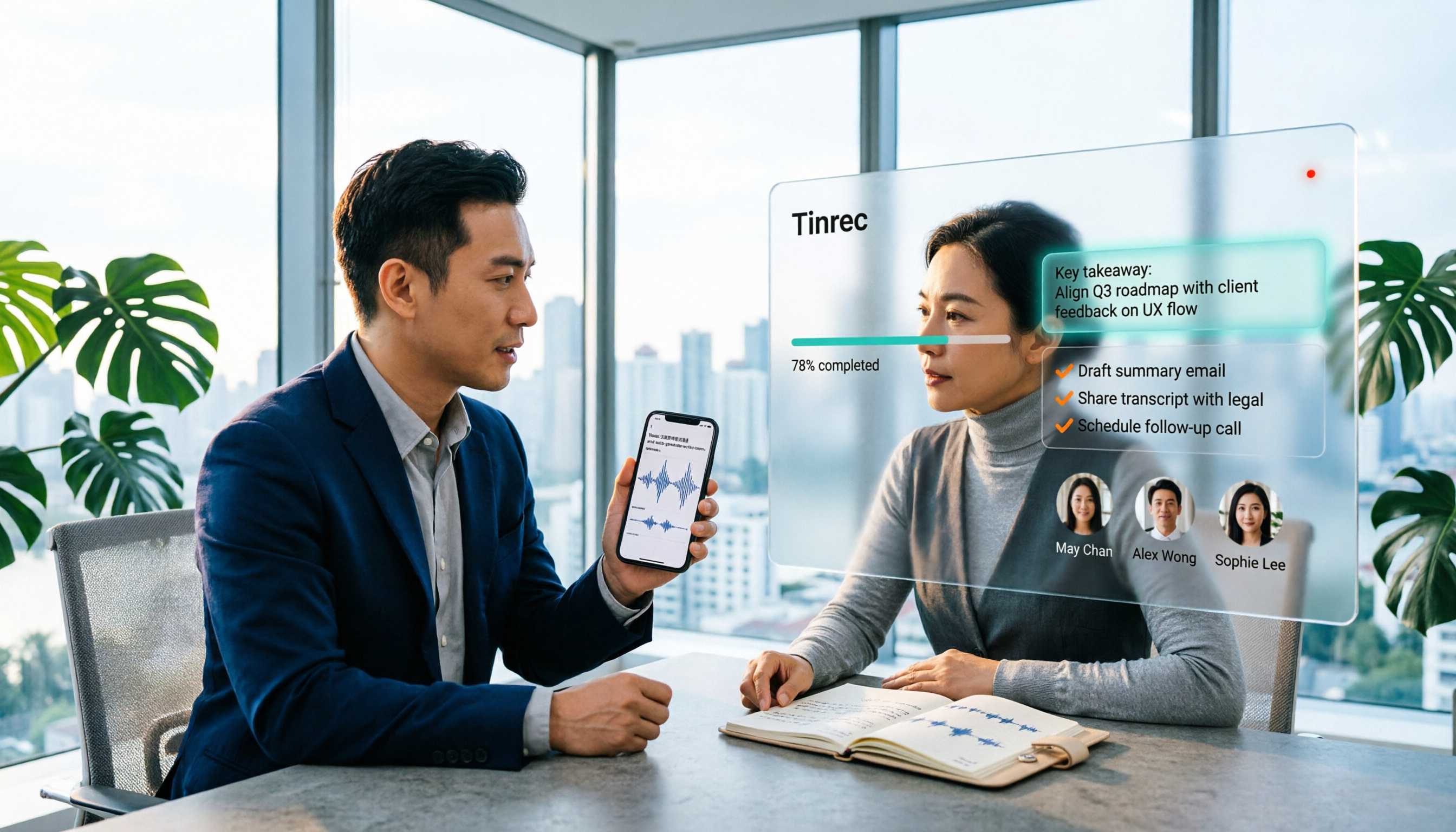
Scenario 1: Get meeting notes 5 minutes after the meeting In the past, after a meeting you might spend another hour re-listening to the recording and organizing key points. With Tinrec, for example, the transcript is generated in real time during the meeting, and after it ends, AI directly generates a summary, chapters, and action items—who is responsible for what and when it's due, all clear at a glance.
Scenario 2: Clear out old recordings piling up on your hard drive For recordings of interviews, lectures, or client calls, just upload the audio or video, and Tinrec will turn them into searchable, reviewable transcripts. You can then ask questions directly about the entire document.
Scenario 3: Don't miss key points in client interviews Client requirements, objections, and commitments are scattered throughout a 90-minute conversation. Tinrec's AI Q&A lets you go back and ask "Where did the client mention the budget?" without re-listening to the whole thing.
Scenario 4: Cross-language, mixed Chinese-English meetings In the same meeting, some people speak Chinese and others mix in English. Tinrec can organize mixed Chinese-English content and also lets you view the original text, translation, or bilingual version during recording.
What Are the Core Capabilities of Cantonese Speech-to-Text?
Real-time transcript: text appears as you record You don't have to wait for the recording to finish before transcription. With Tinrec, for example, the transcript is generated simultaneously during recording, so you can check the text directly to confirm you haven't missed key points. Mixed Chinese-English content is handled as well.
Bot-free online meeting recording Many meeting tools use a "bot" that joins the meeting as a participant. Tinrec's desktop version instead captures the computer's system audio, so when handling online meetings on Zoom, Google Meet, Microsoft Teams, Webex, etc., there's no extra bot on the participant list. Note that this is a user-initiated recording via the desktop app, not automatic joining of all calendar meetings.
AI summary, chapters, and highlights Generating a transcript is just the first step. Tinrec breaks long meetings into chapters and organizes discussion highlights, letting you grasp two hours of content in three minutes.
Action item extraction and AI Q&A It pulls action items from the discussion and lets you continue asking questions about the meeting content—that's the difference between "converting to text" and "turning into usable data."
Export and further processing Transcripts and organized results can be exported in common formats and brought into workflows like Notion, Google Docs, OneNote, Dropbox, etc. You can also generate reports, tables, and meeting minutes documents.
Team workspace and hotwords (Team plan) The Team plan centralizes meeting data in one workspace, so new members can see past meetings. Admins can manage members, roles, seats, usage, and audit logs. Team hotwords are used to maintain company-specific terminology and improve recognition of professional terms.
3 Steps to Complete Cantonese Speech-to-Text (Using Tinrec as an Example)
Step 1: Decide on the input method For online meetings, use the desktop version to capture system audio; for offline meetings and interviews, use real-time recording; if you already have files, upload audio or video. Choosing the right source saves much more effort than correcting typos later.
Step 2: Set the output language and format Tinrec covers Chinese, Traditional Chinese, and multilingual meeting scenarios, and you can choose to view in original text, translation, or bilingual format. If your meeting has many company-specific terms, set them up in team hotwords first to reduce later proofreading time.
Stop organizing recordings by hand
Upload audio or video and automatically get a transcript, summary, and action items
Step 3: Do three things immediately after transcription First, look at the AI summary to grasp conclusions; then confirm the owners and deadlines of action items; finally, export the needed content to your work documents or tools. After this process, your meeting notes are basically formed.
Practical Use Cases
Project weekly meetings and cross-department meetings For regular weekly meetings, the biggest fear is that no one remembers what was said last week. Tinrec keeps each meeting's transcript, summary, and action items in the same team workspace, so you can search directly for decision rationale.
Classes, lectures, and training For a two-hour course, use real-time recording to transcribe, then use AI summary to capture key points and Q&A to find a specific case later—much faster than re-listening to the recording yourself.
User interviews and research Transcripts preserve original statements for easy quoting; AI Q&A can quickly compare what multiple interviewees said and identify common pain points.
Content creation and subtitle organization For interview videos and podcasts, transcribe first and then rewrite into scripts or articles—much faster than typing from scratch.
5 Things to Note When Choosing a Cantonese Speech-to-Text Tool
- Test accents and mixed Chinese-English: No matter how good the specs look, test with your own recordings. Actual recognition is affected by recording quality, noise, accent, overlapping speakers, and technical terms. Tinrec recommends simply trying a real meeting recording.
- How much can it organize after transcription: A transcript is only a semi-finished product. Besides transcripts, Tinrec provides summaries, chapters, action items, and AI Q&A. For those who need to deliver something after the meeting, this is more valuable than extra minutes.
- Are all input sources covered: Real-time recording, online meetings, existing audio/video, mobile recording—if one is missing, you need another tool. Tinrec covers desktop, web, and mobile.
- Can export and workflow connect: Confirm whether results can be brought into the document and note-taking tools you already use. Tinrec supports multiple export formats and third-party integrations.
- Team collaboration and governance: When multiple people share, distinguish between "roles" and "seats"—roles determine who can manage the team and audit, seats determine who can record, upload, edit, and export. Tinrec's Team plan provides independent team workspace, member and seat management, usage analytics, audit logs, and audio recycle bin. Currently, team monthly is USD 29.80 per paid seat per month, annual is USD 199 per paid seat per year (about USD 16.58 per month); first eligible team trial is 7 days, 1 free seat, 300 minutes of shared team import quota; paid seats provide 2,000 minutes of shared import quota per month; real-time recording under an active team plan is currently not deducted by minutes. Actual prices and benefits are subject to the official purchase page.
Also note: recording and transcription involve others' conversations. Please comply with local laws and obtain consent from participants when necessary.
FAQ
Q1: Is Cantonese speech-to-text software always paid? Not necessarily. Most tools have free quotas to try. Tinrec's free version provides basic quota, enough to experience recording, import, summary, and transcription workflow. Upgrade only if it works well for you.
Q2: Does Tinrec support Cantonese? Tinrec covers Chinese, Traditional Chinese, and multilingual meeting scenarios, and supports mixed Chinese-English content organization. Actual Cantonese recognition performance is affected by accent, speaking speed, and recording environment. We recommend testing with your own meeting recording for the most accurate assessment.
Q3: Can you guarantee 100% accuracy? We don't recommend expecting that. AI transcription can greatly reduce manual note-taking costs, but for important content, it's best to verify against transcript timestamps and recording playback.
Q4: Do online meetings need a bot invited? No. Tinrec's desktop version directly captures computer system audio, so no bot appears in the participant list. However, the user still needs to actively open Tinrec to start recording.
Q5: If a member leaves, will the team's meeting data disappear? It won't be taken away with the individual account. Team resources belong to the team. When a member leaves or is removed, their team resources can be transferred to other active members. Deleted team audio first goes to the recycle bin, currently retained for 30 days.
Q6: Can transcribed content be exported? Yes. Tinrec supports multiple export formats and can bring results to Notion, Google Docs, OneNote, Dropbox, etc. for further use.
Conclusion
The real barrier to Cantonese speech-to-text isn't "can it transcribe" but "can you use it after transcription." If you have meetings, interviews, or classes to organize every week, instead of typing transcripts word by word, find a tool that handles transcripts, summaries, action items, and team sharing simultaneously. Tinrec, with its handling of Chinese and mixed Chinese-English content, plus bot-free desktop recording and team workspace, is an option worth adding to your shortlist—start with the free version's basic quota, run your own meeting recording through it, and you'll know if it fits.
References
Turn every recording into actionable outcomes
Get 60 free transcription minutes when you sign in. No credit card required.
Related Reading
You might also like

2026 Comparison of 4 Mixed Chinese-English Audio Transcription Tools: Which AI Understands Hong Kong-Style Code-Switching?
We tested 4 mixed Chinese-English audio transcription tools using a real 30-minute meeting recording, comparing mixed-language recognition, post-meeting AI summaries and action items, cross-platform use, and team collaboration. Find out which one works best for Hong Kong office scenarios.

4 Best Tools for Transcribing Mixed Chinese-English Audio in 2026: Which One Actually Exports a Usable Transcript File?
People often ask on PTT how to turn mixed Chinese-English recordings into text files. This article uses the same mixed-language meeting recording to compare Tinrec, Notta, Otter.ai, and TurboScribe, covering mixed-language recognition, file export, online meeting recording, and team collaboration to help you decide where to spend your budget.

Best Speech-to-Text Tools for Mixed Chinese-English Meetings: 6 Tested in 2025, This One Handles Chinese Best
Taiwanese teams rarely meet in pure Chinese—product names, technical terms, and client names in English switch languages multiple times in a single sentence. This article reviews 6 methods for transcribing mixed Chinese-English speech in 2025, from AI meeting tools to pure transcription services, comparing language switching, post-meeting organization, team collaboration, and pricing, and explains how to choose.

2026 Comparison of 4 Tools for Transcribing Mixed Chinese-English Speech: Which Produces the Cleanest Transcript?
Meetings with mixed Chinese and English are the ultimate test for speech-to-text tools. This article uses the same mixed-language recording to compare Tinrec, Otter.ai, Notta, and TurboScribe on language switching, meeting capture methods, post-meeting output, and free quotas. It also highlights 4 common pitfalls to help you choose the tool that requires the least editing.

4 Best Mixed Chinese-English Speech-to-Text Tools in 2026: Accuracy & AI Summaries Compared
Struggling to transcribe meetings with mixed Chinese and English? We tested 4 popular speech-to-text tools, comparing mixed-language recognition, post-meeting AI summaries, free tiers, and team collaboration. Includes buying criteria and pitfalls to avoid. Tinrec stands out for its Chinese experience and bot-free recording, ideal for meeting notes and team knowledge retention.

4 Free Speech-to-Text Tools for Mixed Chinese-English Meetings in 2026: Which One Handles Code-Switching Best?
When meetings mix Chinese and English with technical jargon, pure Chinese or pure English recognition engines often fail. This article compares 4 transcription tools that handle mixed-language content, covering free tier limits, Chinese-English switching, post-meeting summaries and action items, and team data ownership. It also highlights 3 common pitfalls to help you decide if a free version is enough.

4 Best Code-Switching Transcription Tools in 2026: Which Handles Chinese-English Mixing Most Accurately?
Meetings with mixed Chinese and English are the hardest to organize. This article tests 4 transcription tools, comparing their code-switching recognition, post-meeting AI Q&A, audio retention, and team collaboration. We also summarize key buying factors and common pitfalls to help you find the one that truly saves time.

2026 Guide: Best Speech-to-Text Tools for Chinese-English Code-Switching — Tinrec Transcription + AI To-Dos
Tired of transcription tools turning your Chinese-English meetings into gibberish? This guide covers common pitfalls, 4 key factors for choosing a code-switching transcription tool, and hands-on recommendations for Tinrec (秒聽錄音) including transcripts, AI Q&A, and team spaces. We also compare Yating, Vocol.ai, and Otter.ai for different use cases and pricing.

5 Best Code-Switching Transcription Tools in 2026: Free Tier Limits and Chinese-English Accuracy Compared
Meetings that mix Chinese and English are one of the hardest recording scenarios to transcribe automatically. This article starts from real-world use cases to explain what code-switching transcription can do for you, Tinrec's core capabilities and free tier limits, and lists 5 key buying considerations and FAQs to help you decide whether a free tier is enough.