

Turn recordings into transcripts and summaries in minutes
Upload audio or video for multilingual transcription, AI notes, and action items
Free Cantonese Audio to Text in 2026: 3 Steps to a Transcript + AI Summary
Open the app store and search for "audio to text." Every app's description says "free download." After you download it, you find out: the free version only transcribes the first few minutes, exporting files costs extra, and Cantonese is lumped under "other languages." What's really frustrating isn't paying—it's uploading a 40-minute client interview and getting blocked by the system at minute 4.
This article doesn't deal in vague claims. It breaks down "free" directly: what free tiers typically look like, what to watch for with accented content like Cantonese, and—using Tinrec as an example—how to turn a Cantonese recording into a transcript you can read and search within the free tier, so you can decide whether to upgrade only if it's truly not enough.
What can free Cantonese audio-to-text do for you?
Save transcription time. A 60-minute interview usually takes 3 to 4 hours to transcribe manually, with constant pausing and rewinding. A transcription tool turns the audio into a first draft, leaving you with just two tasks: "verify" and "summarize key points." With Tinrec, for example, you upload the audio and the system outputs a transcript, along with a summary and chapters, so you can see the conversation broken into topics as soon as you open it.
Make recordings searchable. The biggest problem with audio files is that you can't find things again. Who mentioned the budget in that meeting three months ago? You'd have to fast-forward from the beginning. Once transcribed, the content can be searched by keyword. Tinrec also supports asking questions directly about the meeting content, such as "What were the three concerns the client mentioned?"—no need to re-listen to the whole recording.
Serve as a foundation for subtitles and documents. If you want to turn an interview into an article, a course into handouts, or a meeting into minutes, the transcript is the raw material. Tinrec can export to common document formats and also bring results into Notion, Google Docs, OneNote, Dropbox, and other tools for further editing—no need to start typing from scratch.
What core capabilities should a transcription tool have?
Real-time recording to text. It's not just "record then transcribe"—it's transcribing while recording. With Tinrec, for example, you can start real-time transcription for in-person meetings, classes, or on-site interviews. Text is captured as you record, so you don't have to wait for a separate conversion step when you finish.
Audio and video file transcription. Upload existing recording files or meeting videos from your phone or computer directly. This is especially useful when "last meeting's file is still sitting in a folder."
AI summaries and chapters. Transcripts are long, but what people really want are the key points. Tinrec breaks long content into chapters and condenses it into a summary. For a 90-minute meeting, you can read a 1-minute summary first to decide whether to dive deeper.
Action item extraction. The most valuable sentence in a meeting is usually "So who's responsible for this, and when will it be delivered?" Tinrec organizes action items from the discussion, so conclusions don't just live in attendees' memories.
AI Q&A and post-processing. Transcription isn't the end. Tinrec supports follow-up questions about the meeting content and can use Agent post-processing to generate reports, tables, or documents—turning content directly into deliverables.
Multilingual and real-time translation. For meetings with mixed Chinese and English or cross-language client communication, you can view the original text, translation, or bilingual mode during recording. The team version also offers team hotwords, so internal product names and proper nouns are recognized more accurately according to actual usage.
Turn a Cantonese recording into a transcript with Tinrec: 3 steps
Step 1: Get the audio in. There are three ways: start real-time recording on your phone or computer; upload an existing audio or video file; or for online meetings, use the desktop version to capture computer system audio—no need to invite a bot into the meeting. All three entry points serve the same purpose: turn sound into processable material.
Step 2: Confirm language and output settings. This is the step most people miss. Select the appropriate language setting, enable real-time translation if you need bilingual comparison, and confirm whether you want a transcript, a summary, or both. Cantonese is accented content; if your recording has a lot of mixed Chinese-English or fast speech, it's best to run a 10-minute sample within the free tier first to confirm the recognition results meet your expectations before processing the entire file.
Step 3: Organize and export. Open the transcript, first check the AI summary and chapters for key points, then use search or AI Q&A to confirm details, and finally export the needed parts to a document format or bring them into your existing workflow. Once you're familiar with the process, a 1-hour recording can be organized in about ten-plus minutes.
Real-world use cases
Conference calls with clients in Hong Kong or Macau. These meetings are usually mainly in Cantonese with English product names mixed in. The biggest headache is when nouns are written as phonetically similar Chinese characters. Tinrec supports mixed Chinese-English content organization and team hotword management. You can add frequently occurring product names and project codes to hotwords first to reduce later proofreading effort, and send the summary and action items directly to the client for confirmation after the meeting.
Interview transcripts for journalists and researchers. The biggest fear with interviews is misquoting. Tinrec keeps the original recording for playback and comparison, and the transcript is searchable. When writing, you can use keywords to locate which paragraph a quote is in without re-listening to the entire audio file. Copy the passages you need to quote directly—much more reliable than fast-forwarding back and forth.
Courses, lectures, and internal training. After a two-hour class is transcribed, chapter segmentation turns it into readable notes. Tinrec's AI summary can quickly produce a course outline, and later you can use Agent to generate handouts or quiz questions from the same material.
Stop organizing recordings by hand
Upload audio or video and automatically get a transcript, summary, and action items
Department weekly meetings and work handovers. The most common breakpoint in teams is "the person leaves, and the data leaves too." Tinrec's team version keeps meeting data in a team space rather than personal accounts. When a member leaves or loses their seat, their resources can be handed over to other members, so historical meetings don't become orphaned files that can't be found.
5 things to check when choosing a free Cantonese transcription tool
1. First ask: what kind of "free" is it? There are three common models: a minute-based quota, a file-count limit, or transcription allowed but export locked. Most people's pain point is the third—you can see it but can't take it with you.
| Free model | Common practice | What you should check first |
|---|---|---|
| Minute quota | Fixed minutes per month | After the quota runs out, does it stop or can you buy a one-time pack? |
| File count limit | Limited files per day or per session | Is there a maximum length per file? |
| Export locked | Transcription available, export requires payment | Do you only need to "view" and not "take away"? |
Tinrec's personal free version provides a basic quota so you can try recording, importing, summaries, and transcription. If you have a short-term burst of meetings or interviews, you can choose a weekly card; if you have steady weekly needs, choose the Pro monthly card; if you need long-term accumulation of recording data, the annual card is more cost-effective. Actual quotas and prices are subject to the official website and in-app display.
2. Test with your own recordings, not marketing numbers. Official accuracy rates are measured under specific conditions. Your recording might be at the next table in a cha chaan teng, or with three people talking at once. Pick a Cantonese recording that's most representative of your needs and test it within the free quota first. Actual recognition results are affected by recording quality, background noise, accent, speech rate, overlapping speakers, and technical terminology—this is true for any tool.
3. Check how mixed Chinese-English is handled. Cantonese meetings are almost never pure Chinese; English names, product names, and terminology will appear. Tinrec supports mixed Chinese-English content organization, keeping English words in the sentence as-is. The team version also lets you maintain company terminology with hotwords—this makes a bigger difference to recognition than you might think.
4. See what it can do after transcription. A tool that only gives you a transcript is essentially handing the organization work right back to you. Tinrec's difference is that after transcription, it also offers summaries, chapters, action items, AI Q&A, translation, and Agent post-processing—taking over both "transcription" and "organization."
5. Are recordings kept, and can deleted ones be recovered? Few people ask this, but it hurts the most when something goes wrong. Tinrec keeps audio files for playback and comparison. The team version provides an audio recycle bin; accidentally deleted audio can be restored before permanent cleanup (currently the recycle bin retention period is 30 days; action items are not covered by the recycle bin). If your data needs to be traceable, the team version also has an audit log for querying and exporting important operation records.
Note: About permissions—understand the difference between roles and seats first. The team version is not "multiple people sharing one account." Roles determine who can manage members and team settings; seats determine who can record, upload, edit, and export. Members who are active but have no seat can still view, play, and read team data. Currently, the team version focuses on team-level sharing, not file-level granular permission control. Make this clear with IT before purchasing.
Frequently asked questions
How long a recording can the free version transcribe? Tinrec's free version provides a basic quota to try recording, importing, summaries, and transcription. Actual minutes and per-file limits are subject to the official website and in-app announcements. If you only occasionally organize one or two recordings, the free quota is usually enough; for short-term intensive use, consider a weekly card.
How accurate is Cantonese recognition? No tool can guarantee a fixed number. Tinrec focuses on Chinese and multilingual meeting scenarios, with strengths in Chinese content and mixed Chinese-English processing. Cantonese is accented content, so it's best to test with a real recording of your own first. Results are best under conditions of clear audio, a single speaker, and low noise.
Can the output files be edited and exported? Yes. The transcript can be edited and corrected directly, supports export in multiple formats, and can be brought into Notion, Google Docs, OneNote, Dropbox, and other tools for continued use. If you need reports or tables, you can generate them directly with Agent post-processing.
How do I record online meetings? Do I need a bot to join? No. Tinrec's desktop version captures computer system audio directly, handling Zoom, Google Meet, Microsoft Teams, Webex, and other meetings without inviting an extra bot as a participant. Note that this is "you actively start recording," not automatically joining all calendar meetings.
What's the difference between the team version and the personal version? In the personal version, data belongs to the individual account; the team version is a separate team space where data belongs to the team, with additional member invitations, role and seat management, shared benefits, usage analytics, audit logs, and an audio recycle bin. The team version offers a 7-day trial for first-time eligible users, 1 free seat, and 300 minutes of team shared import quota; paid plans are USD 29.80 per seat per month or USD 199 per year (about USD 16.58 per month), with each paid seat providing 2,000 minutes of team shared import quota per month. Real-time recording is currently not deducted by minutes under an active plan and seat. Actual prices and benefits are subject to the official purchase page.
What should I pay attention to before recording? Recording and transcription involve personal data. Please comply with local regulations and obtain consent from participants when necessary—this is the most basic and most often overlooked step.
Conclusion
The real barrier to free Cantonese audio-to-text isn't "whether it's free," but "after the free part, can you take the file with you and continue organizing it?" First understand the boundaries of the free tier, then test with a Cantonese recording of your own—that's more accurate than reading ten reviews.
If you need more than just a transcript—if you want automatic summaries, action item extraction, question answering, and report export after transcription—Tinrec puts this entire workflow in one tool. We recommend using the free version's basic quota to run a Cantonese recording you have on hand, see whether the output quality and organization workflow fit your work habits, and then decide whether to upgrade.
References
- Online AI speech, video, and audio file auto-transcription - Free trial - cSubtitle
- Free Cantonese speech-to-text app 2026 | Subanana
- Tested: 4 of the best online speech-to-text tools, free instant audio-to-transcript
- "Free + Cantonese OK: How to use Google AI Studio to turn your recording into text" Finding a good transcript app is painful; I don't know if you've tried different audio-to-text apps—either fake free, charging a big price after a few dozen minutes, or only supporting English, not Cantonese, or requiring a whole API setup. // Recently I found that Google Gemini is world-class in this area: - [Truly free] No subscription charge after a few uses - [Cantonese-friendly] Gemini accurate
- SoundType AI ultra-accurate transcripts, speech-to-text, AI dictation - Google Play app
Turn every recording into actionable outcomes
Get 60 free transcription minutes when you sign in. No credit card required.
Related Reading
You might also like

4 Cantonese Speech-to-Text Tools Compared for 2026: Free Tiers and Post-Meeting Workflows Explained
From the perspective of a mid-level manager juggling over a dozen meetings a week, this hands-on comparison tests four speech-to-text tools that handle Cantonese and mixed Chinese-English meetings. It covers the three types of free tiers, real-world Cantonese recognition challenges, and what happens after transcription—summaries, action items, and team knowledge retention—so you can see how to choose and where the pitfalls are.

4 Free Cantonese Speech-to-Text Apps Tested: Which One Has the Most Usable Free Tier in 2026?
How to choose a free Cantonese speech-to-text app? This article compares Tinrec, Subanana, cSubtitle, and Notta from free quota calculation, whether they truly use Cantonese models, output usability, and post-meeting organization workflows. It also lists five common pitfalls to help you find the one that's truly usable.

4 Cantonese Speech-to-Text Tools Tested for 2026: Which Free Version Is Good Enough?
Free Cantonese speech-to-text tools actually come in three types: true free quota, preview of the first few minutes, and general AI you operate yourself. This article starts from real usage scenarios and compares Tinrec, Subanana, cSubtitle, and Gemini on Cantonese transcription, mixed Chinese-English speech, and post-meeting organization, while honestly listing free limitations and paid prices to help you decide which one is worth keeping.

6 Cantonese Speech-to-Text Tools Tested for 2026: Which Handles Mixed Chinese-English Best?
A practical comparison of six Cantonese speech-to-text tools in 2026, covering their real-world uses and limitations—from bot-free meeting recording and spoken-to-written conversion to long-file transcription. We explain who each tool suits, plus free tiers, pricing, and four things to check before buying.
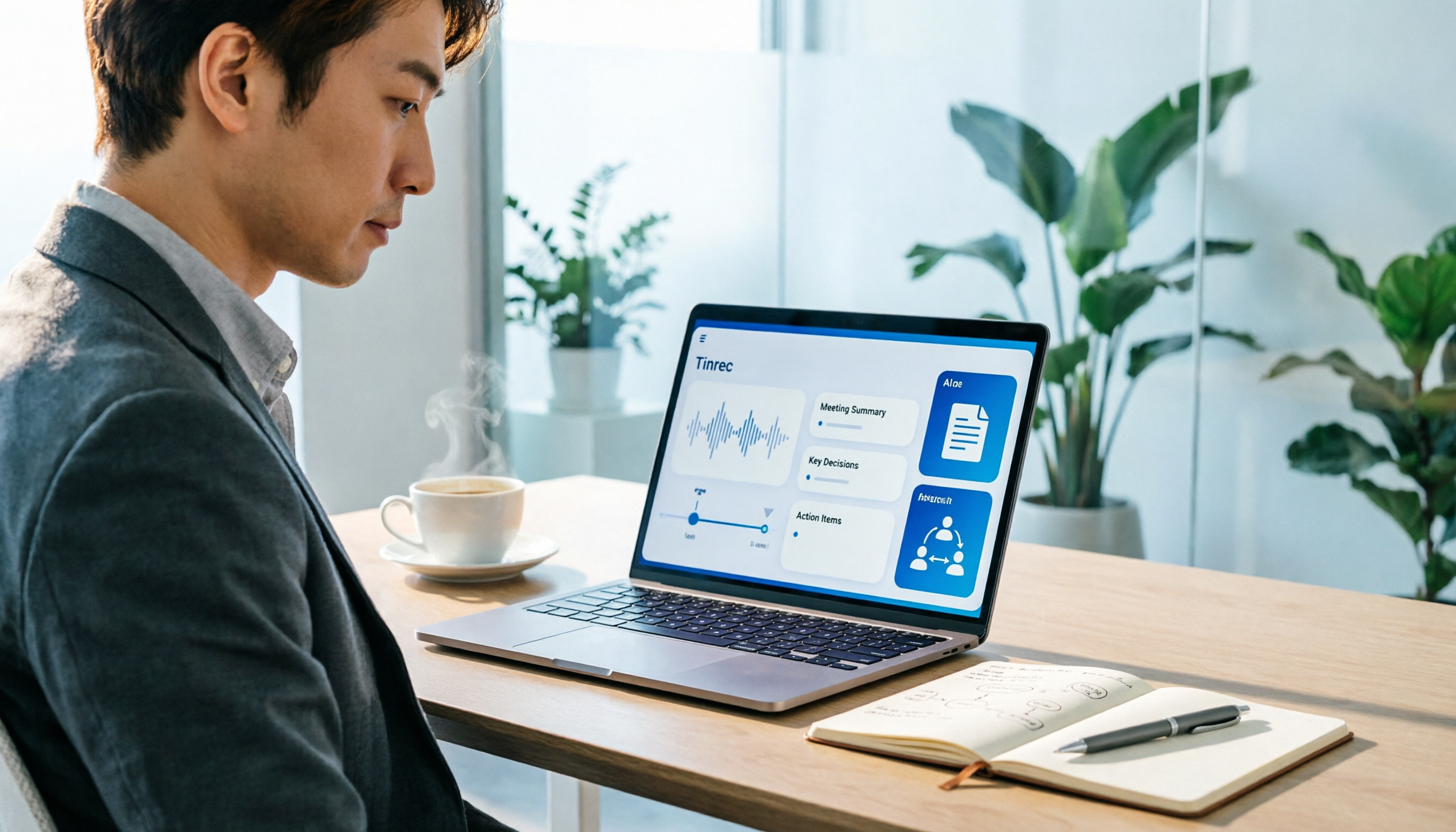
How to Use an AI Office Toolkit in 2026: 5 Steps + 6 Essential Tools
Too many AI tools, too few actually useful. This guide walks you through 5 steps to build your AI office toolkit, then lists 6 tools worth using—covering meeting notes, transcription, documentation, and team collaboration—plus how to choose by scenario and what to watch out for before you start.

2026 Best Cantonese Speech-to-Text Apps Compared: Which One Saves the Most Time on Cantonese Transcripts?
Turning Cantonese meeting, interview, and lecture recordings into transcripts—there are many options on the market, but Cantonese accuracy varies widely. This article uses real scenarios from Hong Kong office workers to break down 5 key purchasing points, compares tools like Tinrec, Subanana, cSubtitle, and SoundType AI through hands-on testing, and summarizes 4 common pitfalls to help you choose the right Cantonese speech-to-text solution in one go.

4 Cantonese Speech-to-Text Tools Tested for 2026: Which Free Online Version Is Actually Usable?
From a mid-level manager's practical perspective, this comparison of Tinrec, Subanana, cSubtitle, and Google AI Studio evaluates free quotas, recognition performance, and post-meeting organization capabilities for Cantonese audio transcription. It also outlines the three most common pitfalls of free online tools and key selection criteria.
2026 Best 4 Cantonese Speech-to-Text Tools Tested: Which Handles Chinese-English Mix Best?
Cantonese transcription often struggles with Chinese-English code-switching, colloquial speech, and export limits. We tested 4 tools with the same mixed-language Cantonese recording, comparing transcription quality, post-meeting organization, and free quotas, plus 4 key points to check before buying and 4 common mistakes.

AirPlay Mirroring vs Tinrec in 2026: 5-Dimension Comparison — Which Is Easier for Google Meet on Apple TV?
Apple TV has no official Google Meet app, so the only way to hold meetings on a big TV is via AirPlay screen mirroring. This article compares AirPlay mirroring and Tinrec across 5 dimensions, with step-by-step instructions, troubleshooting tips, and ways to organize post-meeting transcripts and action items.