

Turn recordings into transcripts and summaries in minutes
Upload audio or video for multilingual transcription, AI notes, and action items
How to Use Notta & Which Is Best? 2026 Test of 5 Audio-to-Text Tools, Top Pick for Chinese Meetings
Many people think that once you throw a recording into a tool and hit transcribe, the transcript will magically be perfect.
Anyone who has actually used Notta has probably encountered this: the transcribed text needs to be corrected sentence by sentence, the free quota runs out after just a few uses, and you only realize after the meeting that a certain segment wasn't recorded at all.
A more reasonable approach is to first understand three things: how the tool's quota is calculated, what type of input it excels at, and whether you can continue using the output after transcription. This article will first explain Notta's workflow clearly, then list several tools worth including in your 2026 toolkit, so you can choose according to your own situation.
What Is Notta? Understanding Its Positioning in One Sentence
Notta is an AI speech-to-text tool available on web, iOS, Android, and as a Chrome extension. It focuses on real-time transcription, AI summaries, meeting recording, and translation. The free plan offers 120 minutes per month.
For the average office worker, its value is straightforward: throw in meeting recordings, interviews, or class content and get text without typing it out segment by segment.
How to Use Notta: 4 Steps from Registration to Getting Your Transcript
Step 1: Register and Log In
Go to the Notta website, click "Log In" or "Sign Up" to create an account, or use your Google account for quick login. On mobile, download the Notta app from the App Store or Google Play.
Step 2: Choose Your Audio Source
Notta has several different entry points with different purposes:
- Live recording: Record directly in the web or app, transcribing as you go.
- Upload audio file: Process existing meeting recordings or interview files.
- Meeting recording: Record online meetings on Zoom, Google Meet, Teams, etc.
- Chrome extension: Process audio playing in your browser.
Step 3: Select the Correct Language Before Transcribing
Notta supports multilingual transcription (third-party reviews mention 58 languages). Make sure to select the correct language before starting. If the meeting is mixed Chinese-English, setting the wrong language will significantly affect recognition results.
Step 4: Edit the Transcript and Generate a Summary
After transcription, you can correct errors and adjust sentence breaks in the editing interface, then generate an AI summary. Export to a file if you need to take it elsewhere.
Three Limitations to Know Before Using Notta
First, the free quota is not generous. Notta's free version offers 120 minutes per month, with a maximum of 3 minutes per single session. A one-hour meeting would need to be split into several segments—a bottleneck many people only discover after actually using it.
Second, advanced features are tied to paid plans. AI summaries, translation, export, and other capabilities vary by subscription plan. Check the plan details before using.
Third, transcription does not equal organization. Segments with multiple simultaneous speakers, technical jargon, or heavy accents still require manual proofreading.
Tinrec (秒聽錄音) — Turn Meetings into Searchable, Collaborative Team Data
Tinrec (秒聽錄音) is an AI meeting notes and collaboration tool for individuals and teams. It doesn't just convert speech to text—it organizes meetings into searchable, summarizable, queryable, and exportable data.
The first difference is "no meeting bot." The desktop version directly captures system audio, so when recording Zoom, Google Meet, Microsoft Teams, or Webex meetings, you don't need to invite a bot to join, and you don't have to worry about it appearing in the participant list.
The second difference is after transcription. Beyond the transcript, it automatically generates summaries, chapters, key points, and action items. You can then use AI Q&A to follow up on meeting content, produce reports, tables, or documents, and export to Notion, Google Docs, and other tools for further processing.
The third difference is team spaces. The team version stores meeting data centrally in a team space, where members can view past meetings, and administrators can manage roles and seats, view usage analytics, and audit logs. Note that the team version is primarily team-level sharing: roles determine governance permissions, seats determine whether a member can record, upload, and edit; members without seats can still view and play data.
Pricing: The personal version offers a free plan, weekly card, Pro monthly, and Pro annual, so you can choose based on usage frequency. The team version offers a 7-day trial for first-time eligible users, 1 free seat, and 300 minutes of shared team import quota; team monthly is USD 29.80 per paid seat per month, annual is USD 199 per paid seat per year (about USD 16.58 per month), with each paid seat providing 2,000 minutes of shared team import quota per month. Actual prices are subject to the official purchase page.
Who it's for: Individuals and teams who mainly hold meetings in Chinese, don't want bots joining meetings, and want to turn meeting data into team assets.
Otter.ai — A Mature Choice for English Business Meetings
Otter.ai is a mature AI meeting assistant that supports Zoom, Microsoft Teams, and Google Meet, offering real-time transcription, speaker identification, and AI Chat. The free Basic plan offers 300 minutes per month; Pro annual is about USD 8.49 per user per month, including 1,200 minutes of in-app recording and 10 file imports per month; Business offers unlimited meeting recording and more management capabilities. Teams primarily holding English business meetings will find it smoother; for Chinese scenarios, actual performance should be tested. Subject to official pricing page.
Stop organizing recordings by hand
Upload audio or video and automatically get a transcript, summary, and action items
Fireflies.ai — Strong in Meeting Automation and Integrations
Fireflies.ai excels in meeting automation and integrations. A meeting bot joins online meetings and connects with CRM, Slack, and other tools, making it suitable for sales teams doing meeting analysis and follow-ups. Annual pricing: Free, Pro USD 10 per seat per month, Business USD 19 per seat per month, Enterprise USD 39 per seat per month. Note that "unlimited transcription" is still subject to storage and AI Credit rules—it should not be understood as unlimited everything. Subject to official pricing page.
Granola — AI Meeting Notes with No Bot and Handwritten Notes
Granola takes a no-bot approach, capturing system audio via desktop and combining it with user-typed notes to generate meeting content. It's suitable for people who like to jot down key points during meetings. Basic is free, Business is USD 14 per user per month, Enterprise is USD 35 per user per month. Note that it does not save meeting audio files and does not support uploading pre-recorded audio. Subject to official pricing page.
TurboScribe — High Value for Long Files and Batch Transcription
TurboScribe is more of a cost-effective file transcription tool, focusing on long files and batch uploads. The free version allows 3 files per day, up to 30 minutes per file; Unlimited annual is USD 120 (about USD 10 per month), with paid version supporting up to 10 hours or 5 GB per file and 50 files per upload. Suitable for organizing large volumes of existing recordings, not for real-time meeting scenarios. Subject to official pricing page.
PLAUD Note / NotePin — Hardware-Style Portable Recording
PLAUD represents AI recording hardware—you're buying a standalone device, portable recording, phone call recording, and battery life experience. The official website shows NotePin at USD 159 and Note Pro at USD 189; membership Starter offers 300 minutes per month, Pro is USD 99.99 per year (1,200 minutes per month), Unlimited is USD 239.99 per year. Suitable for people who are often in the field and need a physical device; online meeting organization still requires returning to the app. Subject to official page.
With So Many Options, How Should You Choose?
- Mainly hold meetings in Chinese and don't want bots joining → Tinrec (desktop captures system audio directly)
- Mixed Chinese-English meetings requiring bilingual comparison → Tinrec (supports real-time translation and bilingual view)
- Want to turn transcripts into summaries, action items, and reports for continued use → Tinrec (summaries, chapters, action items, Agent post-processing)
- Meeting data needs to be shared within the team and handed over when members leave → Tinrec Team (team space, seats, usage, audit)
- Primarily English business meetings, need a mature ecosystem → Otter.ai
- Sales teams needing meeting analysis and CRM integration → Fireflies.ai
- Just want to organize large volumes of existing recording files → TurboScribe
- Often in the field, need a physical recording device → PLAUD
4 Things to Know Before Using Speech-to-Text Tools
1. Convert quota into "number of meetings." 120 minutes per month sounds like a lot, but if there's a 3-minute limit per session, a long meeting would need to be split into a dozen segments. When choosing a tool, first calculate how many meetings you have per month.
2. Recording quality determines success. Microphone distance, ambient noise, and overlapping speakers all affect results. Rather than chasing spec sheet numbers, test with the worst recording you have on hand.
3. Confirm authorization before recording. Depending on local regulations and company policies, you should obtain participant consent when necessary—this is often overlooked.
4. Post-meeting organization is the real cost. Getting the transcript is just the beginning. Whether you can generate summaries and action items with one click and export to your existing workflow makes a big difference.
Conclusion
Notta has a low barrier to entry—register, choose source, choose language, transcribe—four steps to get started. It's a sufficient starting point for occasional transcription needs.
But if your meetings are long, content is in Chinese or mixed Chinese-English, and you want the output to directly become minutes and action items, then putting "no-bot recording + post-meeting organization + team knowledge retention" into a single tool will save considerable switching costs. This is why Tinrec ranks first on the list.
We recommend running a real meeting with the free quota first, comparing transcription quality and post-meeting organization efficiency, then deciding whether to upgrade.
FAQ
Q1: Is Notta's free version enough?
It depends on usage frequency. The free version offers 120 minutes per month with a maximum of 3 minutes per session, suitable for occasional short recordings; those who meet regularly every week will quickly hit the quota limit.
Q2: Can Notta record online meetings?
It can process meeting content on Zoom, Google Meet, Teams, and other platforms. In practice, make sure the recording source is set correctly to avoid recording only the microphone and missing the other participants' audio.
Q3: What's the difference between Notta and Tinrec?
Notta leans toward multi-platform transcription and translation; Tinrec emphasizes desktop no-bot recording of online meetings, post-transcription AI Q&A and action item extraction, and team collaboration governance capabilities such as team spaces, seats, and usage auditing.
Q4: How should I evaluate transcription accuracy?
Any tool is affected by recording quality, accents, noise, overlapping speakers, and technical jargon. The practical approach is to test with your most common meeting recordings and keep transcript timestamps for easy cross-checking.
Q5: What should I pay attention to when sharing meeting recordings with a team?
First distinguish between "roles" and "seats": roles govern who can manage the team and audit, seats govern whether one can record, upload, and edit. When a member leaves, remember to hand over their team resources to other active members.
Q6: Can I export transcripts to other tools?
Most tools support export. Tinrec can export to Notion, Google Docs, OneNote, Dropbox, and other common tools, making it easy to continue your existing workflow.
References
- [2026 Edition] Transcribe on Your PC! Notta Usage Guide with Screenshots!
- Notta - Speech to Text, Voice Notes and Recording - Google Play App
- Notta | Learn AI
- Comparison of 5 AI Meeting Notes Tools: Otter, Notta Features and Pricing
- [2026 Latest] Notta Complete Usage Guide | Notta Memo Review and Business Applications | AIJ
Turn every recording into actionable outcomes
Get 60 free transcription minutes when you sign in. No credit card required.
Related Reading
You might also like

2026 Nottawasaga Tournaments: 5 Places to Check Schedules and Prepare
Searching for 'Nottawasaga tournament 2026' returns more than one event. This guide organizes the 2026 Nottawasaga-related paddling races, youth hockey tournaments, venue and schedule pages into 5 options, plus record-keeping methods for team meetings and post-game reviews, so you can figure out which event to enter and what to prepare.

2026 Nottawasaga Hockey Tournament Coach's Guide: Schedule, Costs, and Post-Game Record-Keeping Compared
A complete overview of the 2026 Nottawasaga Hockey Tournament (Weekend Hockey Quest For the Cup), including schedule, divisions, costs, and venue details. From the perspective of coaches and team managers, it explains how to use Tinrec to turn pre-game meetings, parent communications, and post-game reviews into trackable records, avoiding conflicting accounts after the tournament.
How to Translate Recordings into Chinese in 2026: 5-Step Transcript Translation Tutorial (Notta vs. Tinrec)
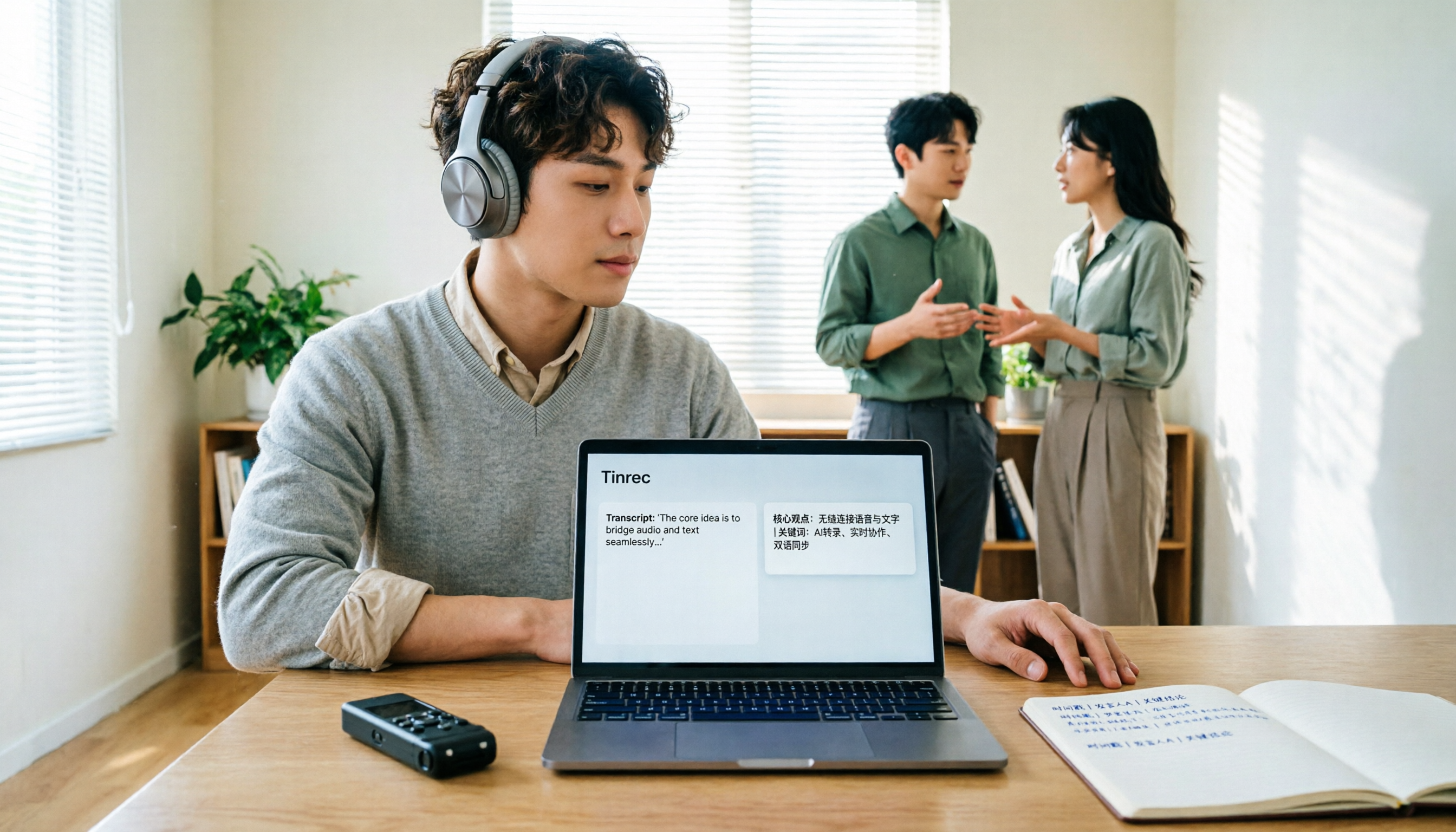
How do you use Notta's Chinese translation, and where are the limits? This article breaks down the complete process of converting recordings to transcripts and then translating them into Chinese in 5 steps, demonstrates real-time bilingual, AI summaries, and team knowledge retention with Tinrec, and finally provides purchasing guidance.
Best Audio-to-Text Apps in 2026: 6 Options Compared, Including the Most-Discussed Pick on Dcard
Cramming for finals and realizing you can't get through all your lecture recordings? Based on real student needs, this guide compares six audio-to-text tools in 2026—their plans and limitations—including Notta, frequently asked about on Dcard, and Tinrec, which can record online meetings without a bot and lets you ask AI follow-up questions after transcription. Includes a free-tier comparison and buying advice.

Tinrec vs Notta 2026: 5-Dimension Comparison — Which Is Better for Chinese Meeting Notes?
People searching for Notta on PTT are often debating whether to pay for Chinese meeting transcription. This article compares Tinrec and Notta across 5 dimensions: meeting capture methods, Chinese and mixed Chinese-English transcription, post-meeting workflows, team governance, and pricing/quotas. It also honestly points out each tool's drawbacks, so you know which side to choose before spending time on a trial.

How to Use Notta in Chinese (2026): Traditional Chinese Settings + Tinrec 5-Step Walkthrough
The key to using Notta in Chinese comes down to three settings: choose Traditional Chinese for monolingual transcription, switch to bilingual transcription for mixed Chinese-English audio, and translate after transcription. This guide first explains Notta's Chinese settings and free plan limits, then walks through the same workflow with Tinrec across five steps—recording, transcription, proofreading, summarization, and export—plus troubleshooting tips and advanced techniques.

The Complete Guide to Chinese Subtitles in 2026: From Speech-to-Text to Bilingual Subtitles
Many people think they can just drop an audio file into a tool and get Chinese subtitles, but the real challenges are misrecognized names, missing timestamps, and misaligned bilingual text. This guide addresses common misconceptions and breaks down the 6 core capabilities needed for Chinese subtitles, 4 practical use cases, and 5 key considerations when choosing a tool. It also demonstrates a complete workflow using Tinrec, from recording to Chinese transcript to bilingual comparison.

Tinrec vs Notta 2026: 5-Dimension Comparison — Which Is Better for Chinese Meetings and Team Knowledge Retention?
Notta reviews on PTT are mixed, mostly due to different plans and use cases. This article compares Tinrec and Notta across 5 dimensions: post-transcription usability, Chinese and multilingual handling, team governance, quota and pricing structure, and data ownership. It honestly explains who each is suitable for and who it is not.

2026 Audio-to-Text Tool Comparison: Why Tinrec Is a Better Fit for Taiwanese Teams Than Notta
PTT discussions about Notta mostly focus on free quota, Chinese recognition, and export workflow. This article starts from real-world usage scenarios and puts Notta and Tinrec side by side: how to record online meetings, what you can do after transcription, and how to retain team data. It also honestly points out scenarios where Tinrec is not suitable, helping you make the right decision before spending time on trials.