
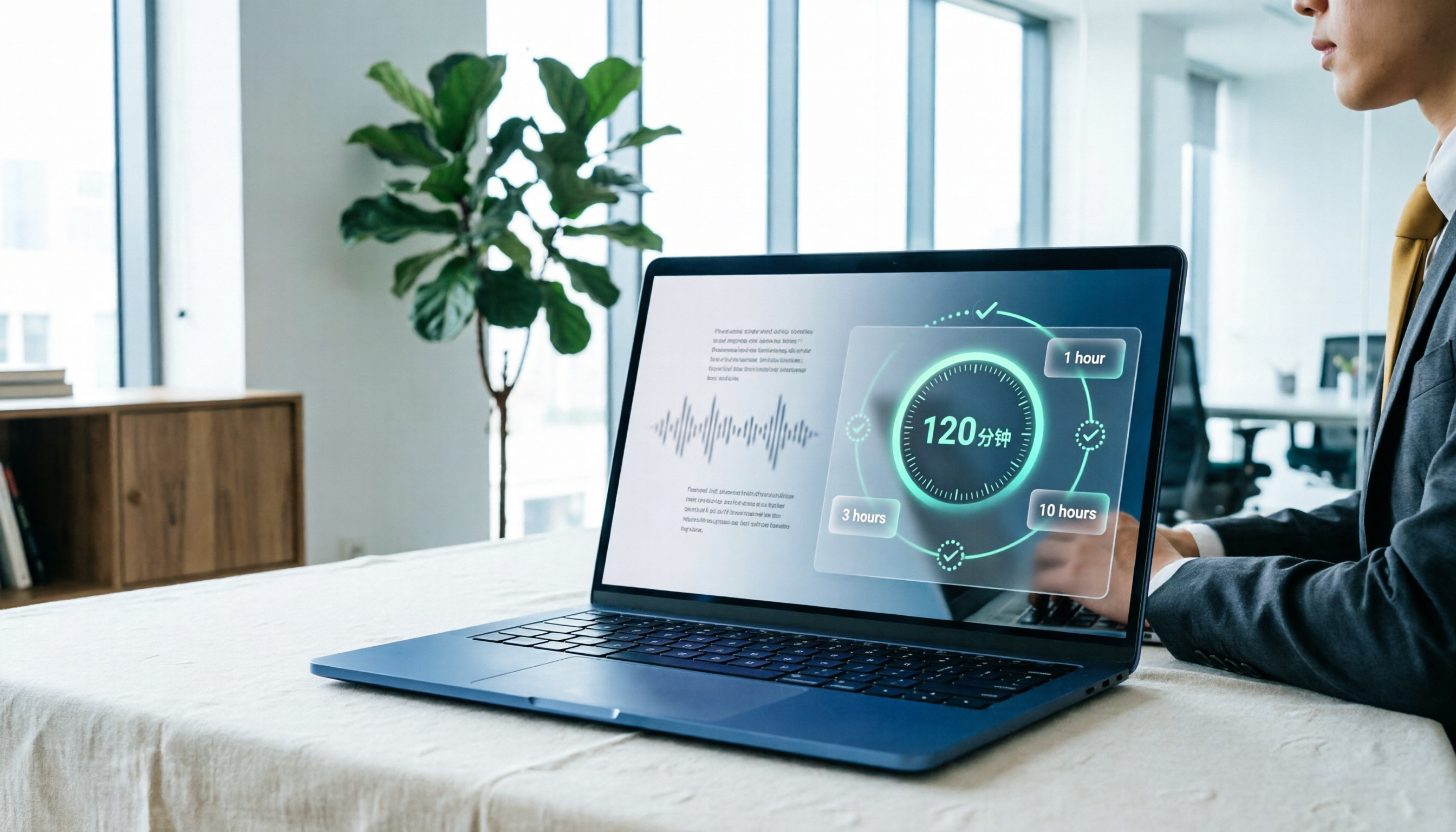
Turn recordings into transcripts and summaries in minutes
Upload audio or video for multilingual transcription, AI notes, and action items
You open Yating Transcript, sign up, and see "120 minutes free." Most people think, "I'll try it first." Then you upload a 90-minute interview, proofread the transcript, and realize you have less than half an hour left. Next time you need it, you start calculating: should I buy 1 hour, 3 hours, or 10 hours? Will I even use it all?
This article tackles that exact calculation. We'll break down Yating Transcript's pricing structure and put "what else you could buy with the same budget" side by side. The biggest risk in purchasing isn't price—it's buying the wrong plan. Hours expire unused, or you assume it's free only to find you have to repurchase every month.
Why the "free quota" often isn't enough: three real scenarios
Scenario one: interviews and meetings. A formal interview typically runs 60 to 90 minutes, and with proofreading and re-listening, actual consumption often exceeds the recording length. Scenario two: weekly recurring meetings. This usage isn't one-time—it happens every month. A one-time free grant is essentially no free tier for these users.
Scenario three: bilingual or cross-language meetings. You think you only need transcription, but then you also need translation, bilingual comparison, and extracting conclusions into an email. The real cost isn't the transcription fee—it's the two extra hours you spend organizing after the recording.
So the first question isn't "which is cheapest," but "where does my usage fall, and am I buying just a transcript or post-meeting organization too?"
Before calculating costs, understand these 4 key points
1. Is pricing based on hours or subscription? Pay-as-you-go hours are great for temporary projects—pay for what you use. The downside: when hours run out, you stop; there's no monthly reset. Subscriptions give a fixed monthly quota, better for steady users. Neither is inherently better, but if your usage is irregular, check which is friendlier to your budget.
2. Is the free quota one-time or monthly reset? This is where many people lose out. 120 minutes on signup sounds like a lot, but if it's one-time, it's gone after use—meaning no free tier from month two for regular meeting-goers. Conversely, a monthly 300 minutes might never be used up by light users.
3. After transcription, how much human effort is still needed? For the same hour of recording, Tool A gives plain text, Tool B gives transcript plus summary, chapters, and action items. A looks cheaper on the surface, but if you still need to spend time organizing meeting notes, that labor cost usually exceeds the subscription fee. Convert this to your own hourly rate for comparison.
4. Multi-device and multi-user limitations. Personal use is usually fine, but for teams, ask: Can one account be used on multiple devices simultaneously? Who owns the team's meeting data? Does data remain after a member leaves? These issues don't hurt during trial but hurt a lot when they arise.
Tinrec — our top recommendation after hands-on testing
Tinrec is an AI meeting notes and collaboration tool for individuals and teams, available on iOS, Android, desktop, and web. It doesn't just convert speech to text—it turns meeting recordings into searchable, queryable, exportable data, which is why we rank it first in this comparison.
No need to invite a bot to meetings. The desktop version captures your computer's system audio directly, handling Zoom, Google Meet, Microsoft Teams, and Webex without adding an extra "participant." For client meetings, this matters—you don't want to explain who that sudden account is.
Post-meeting organization is the real differentiator. After recording, Tinrec generates summaries, chapters, and key points, and extracts action items from discussions. More importantly, AI Q&A: you can ask "who mentioned the budget last meeting" or "what were the client's concerns about the timeline," and it answers based on meeting content, not just keyword search results. This capability isn't standard at this price point.
Output fits back into your workflow. Transcripts, summaries, and post-meeting outputs support multiple export formats and can be exported to Notion, Google Docs, OneNote, Dropbox, etc. For formal deliverables, Agent post-processing can generate reports, tables, and meeting minutes documents.
We don't give a single accuracy number. Any claim of fixed 98% or 99% ignores reality: meeting rooms have air conditioning noise, keyboard sounds, and people talking over each other. In clear audio and common scenarios, Tinrec's Chinese transcription and mixed Chinese-English recognition are stable; but noisy environments, heavy accents, or dense jargon will affect results—which is why it offers team hotwords: build your company's common terms and professional word recognition improves noticeably.
Stop organizing recordings by hand
Upload audio or video and automatically get a transcript, summary, and action items
Limitations, clearly stated. The free version offers a basic quota, suitable for testing a few of your own recordings; heavy users still need to pay. Also, it supports "user-initiated recording," not automatically joining every meeting on your calendar. If you need "zero-operation, automatic recording of all meetings," understand this mode first.
How team pricing works. If you're choosing for a department or company, the team version is a separate collaborative space, not multiple people sharing one personal account. Current pricing: USD 29.80 per paid seat per month, or USD 199 per paid seat per year (about USD 16.58/month). Eligible teams get a 7-day trial, 1 free seat, and 300 minutes of shared team import quota; paid seats include 2,000 minutes of shared team import quota per month, and real-time recording under an active plan is currently not deducted by minute. Actual prices and benefits are subject to the official purchase page. Also, the team version separates roles and seats: members without a seat can still view, play, and read team data, but need a seat to record, upload, and edit—clarify this with your manager when budgeting.
Who it's for. If you frequently handle Chinese meetings and mixed Chinese-English content, don't want a bot in meetings, and need summaries and action items ready right after recording, Tinrec is currently the most hassle-free choice.
Yating Transcript pricing fully explained + 2 alternatives
Yating Transcript. One of the most familiar options for Taiwanese users, optimized for Taiwanese accents and Taiwanese Hokkien, supporting audio upload or live recording, with automatic punctuation, speaker identification, and machine translation, exportable to WORD, TXT, PDF, SRT, etc. Pricing is simple: free 120 minutes after signup, then paid plans sold by duration—1 hour, 3 hours, and 10 hours—stackable, with larger volumes available by contacting sales. It's pay-as-you-go, no subscription required. Two practical notes: once free minutes are used up, you must pay to continue—effectively no free tier for long-term users; and one account cannot be used on multiple devices simultaneously, which is noticeable for team collaboration. Its positioning remains centered on speech-to-text and text-to-speech; publicly listed features focus on transcription, punctuation, speaker ID, translation, and export—no meeting summaries, action item extraction, or AI Q&A about meeting content. If you want "record and get minutes directly," you'll still do that work yourself. Suitable for: those who only need a clean Taiwanese-accent transcript, have irregular usage, and prefer paying by hours.
Notta. Solid multilingual transcription and file import. Free plan: 120 minutes/month, 3 minutes per item. Pro annual: about USD 8.17/month, 1,800 minutes/month. Business annual: about USD 16.67/seat/month with unlimited transcription and usage reports. Its meeting notes capability is mature, but primarily uses files and bots for capture; if you need "no bot, direct system audio capture," Tinrec's desktop version is more direct.
Otter.ai. A veteran choice for English business meetings. Basic free: 300 minutes/month. Pro annual: about USD 8.49/user/month, including 1,200 minutes of in-app recording and 10 file imports per month. Generous quota, but its strength is English scenarios; Chinese meetings, mixed Chinese-English, and real-time translation aren't its focus. If 90% of your recordings are English, Otter is cost-effective; if more than half is Chinese, Tinrec's post-meeting organization and team knowledge retention better fit your needs.
Pitfall guide: 3 most common mistakes when buying transcription tools
Pitfall 1: Only looking at "how many minutes free," not how the quota resets. One-time grants and monthly resets mean completely different things for long-term users. Before deciding, ask: will this quota be here next month?
Pitfall 2: Stocking up on a big hour package for a lower unit price. Stackable hours sound reassuring, but if you only do one interview per quarter, a 10-hour package may expire forgotten. Calculate how many hours you actually transcribed in the past three months before choosing a package.
Pitfall 3: Treating the transcript as the end goal. This is the most common hidden cost. Getting a 40-page transcript versus getting "three decisions, five action items, who's responsible for what" are two different things for your productivity. Include "post-meeting output" when choosing a tool—don't just compare transcription unit prices.
Conclusion: which one should you choose?
Irregular usage, only need clean Taiwanese-accent transcripts, prefer paying by hours → Yating Transcript; start with 1 or 3 hours to test the waters.
Weekly meetings, want summaries and action items right after recording → Tinrec; this is its biggest difference from pure transcription tools.
Don't want an extra bot account in client meetings → Tinrec desktop version, direct system audio capture.
Need cross-device use and export to Notion or Google Docs for further writing → Tinrec; multi-format export and Agent post-processing are covered.
90% of content is English meetings → Otter.ai; generous quota, mature English scenarios—one of the few competitor recommendations in this article.
Procuring for a whole department, need seat and usage management → Tinrec team version; first understand the difference between roles and seats, then run through the workflow with the 7-day trial.
Final practical advice: whichever you choose, first run a segment of your own real recording—ideally one with background noise and people talking over each other. Marketing pages won't give you the answer; your own recording will.
References
- Yating Transcript Complete Guide: Free Version, Pricing, and Alternatives
- Yating Transcript: Online Speech-to-Text Service, Pricing Introduction | AI Tool Guide – Future Commerce
- Is Yating Transcript Free? How Pricing Works and Whether Buying Hours Is Worth It
- Yating Transcript
- Pricing - Dev Console | Yating - Yating Intelligence
Turn every recording into actionable outcomes
Get 60 free transcription minutes when you sign in. No credit card required.
Related Reading
You might also like
2026 Comparison of 5 Speech-to-Text Tools: Yating Transcribe Latest News and Free Quotas — Which Is Most Sufficient?
Many people only compare recognition accuracy when choosing a transcription tool, but overlook export, editing, and team sharing. This article compiles the latest updates for Yating Transcribe (including iOS 3.12.0 and an explanation of the Studio progress bar at 99%), and compares the positioning, free quotas, and suitable scenarios of Tinrec, Otter.ai, Notta, and TurboScribe, helping you choose the right tool based on your needs.
How Much Does Yating Transcription Cost in 2026? 5-Step Test and Pricing Breakdown
Does Yating transcription cost money? This article starts with the actual pricing model and walks you through 5 steps to calculate the real cost of free quotas, queue times, and hour top-ups. It also compares tools like Tinrec, Otter.ai, and TurboScribe to help you decide which plan fits your usage.

Yating Transcript Pricing Explained: 2026 Test of 4 Transcription Tools, How to Get the Best Value at $100 per Hour
Yating Transcript charges by audio length: $100 per hour, 10% off for 3 hours at $270, and hours can be used within 3 years from purchase. This article breaks down Yating Transcript's latest pricing structure, free quota, and billing pitfalls, and compares Tinrec, Otter.ai, and Notta in post-meeting organization and team collaboration, so you can justify your purchase in a procurement meeting.

2025 Comparison of 4 Transcription Tools: Is Yating's Free Quota Enough?
Is Yating Transcription's free quota enough? This article tests Yating, Tinrec, Otter.ai, and Notta using the same 10-minute Mandarin meeting recording and a 25-minute English interview audio file. It compares free rules, pricing, post-meeting summaries, and AI Q&A differences, with buying decision points and pitfalls to help you decide whether to pay.

6 Best Transcription Tools in 2026: Yating Pricing, Free Tiers & Alternatives Compared
Many people on Dcard ask how Yating transcription pricing works. This guide covers Yating's pricing, free quota, and limitations, and compares 6 transcription tools including Tinrec, Otter.ai, Notta, TurboScribe, and Granola to help you choose based on meeting type and budget.

2025 Comparison of 4 Transcription Tools: Which Offers Better Chinese Recognition and Post-Meeting Organization—Yating or Tinrec?
How to choose a transcription tool in 2025? This article starts with common misconceptions and compares Yating Transcript, Tinrec, Notta, and Otter.ai on accent recognition, post-meeting organization, online meeting recording methods, and pricing. It also summarizes 4 key purchasing factors and 3 pitfalls to avoid, helping you choose the one that fits your workflow.
5 Best Transcription Tools in 2026: Yating vs. AI Meeting Assistants
What's new in the latest Yating transcription tool? How does it compare to Tinrec, Notta, TurboScribe, and Granola? This guide uses real student scenarios—a class, a group discussion, and an interview recording—to compare the positioning, core features, free tiers, and pricing of 5 transcription tools, and provides a selection framework to help you choose the one you'll actually use within your budget.

2026 Comparison of 6 Transcription Tools: Yating Pricing, Free Quotas, and Alternatives
Based on hands-on testing and pricing structure of Yating Transcription, we compare free quotas, pricing models, and use cases of Tinrec, Notta, TurboScribe, Granola, and built-in platform transcription to help you calculate the truly cost-effective choice.
How to Record Audio on iPhone in 2026: 5 Steps from Recording to AI Organization
Complete iPhone recording tutorial for 2026: from Voice Memos and quick recording shortcuts to using Tinrec to turn recordings into transcripts, summaries, action items, and queryable meeting data. 5 steps take you from recording to organization, plus 5 key factors for choosing a recording organization tool.