

Turn recordings into transcripts and summaries in minutes
Upload audio or video for multilingual transcription, AI notes, and action items
Most people start by checking how many free minutes a transcription tool offers. That's actually the easiest trap to fall into.
Free quota only determines how long you can try it. What really determines cost is two things: how you're charged after the quota runs out, and whether you're willing to spend double the time re-listening to recordings and catching errors.
Another common misconception is thinking that getting a transcript is the end. Honestly, what most people really lack isn't a text file, but summaries, action items, and a database they can search later.
This article lays out 6 options side by side, focusing on the hands-on performance and pricing structure of Yating Transcription, and explains when it's sufficient and when you might want to switch tools.
Why do you need a transcription tool?
A 1-hour meeting takes about 3 to 4 hours to transcribe manually, not counting the time spent pausing and rewinding.
There are more scenarios requiring transcription than you might think: meeting notes, customer interviews, class notes, podcast subtitles, even your own voice memos.
The following 6 options range from the most comprehensive AI meeting tools to completely free entry-level choices. You can pick based on usage frequency and budget.
Tinrec (Miaoting Recording) — The most complete AI meeting notes and team collaboration tool
Tinrec is an AI meeting notes and collaboration tool for individuals and teams. Its positioning isn't just converting voice to text, but turning meetings into searchable, queryable, and actionable data.
The first practical aspect is "no need to invite a meeting bot." The desktop version directly captures computer system audio, handling Zoom, Google Meet, Microsoft Teams, and Webex without adding a strange participant to the meeting.
The second is the post-transcription workflow. It automatically generates summaries, chapters, key points, and action items, and can answer AI questions about meeting content—questions like "Who proposed that decision last week?" can be asked directly without re-listening.
The third is output. Transcripts, summaries, and mind maps can be exported in multiple formats and brought to Notion, Google Docs, OneNote, or Dropbox for further processing, or post-processed with Agent to generate reports, tables, and documents.
The team version is another level: independent team spaces, members and roles, seat allocation, usage analytics, audit logs, audio recycle bin, and team hotwords. When members leave, meeting data stays with the team and isn't taken away by individuals.
For pricing, the personal version has a free version to try, plus weekly cards, Pro monthly, and Pro annual cards for different usage frequencies. The team version is USD 29.80 per paid seat per month, or USD 199 per paid seat per year (about USD 16.58 per month); eligible teams get a 7-day trial, 1 free seat, and 300 minutes of shared team import quota for the first time. Paid seats provide 2,000 minutes of shared import quota per month, and real-time recording currently isn't deducted by minutes under active plans. Actual prices and benefits are subject to official website announcements.
Who it's for: People who need Chinese meeting notes, don't want bots joining meetings, and need to organize, query, and share data with the team afterward.
Yating Transcription — A local choice for Taiwanese accents and Taiwanese Hokkien recognition
Yating Transcription is developed by Taiwan AI Labs, a speech-to-text service optimized for Taiwanese accents, and the one with the most obvious "local feel" in this hands-on test.
In actual use, it can recognize Taiwanese Mandarin, Taiwanese Hokkien, mixed Chinese-English "Chinglish," and even slang like "bang QQ," and automatically adds punctuation and line breaks based on speech content, so it doesn't read as a block of text.
It offers both real-time recording and audio file upload modes, can automatically identify and label speakers, export transcripts in WORD, TXT, PDF, SRT formats, and has a Chrome extension for recording Google video meetings. Data stays in Taiwan and isn't sold to third parties, a plus for privacy-sensitive users.
Note that it's non-real-time processing. Some reviews mention free transcription requires queuing, with a 1-hour audio file taking about 20 minutes; also, one account can't be used on multiple devices simultaneously.
Pricing is what people ask about most. Yating Transcription uses an hourly credit system, commonly 1-hour, 3-hour, and 10-hour plans that can be stacked. Buy as much as you use, no monthly subscription required. For long-term heavy use, you can negotiate commercial plans with the company. As for unit price, online reviews mention both NT$100 and NT$160 per hour; please refer to the official page for plans and amounts.
For free quota, multiple reviews mention new users get about 300 minutes of trial, plus a 30-day real-time recording experience. Actual quota is subject to official announcements.
Who it's for: Individual users who occasionally organize recordings, need Taiwanese Hokkien or Taiwanese accent support, and want data to stay in Taiwan.
Notta — Multilingual transcription and translation-oriented
Notta covers multi-device transcription, meeting notes, file import, and translation, making it one of the more language-diverse options on this list.
The free version offers 120 minutes per month, with a maximum of 3 minutes per item; Pro annual billing is about USD 8.17 per month for 1,800 minutes per month; Business annual billing is about USD 16.67 per seat per month, offering unlimited transcription, role permissions, and usage reports.
Stop organizing recordings by hand
Upload audio or video and automatically get a transcript, summary, and action items
Who it's for: People who frequently handle multilingual content and need translation and cross-device use.
TurboScribe — Cost-effective choice for long files and batch transcription
TurboScribe's strengths are clear: long audio files and batch processing. The free version allows 3 files per day, with a 30-minute limit per file.
Unlimited annual billing is USD 120 (about USD 10 per month). The paid version supports files up to 10 hours or 5 GB, and can upload 50 files at once, ideal for clearing out old recordings in one go.
Who it's for: People with a large backlog of existing audio files to transcribe who don't need meeting summaries or team collaboration.
Granola — Bot-free AI meeting notes
Granola also uses a bot-free approach, transcribing in real time through the desktop device's system audio and microphone, then combining with your handwritten notes to generate meeting content.
Basic is free, Business is USD 14 per user per month, Enterprise is USD 35 per user per month. It supports viewing, copying, and searching real-time transcripts, but doesn't support uploading pre-recorded audio files and doesn't save meeting audio.
Who it's for: People who mainly have English meetings, are used to taking notes during meetings, and don't need to keep recordings.
Zoom / Google Meet / Teams built-in transcription — Completely free entry-level option
If you only occasionally need meeting text, the platform's built-in transcription is actually enough—no registration, no installation.
The limitation is it's tied to that platform, so cross-platform organization isn't possible, and summaries, action items, and export formats are relatively basic.
Who it's for: People with zero budget, whose meetings all happen on the same platform, and who only need to glance at key points afterward.
With so many options, how should you choose?
When choosing, ask yourself "what will I do after the meeting" rather than comparing prices first.
• Want transcription + AI Q&A + automatic summary and action items all in one → Tinrec, the only option on the list with all these features
• Don't want a meeting bot joining → Tinrec desktop or Granola, both use system audio capture
• Team needs to share meeting data, manage members and usage → Tinrec team version, with roles, seats, usage, and audit
• Need Taiwanese Hokkien and Taiwanese accents, data doesn't leave the country, low usage → Yating Transcription, hourly system with no contract
• Need to clear a large number of long audio files at once → TurboScribe, most generous file length and batch capacity
• Frequently handle multilingual content and translation → Notta
• Don't want to spend any money → Start with built-in platform transcription, or try each free quota in turn
4 things to know before using a transcription tool
First, free quota isn't a long-term solution. For example, Yating Transcription's 300-minute trial is plenty for occasional users, but once used up you need to buy credits. Think about your monthly usage first.
Second, transcription quality largely depends on recording quality. Microphone distance, background noise, and people talking over each other have a bigger impact than the tool itself. For important meetings, consider supplementing with a phone or external microphone recording.
Third, confirm whether you can take data with you. Export formats and third-party integrations (e.g., Tinrec can export to Notion, Google Docs) determine whether you'll need to redo work later.
Fourth, confirm participant consent before recording and pay attention to local regulations, especially for interviews and client meetings.
Conclusion
Yating Transcription indeed has a knack for Taiwanese accents and Taiwanese Hokkien recognition. Its hourly billing is friendly for low-frequency users, and data staying in Taiwan is reassuring.
But if what you need isn't just a transcript, but summaries, action items, a queryable meeting database, and even team sharing and permission management, then tools like Tinrec that handle the post-meeting workflow will save you the part that actually takes time.
We recommend running each tool's free quota on one of your real meetings before deciding whether to pay—that's more accurate than any spec sheet.
FAQ
Q: How long can I use Yating Transcription for free?
A: Multiple reviews mention new users get about 300 minutes of trial quota, with some saying a 30-day real-time recording experience. Actual quota and restrictions are subject to official announcements. For occasional users, the free quota usually lasts a while.
Q: How is Yating Transcription priced? Is it worth it?
A: It uses hourly credits, commonly 1, 3, and 10-hour plans that can be stacked. Buy as much as you use, no monthly subscription required. Online reviews mention both NT$100 and NT$160 per hour; check the official page directly. For low-volume users, it's usually more cost-effective than subscriptions.
Q: What's the difference between Yating Transcription and Tinrec?
A: Yating excels at Taiwanese accents, Taiwanese Hokkien, and local context recognition, with output mainly transcripts; Tinrec extends transcription to summaries, chapters, action items, AI Q&A, export, and team spaces, and its desktop version doesn't require a meeting bot to join. For just text files, choose the former; for organization and collaboration, choose the latter.
Q: Can transcription tools completely replace manual transcribing?
A: We don't recommend expecting that. AI can greatly reduce manual recording costs, but names, numbers, and proper nouns may still have errors. For important content, we recommend cross-checking with the original recording at the transcript's timestamps.
Q: For a team sharing meeting notes, which type should we choose?
A: If you need a shared database, member permissions, and usage management, look for options with team space design, such as Tinrec team version, which manages roles, seats, usage, and audit separately. If it's just two people exchanging files, the personal version plus a shared cloud drive will suffice.
Q: If I only want free options, is there a recommended order?
A: Start with built-in platform transcription to confirm your needs, then try free quotas based on scenarios: for meetings, try Tinrec free version; for Taiwanese accents and Taiwanese Hokkien, try Yating Transcription; for long audio files, try TurboScribe; for multilingual translation, try Notta.
References
- Yating Transcription: Online Speech-to-Text Service, Pricing Overview! | All-in-One AI Tools Introduction - Future Commerce
- Yating Transcription Complete Guide: Free Version, Pricing, and Alternatives at a Glance
- Yating Transcription - How Many Minutes Free? Hands-on Quota Plans and Money-Saving Transcription Tips - Financial Talent
- Is Yating Transcription Free? Complete Comparison of 2026 Audio-to-Text Tool Pricing and Performance - Miaoting Recording Blog
- 2026 Comparison of 2 Online Transcription Tools: Yating at NT$100 per Hour, Tinrec Team Plan More Cost-Effective? - Miaoting Recording Blog
Turn every recording into actionable outcomes
Get 60 free transcription minutes when you sign in. No credit card required.
Related Reading
You might also like
2026 Comparison of 5 Speech-to-Text Tools: Yating Transcribe Latest News and Free Quotas — Which Is Most Sufficient?
Many people only compare recognition accuracy when choosing a transcription tool, but overlook export, editing, and team sharing. This article compiles the latest updates for Yating Transcribe (including iOS 3.12.0 and an explanation of the Studio progress bar at 99%), and compares the positioning, free quotas, and suitable scenarios of Tinrec, Otter.ai, Notta, and TurboScribe, helping you choose the right tool based on your needs.
How Much Does Yating Transcription Cost in 2026? 5-Step Test and Pricing Breakdown
Does Yating transcription cost money? This article starts with the actual pricing model and walks you through 5 steps to calculate the real cost of free quotas, queue times, and hour top-ups. It also compares tools like Tinrec, Otter.ai, and TurboScribe to help you decide which plan fits your usage.

Yating Transcript Pricing Explained: 2026 Test of 4 Transcription Tools, How to Get the Best Value at $100 per Hour
Yating Transcript charges by audio length: $100 per hour, 10% off for 3 hours at $270, and hours can be used within 3 years from purchase. This article breaks down Yating Transcript's latest pricing structure, free quota, and billing pitfalls, and compares Tinrec, Otter.ai, and Notta in post-meeting organization and team collaboration, so you can justify your purchase in a procurement meeting.

2025 Comparison of 4 Transcription Tools: Is Yating's Free Quota Enough?
Is Yating Transcription's free quota enough? This article tests Yating, Tinrec, Otter.ai, and Notta using the same 10-minute Mandarin meeting recording and a 25-minute English interview audio file. It compares free rules, pricing, post-meeting summaries, and AI Q&A differences, with buying decision points and pitfalls to help you decide whether to pay.

6 Best Transcription Tools in 2026: Yating Pricing, Free Tiers & Alternatives Compared
Many people on Dcard ask how Yating transcription pricing works. This guide covers Yating's pricing, free quota, and limitations, and compares 6 transcription tools including Tinrec, Otter.ai, Notta, TurboScribe, and Granola to help you choose based on meeting type and budget.

2025 Comparison of 4 Transcription Tools: Which Offers Better Chinese Recognition and Post-Meeting Organization—Yating or Tinrec?
How to choose a transcription tool in 2025? This article starts with common misconceptions and compares Yating Transcript, Tinrec, Notta, and Otter.ai on accent recognition, post-meeting organization, online meeting recording methods, and pricing. It also summarizes 4 key purchasing factors and 3 pitfalls to avoid, helping you choose the one that fits your workflow.
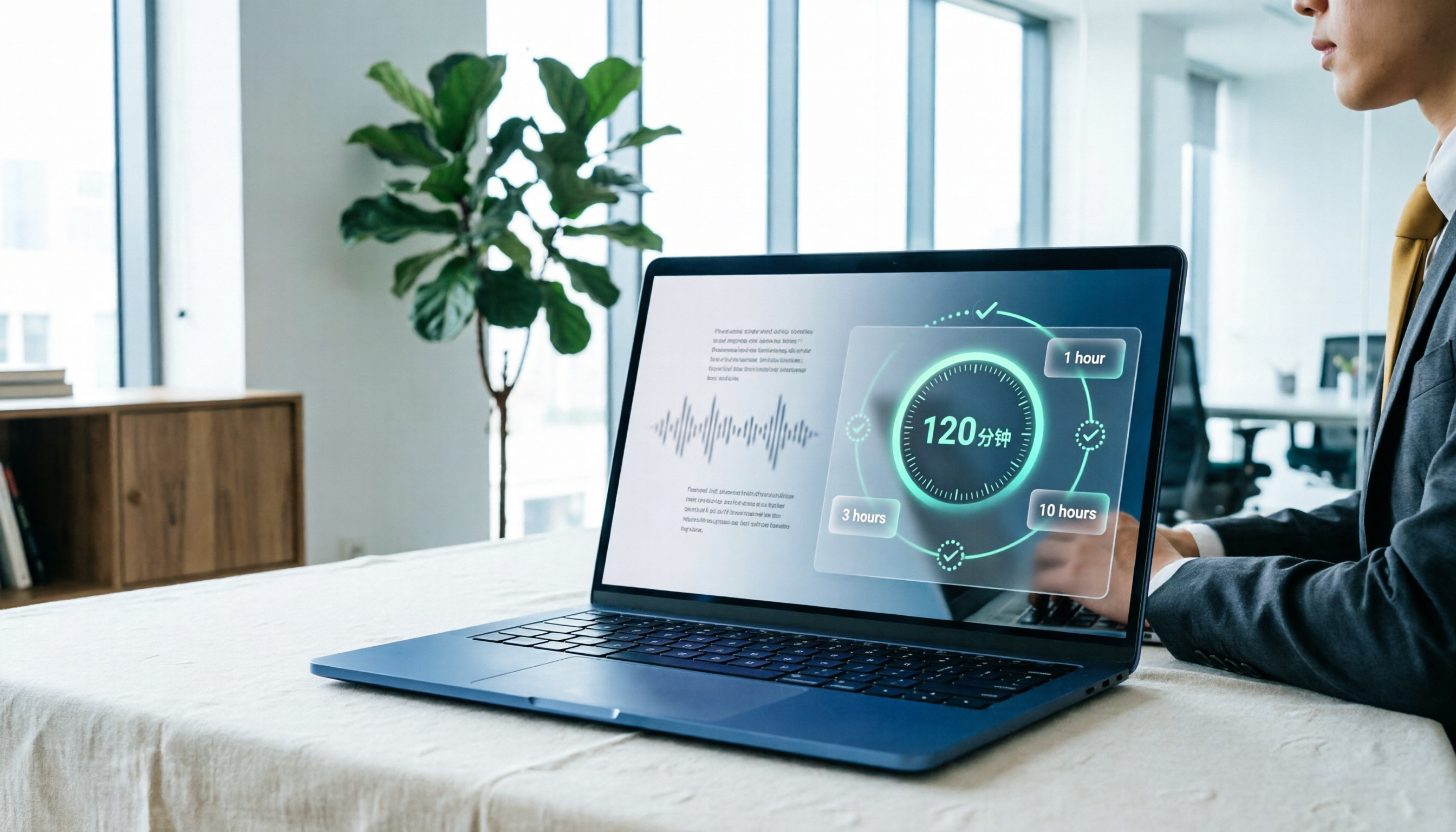
Yating Transcript Pricing in 2026: Free 120 Minutes + Hourly Plans Explained
How does Yating Transcript pricing work? Is the free 120 minutes enough? Should you buy the 1-hour, 3-hour, or 10-hour package? This guide breaks down Yating's pricing logic and free-tier limits, and compares Tinrec, Notta, and Otter.ai on cost and post-meeting organization, so you can choose based on actual usage—not buy hours you'll never use.

5 Best Transcription Tools in 2026: Yating vs. AI Meeting Assistants
What's new in the latest Yating transcription tool? How does it compare to Tinrec, Notta, TurboScribe, and Granola? This guide uses real student scenarios—a class, a group discussion, and an interview recording—to compare the positioning, core features, free tiers, and pricing of 5 transcription tools, and provides a selection framework to help you choose the one you'll actually use within your budget.
How to Record Audio on iPhone in 2026: 5 Steps from Recording to AI Organization
Complete iPhone recording tutorial for 2026: from Voice Memos and quick recording shortcuts to using Tinrec to turn recordings into transcripts, summaries, action items, and queryable meeting data. 5 steps take you from recording to organization, plus 5 key factors for choosing a recording organization tool.