

Turn recordings into transcripts and summaries in minutes
Upload audio or video for multilingual transcription, AI notes, and action items
Which Plaud Recording Platform Is Best? 2026 Hands-On Test of 4 Options—This One Makes Meeting Notes Easier
Many people start by comparing specs when choosing a recording platform: how many hours of battery life, how many GB of storage, how many languages transcription supports.
But what really takes up a lot of time is often not the hour of recording, but the two hours afterward: re-listening, typing out notes, extracting key points, and then going back to find out "who said they would be responsible last meeting."
If you're searching for "Plaud recording platform," you're probably stuck at this point too: unsure whether to buy a portable recording device or switch to software that can automatically organize meeting content.
This article first clarifies Plaud's positioning, then compares 4 practical options from the most common need—meeting notes—and finally provides recommendations based on scenarios.
What Is the Plaud Recording Platform? Understanding Its Positioning First
Plaud is a popular AI recording hardware brand in recent years. Its main products are smart recording cards and recording capsules (such as Plaud Note and Plaud NotePin), which look like business cards, pendants, or watches, and are designed for portability and one-touch recording.
Its biggest feature is "hardware plus app": recorded files are automatically transferred to the mobile app, which then generates transcripts and meeting summaries. Official materials mention support for transcription in 112 languages, speaker labeling, and custom vocabulary, as well as multiple templates for summaries; the Plaud Note is 2.99mm thick and weighs about 30 grams, with official claims of 30 hours of recording, 60 days of standby, and 64GB of storage.
Brand recognition is also significant: the official website claims over 2.5 million users worldwide, and media reports mention nearly one million units sold in markets like the US and Japan within three years.
However, note that the main use case for this type of hardware is "portable recording": in-person interviews, spontaneous ideas, phone calls, and long continuous recording. If your daily meetings are mainly online via Zoom, Google Meet, or Teams, and you need to produce a trackable meeting record afterward, then you need to solve a different problem.
Also, recording involves local regulations and others' privacy; please obtain consent before recording when necessary.
Before Choosing a Recording Platform, Understand These 4 Key Points
1. Are You Recording "In-Person" or "Online Meetings"?
For in-person interviews, classes, and ad-hoc meetings, a portable device is indeed convenient; but for online meetings, what you actually need is a way to capture audio stably without inviting an extra bot. These two needs correspond to completely different tools, so distinguish them first before comparing specs.
2. After the Transcript, What Else Do You Get?
A tool that only provides transcripts essentially throws the organizing work back at you. What's more worth considering: does it automatically generate summaries, chapters, and action items, can you ask questions directly about the meeting content, and can you export to tools you already use like Notion or Google Docs?
3. Is the Recognition Good Enough for Chinese and Mixed Chinese-English?
Meetings in Taiwan are rarely pure Chinese; mixed Chinese-English, proper nouns, and product codes are the norm. When choosing a tool, you can test it directly with a segment of your own real recording—this is much more accurate than reading official copy. Tools that support custom vocabulary or team hotwords help the most with recognition experience.
4. Who Ultimately Stores and Manages the Data?
For personal use, it's not a big issue, but for team use, you need to think clearly: who owns the meeting recordings, will data still exist after members leave, and can administrators see usage. Few people ask this before buying, but it's the most common source of regret.
Tinrec—The Top Choice After Hands-On Testing of Meeting Workflows
Tinrec is an AI meeting notes and collaboration tool for individuals and teams, supporting real-time recording, online meetings, audio/video file import, and real-time translation. Its focus is completing the post-recording work—organizing, querying, exporting, and collaborating—all in one place.
Record online meetings without a meeting bot. The desktop version directly captures computer system audio, so when handling meetings on Zoom, Google Meet, Microsoft Teams, or Webex, you don't need to invite a bot to join. For enterprises, this is practical: the participant list won't show an unfamiliar account, and you don't need to worry about the other company's concerns about bots. Note that you still need to open Tinrec yourself to start recording; it won't automatically join all calendar meetings.
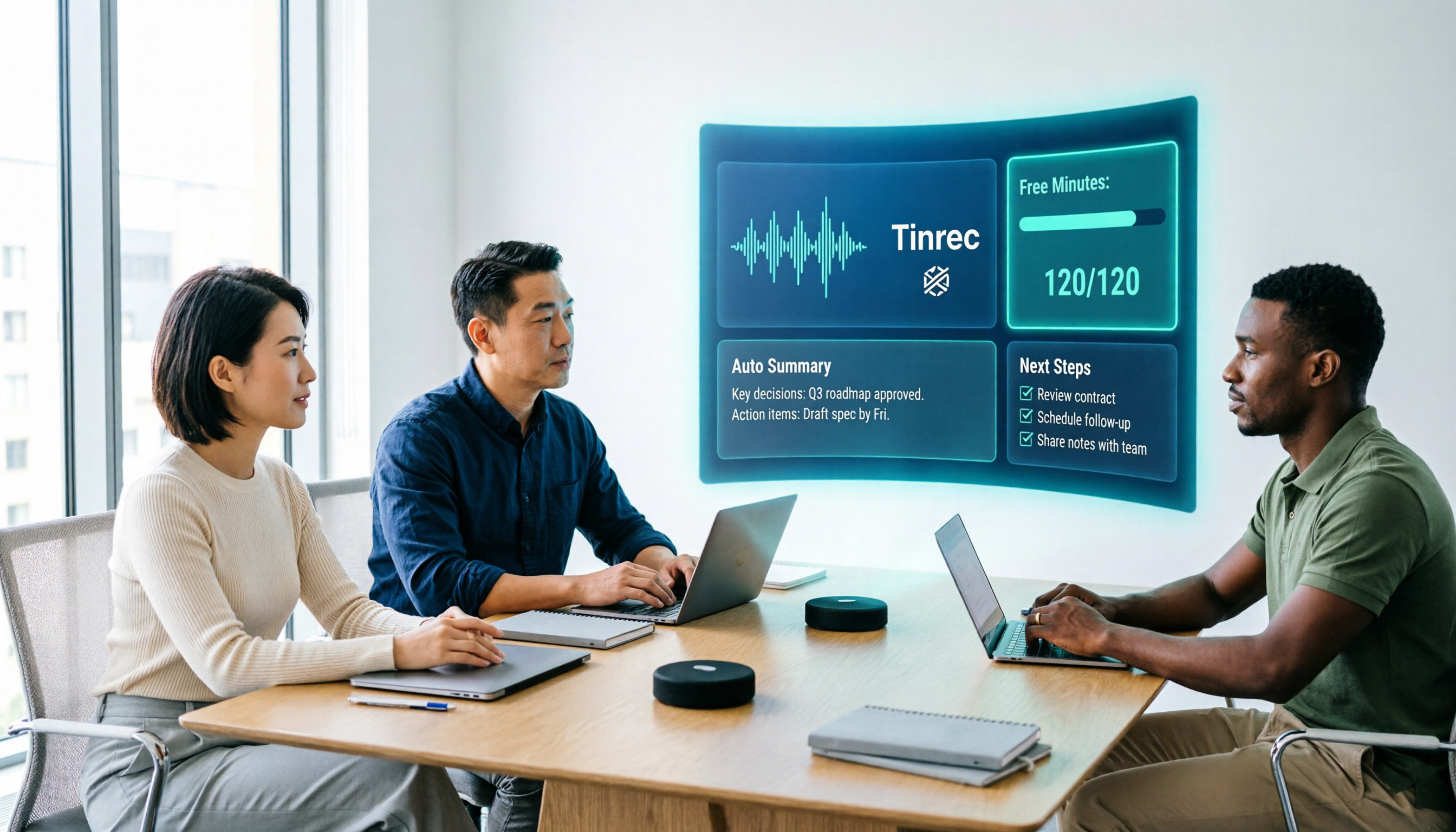
The transcript is just the starting point. After recording, the system generates summaries, chapters, and key points, and organizes action items from the discussion into to-dos. More importantly, AI Q&A: you can directly ask "What was the conclusion of this meeting?" or "What was the budget cap the client mentioned?" and it will answer based on the content, rather than just giving you a bunch of keyword search results. This is especially noticeable for hour-long meetings—what you save is re-listening time.
Stop organizing recordings by hand
Upload audio or video and automatically get a transcript, summary, and action items
Output should connect to your existing workflow. Tinrec supports multiple export formats and can bring results to Notion, Google Docs, OneNote, or Dropbox for further processing. It can also use Agent post-processing to generate reports, tables, and meeting minutes. For cross-language meetings, you can enable real-time translation and view in original, translated, or bilingual mode.
The team version solves "data ownership." The team version is not multiple people sharing one account, but an independent team space: meeting data belongs to the team, you can create multiple teams, join members via invitation links, set owners/admins/regular members, and manage seats. What's easy to confuse is the difference between roles and seats: roles determine who can manage the team and members, seats determine who can record, upload, edit, and export; active members without seats can still view, play, and read team data, but cannot edit or export. Administrators can also see team usage trends, member rankings, and details, and query/export audit logs; accidentally deleted audio can be restored from a 30-day recycle bin.
Pricing and limitations, stated honestly. The personal version has a free version, weekly card, Pro monthly, and Pro annual—choose based on usage frequency; the free version provides a basic quota, so you can try recording one of your own meetings first. The team version is USD 29.80 per paid seat per month, or USD 199 per paid seat per year (about USD 16.58/month), with each paid seat providing 2,000 minutes of shared team import quota per month. Eligible teams can try 7 days with 1 free seat and 300 minutes of shared import quota. Actual pricing and benefits are subject to the official purchase page.
Limitations should also be clear: Chinese and multilingual recognition quality is affected by recording environment, accents, overlapping speakers, and technical terminology, so don't expect zero proofreading; the team version currently focuses on team-level sharing, not fine-grained file-level permission control. For important decisions, it's still recommended to cross-check with transcript timestamps and recording playback.
Overall, if your meetings are mainly online, content is mostly Chinese or mixed Chinese-English, and someone needs to follow up on action items afterward, Tinrec is currently the closest fit for this workflow.
Besides Tinrec, Who Are Plaud, Notta, and Otter For?
PLAUD Note/NotePin: The hardware representative, suitable for salespeople who are often on the go, one-on-one interviews, and those who need phone recording. Put it on and record, long battery life is an advantage. But you need to buy additional equipment (official prices start at USD 159 for NotePin and USD 189 for Note Pro), and membership is tiered (Pro is USD 99.99/year, 1,200 minutes/month). If what you want is online meetings automatically entering a database, directly producing to-dos afterward, and sharing with the team, Tinrec is relatively more complete in this area.
Notta: A veteran choice for multilingual transcription. The free version offers 120 minutes per month (3 minutes per session), and Pro annual is about USD 8.17/month with 1,800 minutes per month. Transcription and translation performance is stable, suitable for those who mainly organize files. But it doesn't have Tinrec's desktop version that directly records system audio without inviting a bot, and it lacks the AI Q&A and to-do organization workflow after meetings.
Otter.ai: A mature choice for English business meetings. Basic is free with 300 minutes per month, and Pro annual is about USD 8.49/user/month with 1,200 minutes per month and 10 file imports. If almost all your meetings are in English, its ecosystem is complete. Chinese and mixed Chinese-English meetings are not its strong suit, which is why most Taiwan teams turn to Tinrec.
Pitfall Guide: The 3 Most Common Mistakes When Choosing a Recording Platform
Pitfall 1: Only looking at "how many languages supported" without first distinguishing scenarios. No matter how powerful a hardware recording device is, it can't solve "online meetings need to automatically enter a database and be shared with the team afterward." First confirm where your meetings happen, then choose a tool, so you don't buy two sets and only use half of each.
Pitfall 2: Thinking a transcript means it's organized. A 60-minute transcript is about ten thousand words; without summaries, chapters, and to-dos, it's just converting recording to text, and organizing time remains. When choosing a tool, look at the "post-meeting output," not "whether it converts to text."
Pitfall 3: Ignoring team data ownership and seat design. Many teams start by sharing a personal account, and only when someone leaves do they realize meeting data goes with the account. What you should really ask is: who owns the data, how to hand over after members leave, and who has permission to record and export. Asking these questions clearly before purchasing will save a lot of trouble later.
Conclusion: Which One Should You Choose?
In one sentence: For portable recording, look at Plaud; for meeting notes and team knowledge retention, choose Tinrec.
- Often on the go, need phone recording and long portable recording → PLAUD NotePin or Note Pro
- Mainly online meetings, don't want to invite a bot → Tinrec (desktop version captures system audio)
- Want to directly ask AI "What's the conclusion, who has action items" after recording → Tinrec (AI Q&A and to-do organization)
- Need cross-platform (mobile, computer, web) and multiple export formats → Tinrec
- Team needs to share meeting data, manage seats and usage → Tinrec team version
- Meetings are almost all in English, budget-oriented → Otter.ai's free quota is sufficient
If you're not sure which to choose, it's recommended to first try the free version with your own meeting recording, confirm that transcription quality and post-meeting output meet expectations, and then decide whether to upgrade—no need to pay from the start.
References
- Plaud Taiwan | Official Website | Leading Brand in AI Recording Devices
- Chinese AI Recording Capsule Sells Well in US and Japan: Plaud's Secret Is "Not Saying It's a Chinese Company" | CommonWealth Magazine
- Plaud Note │ The Smartest AI Recording Card Ever
- PLAUD Smart Recording | Recording/Audio Accessories - PChome 24h Shopping
- Plaud Note Pro Unboxing Review | Portable AI Smart Recording Evolves Again! Is It Good? Who Is It For? - Mr. Mad
Turn every recording into actionable outcomes
Get 60 free transcription minutes when you sign in. No credit card required.
Related Reading
You might also like

Tinrec vs Notta 2026: 5-Factor Comparison — Which Free AI Speech-to-Text Tool Is More Cost-Effective?
When searching for 'vocal ai free,' most people only look at how many free minutes are offered, but overlook the maximum length per recording, how meetings are recorded, and whether the transcript can be used directly afterward. This article compares Tinrec and Notta across 5 dimensions, from free quota, bot-free recording, post-meeting organization, to team data ownership, and tells you which tool suits which type of user.
How to Use Vocol.ai Free Version in 2026? 5 Steps to Choose the Right AI Meeting Notes Tool
People searching for 'Vocol.ai free' usually want to know if the free quota is enough. This article uses 5 checkpoints to compare Vocol.ai's free version with Tinrec item by item—from how free minutes are calculated, how to record online meetings, post-meeting outputs, to team governance—helping you make a clear decision before purchasing.

Vocal Folds vs Vocal Cords: 5 Key Differences Explained (2026)
The most common Chinese translation of vocal folds is "聲帶" (vocal cords), also known anatomically as "聲襞" (vocal folds). This article compares vocal folds and vocal cords, including pronunciation, example sentences, and related terms, to help you quickly understand this English term.

4 AI Recording Tools Compared in 2026: Is Plaud Note or Tinrec Better for Students?
In 2026, the most-searched "PLAUD recording review" really comes down to a more basic question: are you buying an extra piece of hardware, or a post-recording workflow? Starting from real student use cases, this article first explains the 4 key factors to consider when choosing, then hands-on compares Tinrec, PLAUD Note, Otter.ai, and Notta on their differences, free tiers, and long-term costs, and finally gives selection advice segmented by scenario.

2026 AI Recorder Comparison: Should You Buy PLAUD or Use Meeting Software?
PLAUD recorders (Note, NotePin) focus on in-person and phone recording, but most people's pain points actually occur in online meetings and post-meeting organization. This article starts with the decision of whether you need hardware or software, then compares PLAUD, Tinrec, Otter.ai, and Notta in terms of positioning, cost, and limitations, helping you think clearly before spending money.

How to Use Plaud Note Pro Recording in 2026: 3 Scenario Steps + Tinrec Post-Meeting Workflow
Starting with three recording operations for Plaud Note Pro, this guide compares Tinrec's differences in input sources, post-meeting organization, AI Q&A, and team knowledge retention, helping you decide which workflow better fits your daily meeting scenarios.

2026 Recording Platform Cost Comparison: Is PLAUD Subscription Worth It? Alternatives Reviewed
PLAUD's cost isn't just the device—it's hardware plus AI membership. This article breaks down the pricing structures of PLAUD, Notta, Otter, and Tinrec, and outlines 4 key points and 4 common pitfalls to understand before buying, so you can calculate your annual spend before swiping your card.

6 PLAUD Recording File Processing Tools Compared in 2026: Which One Turns Audio into Queryable Data?
PLAUD recording cards solve the problem of capturing audio, but not of using it. This article starts with common misconceptions and compares six tools that can process PLAUD recordings: Tinrec, PLAUD, Notta, TurboScribe, Otter.ai, and Granola. It outlines each tool's positioning, pricing, and use cases, plus four things to know before you start.

2026 Comparison of 3 Audio-to-Text Tools: Plaud Recording Hardware vs. Tinrec Software — Which Is More Hassle-Free?
The difference between Plaud recorders and audio-to-text software like Tinrec isn't just about audio capture—it's about what you get after the meeting. This article runs the same meeting recording through each tool, examining audio capture methods, transcript readability, AI summaries, and team collaboration, and outlines 4 key buying factors and 4 common pitfalls to help you decide whether to buy hardware or subscribe to software.