

Turn recordings into transcripts and summaries in minutes
Upload audio or video for multilingual transcription, AI notes, and action items
Have you noticed that the hardest part of recording was never pressing the button?
Last month a reader wrote to me. He said he bought a Plaud Note Pro, made sure it was fully charged before leaving, and indeed there was an extra audio file on the device after the meeting. The problem was, he needed to deliver meeting minutes with conclusions, owners, and deadlines within two days. All he had was an audio file and an afternoon of listening to it himself.
This is exactly what I often say: the tool solved "recording it," but not "what to do after recording."
The Plaud Note Pro is a very well-designed AI recording device. Credit-card sized, 2.9mm thick, about 30 grams, with four array microphones that can capture up to 5 meters away, plus AI noise reduction. Its core value is "capture on the go"—wherever you go, it follows.
But if most of your recording happens at your computer, or what you really want is "turn the recording directly into meeting material you can query, assign tasks from, and hand off," then you actually need a different workflow.
In this article, I'll first explain the Plaud Note Pro recording operations you most want to know, then discuss why I later shifted my main focus to a software-based approach like Tinrec.
Why are some people looking for recording methods beyond Plaud Note Pro?
Let me be clear: the Plaud Note Pro is not bad. It does an excellent job at "on-the-spot audio capture": business visits, in-person interviews, a sudden thought—one press and it's saved.
Most people start looking for other solutions not because they can't record, but because of these following issues.
First, the device itself is something you have to take care of. Remember to bring it, remember to charge it, remember which bag you left it in yesterday.
Second, the subject matter has changed. Previously you recorded face-to-face conversations; now more than half of meetings happen on Zoom, Google Meet, or Microsoft Teams. The sound comes from the computer and may not fall within the microphone's optimal distance.
Third, the "volume" problem. Five meetings a week, twenty audio files a month—if each one still requires manual export, waiting, and then manually extracting key points, the accumulated time is significant.
If you feel the same way, Tinrec is worth ten minutes of your time. It handles exactly that "after recording" phase.
How to press record on Plaud Note Pro: Step-by-step for three scenarios
Let's finish what you need to know before pressing the record button, so we can then talk about workflow.
Scenario 1: In-person meetings, interviews, quick notes
- First check the OLED screen to confirm battery level. The Plaud Note Pro screen displays battery, recording status, and file transfer information, so you don't have to guess from indicator lights.
- Press the record button on the device to start recording.
- Press again to stop.
It features "smart dual recording mode," where AI automatically determines whether you're recording ambient sound or a call, so you don't need to switch modes manually.
Scenario 2: Phone call recording
- Attach the Note Pro to a MagSafe case and snap it onto the back of your phone. For phones that don't support magnetic attachment, you can apply the included MagSafe magnetic ring.
- The device's built-in sensor automatically switches to call recording mode, capturing both sides of the conversation.
- Remove it after the call ends.
Scenario 3: Recording phone calls via the app
- Long-press the record button for 1 second until you feel one vibration, indicating phone call recording has started.
- Long-press the record button again for 1 second until you feel two vibrations, indicating phone call recording has ended.
Two additional tips that are easy to miss. Before updating firmware, make sure the device is charging (use a charger, not a computer) and is not in recording mode. To reset the device, long-press the record button for 12 seconds while not connected to a charging cable, until the Plaud logo appears on the screen with a short vibration.
That covers the operations. Next is the part I really want to discuss with you.
Tinrec vs Plaud Note Pro: What's different in the core experience?
1. Input sources: One type or many?
The Plaud Note Pro's input method is primarily hardware audio capture, which is great for "in-person" recording.
Tinrec takes a different path: real-time recording, desktop capture of computer system audio, uploading existing audio or video files, mobile recording, and even processing some public web links. For recording a meeting, you don't have to first confirm "is today's meeting in-person or online?"
The conclusion is simple. If your recording scenarios vary, the more sources a tool can handle, the less you need a separate tool for each scenario.
2. After recording: An audio file or actionable material?
This is where the difference is most obvious.
The Plaud Note Pro offers transcription and AI summary, with multiple templates available. This is very helpful for "quickly grasping what a recording is about."
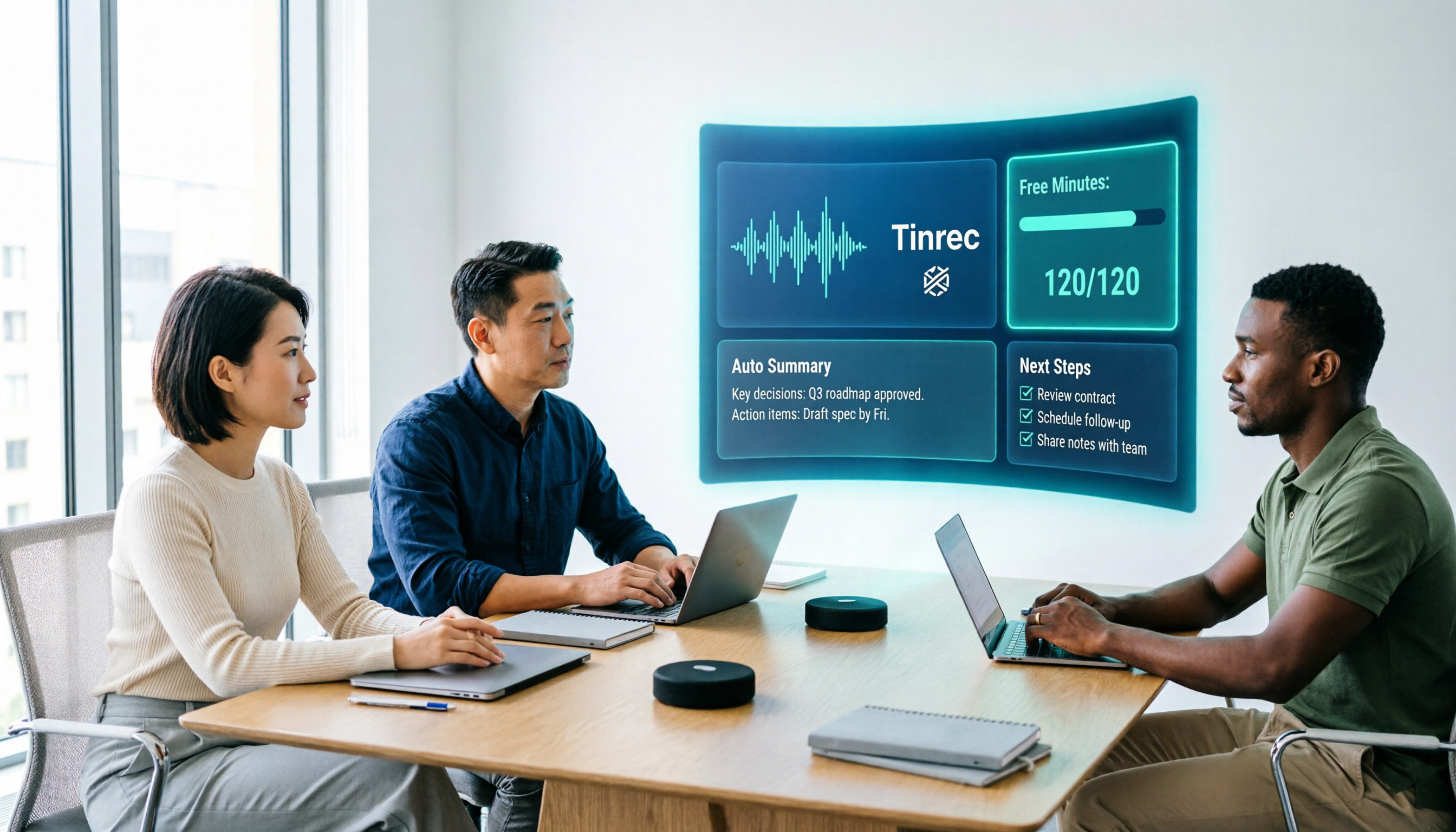
Tinrec extends the post-meeting process further. Beyond the transcript, it automatically generates summaries, chapters, and key points, organizes follow-up actions from discussions into to-dos, and lets you ask questions directly about the meeting—"What was the conclusion?" "Who is responsible for which item?" It answers based on the content, so you don't have to scroll through thirty pages of transcript. When you need deliverables, hand it to the Agent to generate reports, tables, or documents.
One is "telling you the content," the other is "letting you start working." That's the difference.
3. Online meetings: Audio capture or direct system sound collection?
The Plaud Note Pro's strength is on-site audio capture, performing well in quiet environments and close-range conversations.
Stop organizing recordings by hand
Upload audio or video and automatically get a transcript, summary, and action items
Tinrec's desktop version handles a different scenario. For meetings on Zoom, Google Meet, Microsoft Teams, and Webex, it directly captures the sound played by your computer, without needing to invite an extra meeting bot as a participant. The meeting remains the same meeting, just with an added transcript.
If half of your meetings are online, this difference will show up every day.
4. Cross-language: Post-meeting translation or real-time comparison?
Tinrec supports real-time translation, allowing you to switch between original text, translation, or bilingual view during recording. For meetings with mixed Chinese and English, or cross-border client communication, this means you don't have to wait until after the meeting to discover a segment you didn't understand.
Besides Chinese and mixed Chinese-English content, it also lets teams maintain company-specific product names, project codes, and technical terms through team hotwords, ensuring these terms are correctly recognized in the transcript.
5. Cost structure: An extra device or saved time?
The Plaud Note Pro's acquisition cost includes the hardware itself (currently shown as USD 189 on the official page) plus subsequent membership plans: Starter at 300 minutes per month, Pro annual at USD 99.99 for 1,200 minutes per month, and Unlimited annual at USD 239.99.
Tinrec requires no additional hardware; it works on phone, computer, and web. The personal plan starts with a free version, with a weekly card for short-term intensive use, and Pro monthly and annual cards for steady use.
There's no absolute cheaper option here—only "are you buying a device or buying saved work time?"
Tinrec's core features at a glance
Real-time audio to text. Transcribes as you record, so text is generated synchronously during the meeting. The benefit is you can glance at the text to confirm no key points are missed, and the transcript is already there when the meeting ends.
Bot-free online meeting recording. The desktop version captures system audio, initiated by the user. No need to pull an extra account into the meeting room, and no need to explain to colleagues "that account joining the meeting is our new tool."
AI summaries, chapters, and to-dos. The most troublesome part of long meetings is recalling the structure. Tinrec breaks content into chapters, extracts key points, and organizes "who needs to do what by when" into a to-do list.
AI Q&A. This is my personal most-used feature. For a one-hour meeting, I don't re-read the transcript; I ask it questions directly and let it find answers from the content.
Multi-format export and Agent post-processing. Results can be taken to Notion, Google Docs, OneNote, or Dropbox for continued use; when you need to submit reports, create tables, or write meeting minutes, hand it to the Agent to generate.
Team workspace. Recordings, transcripts, summaries, and to-dos are stored centrally. New members can browse past meetings, and data doesn't leave with departing members.
Real-world usage scenarios
Weekly department meetings. Open Tinrec desktop and start recording; by the end of the meeting, the transcript is complete, and summaries and to-dos are automatically generated. You only need five minutes to confirm owners are correct, and the rest of the time can be used for the next task.
Customer interviews and requirements gathering. Customers speak quickly, mixing English and product names; use team hotwords to correct terminology. Afterward, directly ask Tinrec "What concerns did the customer mention?"—much faster than listening again, and easier to catch unspoken hesitation.
Courses and lectures. Place your phone on the desk for real-time recording; after class, the transcript and chapters are ready. To review a segment, search for a keyword and jump back to that point—no need to fast-forward from the beginning.
Cross-department project meetings. These meetings are most prone to "disperse after finishing." Once data enters the team workspace, the next meeting can directly pull up previous decisions and unfinished items, instead of arguing again about who said what last time.
Points to consider when choosing a recording tool
1. How many tools do you need for different scenarios. In-person recording, online meetings, existing audio files—if each requires a different process, the chance of errors is higher than you think. Choosing one that can handle all these sources will save a lot of switching costs.
2. Will the audio file be retained. Some tools only give you the transcript and don't keep the original audio. When you need to verify a sentence or tone afterward, you can only rely on memory. Confirm whether the tool retains recordings—it's important.
3. Completeness of post-meeting output. Transcript is basic; summaries and to-dos are the real time-savers. And whether you can continue asking questions about the content determines whether you have "a document" or "a conversational database."
4. Team governance. If meeting data will be used by multiple people, look at how it distinguishes members, roles, and access rights, whether it can view usage trends, and whether it can query and export important operation logs.
5. How quotas are calculated. Some plans deduct by minutes, others calculate real-time recording and file import separately. Figure out roughly how much you'll record per month before choosing a plan—more practical than looking at unit price.
Conclusion: Is Tinrec worth a try?
If what you want is "a recording device you can carry anywhere and press anytime," the Plaud Note Pro remains a reasonable choice—its hardware design and audio capture capabilities are built for exactly that.
But if what you want is "the moment the meeting ends, the transcript, summary, and to-dos are ready, and you can continue to ask, use, and hand off," then Tinrec addresses a layer closer to your real pain points.
It doesn't require you to carry an extra device, online meetings don't need a bot to join, it handles Chinese and mixed Chinese-English content, and data ultimately settles in the team workspace.
A more practical approach: don't just read reviews. Pick a meeting you already have next week, record it once with Tinrec's free version, and see how much of that half-hour after the meeting you actually save. That's more accurate than any spec sheet.
Quick start checklist
- Sign up for a Tinrec account, starting with the free version.
- Online meetings: Install the desktop version, initiate recording before the meeting starts—no need to invite a bot.
- In-person meetings: Use your phone for real-time recording, and mark important points as you go.
- Existing audio files: Upload audio or video files directly for transcription.
- Ten minutes after the meeting: Review summaries and chapters, confirm to-do owners.
- Need details: Use AI Q&A to follow up—don't re-listen to the whole meeting.
- Team use: Create a team workspace, invite members, assign seats, and store meeting data centrally.
Test step by step, and you'll gradually find your own post-meeting workflow.
References
- Plaud User Guide | Complete Tutorial and Operation Guide
- PLAUD Note Pro AI Smart Notebook Recording Card - eSENTRA
- Plaud Note Pro Smart Recording Card Unboxing: One-Click Meeting Summary, Phone Recording, Reporting, and Writing with AI - KOC PC
- Plaud Note Pro Complete User Guide: From Setup to AI Summary, Quick Start Guide
- Recording Operation Guide | Plaud Taiwan
Turn every recording into actionable outcomes
Get 60 free transcription minutes when you sign in. No credit card required.
Related Reading
You might also like

Tinrec vs Notta 2026: 5-Factor Comparison — Which Free AI Speech-to-Text Tool Is More Cost-Effective?
When searching for 'vocal ai free,' most people only look at how many free minutes are offered, but overlook the maximum length per recording, how meetings are recorded, and whether the transcript can be used directly afterward. This article compares Tinrec and Notta across 5 dimensions, from free quota, bot-free recording, post-meeting organization, to team data ownership, and tells you which tool suits which type of user.
How to Use Vocol.ai Free Version in 2026? 5 Steps to Choose the Right AI Meeting Notes Tool
People searching for 'Vocol.ai free' usually want to know if the free quota is enough. This article uses 5 checkpoints to compare Vocol.ai's free version with Tinrec item by item—from how free minutes are calculated, how to record online meetings, post-meeting outputs, to team governance—helping you make a clear decision before purchasing.

Vocal Folds vs Vocal Cords: 5 Key Differences Explained (2026)
The most common Chinese translation of vocal folds is "聲帶" (vocal cords), also known anatomically as "聲襞" (vocal folds). This article compares vocal folds and vocal cords, including pronunciation, example sentences, and related terms, to help you quickly understand this English term.

4 AI Recording Tools Compared in 2026: Is Plaud Note or Tinrec Better for Students?
In 2026, the most-searched "PLAUD recording review" really comes down to a more basic question: are you buying an extra piece of hardware, or a post-recording workflow? Starting from real student use cases, this article first explains the 4 key factors to consider when choosing, then hands-on compares Tinrec, PLAUD Note, Otter.ai, and Notta on their differences, free tiers, and long-term costs, and finally gives selection advice segmented by scenario.

2026 AI Recorder Comparison: Should You Buy PLAUD or Use Meeting Software?
PLAUD recorders (Note, NotePin) focus on in-person and phone recording, but most people's pain points actually occur in online meetings and post-meeting organization. This article starts with the decision of whether you need hardware or software, then compares PLAUD, Tinrec, Otter.ai, and Notta in terms of positioning, cost, and limitations, helping you think clearly before spending money.

2026 Recording Platform Cost Comparison: Is PLAUD Subscription Worth It? Alternatives Reviewed
PLAUD's cost isn't just the device—it's hardware plus AI membership. This article breaks down the pricing structures of PLAUD, Notta, Otter, and Tinrec, and outlines 4 key points and 4 common pitfalls to understand before buying, so you can calculate your annual spend before swiping your card.

Which Plaud Recording Platform Is Best? 2026 Hands-On Test of 4 Options—This One Makes Meeting Notes Easier
What is the Plaud recording platform, and how does it differ from meeting note software? Starting from real meeting needs, this article compares Plaud Note, Tinrec, Notta, and Otter.ai in terms of positioning, pricing, and limitations. It outlines 4 key buying factors and 3 common pitfalls to help you choose the one that truly saves time.

6 PLAUD Recording File Processing Tools Compared in 2026: Which One Turns Audio into Queryable Data?
PLAUD recording cards solve the problem of capturing audio, but not of using it. This article starts with common misconceptions and compares six tools that can process PLAUD recordings: Tinrec, PLAUD, Notta, TurboScribe, Otter.ai, and Granola. It outlines each tool's positioning, pricing, and use cases, plus four things to know before you start.

2026 Comparison of 3 Audio-to-Text Tools: Plaud Recording Hardware vs. Tinrec Software — Which Is More Hassle-Free?
The difference between Plaud recorders and audio-to-text software like Tinrec isn't just about audio capture—it's about what you get after the meeting. This article runs the same meeting recording through each tool, examining audio capture methods, transcript readability, AI summaries, and team collaboration, and outlines 4 key buying factors and 4 common pitfalls to help you decide whether to buy hardware or subscribe to software.