

Turn recordings into transcripts and summaries in minutes
Upload audio or video for multilingual transcription, AI notes, and action items
Before Buying a Recording Tool, the Real Question Isn't 'How Much Is This Device?'
Most people's first question is: 'How much does this device cost?'
But the real question is the second one: How much will I pay every month afterward?
For products like PLAUD, the cost is split into two parts—first you buy the hardware, then you subscribe to the AI membership. The first part is visible in your shopping cart; the second part appears when you link your account and your quota runs out.
This article isn't trying to persuade you not to buy hardware. Instead, it lays out the costs of two approaches: one is 'device + subscription,' the other is 'software subscription only.' So you know what you're paying for before you swipe your card.
Before Choosing a Recording Platform, Understand These 4 Key Points
1. Is the cost one-time or ongoing?
Hardware is a one-time expense; AI membership is ongoing. The total annual cost is often not the number you see on the product page. When evaluating, calculate 'device price + 12 months subscription' together to avoid miscalculating.
2. Does the free quota reset monthly or is it a total amount?
Most tools say '300 minutes per month,' meaning it resets monthly, not 300 minutes for life. Pay special attention to what happens after exceeding the quota—does it stop, or does it automatically upgrade and charge you?
3. Are you recording meetings on your computer or in-person conversations?
For online meetings, people sit in front of computers, and software can capture system audio without extra devices. In-person interviews, classes, and spontaneous calls are where hardware truly has an advantage. First figure out which type accounts for 80% of your time.
4. Where does your data ultimately reside?
For personal use, keeping recordings in your personal account is enough. But when it comes to teams, check whether there's a team workspace, member and seat management, usage statistics, and activity logs. Otherwise, when a colleague leaves, meeting data goes with them.
Tinrec (秒聽錄音) — The Route Without Buying a Device First
Tinrec is an AI meeting notes and collaboration tool for individuals and teams, supporting web, desktop, and mobile.
Its pricing structure is easier to understand: no hardware, just plans.
Personal plans include Free, Weekly Pass, Pro Monthly, and Pro Annual. The choice is based on tasks, not price: for occasional recording organization, start with Free; for short-term intensive meetings or interviews, Weekly Pass is suitable; for steady weekly needs, Pro Monthly; to build a long-term recording database, the annual plan has a lower monthly equivalent.
Team plans offer an independent workspace, not multiple people sharing one account. Eligible teams can enjoy a 7-day trial for first-time use, including 1 free seat and 300 minutes of shared team import quota. Paid plans are USD 29.80 per paid seat per month, or USD 199 per paid seat per year (about USD 16.58 per month); each paid seat provides 2,000 minutes of shared team import quota per month. Under an active team plan and active seats, real-time recording currently does not deduct minutes.
Actual currency, promotions, and final amounts are subject to the official purchase page.
What It Feels Like in Practice
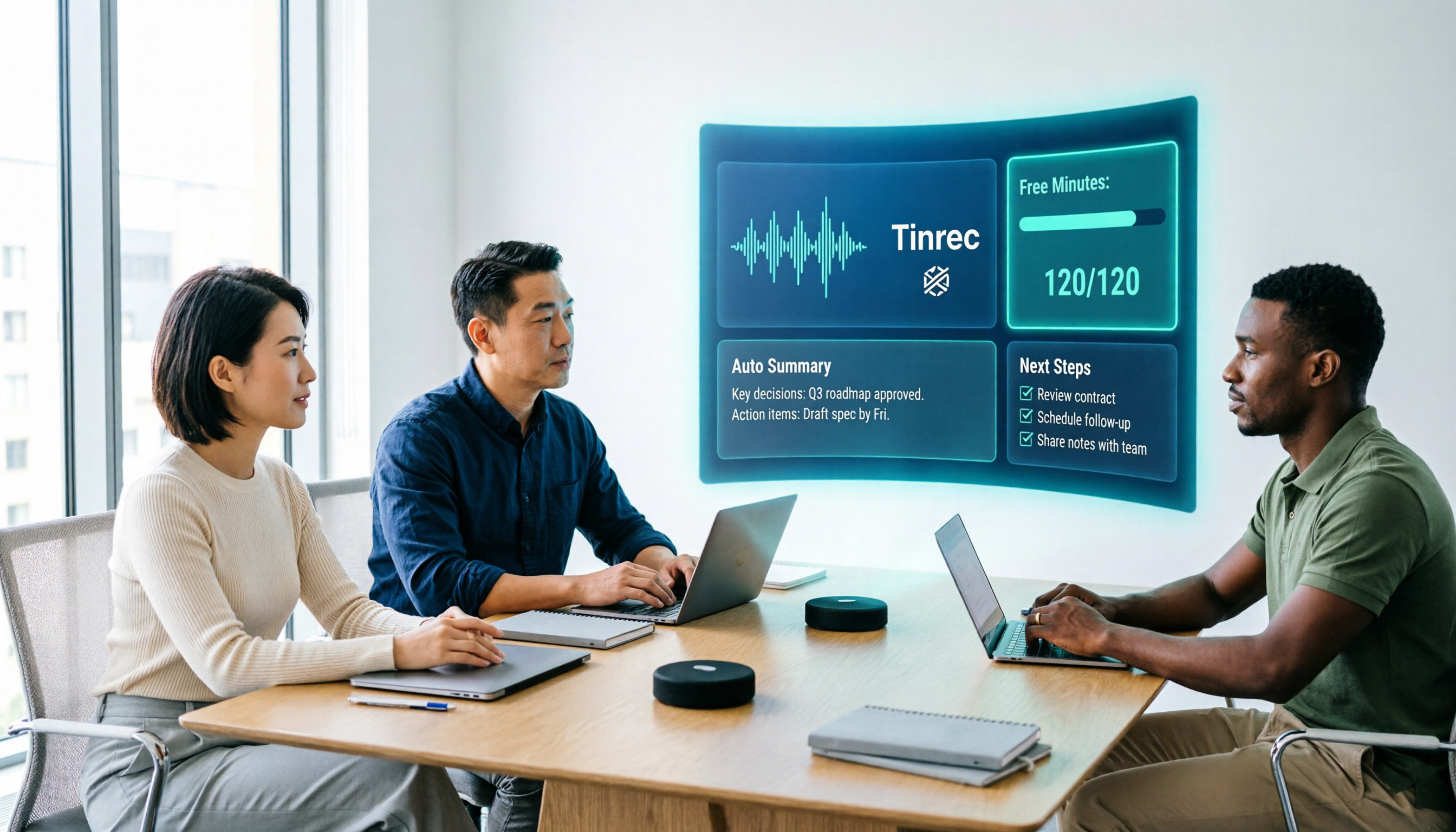
During online meetings, use the desktop version to directly capture computer system audio—Zoom, Google Meet, Microsoft Teams, Webex all work without inviting an extra meeting bot. This is especially noticeable for external client meetings—you don't need to explain 'an AI will join shortly.'
You can see the transcript during the meeting, and for cross-language meetings, switch between original, translation, or bilingual view. After the meeting, summaries, chapters, and action items are already organized—who's responsible for what and when it's due—no need to listen from the beginning again.
Even better is after recording. You can directly ask questions about the meeting, such as 'What was the client's budget cap?' It will search the content for the answer instead of giving you a bunch of keyword search results. For reports, you can further generate documents, tables, or export to Notion, Google Docs, OneNote, Dropbox for further processing.
Three Notable Advantages
No extra device to carry. Your laptop and phone are your recording devices—saving even one charger on a business trip is a win.
The post-transcription workflow connects seamlessly. Transcript is just the starting point; summaries, action items, AI Q&A, and export to existing workflows are all connected. Using such tools only as 'audio-to-text' means you're only using part of their capability.
Team data has ownership. Team workspace centrally stores Audio, Folder, TODO, and meeting data, with roles and seats distinguished—roles determine who can manage the team and view audits, seats determine who can record, upload, edit, and export. When a member leaves or loses a seat, their team resources need to be handed over to other active members. Additionally, deleted team audio goes to the recycle bin, currently retained for 30 days, and can be recovered before permanent deletion.
Limitations to Be Honest About
Tinrec does not promise a fixed accuracy rate. Actual transcription quality is affected by recording quality, ambient noise, accents, multiple people talking over each other, and technical terminology. For important content, it's recommended to cross-check with transcript timestamps and recording playback.
Stop organizing recordings by hand
Upload audio or video and automatically get a transcript, summary, and action items
Also, the current team plan is primarily team-level sharing—all active members can read team data, not a file-level granular permission system. If your company requires an independent access list for each file, confirm this internally first.
Who It's For
If 80% of your meetings are on computers, content is mainly in Chinese or mixed Chinese-English, and you want to directly ask follow-up questions after recording, Tinrec is the most hassle-free choice among these routes. For departments that need shared meeting records, seat management, and usage tracking, the team plan fits better than personal plans.
How Much Does PLAUD Actually Cost? And What Alternatives Are There?
This is what most people really want to know when searching: How many payments does PLAUD require?
The first is hardware. On the US official website, for example, PLAUD NotePin is USD 159, PLAUD Note Pro is USD 189.
The second is AI membership. Starter (free) offers 300 transcription minutes per month; Pro is USD 99.99/year with 1,200 minutes per month; Unlimited is USD 239.99/year. In Taiwan, there are also monthly subscriptions and activation codes; media estimates put Pro at about NT$275/month and Unlimited at about NT$665/month, essentially annual payments converted to monthly. Note that PLAUD's membership is designed to work with device features—you need to link the device to your account for full use.
Canceling won't take your data away—after the subscription period ends, the account returns to Starter, and existing recordings and transcripts remain accessible. Also remember the purchase channel: subscriptions via App Store or Google Play can only be changed through the same channel; they cannot be transferred between platforms.
For team needs, Plaud Team is an independent workspace; seats and billing are handled by the team admin in the console, and you cannot upgrade from a personal subscription. Actual seat prices are subject to the official page.
So the conclusion is simple: if you need to record on the go, away from your computer, hardware has irreplaceable value. But if most of your meetings happen on computers, Tinrec doesn't require buying an extra device—the desktop version can record, and recordings go directly into the team workspace. The total expense structure of this route is much simpler.
Notta
Notta's free plan offers 120 minutes per month, but with a 3-minute limit per item; Pro annual billing is about USD 8.17/month with 1,800 minutes per month; Business annual billing is about USD 16.67/seat/month. Its positioning leans toward transcription, subtitles, translation, and file processing—if you have a batch of video/audio files to subtitle, it's a good fit. Tinrec focuses on what comes after transcription—summaries, chapters, action items, AI Q&A, and consolidating results into the team workspace.
Otter.ai
Otter's Basic free plan offers 300 minutes per month; Pro annual billing is about USD 8.49/user/month with 1,200 minutes per month. It's a mature choice for English business meetings—no argument there. But if your meetings are mainly in Chinese or mixed Chinese-English, Tinrec is smoother for Chinese transcription, real-time translation, and bilingual view.
Pitfall Guide: The 4 Most Common Mistakes When Choosing a Recording Platform
Pitfall 1: Only looking at device price, not including subscription.
Hardware is one-time; membership is paid monthly or annually. Before buying, add up 'device + one year subscription' so you don't discover the total exceeds expectations in the second year.
Pitfall 2: Treating '300 free minutes per month' as always enough.
300 minutes sounds like a lot, but if you have a one-hour meeting every day, it's used up in a month. Estimate your actual monthly recording time before deciding whether to pay.
Pitfall 3: Thinking getting a transcript equals saving time.
What really takes time is 'finding conclusions and action items from the transcript.' If the tool only gives you a big block of text, you still have to read it all. When choosing a tool, look at summaries, chapters, action items, and whether you can ask questions directly.
Pitfall 4: Ignoring team data ownership.
When a colleague leaves, meeting records shouldn't disappear with them. What to look at here is team workspace, seat management, and resource handover mechanisms—not whose account has the file.
Conclusion: Which One Should You Choose?
To sum up in one sentence: PLAUD's cost is 'hardware + subscription' in two parts; Tinrec is 'subscription only' in one part. Your choice depends on where your meetings happen.
Need on-the-go recording, offline idea capture, recording phone calls → PLAUD, its hardware form exists for this.
80% of meetings on computer, don't want to carry extra devices → Tinrec, desktop version captures system audio, no meeting bot needed.
Meetings mainly in Chinese or mixed Chinese-English → Tinrec, switch between original, translation, and bilingual view.
Want to directly ask follow-up questions after recording → Tinrec, summaries, action items, AI Q&A, and export all in one workflow.
Need shared team records, seat management, and usage tracking → Tinrec team plan, roles and seats managed separately, with activity logs available.
Q: Is Tinrec's free plan enough?
The free plan provides a basic quota and allows you to complete a full 'record → transcribe → summarize' workflow. It's recommended to try with a real meeting recording you have, see if the quota consumption speed and transcription quality meet expectations, then decide whether to upgrade. Actual quotas and plan details are subject to the official website.
Q: I already bought a PLAUD device—do I still need Tinrec?
The scenarios they solve don't completely overlap. PLAUD excels at on-the-go and hardware recording; if a large number of your meetings are actually on computers, you'll still need a tool that can directly process system audio and consolidate records for the team.
Q: How to understand team plan costs?
Team plans are priced per paid seat; annual billing comes to about USD 16.58 per seat per month, lower than monthly. Note that active members without seats can still view, play, and read team data, but cannot upload, edit, or export. So first calculate 'the number of people who will actually record'—no need to buy for the entire department at once.
One final reminder: before recording, inform the other party and obtain consent—this is not just courtesy; regulations vary by location. No matter how convenient the tool, stay on the legal side.
References
- Plaud Taiwan | Official Website | Leading AI Recording Device Brand
- Plaud AI Plans and Pricing
- Plaud Note │ The Smartest AI Voice Recorder Card Ever
- Plaud Note Pro Unboxing Review | Portable AI Smart Recording Evolved! Is It Good? Who Is It For? - Mr. Mad
- PLAUD Smart Recording | Recording/Audio Accessories - PChome 24h Shopping
Turn every recording into actionable outcomes
Get 60 free transcription minutes when you sign in. No credit card required.
Related Reading
You might also like

Tinrec vs Notta 2026: 5-Factor Comparison — Which Free AI Speech-to-Text Tool Is More Cost-Effective?
When searching for 'vocal ai free,' most people only look at how many free minutes are offered, but overlook the maximum length per recording, how meetings are recorded, and whether the transcript can be used directly afterward. This article compares Tinrec and Notta across 5 dimensions, from free quota, bot-free recording, post-meeting organization, to team data ownership, and tells you which tool suits which type of user.
How to Use Vocol.ai Free Version in 2026? 5 Steps to Choose the Right AI Meeting Notes Tool
People searching for 'Vocol.ai free' usually want to know if the free quota is enough. This article uses 5 checkpoints to compare Vocol.ai's free version with Tinrec item by item—from how free minutes are calculated, how to record online meetings, post-meeting outputs, to team governance—helping you make a clear decision before purchasing.

Vocal Folds vs Vocal Cords: 5 Key Differences Explained (2026)
The most common Chinese translation of vocal folds is "聲帶" (vocal cords), also known anatomically as "聲襞" (vocal folds). This article compares vocal folds and vocal cords, including pronunciation, example sentences, and related terms, to help you quickly understand this English term.

4 AI Recording Tools Compared in 2026: Is Plaud Note or Tinrec Better for Students?
In 2026, the most-searched "PLAUD recording review" really comes down to a more basic question: are you buying an extra piece of hardware, or a post-recording workflow? Starting from real student use cases, this article first explains the 4 key factors to consider when choosing, then hands-on compares Tinrec, PLAUD Note, Otter.ai, and Notta on their differences, free tiers, and long-term costs, and finally gives selection advice segmented by scenario.

2026 AI Recorder Comparison: Should You Buy PLAUD or Use Meeting Software?
PLAUD recorders (Note, NotePin) focus on in-person and phone recording, but most people's pain points actually occur in online meetings and post-meeting organization. This article starts with the decision of whether you need hardware or software, then compares PLAUD, Tinrec, Otter.ai, and Notta in terms of positioning, cost, and limitations, helping you think clearly before spending money.

How to Use Plaud Note Pro Recording in 2026: 3 Scenario Steps + Tinrec Post-Meeting Workflow
Starting with three recording operations for Plaud Note Pro, this guide compares Tinrec's differences in input sources, post-meeting organization, AI Q&A, and team knowledge retention, helping you decide which workflow better fits your daily meeting scenarios.

Which Plaud Recording Platform Is Best? 2026 Hands-On Test of 4 Options—This One Makes Meeting Notes Easier
What is the Plaud recording platform, and how does it differ from meeting note software? Starting from real meeting needs, this article compares Plaud Note, Tinrec, Notta, and Otter.ai in terms of positioning, pricing, and limitations. It outlines 4 key buying factors and 3 common pitfalls to help you choose the one that truly saves time.

6 PLAUD Recording File Processing Tools Compared in 2026: Which One Turns Audio into Queryable Data?
PLAUD recording cards solve the problem of capturing audio, but not of using it. This article starts with common misconceptions and compares six tools that can process PLAUD recordings: Tinrec, PLAUD, Notta, TurboScribe, Otter.ai, and Granola. It outlines each tool's positioning, pricing, and use cases, plus four things to know before you start.

2026 Comparison of 3 Audio-to-Text Tools: Plaud Recording Hardware vs. Tinrec Software — Which Is More Hassle-Free?
The difference between Plaud recorders and audio-to-text software like Tinrec isn't just about audio capture—it's about what you get after the meeting. This article runs the same meeting recording through each tool, examining audio capture methods, transcript readability, AI summaries, and team collaboration, and outlines 4 key buying factors and 4 common pitfalls to help you decide whether to buy hardware or subscribe to software.