

Turn recordings into transcripts and summaries in minutes
Upload audio or video for multilingual transcription, AI notes, and action items
2026 Comparison of 4 Vocol Online Alternatives: Which Meeting Notes Tool Saves the Most Time?
When you search for "Vocol online," you're likely at a crossroads.
One path leads to TV shows—search results are mixed with streaming pages for the Korean drama Voice, available on iQIYI, myVideo, and ChinaQ.
The other path leads to work—you want an online service that you can use right in your browser to turn meeting or interview recordings into transcripts and key points.
This article deals with the second path. If you're looking for the first, just scroll down to find streaming platforms; this won't help you.
Next, I'll compare using a very practical standard: how quickly after a meeting you can get notes you can actually use.
Two Hours After the Meeting, Notes Still Stuck on the First Paragraph—The Problem Usually Isn't You
The online meeting just ended, your boss asks "Who was responsible for that action item?" You remember someone mentioned it, but can't recall who.
Even trickier are meetings with mixed Chinese and English. Your boss speaks Chinese, the client speaks English, and product names are abbreviations—typing notes by hand just can't keep up.
Another scenario: you clearly pressed record, but the audio file sits on your phone for three weeks because the thought of re-listening to 60 minutes makes you lazy.
These three scenarios are actually the same problem—you're leaving both "recording" and "organizing" to your brain and typing speed.
If you choose the right tool, most of these two tasks can be handled by the workflow.
Before Choosing an Online Meeting Notes Tool, Understand These 5 Key Points
1. How the meeting is recorded There are two approaches on the market: one is to send a "meeting bot" to join the meeting as a participant; the other is to capture system audio directly on your own computer, so no extra account appears in the meeting list.
The difference: some companies block external bots, and clients may find an extra unknown account odd. It's worth clarifying this upfront.
2. What you get after transcription A tool that only gives you a transcript saves you typing time, but you still have to read 40 pages of text yourself.
A better approach is to directly give you a summary, chapters, action items, and even let you ask questions about the meeting content.
3. Can it handle Chinese and mixed Chinese-English? There are many choices for pure English meetings, but meetings in Taiwan are usually primarily in Chinese with English terms mixed in. How smoothly this works is more important than the official accuracy numbers.
4. Where the data ultimately resides Personal accounts are convenient, but if meeting notes are scattered across everyone's phone, there's no accumulation.
If this matters to the team, check whether the tool has a team workspace and how members, roles, and seats are managed.
5. How quotas are calculated Free quotas aren't just about "how many minutes"—also look at "per-session limit" and "whether you can import existing files." Some plans can only process a few minutes per session, making them impractical for organizing a formal meeting.
Tinrec—The One We Keep Coming Back to After Testing
Tinrec is an AI meeting notes and collaboration tool for individuals and teams, available on web, desktop, and mobile. It doesn't just convert audio to text; it organizes meetings into data that can be searched, queried, exported, and further processed.
Record online meetings without a meeting bot
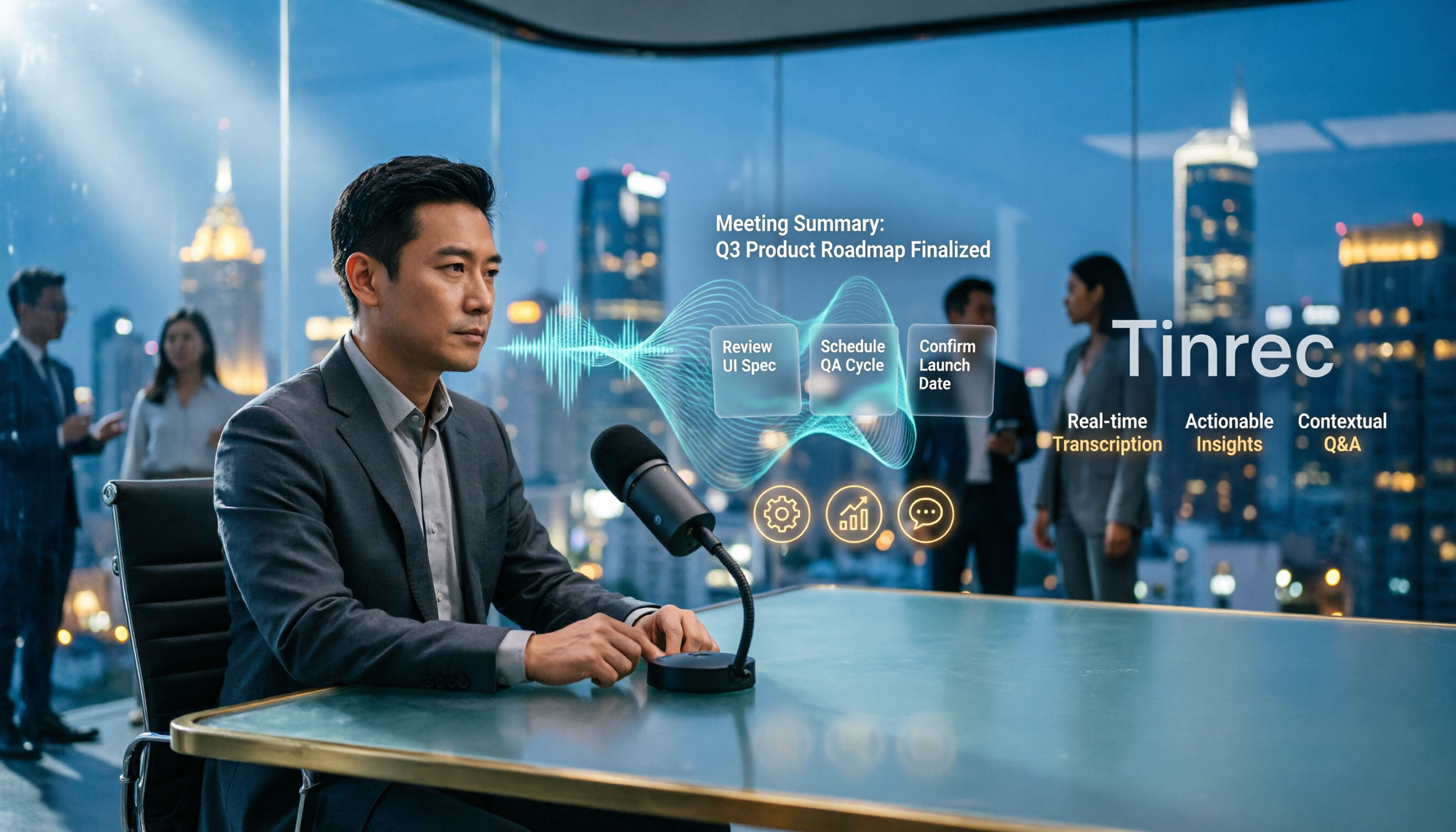
Tinrec's desktop version captures your computer's system audio directly, handling meetings on Zoom, Google Meet, Microsoft Teams, Webex, etc., without sending an extra bot.
In practice: before the meeting, open the desktop app and press record; the transcript grows as people speak, and no extra account appears on the participants' side.
Note: this is not "automatically join all calendar meetings"—you need to start recording yourself. Think of it as a much smarter record button, not a fully automatic assistant.
What you get after the meeting is organized content, not a 40-page transcript
After recording, Tinrec generates a summary, chapters, and key points, and extracts action items from the discussion into to-dos.
Even better is AI Q&A. You can directly ask "What were the client's concerns about the quote?" and it will find the answer from the entire meeting, rather than giving you a bunch of keyword matches.
For cross-language meetings, you can enable real-time translation and view in original, translated, or bilingual mode. Organized content can be exported to Notion, Google Docs, OneNote, Dropbox, etc., or further generate reports, tables, and meeting documents.
Team Edition: Turn meetings from personal files into team assets
The Team Edition is not "several people sharing one account" but an independent team workspace.
Meeting data belongs to the team; new members can see historical data after joining; when a member leaves or loses their seat, they need to hand over their responsible resources to others, so data doesn't leave with the person.
Management is divided into roles and seats: roles determine who can manage the team, members, and audits; seats determine whether members can record, upload, edit, and export. Valid members without a seat can still view, play, and read team data.
Stop organizing recordings by hand
Upload audio or video and automatically get a transcript, summary, and action items
There are also team hotwords (add company-specific terms to improve recognition of professional vocabulary), usage analytics, audit logs, and an audio recycle bin (deleted items can be restored before permanent cleanup, currently retained for 30 days).
The Team Edition currently offers a 7-day trial (1 free seat, 300 minutes shared import quota); monthly USD 29.80 per paid seat per month, annual USD 199 per paid seat per year (about USD 16.58/month), each paid seat includes 2,000 minutes of team shared import quota per month. Real-time recording under an active plan is currently not deducted by minutes. Prices and benefits are subject to the official purchase page.
Hands-on impressions and things to note
We tested with a roughly 20-minute meeting recording containing mixed Chinese-English and indoor background noise. Overall structure and action items were captured accurately, and sentences switching between Chinese and English were mostly kept up with; for rare product codes or names, a few characters still needed manual correction.
Honestly, no tool should promise a fixed accuracy rate—audio quality, accents, and multiple people talking over each other all affect results. For important numbers and commitments, it's advisable to click back to the transcript and cross-check with the recording.
Limitations are also clear: the free version is a basic quota, suitable for validating the workflow first, not for heavy daily organizing; file import and team shared quotas have their own calculation rules; the Team Edition currently shares at the team level, without file-level granular permission settings.
Who it's for
- Meetings are primarily in Chinese or mixed Chinese-English, and you need transcripts, summaries, and action items all in one place
- Your company blocks external meeting bots, or you don't want clients to see an extra account
- You want meeting data to stay with the team, not scattered on personal phones
- You need cross-platform use: record on mobile, organize on computer, export to document tools
Besides Tinrec, what other options are there?
Otter.ai: A veteran choice for English business meetings. Basic is free with 300 minutes per month; Pro annual billing works out to about USD 8.49 per user per month, including 1,200 minutes of in-app recording and 10 file imports per month. If 90% of your meetings are in English, it's worth considering. However, for Traditional Chinese and mixed Chinese-English fluency, as well as terminology maintenance like team hotwords, Tinrec's support is more comprehensive.
Granola: Also a bot-free AI meeting notes tool, its strength is combining user-typed notes with AI transcription. Basic is free, Business is USD 14 per user per month. Note that it does not save meeting audio and does not support uploading pre-recorded audio files—if you want to go back and check a specific sentence later, Tinrec's approach of retaining audio and supporting file import is more practical.
Notta: A familiar name in multilingual transcription and translation. Free is 120 minutes per month with a 3-minute per-session limit; Pro annual billing works out to about USD 8.17 per month, 1,800 minutes per month. The 3-minute per-session limit makes the free version hard to use for a full meeting. Tinrec's differences are bot-free desktop recording, post-meeting AI Q&A, and a team structure that separates member and seat management.
(Prices for competitors are subject to their official pages.)
Pitfall Guide: The 4 Most Common Mistakes When Choosing These Tools
Pitfall 1: Only looking at "how many free minutes" without checking the limits. 120 free minutes sounds enough, but if the per-session limit is only 3 minutes, a 50-minute meeting would need to be split into a dozen segments. When looking at quotas, consider the per-session limit and whether file import is supported.
Pitfall 2: Thinking a transcript means it's organized. A 40-page transcript won't turn into conclusions by itself. What really saves time is the summary, chapters, action items, and Q&A—look one step further when choosing a tool.
Pitfall 3: Keeping team data in personal accounts. When a colleague leaves, changes phones, or the account is deactivated, meeting notes disappear with them. If this content is valuable to the team, choose a solution with a team workspace and resource handover mechanisms.
Pitfall 4: Mistaking "can record meetings on these platforms" for "official partnership with the platform" or "automatically joins all meetings." The former just means it can technically capture computer audio; the latter currently requires you to press record yourself. Also, remember to check company policies before recording and obtain participant consent when necessary.
Conclusion: Which one should you choose?
Go back to the initial judgment: do you want to "watch content" or "turn speech into usable data"? If the latter, you can decide like this:
- Need meeting notes in Chinese and mixed Chinese-English, plus summaries, action items, and post-meeting queries → Tinrec; after transcription, just ask it, much faster than flipping through a transcript.
- Don't want an extra bot account in the meeting → Tinrec desktop captures system audio, so participants won't see an additional attendee.
- Meeting data should stay with the team, and members may change → Tinrec Team Edition, managed by roles and seats, with resources owned by the team.
- Cross-platform use (record on mobile, organize on computer, export to document tools) → Tinrec, available on web, desktop, and mobile.
- Meetings are almost entirely in English and only basic transcription is needed → Otter.ai's free 300 minutes is a reasonable starting point.
- Just want to batch convert existing long audio files to text → Such batch transcription tools have their value, but post-meeting organization and team collaboration are not their focus.
If you fall into the first three cases, we suggest running your own meeting recording through Tinrec's free version first to see if the transcript and summary quality match your accent and terminology habits. If the workflow feels smooth and the quota is insufficient, then consider upgrading or evaluating the Team Edition—validating the workflow first is much more cost-effective than buying the highest tier right away.
References
Turn every recording into actionable outcomes
Get 60 free transcription minutes when you sign in. No credit card required.
Related Reading
You might also like

2026 AI Meeting Notes Showdown: Tinrec vs Vocol — Which Is Better for Chinese-Speaking Teams?
Vocol.ai and Tinrec both do speech-to-text, but their actual use cases differ significantly. This article compares the two tools across five dimensions—meeting recording methods, Chinese and multilingual transcription, post-meeting outputs, team governance, and pricing—to help you determine which one fits your workflow.
4 Vocal Aid Tools Tested in 2026: How to Turn Meeting Recordings into Usable Data
Most people searching for 'vocal aid' actually want to turn meeting, interview, and lecture audio into organized, queryable data. This article addresses common misconceptions, explains how to choose a vocal aid tool, and uses Tinrec as an example to break down the complete workflow of real-time transcription, bot-free recording, AI summaries, action item extraction, and team knowledge retention.

5 VOCOlinc App Download Sources Tested in 2026: Official Stores vs. APK Mirrors
Where should you download the VOCOlinc App? This guide covers five working download sources—App Store, Google Play, APKPure, Aptoide, and Softonic—comparing version gaps, who each is best for, and what to check before installing, so you can avoid wrong sources, version mismatches, and repeated pairing hassles.

2026 Comparison of 3 Free Speech-to-Text Tools: How to Get the Most Out of Vocol's 200-Minute Trial
Starting with the Vocol free trial, this article breaks down Vocol's roughly 200-minute trial quota, V-points consumption, and promotional bonus rules, and compares Tinrec, Notta, and Otter.ai using the same purchasing criteria. It honestly discloses free plan limitations, team plan seats, and pricing to help you decide whether to try Vocol first or go straight to Tinrec for meeting notes and team collaboration workflows.

Vocal AI Review 2026: Is It Worth It for Chinese Transcription & Action Items?
Searching for 'vocal AI' yields two distinct needs: AI singing and meeting transcription. This guide breaks down 4 key selection factors, tests Tinrec's bot-free meeting recording, AI summaries, action items, and cross-meeting Q&A, and reviews Notta, Otter.ai, and TurboScribe for different use cases, ending with clear recommendations and pitfalls to avoid.
2026 Complete Guide to Vocal Air Plugins: Principles, Tools, and Practical Tuning
When vocals sound dull, the instinct is to boost high frequencies, but sibilance spikes first. This complete guide starts with the principles of vocal air, outlines 4 key points for choosing a vocal air plugin, demonstrates how to use the Mid Air and High Air controls on Slate Digital Fresh Air, compares alternatives like AIR Vocal FX Collection and Pultec-style EQ, and finishes with 4 common pitfalls and scenario-based selection advice.

4 Free AI Vocal Tools Tested and Compared in 2026: Which One Is Actually Free and Good Enough?
People searching for "vocal ai free" actually have three different needs: separating vocals, generating singing, and turning speech into usable text. This article compares four tools that you can start using for free—Tinrec, Vocali.se, ElevenLabs, and VocalGPT—based on real-world use cases. It explains each tool's free limitations, who it's for, and the most common pitfalls when choosing this type of tool, so you can find the right direction in one go.

Vocol vs Tinrec (2026): 5 Things to Know Before Downloading Vocol Software
Before downloading Vocol software, know the key differences. This comparison of Vocol.ai and Tinrec covers five dimensions: how to get the software, online meeting recording, multilingual transcription, post-meeting organization, and team management. It also includes free quotas, team plan seat pricing, and FAQs to help you decide which tool better fits your meeting needs.

4 AI Meeting Transcription Tools Tested in 2026: How to Use Vocol? Why Tinrec Saves More Time
Many people search for "how to use Vocol" but the real hurdle isn't the operation—it's not first understanding credit calculations, input sources, and the post-transcript organization workflow. This article breaks down Vocol's 5 steps from registration to export, compares it with Tinrec, which proved more frequently used in testing, and contrasts the positioning and pricing of Otter.ai and Granola to help you choose the one that truly saves time.